1
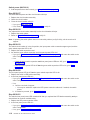
Base code verification
Note: This is not a Perspectives function.
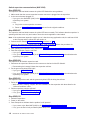
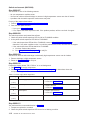
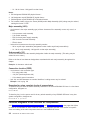
Perform the following procedure to check for supervisor conditions that require action.
1. From the control workstation window, enter:
smitty supervisor
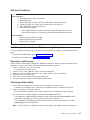
2. The following menu is displayed:
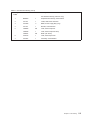
>
Check For Supervisors That Require Action (Single Message Issued)
List Status of Supervisors (Report Form)
List Status of Supervisors (Matrix Form)
List Supervisors That Require Action (Report Form)
List Supervisors That Require Action (Matrix Form)
Update *ALL* Supervisors That Require Action (Use Most Current Level)
Update Selectable Supervisors That Require Action (Use Most Current Level)
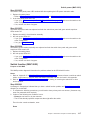
Select the second option, “List Status of Supervisors (Report Form)“
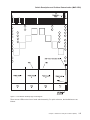
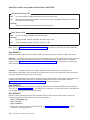
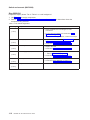
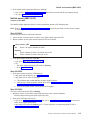
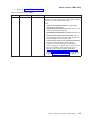
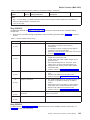
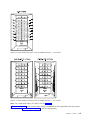
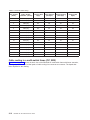
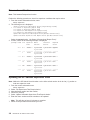
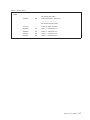
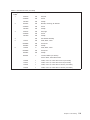
3. A frame, similar to the following example, is displayed:
spsvrmgr: Frame
_____
1
_____
_____
_____
_____
_____
Slot
Supervisor Media
State
Versions
____ __________ ____________
0
Active
u_10.3c.0721
u_10.3c.0723
____ __________ ____________
1
Active
u_10.2e.0702
u_10.2e.0704
____ __________ ____________
5
Active
u_10.2e.0702
u_10.2e.0704
____ __________ ____________
13
Active
u_90.10.071b
u_90.10.071c
____ __________ ____________
14
Active
u_90.10.071b
u_90.10.071c
____ __________ ____________
17
Active
u_90.00.070a
u_90.00.070c
u_90.00.070e
Installed
Required
Version
Action
____________ ________
u_10.3c.0721 Upgrade
____________ ________
u_10.2e.0704 None
____________ ________
u_10.2e.0704 None
____________ ________
u_90.10.071c None
____________ ________
u_90.10.071c None
____________ ________
u_90.00.071e None
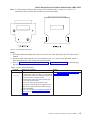
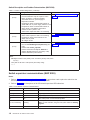
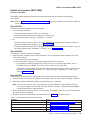
Updating the SP Switch2 supervisor code
Note: Neither the SP Switch2 circuit breaker nor the inline switch need to be in the On (‘1’) position to
load new supervisor code.
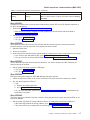
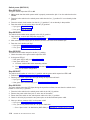
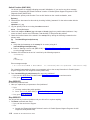
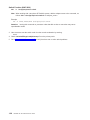
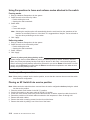
1. From the control workstation enter:
smitty supervisor
2.
3.
4.
5.
6.
Select “List Supervisors That Require Action“
Note the frame number and slot number
Press PF3 (Cancel).
Select “Update Selectable Supervisors That Require Action“
Enter the frame number and slot numbers to be updated.
Note: This will take at least 12 minutes to complete.
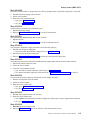
7. Return to the procedure that directed you here.
3-8
RS/6000 SP: SP Switch2 Service Guide