1
NOTE:
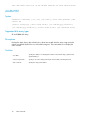
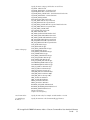
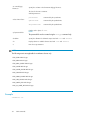
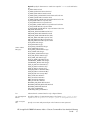
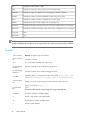
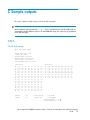
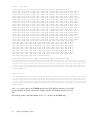
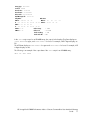
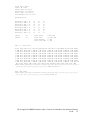
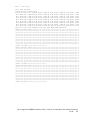
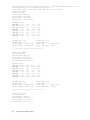
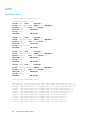
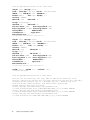
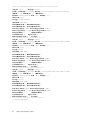
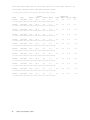
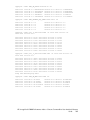
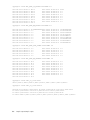
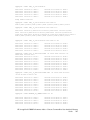
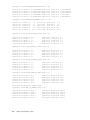
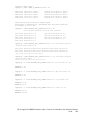
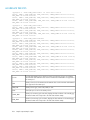
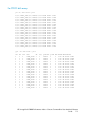
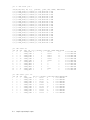
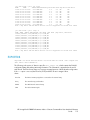
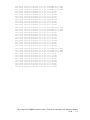
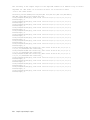
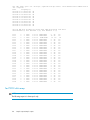
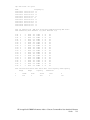
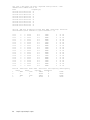
If an array is connected to a host agent that is running on the HP-UX 11i v3 operating system, the
DSF is displayed in a new format. A legacy DSF is displayed in parenthesis next to the new format.
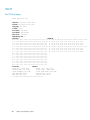
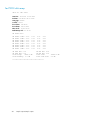
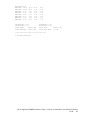
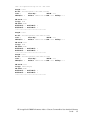
For an XP24000 array with P9000 Thin Provisioning and P9000 Snapshot under RAID Group, the
following output is displayed:
• For P9000 Thin Provisioning:
THP-PID<pool ID>
• For P9000 Snapshot:
SNAP-PID<pool ID>.
DBCONFIG
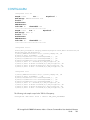
Syntax
dbconfig [-auth <user:passwd>] [-ms <URL>] [-L] [-d<char>] [-hr] [-?]
purge | -list | -loglvl <severity> [-days <days>] [-dkc <serial number>]
[-et <mm.dd.yyyy hh:mm:ss>]
Supported disk array types
XP and P9000 disk arrays
Description
Enables you to modify the data retention time, set log levels at or above a particular severity, purge
data based on an array or on a particular date, archive or import performance data, increase the
database size, and set the management station's time zone.
Switches
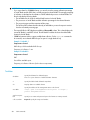
NOTE:
At a given point in time, only one of the “Required” switches can be used.
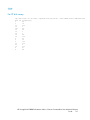
–purge
Required. Purges data from the management station.
–loglvl
Required. Sets the level of log messages to store. It is followed by a number between 1
and 10.
–list
Required. Retrieves a list of current database settings.
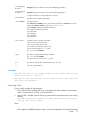
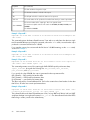
–days
If used with -purge, indicates the day previous to the current day at which to begin
purging data. Cannot be used with -loglvl or -list.
–dkc <serial number>
Specify the array serial number.
Must not be used with -loglvl or -list.
HP StorageWorks P9000 Performance Advisor Software Command-Line User Interface Reference
Guide
45