1
Displaying and Changing Webcache Information and Functions
125
To set the community string:
1 At the Top-level menu, enter:
system management community
The following prompt is displayed:
Enter new community for user ‘admin’[private]:
2 Enter a community string for the admin user name.
Displaying Summary
Information
You can display the summary information for the Webcache using the
summary command on the System menu. This information may be useful
for your technical support representative if you have a problem.
To display the information:
1 At the Top-level menu, enter:
system summary
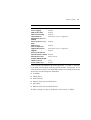
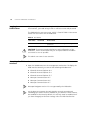
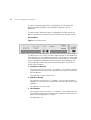
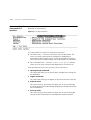
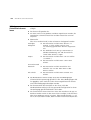
The administration details are displayed as shown in the example below:
3Com SuperStack 3
System Name
: Development
Location
: Wiring Closet, Floor 1
Contact
: System Administrator
Time Since Reset
: 2 days, 3 hours, 10 minutes
Software Version
: 1_00
Hardware Version
: 1.0
MAC Address
: 08:00:00:00:11:11
Serial Number
: 7ZNR001111
The following read-only fields are displayed:
■
System Name
Displays the descriptive name, or system name, for the Webcache. For
information about assigning a new name, see “Specifying a
Webcache Name”on page 124.
■
Location
Displays the physical location of the Webcache. For information about
assigning a new location, see “Specifying Location Details” on
page 124.