1
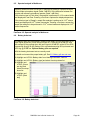
10.4 Calibration check for probe module
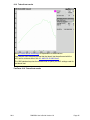
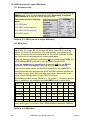
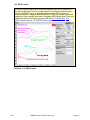
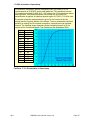
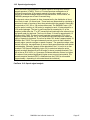
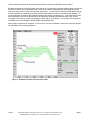
The calibration curve for the probe module is a comparison of the response of the
probe microphone (with tube) to the response of the REM reference microphone.
Any change in the curve indicates a change in one of these microphones (or the
probe tube). See 10.3: Calibration of REM probe microphone. As part of a regular
calibration schedule, or to investigate changing calibration curves, the REM
reference microphone may be checked against a high quality sound level meter.
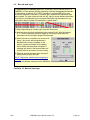
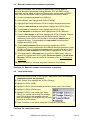
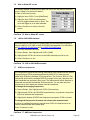
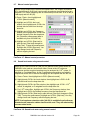
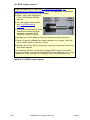
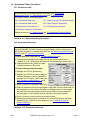
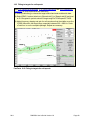
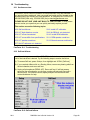
1) Press <Tests>, then highlight and <PICK> REM [Manual control].
2) Highlight & <PICK> [Level], then highlight & <PICK> 70 from the drop-down list.
3) Highlight and <PICK> [Frequency], then highlight and <PICK> 2000 Hz from the
drop-down list.
4) Highlight, then <PICK> [Start test] (which
changes to [Stop test]).
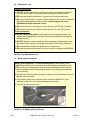
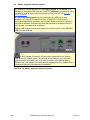
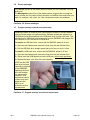
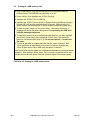
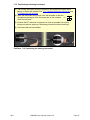
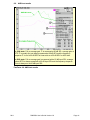
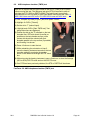
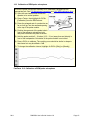
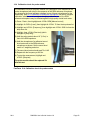
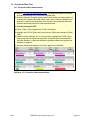
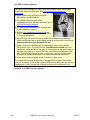
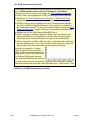
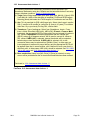
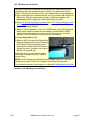
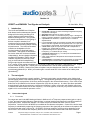
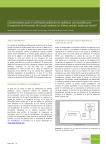
5) Hold the probe module about 18” (0.5 m) in
front of the REM speakers.
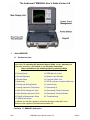
6) Hold the microphone of a calibrated sound
level meter next to the REM reference
microphone as shown. Set the sound level
meter to C weighting and slow.
7) The sound level meter should read 70 ±2 dB.
8) Repeat with the frequency at 250 Hz.
9) To stop the measurement, highlight and
<PICK> [Stop test].
The probe module should be replaced if it
fails this test.
FastFacts 10.4: Calibration check for probe module
0611
RM500SL User’s Guide Version 2.8
Page 52