1
10
EN
FR
a
b
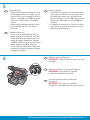
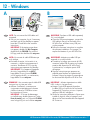
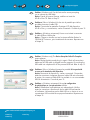
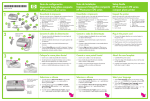
If you have photo paper, load it now. If you
do not have photo paper, go to step 12.
a. Lift the photo tray lid.
b. Load photo paper with the glossy side
down in the photo tray. Slide the paper
guides against the photo paper.
c. Lower the photo tray lid.
d. Pull out the tray extender and lift up the
paper catch.
ES
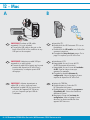
Si dispone de papel fotográfico, cárguelo ahora.
Si no dispone de papel fotográfico, vaya al paso 12.
a. Levante la tapa de la bandeja de fotografías.
b. Cargue el papel fotográfico con la cara
satinada orientada hacia abajo en la bandeja
de fotografías. Deslice las guías de papel hacia
el papel fotográfico.
c. Baje la tapa de la bandeja de fotografías.
d. Extraiga el extensor de la bandeja y levante
el tope del papel.
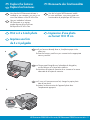
Si vous avez du papier photo, chargez-le
maintenant. Si vous n’avez pas de papier
photo, passez à l’étape 12.
a. Soulevez le capot du bac photo.
b. Chargez du papier photo côté brillant
vers le bas dans le bac photo. Placez les
guides du papier contre le papier photo.
c. Abaissez le capot du bac photo.
d. Tirez l’extension du bac et soulevez le bac
de récupération de papier.
11
ES
d
EN
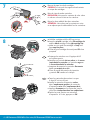
a. Presione el botón OK después de cargar
el papel en la bandeja y espere a que
se imprima la página de alineación.
b. Una vez impresa esta página, presione
el botón OK.
Cuando la página está impresa, el proceso
de alineación ha finalizado.
FR
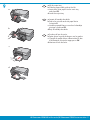
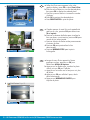
a. Press the OK button after you have loaded
paper in the tray, then wait while the
alignment page is printed.
b. Press the OK button after the alignment
page is printed.
When the page is printed, alignment
is complete.
a. Une fois le papier chargé dans le bac,
appuyez sur OK et attendez que la
page d’alignement s’imprime.
b. Appuyez sur OK une fois la page
d’alignement imprimée.
L’alignement est alors terminé.
6 • HP Photosmart C5500 All-in-One series/HP Photosmart C5500 Tout-en-un série