1
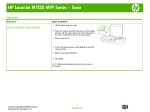
Fax from the flatbed scanner
1.
Place the document face-down on the
scanner glass.
2.
Press the Setup
3.
Select the Phone Book menu, and then
press the OK button.
4.
From the list, select the phone book entry. If
no entry exists, use the keypad on the
control panel to dial the number.
5.
On the control panel, press the Send
Fax
button. The product starts the fax
job.
14
button.
Quick Reference Guide
ENWW