1
Chapter 3: mx Commands
119
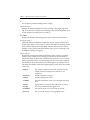
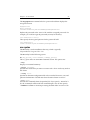
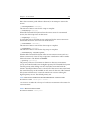
[--active|--inactive]
[--showApplication]
With no arguments, the command displays the status of all virtual hosts.
update—Modify an existing virtual host
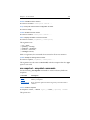
mx vhost update [--application <application>] [--policy
autofailback|nofailback] [--activitytype single|always] <vhost>
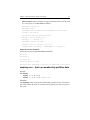
<<networkinterface> ...|ALL_SERVERS <network interface>>
Use this option to change the arguments or the ordering of the network
interfaces for failover.
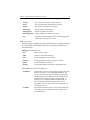
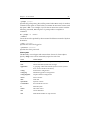
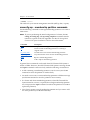
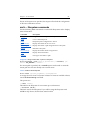
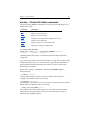
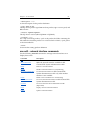
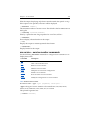
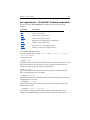
mx vsql – Virtual SQL Server commands
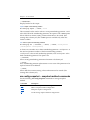
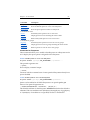
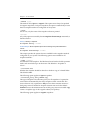
Use the following mx vsql commands to configure Virtual SQL Servers or to
display their status.
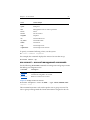
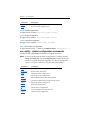
Command
Description
add
Add a new Virtual SQL Server
delete
Delete a Virtual SQL Server
disable
Disable a Virtual SQL Server
dump
Dump the Virtual SQL Server configuration to stdout
enable
Enable a Virtual SQL Server
maintain
Place a Virtual SQL Server in maintenance mode
move
Rehost a Virtual SQL Server
operate
Return a Virtual SQL Server to operation mode
status
View status for a Virtual SQL Server
update
Modify an existing Virtual SQL Server
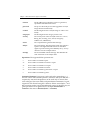
add—Add a new Virtual SQL Server
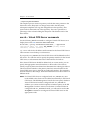
mx vsql add [--policy autofailback|nofailback] [--application
<application_name>] [--msdtc] <ip> <name> <<network_interface> ...>
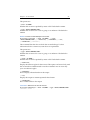
The options are:
[--policy autofailback|nofailback]
The failback action that the SQL Virtual Server will take following failover to
a backup node. autofailback will fail back when a higher-ranked node
provides equal or greater services than the backup node; nofailback fails back