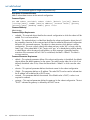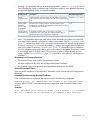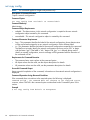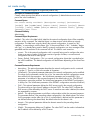
1
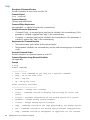
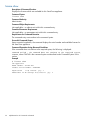
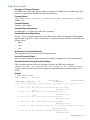
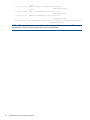
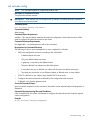
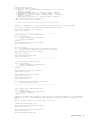
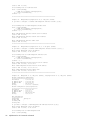
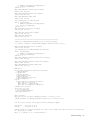
HP StoreOnce Backup System Single-node
and Multi-node CLI Reference Guide
Abstract
This document details the set of operations supported by the Common CLI. This command set defines the instructions used to
obtain information about a StoreOnce Backup system appliance or to control the appliance’s activity. It is intended for system
administrators managing a single or multi-node HP StoreOnce Backup System.
IMPORTANT: This guide may have more recent updates. Always check http://www.hp.com/support/manuals for the most
up-to-date documentation for your product.
*BB852-90942*
HP Part Number: BB852-90942
Published: June 2013
Edition: Fifth
© Copyright 2011–2013 Hewlett-Packard Development Company, L.P.
Confidential computer software. Valid license from HP required for possession, use or copying. Consistent with FAR 12.211 and 12.212, Commercial
Computer Software, Computer Software Documentation, and Technical Data for Commercial Items are licensed to the U.S. Government under
vendor's standard commercial license.
The information contained herein is subject to change without notice. The only warranties for HP products and services are set forth in the express
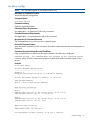
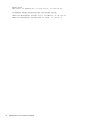
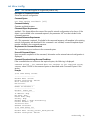
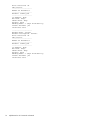
warranty statements accompanying such products and services. Nothing herein should be construed as constituting an additional warranty. HP shall
not be liable for technical or editorial errors or omissions contained herein.
Acknowledgments
Intel®, Itanium®, Pentium®, Intel Inside®, and the Intel Inside logo are trademarks or registered trademarks of Intel Corporation or its subsidiaries
in the United States and other countries.
Microsoft®, Windows®, Windows® XP, and Windows NT® are U.S. registered trademarks of Microsoft Corporation.
Adobe® and Acrobat® are trademarks of Adobe Systems Incorporated.
Java and Oracle are registered trademarks of Oracle and/or its affiliates.
UNIX® is a registered trademark of The Open Group.
Warranty
WARRANTY STATEMENT: To obtain a copy of the warranty for this product, see the warranty information website:
http://www.hp.com/go/storagewarranty
Revision History
Revision 1
October 2012
Single-node version only. Initial release on product CD
Revision 2
December 2012
Single-node version only. Minor text updates for release to the HP website. Part number: BB852-90924
Revision 4
October 2012
Multi-node version only. Part number: EJ022-90969
Revision 5
June 2013
Combined Single and Multi-node versions. Part number: BB852-90942
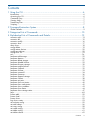
Contents
1 Using the CLI.............................................................................................6
Introduction..............................................................................................................................6
Accessing the CLI.....................................................................................................................6
Command Entry.......................................................................................................................7
Viewing Help...........................................................................................................................7
Transferring Files.......................................................................................................................7
Scripting..................................................................................................................................7
2 Command Instruction Syntax........................................................................8
Global Defaults........................................................................................................................9
3 Categorical List of Commands....................................................................10
4 Alphabetical List of Commands and Details.................................................13
accounts add.........................................................................................................................13
accounts del..........................................................................................................................15
accounts modify.....................................................................................................................16
accounts show.......................................................................................................................17
alerts show............................................................................................................................18
config delete..........................................................................................................................19
config restore devices..............................................................................................................20
config save devices.................................................................................................................22
config show list......................................................................................................................23
exit.......................................................................................................................................24
hardware add storage.............................................................................................................25
hardware beacon...................................................................................................................26
hardware delete storage..........................................................................................................27
hardware disable failover........................................................................................................29
hardware discover storage.......................................................................................................30
hardware enable failover.........................................................................................................31
hardware failback..................................................................................................................32
hardware failover...................................................................................................................33
hardware poweroff.................................................................................................................34
hardware powerup.................................................................................................................36
hardware prepare storage.......................................................................................................37
hardware reboot....................................................................................................................38
hardware set ports..................................................................................................................39
hardware show net status........................................................................................................40
hardware show node status......................................................................................................42
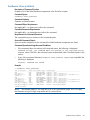
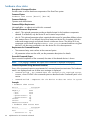
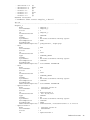
hardware show problems........................................................................................................43
hardware show status..............................................................................................................44
hardware show storage status..................................................................................................47
help......................................................................................................................................48
license add............................................................................................................................50
license load...........................................................................................................................51
license show..........................................................................................................................52
logs show events....................................................................................................................53
net activate config..................................................................................................................55
net add subnet.......................................................................................................................56
net copy config......................................................................................................................58
net create config.....................................................................................................................59
net delete config.....................................................................................................................61
net delete subnet....................................................................................................................62
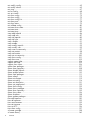
Contents
3
net modify config...................................................................................................................63
net modify subnet...................................................................................................................65
net ping................................................................................................................................67
net set config.........................................................................................................................68
net set wizard........................................................................................................................70
net show config......................................................................................................................73
net show config......................................................................................................................75
net show config list.................................................................................................................77
net show ports........................................................................................................................78
net show status.......................................................................................................................79
net validate config..................................................................................................................80
serviceset show status..............................................................................................................81
serviceset start........................................................................................................................82
serviceset stop........................................................................................................................83
snmp add trapsink .................................................................................................................84
snmp add user.......................................................................................................................87
snmp del trapsink ..................................................................................................................89
snmp del user........................................................................................................................90
snmp disable.........................................................................................................................91
snmp enable..........................................................................................................................92
snmp modify trapsink..............................................................................................................93
snmp modify user...................................................................................................................95
snmp reset ro-community.........................................................................................................97
snmp set contact.....................................................................................................................98
snmp set location....................................................................................................................99
snmp set ro-community..........................................................................................................100
snmp show config.................................................................................................................101
snmp show user....................................................................................................................103
support create ticket..............................................................................................................104
support del ticket..................................................................................................................105
support show ticket...............................................................................................................106
system clear packages...........................................................................................................107
system clear repository..........................................................................................................108
system disable failover..........................................................................................................109
system enable failover...........................................................................................................110
system load packages...........................................................................................................111
system reboot.......................................................................................................................112
system set clioutput................................................................................................................113
system set config...................................................................................................................114
system set description............................................................................................................121
system set pagecontrol..........................................................................................................122
system show config...............................................................................................................123
system show packages..........................................................................................................124
system show repository..........................................................................................................125
system show status................................................................................................................126
system shutdown...................................................................................................................128
system update packages........................................................................................................129
time add ntpserver................................................................................................................130
time del ntpserver.................................................................................................................132
time reset timezone...............................................................................................................133
time set timezone..................................................................................................................134
time set UTC........................................................................................................................136
time show config..................................................................................................................137
vtl create cartridge................................................................................................................138
vtl create library...................................................................................................................140
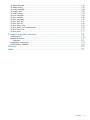
4
Contents
vtl
vtl
vtl
vtl
vtl
vtl
vtl
vtl
vtl
vtl
vtl
vtl
vtl
vtl
delete cartridge................................................................................................................144
delete library...................................................................................................................146
modify cartridge...............................................................................................................148
modify drive....................................................................................................................150
modify library..................................................................................................................152
move cartridge.................................................................................................................156
show capacity..................................................................................................................158
show cartridges................................................................................................................160
show drive info.................................................................................................................162
show drive list..................................................................................................................164
show library info..............................................................................................................166
show library iscsi authentication.........................................................................................169
show library list................................................................................................................170
show ports.......................................................................................................................171
5 Support and other resources....................................................................173
Contacting HP......................................................................................................................173
Related information...............................................................................................................173
Websites........................................................................................................................173
Typographic conventions.......................................................................................................173
Documentation feedback.......................................................................................................174
Glossary..................................................................................................175
Index.......................................................................................................177
Contents
5
1 Using the CLI
Introduction
The Common CLI Command Set provides a method of communication with the StoreOnce appliance
which is intuitive, consistent, and easy to use. The command set is broad in scope so that once
learned, you can use it with the entire StoreOnce portfolio of products.
The commonality of the CLI command set means that some unsupported commands will be present
in the CLI inline help (commands that are not applicable your appliance or are accessible through
a different CLI command). Any unsupported commands that are executed will return the failure
message: Command Failed - This command is not supported on this system.
You control the StoreOnce appliance by entering a command sequence using a specific grammar
and syntax. The operation defined by the command sequence is executed, and any output associated
with the operation is displayed in text or XML output (depending on the configuration settings).
When the operation is complete, the command prompt is displayed and you can enter the next
command sequence.
Command sequences are grouped by function. For example, commands related the network
configuration are in one group. This makes it easy to determine the correct command sequence
for a given operation. See “Categorical List of Commands” (page 10) for details.
Authorization levels are set for each user account to control what commands a user can perform.
This enables users to perform appropriate operations but prevents them from executing actions for
which they are not qualified; see “Accessing the CLI” (page 6).
Accessing the CLI
The CLI software embedded in the appliance enables you to manage and monitor storage-system
operation. For single-node products, you can access the CLI from an SSH terminal using an SSH
client application (freely available on the internet). For multinode products, you can access the CLI
from an SSH terminal connected to the master node using an SSH client application (freely available
on the internet). The CLI is running on the management console:
ssh <username>@<appliance IP address>
The Common CLI instruction set supports different authorization levels that permit execution of
different subsets of commands. Each authorization level has a unique command prompt. The
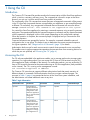
accounts in Table 1 (page 6) are created at the time of the StoreOnce system installation, and
the Administrator can create additional users at any time.
Table 1 Login Information
6
Authorization Level
Can Execute
Operator
Administrator
Using the CLI
User Name
Password
Command Prompt
Commands that
Operator
provide information
about the state and
configuration of the
StoreOnce appliance
but no commands that
change the
configuration.
operator
>
Commands that
provide information
about the state and
configuration of the
StoreOnce appliance
plus commands that
configure or change
the configuration of
admin
#
Admin
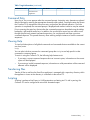
Table 1 Login Information (continued)
Authorization Level
Can Execute
User Name
Password
Command Prompt
the StoreOnce
appliance.
Command Entry
Upon log in, the cursor appears after the command prompt. Instruction entry elements are placed
after the prompt by entering the appropriate characters and symbols. Pressing the enter key directs
the Common CLI to interpret the instruction entry and perform the defined operation. Once the
operation is completed, the command prompt is displayed and another instruction may be entered.
Prior to pressing the enter key, the text after the command prompt can be edited using the delete,
backspace, right and left arrow keys. In addition, the up and down arrow key are used to scroll
through the previously entered command sequences; you can then edit and enter a previous
command sequence. This speeds the entry when entering multiple instances of similar command
sequences.
Viewing Help
To view brief descriptions of all global commands and commands that are available to the current
user level, enter:
help
You can also include a command or command group after help to see help specific to that
command or command group.
To assist in using the Common CLI, the following help features exist:
•
If you enter a correct command sequence but use incorrect syntax, information on the correct
syntax will be displayed.
•
If you enter an invalid command sequence, information on valid permutations of the command
elements will be displayed.
Transferring Files
Transfer of files to and from the StoreOnce appliance is managed with a repository directory within
the appliance. Access to the directory is controlled via the secure FTP.
Scripting
Scripting is performed via Expect, a UNIX automation and testing tool. To aid in parsing, the
Common CLI can be configured to return XML formatted output.
Command Entry
7
2 Command Instruction Syntax
A StoreOnce appliance is controlled by operations. An operation is one or more of the following
events:
•
Providing configuration information to the appliance
•
Requesting an action
•
Obtaining information about the appliance
The execution of operations is initiated by instructions. The instruction entry consists of three parts:
•
The command sequence — up to four command elements representing groups of related
operations, actions, or subjects of the action. A command sequence is unique and there is a
defined syntax for every command sequence. The command sequence must be present in all
entries to define the instruction.
A typical command sequence consists of a command element defining the group of related
operations to which the given sequence belongs. This element is followed by a command
element describing the action of the operation. Then, depending on the operation, a third and
possibly fourth element may be included to describe the subject of the action. In some cases,
the command sequence may consist of only one command element describing the action of
the operation.
•
Objects — represent an item associated with a StoreOnce appliance. It may be a physical
item, such as a network interface, or a virtual item, such as a virtual tape cartridge. Not all
instructions contain objects, but up to three is possible.
•
Parameters — define additional conditions placed upon the operation. A parameter consists
of a word (or a series of words separated by dashes) followed by a colon; the characters
after the colon define the value of the parameter. Not all instructions contain parameters.
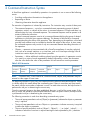
Table 2 A CLI Instruction
Command Sequence
Objects
command
command
command
command
(group)
(action)
(subject)
(clarification)
object
Parameters
object
object
parameter:
value
NOTE: Command entry is case insensitive; command words, objects, and parameters may be
entered in either upper or lower case.
The beginning elements of your entry are compared with the allowed command sequences. If there
is a direct match, this match defines the command syntax. If there is more than one direct match,
the match with the most number of elements is used. If a match does not exist, the help function is
performed to aid you in determining the correct entry.
Once the command sequence has been established, the entry is verified for correct syntax. If the
entry is correct, the operation is performed as defined. If there is a syntax violation, the help function
is performed to aid you in determining the correct entry.
The following convention is used when describing command entry syntax:
8
•
The use of square parenthesis such as [Object] or [parameter] indicates the object or parameter
entry is optional
•
The use of carat parenthesis such as <Object> or <parameter> indicates user entry is required
to define the object or parameter
•
The use of special parenthesis such as {Object1 | Object2| …..} or {value1 | value2 | ……}
indicates a selection of one item is required among the items separated by the | character.
Command Instruction Syntax
•
The use of parenthesis such as (object) indicates a label for the object will be automatically
generated by the Common CLI application. No entry is required for this item.
•
The use of parenthesis enclosing the phrase default=value such as (default=value) indicate
that if no value is provided for this parameter, the value within the parenthesis will be used.
Global Defaults
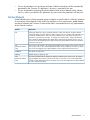
Global defaults exist to clearly represent groups of objects or specific objects. Unlike the existence
of most objects which depend on the StoreOnce appliance or user requirements, global defaults
are directly related to the Common CLI and can be used in command entries on any implementation
of the Common interface.
Default
Represents
ALL
All objects related to a given command sequence. (Often, the absence of object elements
implies all objects. The “all” default is used to ensure intent. For example, the command entry
“hardware disable failover” does not include a definition of a node object. Therefore, the
operation is performed on all nodes. In contrast, the command entry “support del ticket all”
must include the global default all to delete all the support tickets. Because the user can not
reverse the results of deleting all the support tickets, the global default all must be included to
ensure the users intent).
CLI
(multinode default
only)
The Common CLI interface. (To support high availability, the instance of the Common CLI can
exist on any node, a VIF is used to define the location and by default the Common CLI object.
Prior to the VIF assignment, this global default is used to represent the Common CLI.)
CURRENT
The object currently active.
DEFAULT
Default settings as define by HP.
GUI
(multinode default
only)
The GUI associated with the StoreOnce appliance support by the Common CLI. (To support
high availability, the instance of the GUI can exist on any node, a VIF is used to define the
location and by default the Common CLI object. Prior to the VIF assignment, this global default
is used to represent the GUI.)
Global Defaults
9
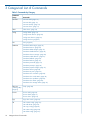
3 Categorical List of Commands
Table 3 Commands by Category
Command
Group
Commands
accounts
“accounts add” (page 13)
“accounts del” (page 15)
“accounts modify” (page 16)
“accounts show” (page 17)
alerts
“alerts show” (page 18)
config
“config delete” (page 19)
“config restore devices” (page 20)
“config save devices” (page 22)
“config show list” (page 23)
exit
“exit” (page 24)
hardware
“hardware add storage” (page 25)
“hardware beacon” (page 26)
“hardware delete storage” (page 27)
“hardware disable failover” (page 29)
“hardware discover storage” (page 30)
“hardware enable failover” (page 31)
“hardware failback” (page 32)
“hardware failover” (page 33)
“hardware poweroff” (page 34)
“hardware powerup” (page 36)
“hardware prepare storage” (page 37)
“hardware reboot” (page 38)
“hardware set ports” (page 39)
“hardware show net status” (page 40)
“hardware show node status” (page 42)
“hardware show problems” (page 43)
“hardware show status” (page 44)
“hardware show storage status” (page 47)
help (see
“Viewing Help”
(page 7))
“help” (page 48)
license
“license add” (page 50)
“license load” (page 51)
“license show” (page 52)
logs
“logs show events” (page 53)
net
“net activate config” (page 55)
“net add subnet” (page 56)
“net copy config” (page 58)
“net create config” (page 59)
“net delete config” (page 61)
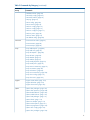
10
Categorical List of Commands
Table 3 Commands by Category (continued)
Command
Group
Commands
“net delete subnet” (page 62)
“net modify config” (page 63)
“net modify subnet” (page 65)
“net ping” (page 67)
“net set config” (page 68)
“net set wizard” (page 70)
“net show config” (page 73)
“net show config” (page 75)
“net show config list” (page 77)
“net show ports” (page 78)
“net show status” (page 79)
“net validate config” (page 80)
serviceset
“serviceset show status” (page 81)
“serviceset start” (page 82)
“serviceset stop” (page 83)
snmp
“snmp add trapsink ” (page 84)
“snmp add user” (page 87)
“snmp del trapsink ” (page 89)
“snmp del user” (page 90)
“snmp disable” (page 91)
“snmp enable” (page 92)
“snmp modify trapsink” (page 93)
“snmp modify user” (page 95)
“snmp reset ro-community” (page 97)
“snmp set contact” (page 98)
“snmp set location” (page 99)
“snmp set ro-community” (page 100)
“snmp show config” (page 101)
“snmp show user” (page 103)
support
“support create ticket” (page 104)
“support del ticket” (page 105)
“support show ticket” (page 106)
system
“system clear packages” (page 107)
“system clear repository” (page 108)
“system disable failover” (page 109)
“system enable failover” (page 110)
“system load packages” (page 111)
“system reboot” (page 112)
“system set clioutput” (page 113)
“system set description” (page 121)
“system set pagecontrol” (page 122)
“system show config” (page 123)
“system show packages” (page 124)
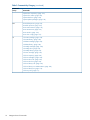
11
Table 3 Commands by Category (continued)
Command
Group
Commands
“system show repository” (page 125)
“system show status” (page 126)
“system shutdown” (page 128)
“system update packages” (page 129)
time
“time add ntpserver” (page 130)
“time del ntpserver” (page 132)
“time reset timezone” (page 133)
“time set timezone” (page 134)
“time set UTC” (page 136)
“time show config” (page 137)
vtl
“vtl create cartridge” (page 138)
“vtl create library” (page 140)
“vtl delete cartridge” (page 144)
“vtl delete library” (page 146)
“vtl modify cartridge” (page 148)
“vtl modify drive” (page 150)
“vtl modify library” (page 152)
“vtl move cartridge” (page 156)
“vtl show capacity” (page 158)
“vtl show cartridges” (page 160)
“vtl show drive info” (page 162)
“vtl show drive list” (page 164)
“vtl show library info” (page 166)
“vtl show library iscsi authentication” (page 169)
“vtl show library list” (page 170)
“vtl show ports” (page 171)
12
Categorical List of Commands
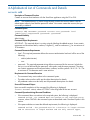
4 Alphabetical List of Commands and Details
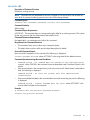
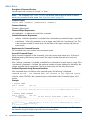
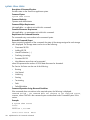
accounts add
Description of Command Function
Creates an account that interfaces with the StoreOnce appliance using the CLI or GUI.
NOTE: The standard factory or restore image already contains the account Admin with the
administrator authority level and the password: admin. You cannot create that account, but you
can modify or delete it.
Command Syntax
accounts add <ACCOUNT> password <current user password> level
{admin|user} newpassword <password> <password>
Command Authority
Administrator
Command Object Requirements
ACCOUNT – This required object is a string uniquely labeling the added account. It can contain
uppercase and lowercase letters, numbers, a hyphen (-), and an underscore (_) for a maximum of
16 characters.
Command Parameter Requirements
•
•
level – This required parameter defines the account authorization level and will be one of the
following:
◦
admin (administrator)
◦
user
password – This required parameter string defines a password for the account. Include the
text password followed by the password, white space, and the same password. The string
can contain uppercase and lowercase letters, numbers, and the symbols ! @ # $ % ^ & * for
a maximum of 24 characters and is case sensitive.
Requirements for Command Execution
•
The command entry must conform to the command syntax.
•
The object value must be valid; see the object description for details.
•
All parameter values must be valid; see the parameter descriptions for details.
Successful Command Output
Upon successful completion of the command, the following is displayed:
account ACCOUNT added, where ACCOUNT is the string label of the new account.
Command Operation during Abnormal Conditions
•
If the command does not conform to the required syntax, the following is displayed:
Command Failed - the command does not conform to the required syntax,
SYNTAX, where SYNTAX is the command syntax as described under Command Syntax in this
section.
•
If the password does not meet the defined requirements, the following is displayed:
Command Failed - The password must be 1 character in length minimum
and 24 characters in length maximum and can only contain upper,
accounts add
13
lower case letters, numbers and the following symbols ! @ # $ % ^
& *
•
If the account description is too long, the following is displayed:
Command Failed – The account description can only be 32 characters
max
•
If the label is the same as an existing account, the following is displayed:
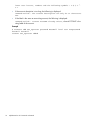
Command Failed - account ACCOUNT already exists, where ACCOUNT is the
string label of the account.
Example
# accounts add Joe_Operator password B@seB@ll level user newpassword
F00tB*ll F00tB*ll
account Joe_Operator added
14
Alphabetical List of Commands and Details
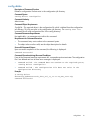
accounts del
Description of Command Function
Deletes an existing account.
NOTE: Accounts can only be deleted if the user is logged in with an account with at least the
same level of command authority/permission as the account being deleted.
Command Syntax
accounts del <ACCOUNT> password <current user password>
Command Authority
Administrator
Command Object Requirements
ACCOUNT – This required object is a string matching the label of an existing account. This cannot
be the only account with the Administrator authorization level.
Command Parameter Requirements
Not applicable – no parameters exist within this command.
Requirements for Command Execution
•
The command entry must conform to the command syntax.
•
The object value must be valid; see the object description for details.
Successful Command Output
Upon successful completion of the command, the following is displayed:
account ACCOUNT deleted, where ACCOUNT is the string label of the deleted account.
Command Operation during Abnormal Conditions
•
Command Failed - the command does not conform to the required syntax,
SYNTAX, where SYNTAX is the command syntax as described under Command Syntax in this
section.
•
If the account object in the command entry is the only account with “administrator” authorization
level, the following is displayed:
Command Failed – At least one account must have administrator
authorization
•
If the account label included in the command does not match an existing account, the following
is displayed:
Command Failed - account ACCOUNT does not exist, where ACCOUNT is the
account label included in the command.
Example
# accounts del Joe_Operator password B@seB@ll
account Joe_Operator deleted
accounts del
15
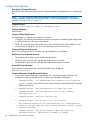
accounts modify
Description of Command Function
Modifies the password of an existing account.
Command Syntax
accounts modify [ACCOUNT] password <current user password> newpassword
<password> <password>
Command Authority
Administrator
Command Object Requirements
ACCOUNT – This required object is a string of an existing account.
Command Parameter Requirements
password – This parameter may be modified for the account defined within this command by
entering a new value.
Requirements for Command Execution
•
The command entry must conform to the command syntax.
•
The account object in the command entry must be an existing account.
Successful Command Output
Upon successful completion of the command, the following is displayed:
account ACCOUNT modified, where ACCOUNT is the string labeling the account to be
modified.
Command Operation during Abnormal Conditions
•
If the command does not conform to the required syntax the following is displayed:
Command Failed - the command does not conform to the required syntax,
SYNTAX where SYNTAX is the command syntax as described under Command Syntax in this
section.
•
If the password does not meet the defined requirements, the following is displayed:
Command Failed - The password must be 1 character in length minimum
and 24 characters in length maximum characters max and can only
contain upper, lower case letters, numbers and the following symbols
1! @ # $ % ^ & *.
•
If the account label included in the command does not match an existing account, the following
is displayed:
No such D2D User: ACCOUNT
Command Failed -, where ACCOUNT is the account label included in the command.
Example
# accounts modify Joe_Operator password B@seB@ll newpassword F00tB*ll
F00tB*ll
account Joe_Operator modified
To modify the password of the currently active account:
# accounts modify password B@seB@ll newpassword F00tB*ll F00tB*ll
account (current account name) modified
16
Alphabetical List of Commands and Details
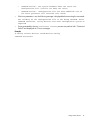
accounts show
Description of Command Function
Lists all the user accounts and their authority level defined for the StoreOnce appliance.
Command Syntax
accounts show [current]
Command Authority
Administrator
Command Object Requirements
current – As an option, the global default “current” may be included in the command entry. If
included, “current” must follow accounts show in the command entry. The “current” account
object indicates the command applies to the account which has been used to log into the currently
displayed CLI.
Command Parameter Requirements
Not applicable – no parameter values exist within this command.
Requirements for Command Execution
•
The command entry must conform to the command syntax.
•
If the “current” object is included in the command entry, only information for the current account
is shown.
Successful Command Output
Upon successful completion of the command, the following is displayed for each account:
ACCOUNT AUTHORITY-LEVEL, where ACCOUNT is the string which labels a given account and
AUTHORITY-LEVEL is one of the following authorization levels:
•
operator
•
administrator
Command Operation during Abnormal Conditions
If the command does not conform to the required syntax the following is displayed:
Command Failed - the command does not conform to the required syntax,
SYNTAX, where SYNTAX is the command syntax as described under Command Syntax in this
section.
Example
# accounts show
Username
-------Admin
Operator
Authority-Level
--------------administrator
operator
accounts show
17
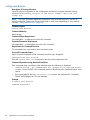
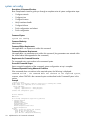
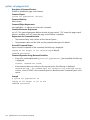
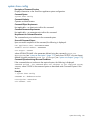
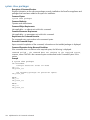
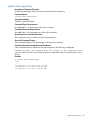
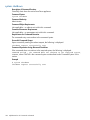
alerts show
Description of Command Function
Lists all events with a severity of “critical” or “error.”
NOTE: The command logs show events can also be used to show all events or filtered
events, not just critical or error events. See “logs show events” (page 53).
Command Syntax
alerts show [verbose] [numofevents <number>]
Command Authority
Operator, Administrator
Command Object Requirements
Not applicable – no objects exist within this command.
Command Parameter Requirements
•
verbose – When this parameter is included in the command entry a detailed output is provided.
•
numofevents – When this parameter is use a integer must follow the “numofevents” text. This
is the maximum number of events which will be listed in the output, starting with the most
recent events.
Requirements for Command Execution
The command entry must conform to the command syntax.
Successful Command Output
Upon successful completion of the command, a list of the most recent events up to 20 events is
displayed starting with the most recent event. The output includes the event time, level, and
description.
If the “verbose” parameter is included, a detailed list of information for each event is output. If the
“numofevents” parameter is included, the maximum number of events displayed is defined by the
interger provided with this parameter. The list of events starts with the most recent event.
Command Operation during Abnormal Conditions
If the command does not conform to the required syntax, the following is displayed:
Command Failed - the command does not conform to the required syntax,
SYNTAX, where SYNTAX is the command syntax as described under Command Syntax in this
section.
Examples
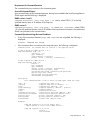
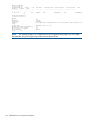
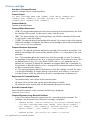
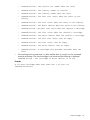
> alerts show
EVENT ID
TIMESTAMP
--------
---------------
580
stale
Jul 21 16:22:50
LEVEL
-----
TEXT
-------------------------------------------------------------------------------
ALERT
HBA link 50.06.05.b0.02.56.45.00 on host d2dd48564785fd8_node_1 status is
> alerts show verbose
EVENT ID TIMESTAMP
LEVEL TEXT
FILESYSTEM HOST
USER NAME OPERATION SEGMENT NUMBER PV NUMBER NIC HBA
RELATED EVENT
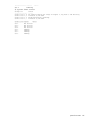
-------- --------------- ----- ---------------------------------------------------------------------------------------- ---------------------- --------- --------- -------------- --------- --- ----------------------------------580 Jul 21 16:22:50
ALERT HBA link 50.06.05.b0.02.56.45.00 on host d2dd48564785fd8_node_1 status is
stale
d2dd48564785fd8_node_1
50.06.05.b0.02.56.45.00
0
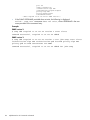
NOTE: The example output is in a small font to fit on this specification page. As a CLI output,
the character string will simply wrap at the end of a terminal line.
18
Alphabetical List of Commands and Details
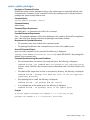
config delete
Description of Command Function
Deletes a configuration file that exists in the configuration jail directory.
Command Syntax
config delete <ConfigFile>
Command Authority
Administrator
Command Object Requirements
ConfigFile – This required object is the configuration file which is deleted from the configuration
jail directory. This file must exist in the configuration jail directory. The config show list
command lists all valid configuration files in the config directory.
Command Parameter Requirements
Not applicable – no parameters exist within this command.
Requirements for Command Execution
•
The command entry must conform to the command syntax.
•
The object value must be valid; see the object description for details.
Successful Command Output
Upon successful completion of the command, the following is displayed:
Command Successful
Command Operation during Abnormal Conditions
If any of the command execution requirements fail, command execution terminates. The configuration
file is not deleted and one of these error messages is displayed:
•
Command Failed - the command does not conform to the required syntax,
“config delete <ConfigFile>”
•
Command Failed – The configuration file does not exist in the
configuration directory
Example
# config delete
devconfig_hpd4856476a1fc_Thur_Jul_19_10:33:24_UTC_2012.zip
Command Successful
config delete
19
config restore devices
Description of Command Function
Restores the StoreOnce system devices to the condition detailed in the defined device’s configuration
file.
NOTE: For more information about the configuration save and restore process, see the HP
StoreOnce Backup System User Guide (single-node or multi-node, depending on your product).
See also “config save devices” (page 22).
Command Syntax
config restore devices SETX[,X] ConfigFile force
Command Authority
Administrator
Command Object Requirements
Not applicable – no objects exist within this command.
•
ConfigFile – This required object defines the device configuration file detailing the configuration
to which the devices in the system are restored.
•
SETX – This required object defines the service set to which the drive will be added. X is the
numeric index of the service set. You can include more than one service sets.
Command Parameter Requirements
force – This optional parameter overrides any digital signatures or sumchecks.
Requirements for Command Execution
•
The command entry must conform to the command syntax.
•
All object values must be valid; see the object descriptions for details.
•
The parameter value must be valid; see the parameter description for details.
Successful Command Output
Upon successful completion of the command, the following is displayed:
Command Successful
Command Operation during Abnormal Conditions
•
20
If any of the command execution requirements fail, command execution terminates. The
configurations are not restored and one of these error messages is displayed:
◦
Command Failed - the command does not conform to the required
syntax, SYNTAX, where SYNTAX is the command syntax as described under Command
Syntax in this section.
◦
Command Failed – The configuration file does not exist
◦
Command Failed – The configuration file is not a device
configuration file
◦
Command Failed – Duplicate service sets
◦
Command Failed – The service set(s) are invalid
◦
The software version of the configuration file [configuration
software version] does not match system software version [system
software version]
◦
Command Failed – The system hardware does not match the
configuration file (difference in number of nodes)
Alphabetical List of Commands and Details
•
◦
Command Failed – The system hardware does not match the
configuration file (service set does not exist)
◦
Command Failed – Configuration file has been modified (use of
the force parameter will override this check)
If the force parameter is set, the following message is displayed before executing the command:
The validity of the configuration file is not being checked. After
command execution, verify devices have been configured on system as
expected
•
Errors generated by the d2d serviceset restore process are prefixed with “Command
Failed” and displayed as CLI error messages.
Example
# config restore devices saved-devices-config
Command Successful
config restore devices
21
config save devices
Description of Command Function
Saves the device configuration to the configuration jail directory using the standard naming
convention of devconfig_<cluster ID and serial number> <date and time
stamp>.zip.
NOTE: For more information about the configuration save and restore process, see the HP
StoreOnce Backup System User Guide (single-node or multi-node, depending on your product).
See also “config restore devices” (page 20).
Command Syntax
config save devices
Command Authority
Administrator
Command Object Requirements
Not applicable – no objects exist within this command.
Command Parameter Requirements
Not applicable – no parameters exist within this command.
Requirements for Command Execution
The command entry must conform to the command syntax.
Successful Command Output
Upon successful completion of the command, the following is displayed:
Configuration Save Started
Enter the config show list command to see the saved configuration files.
Command Operation during Abnormal Conditions
If the command does not conform to the required syntax the following is displayed:
•
Command Failed - the command does not conform to the required syntax,
SYNTAX, where SYNTAX is the command syntax as described under Command Syntax in this
section.
•
Errors generated by the d2d serviceset save process are prefixed with “Command
Failed” and displayed as CLI error messages.
Example
# config save devices
Command Successful
22
Alphabetical List of Commands and Details
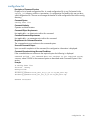
config show list
Description of Command Function
Displays a list of saved configuration files. A saved configuration file is any file located in the
config jail directory with the .zip extention. (A configuration file listed by this may not be a
valid configuration file. The user must manage the transfer of valid configuration files into the config
directory.)
Command Syntax
config show list
Command Authority
Operator and Administrator
Command Object Requirements
Not applicable – no objects exist within this command.
Command Parameter Requirements
Not applicable – no parameters exist within this command.
Requirements for Command Execution
The command entry must conform to the command syntax.
Successful Command Output
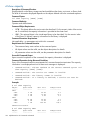
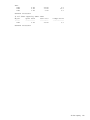
Upon successful completion of the command, the configuration information is displayed:
Command Operation during Abnormal Conditions
If the command does not conform to the required syntax the following is displayed:
Command Failed - the command does not conform to the required syntax,
SYNTAX, where SYNTAX is the command syntax as described under Command Syntax in this
section.
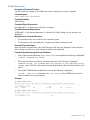
Example
# config show list
Location: /config
Configuration
------------devconfig_hpd4856476a1fc_Thur_Jul_19_10:33:24_UTC_2012.zip
devconfig_hpd4856476a1fc_Fri_Jul_13_16:54:24_UTC_2012.zip
Command Successful
config show list
23
exit
Description of Command Function
Terminates a CLI session.
Command Syntax
exit
Command Authority
Operator and Administrator
Command Object Requirements
Not applicable – no objects exist within this command.
Command Parameter Requirements
Not applicable – no parameters exist within this command.
Requirements for Command Execution
The command entry must conform to the command syntax.
Successful Command Output
Not applicable – after command execution, the terminal is closed.
Command Operation during Abnormal Conditions
If the command does not conform to the required syntax the following is displayed:
Command Failed - the command does not conform to the required syntax,
SYNTAX, where SYNTAX is the command syntax as described under Command Syntax in this
section.
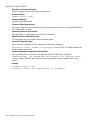
Example
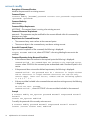
> exit
The CLI session is terminated.
24
Alphabetical List of Commands and Details
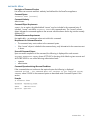
hardware add storage
Description of Command Function
This command adds storage which has been discovered using the hardware discover storage
command (see “hardware discover storage” (page 30)). Before this command can be executed,
newly discovered storage must exist as presented in the system show status command (see
“system show status” (page 126)). At least one storage set must exist with a status of “discovered
(XXTB)” where XX cannot be equal to zero. The discovery process must be complete; no storage
set can have the status of “discovering.” Once the storage addition process has been successfully
started, the system show status command is used to determine the status and completion of
the process.
Command Syntax
hardware add storage
Command Authority
Administrator
Command Object Requirements
Not applicable – no objects exist within this command.
Command Parameter Requirements
Not applicable – no parameters exist within this command.
Requirements for Command Execution
•
The command entry must conform to the command syntax.
•
Storage discover must be complete.
•
Each storage enclosure must contain 12 drives all of the same capacity.
Successful Command Output
Upon successful completion of the command, the following is displayed:
storage addition successfully started
Command Operation during Abnormal Conditions
•
If the command does not conform to the required syntax, the following is displayed:
Command Failed - the command does not conform to the required syntax,
SYNTAX, where SYNTAX is the command syntax as described under Command Syntax in this
section.
•
If newly discovered storage does not exist, the following is displayed:
Command Failed – New storage does not exist. Add physical storage
to D2D system and execute the “hardware discover storage” command
•
If the storage discovery process in currently being executed, the following message is displayed:
Command Failed – Storage discover already in process
Example
# hardware add storage
storage addition successfully started
hardware add storage
25
hardware beacon
NOTE:
This command applies to single-node products only.
Description of Command Function
Turns on or off the beacon for a hardware component. (The hardware component must support
the beacon feature.)
Command Syntax
hardware beacon <dev-id> {on|off}
Command Authority
Operator and Administrator
Command Object Requirements
dev-id – This required object defines the hardware component whose beacon is to be turned on
or off. The value is a string of the device identifier as listed in the hardware show status
command.
Command Parameter Requirements
on/off – This required parameter defines the state of the beacon on the hardware component.
“On” illuminates the beacon, and “off” places the beacon in a non-illuminated state.
Requirements for Command Execution
•
The command entry must conform to the command syntax.
•
All object values must be valid; see the object descriptions for details.
•
All parameter values must be valid; see the parameter descriptions for details.
Successful Command Output
After command execution, the beacon on the selected hardware component is turned on or off
and the following is displayed:
Command Successful
Command Operation during Abnormal Conditions
If any of the command execution requirements fail, command execution terminates. The beacon
status is unchanged and one of these error messages is displayed:
•
Command Failed - the command does not conform to the required syntax,
SYNTAX, where SYNTAX is the command syntax as described under Command Syntax in this
section.
•
Command Failed – The hardware component does not exist
•
Command Failed – The hardware component does not support the beacon
function
•
Command Failed – The hardware component cannot support the beacon
feature at this time
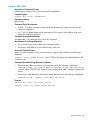
Examples
# hardware beacon enclosure-1-1 on
Command Successful
# hardware beacon hard_disk-1-1-1 off
Command Successful
26
Alphabetical List of Commands and Details
hardware delete storage
NOTE:
This command applies to single-node products only.
Description of Command Function
Deletes storage segments associated with the StoreOnce system “backend” file system. This
command does not apply to the storage on which each nodes operating system is located.
Command Syntax
Hardware delete storage {ALL|dev-id}
Command Authority
Administrator
Command Object Requirements
Not applicable – no objects exist within this command.
Command Parameter Requirements
•
ALL – When this global parameter is defined in the command sequence, all couplet file systems,
logical segments, logical volumes, and physical volume are removed. The system is left in a
state in which no storage is configured. The command requires this parameter or a dev-id
value.
•
dev-id – This parameter defines a specific volume to be deleted. A specific volume is defined
as a storage component with a specific SCSI LUN. The device ID for the storage component
to be deleted can be determined using the hardware show status command. The
command requires this parameter or the global ALL.
Requirements for Command Execution
•
The command entry must conform to the command syntax.
•
All parameter values must be valid; see the parameter descriptions for details.
Successful Command Output
Prior to executing the command the following message is displayed:
Warning – Data may be destroyed. Are you sure you want to delete storage?
y / n
You must enter a y response for command execution to continue. Upon successful completion of
the command, the following is displayed:
Command Successful
Command Operation during Abnormal Conditions
•
If any of the command execution requirements fail, command execution terminates. The beacon
status is unchanged and one of these error messages is displayed:
◦
Command Failed - the command does not conform to the required
syntax, SYNTAX, where SYNTAX is the command syntax as described under Command
Syntax in this section.
◦
Command Failed – The global parameter ALL or a device ID must be
defined
◦
Command Failed – The device ID is not a storage volume
◦
Command Failed – The device does not exist
hardware delete storage
27
•
◦
Command Failed – The storage volume is assigned to the D2D dedupe
data file system
◦
Command Failed – The storage volume is not part of D2D dedupe
data storage
If you do not respond to the warning message with y, the command is terminated and the CLI
returns to the user prompt.
Example
# hardware delete storage ALL
Command Successful
28
Alphabetical List of Commands and Details
hardware disable failover
NOTE:
This command applies to multi-node products only.
Description of Command Function
Disables the failover feature between nodes which is automatically configured during the initial
automatic configuration of the StoreOnce appliance. HP recommends disabling failover before
rebooting the StoreOnce appliance.
Command Syntax
hardware disable failover [NODEX]
Command Authority
Administrator
Command Object Requirements
NODEX – As an option, this can be used to define an individual file server node. X is a unique
numeric index. NODEX is a label uniquely defining the hardware component. It was assigned
during the initial automatic hardware initialization and configuration and its value resides in the
“node_config” file. A complete list of the NODEX labels can be obtained using the hardware
show node status command (see “hardware show node status” (page 42)). If a file server
node is defined, failover is only disabled for this node.
Command Parameter Requirements
Not applicable – no parameters exist within this command.
Requirements for Command Execution
•
The command entry must conform to the command syntax.
•
Failover must not already be disabled.
Successful Command Output
Upon successful completion of the command, the following is displayed:
failover disabled
Command Operation during Abnormal Conditions
•
If the command does not conform to the required syntax, the following is displayed:
Command Failed - the command does not conform to the required syntax,
SYNTAX, where SYNTAX is the command syntax as described under Command Syntax in this
section.
•
If failover is already disabled, the following is displayed:
Command Failed - failover is already disabled
Example
# hardware disable failover node1
failover disabled
hardware disable failover
29
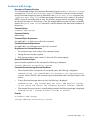
hardware discover storage
Description of Command Function
Discovers storage which has been connected to the StoreOnce appliance. Before this command
can be executed, any previous discovery process must be complete. No storage set can have the
status of “discovering.” The status of storage sets can be obtain by using the system show
status command (see “system show status” (page 126)). Once the discover storage process has
been successfully started, the system show status command is used to determine the status
and completion of the process.
Command Syntax
hardware discover storage
Command Authority
Administrator
Command Object Requirements
Not applicable – no objects exist within this command.
Command Parameter Requirements
Not applicable – no parameters exist within this command.
Requirements for Command Execution
•
The command entry must conform to the command syntax.
•
Storage must be connected correctly.
Successful Command Output
Upon successful completion of the command, the following is displayed:
storage discovery successfully completed
Command Operation during Abnormal Conditions
If the command does not conform to the required syntax, the following is displayed:
Command Failed - the command does not conform to the required syntax,
SYNTAX, where SYNTAX is the command syntax as described under Command Syntax in this
section.
Example
# hardware discover storage
This command takes several minutes to complete execution.
30
Alphabetical List of Commands and Details
hardware enable failover
NOTE:
This command applies to multi-node products only.
Description of Command Function
Enables the failover feature between nodes which had been disabled using the hardware
disable failover (see “hardware disable failover” (page 29)) command.
Command Syntax
hardware enable failover [NODEX]
Command Authority
Administrator
Command Object Requirements
NODEX – As an option, this can be used to define an individual file server node. X is a unique
numeric index. NODEX is a label uniquely defining the hardware component. It was assigned
during the initial automatic hardware initialization and configuration and its value resides in the
“node_config” file. A complete list of the NODEX labels can be obtained using the hardware
show node status command (see “hardware show node status” (page 42)). If a file server
node is defined, failover is only enabled for this node.
Command Parameter Requirements
Not applicable – no parameters exist within this command.
Requirements for Command Execution
•
The command entry must conform to the command syntax.
•
Failover must already be disabled.
Successful Command Output
Upon successful completion of the command, the following is displayed:
failover enabled
Command Operation during Abnormal Conditions
•
If the command does not conform to the required syntax the following is displayed:
Command Failed - the command does not conform to the required syntax,
SYNTAX where SYNTAX is the command syntax as described under Command Syntax in this
section.
•
If failover is already enabled, the following is displayed:
Command Failed - failover is already enabled.
Example
# hardware enable failover node1
failover enabled
hardware enable failover
31
hardware failback
NOTE:
This command applies to multi-node products only.
Description of Command Function
Returns the file server node defined in the command entry back from the failover condition. The
node is placed in the failover condition as a result of automatic failover or by using the hardware
failover command (see “hardware failover” (page 33)).
Command Syntax
hardware failback NODEX
Command Authority
Administrator
Command Object Requirements
NODEX – this object must appear in the command entry after hardware failover NODEX is
used to define an individual file server node. X is a unique numeric index. NODEX is a label
uniquely defining the hardware component; tt was assigned during the initial automatic hardware
initialization and configuration and its value resides in the “node_config” file. A complete list of
the NODEX labels can be obtained using the hardware show node status command (see
“hardware show node status” (page 42)).
Command Parameter Requirements
Not applicable – no parameters exist within this command.
Requirements for Command Execution
•
The command entry must conform to the command syntax.
•
The node defined in the command must be powered up and not in a failed stated.
•
The node defined in the command entry must be in a failed over state.
Successful Command Output
Upon successful completion of the command, the following is displayed:
NODEX has successfully failed back, where NODEX is the file server node defined in
the command entry.
Command Operation during Abnormal Conditions
•
If the command does not conform to the required syntax the following is displayed:
Command Failed - the command does not conform to the required syntax,
SYNTAX where SYNTAX is the command syntax as described under Command Syntax in this
section.
•
If the node is not in a failover state, the following is displayed:
Command Failed – NODEX is not failed over, where NODEX is the file server
node defined in the command entry.
Example
# hardware failback node1
NODE1 has successfully failed back
32
Alphabetical List of Commands and Details
hardware failover
NOTE:
This command applies to multi-node products only.
Description of Command Function
Forces the implementation of the high availability feature for the file server node defined within
the command. When this command is executed, the backup node within the couplet takes over
the service set functions originally residing on the defined node.
Command Syntax
hardware failover NODEX
Command Authority
Administrator
Command Object Requirements
NODEX – this object must appear in the command entry after hardware failover. NODEX
is used to define an individual file server node. X is a unique numeric index. NODEX is a label
uniquely defining the hardware component; it was assigned during the initial automatic hardware
initialization and configuration and its value resides in the “node_config” file. A complete list of
the NODEX labels can be obtained using the hardware show node status command (see
“hardware show node status” (page 42)).
Command Parameter Requirements
Not applicable – no parameters exist within this command.
Requirements for Command Execution
•
The command entry must conform to the command syntax.
•
The node to which failover will occur must be in a good state.
Successful Command Output
Upon successful completion of the command, the following is displayed:
NODEX has successfully failed over, where NODEX is the file server node defined in
the command entry.
Command Operation during Abnormal Conditions
If the command does not conform to the required syntax the following is displayed:
Command Failed - the command does not conform to the required syntax,
SYNTAX, where SYNTAX is the command syntax as described under Command Syntax in this
section.
Example
# hardware failover node1
NODE1 has successfully failed over
hardware failover
33
hardware poweroff
NOTE:
This command applies to multi-node products only.
Description of Command Function
Powers down the StoreOnce appliance. If a file server node is defined in the command entry, only
this node is powered down.
NOTE: This command will only work if failover is enabled. See the system enable failover
command, “system enable failover” (page 110)
Command Syntax
hardware poweroff [NODEX]
Command Authority
Administrator
Command Object Requirements
NODEX – As an option, this can be used to define an individual file server node. X is a unique
numeric index. NODEX is a label uniquely defining the hardware component; it was assigned
during the initial automatic hardware initialization and configuration and its value resides in the
“node_config” file. A complete list of the NODEX labels can be obtained using the hardware
show node status command (see “hardware show node status” (page 42)). If a file server
node is defined, only this node is powered down.
Command Parameter Requirements
Not applicable – no parameters exist within this command.
Requirements for Command Execution
•
The command entry must conform to the command syntax.
•
At least one system with an active CLI must exist.
•
If a file serving node is defined in the command entry, the defined node must be powered up.
•
This command will only work if failover is enabled.
Successful Command Output
Upon successfully sending the power off request, the following is displayed:
poweroff request successfully sent
NOTE: This message only indicates the success for the shutdown request. The hardware show
node status command (see “hardware show node status” (page 42)) must be entered to verify
the server nodes shutdown correctly. Also, if the shutdown applies to the node currently supporting
the CLI interface, the session will be terminated following this command.
Command Operation during Abnormal Conditions
•
If the command does not conform to the required syntax, the following is displayed:
Command Failed - the command does not conform to the required syntax,
SYNTAX where SYNTAX is the command syntax as described under Command Syntax in this
section.
•
If the node is already powered down, the following is displayed:
Command Failed – NODEX already shutdown, where NODEX is the file server node
object defined in the command entry.
Example
# hardware poweroff node1
34
Alphabetical List of Commands and Details
poweroff request successfully sent
hardware poweroff
35
hardware powerup
NOTE:
This command applies to multi-node products only.
Description of Command Function
Powers up the StoreOnce appliance. If a file server node is defined in the command entry, only
this node is powered up.
Command Syntax
hardware powerup [NODEX]
Command Authority
Administrator
Command Object Requirements
NODEX – As an option, this can be used to define an individual file server node. X is a unique
numeric index. NODEX is a label uniquely defining the hardware component; it was assigned
during the initial automatic hardware initialization and configuration and its value resides in the
“node_config” file. A complete list of the NODEX labels can be obtained using the hardware
show node status command (see “hardware show node status” (page 42)). If a file server
node is defined, only this node is powered up.
Command Parameter Requirements
Not applicable – no parameters exist within this command.
Requirements for Command Execution
•
The command entry must conform to the command syntax.
•
At least one system with an active CLI must exist.
•
If a file serving node is defined in the command entry, the defined node must be powered up.
Successful Command Output
Upon successfully sending the power up request, the following is displayed:
power up request successfully sent
NOTE: This message only indicates the success for the power up request. The hardware show
node status command (see “hardware show node status” (page 42)) must be entered to verify
that the server nodes powered up correctly.
Command Operation during Abnormal Conditions
•
If the command does not conform to the required syntax, the following is displayed:
Command Failed - the command does not conform to the required syntax,
SYNTAX, where SYNTAX is the command syntax as described under Command Syntax in this
section.
•
If the entire StoreOnce appliance or the specified node is already powered up, the following
is displayed:
Command Failed – device already powered up
Example
# hardware powerup node1
power up request successfully sent
36
Alphabetical List of Commands and Details
hardware prepare storage
Description of Command Function
An alias for the hardware discover storage command. See “hardware discover storage”
(page 30) for details.
Command Syntax
hardware prepare storage
hardware prepare storage
37
hardware reboot
NOTE:
This command applies to multi-node products only.
Description of Command Function
Reboots the StoreOnce appliance nodes. If a file server node is defined in the command entry,
only this node is rebooted.
Command Syntax
hardware reboot [NODEX]
Command Authority
Administrator
Command Object Requirements
NODEX – As an option, this can be used to define an individual file server node. X is a unique
numeric index. NODEX is a label uniquely defining the hardware component. It was assigned
during the initial automatic hardware initialization and configuration. A complete list of the NODEX
labels can be obtained using the hardware show node status command (see “hardware
show node status” (page 42)). If a file server node is defined, only this node is rebooted. If no
nodes are defined, all the nodes in the appliance are rebooted.
Command Parameter Requirements
Not applicable – no parameters exist within this command.
Requirements for Command Execution
•
The command entry must conform to the command syntax.
•
At least one system with an active CLI must exist.
•
If a file serving node is defined in the command entry, the defined node must be powered on.
Successful Command Output
Upon successfully sending the reboot request, the following is displayed:
reboot request successfully sent
NOTE: This message only indicates the success for the reboot request. The hardware show
node status command (see “hardware show node status” (page 42)) must be entered to verify
that the server nodes rebooted correctly. Also, if the reboot applies to the node currently supporting
the CLI interface, the session will terminate following this command.
Command Operation during Abnormal Conditions
•
If the command does not conform to the required syntax, the following is displayed:
Command Failed - the command does not conform to the required syntax,
SYNTAX, where SYNTAX is the command syntax as described under Command Syntax in this
section.
•
If the defined node is not powered up, the following is displayed:
Command Failed – NODEX is not rebooted, where NODEX is the file server node
defined for reboot in the command entry.
Example
# hardware reboot
reboot request successfully sent
38
Alphabetical List of Commands and Details
hardware set ports
NOTE:
This command applies to single-node products only.
Description of Command Function
Sets the node’s physical port parameters.
Command Syntax
hardware set ports [NODEX] PORTX [speed {auto|2Gbs|4Gbs|8Gbs}]
[{Connection Loop|Fabric|pnt-to-pnt}]
Command Authority
Administrator
Command Object Requirements
•
NODEX – This object defines the node containing the port whose parameters are to be set.
X is a numeric index for the node.
•
PORTX – This object defines the port whose parameters are to be set. X is a numeric index
for the port.
Command Parameter Requirements
•
Speed – This parameter defines the speed of the port. The possible values are defined in the
Command Syntax section.
•
Connection — This parameter defines the connection type. The possible values are defined
in the Command Syntax section.
Requirements for Command Execution
•
The command entry must conform to the command syntax.
•
All object values must be valid; see the object descriptions for details.
•
All parameter values must be valid; see the parameter descriptions for details.
Successful Command Output
Upon successful completion of the command, the following is displayed:
Command Successful
Command Operation during Abnormal Conditions
If any of the command execution requirements fail, command execution terminates. The node's
ports are unchanged and one of these error messages is displayed:
•
Command Failed - the command does not conform to the required syntax,
SYNTAX, where SYNTAX is the command syntax as described under Command Syntax in this
section.
•
Command Failed – The port is invalid
•
Command Failed – The node is invalid
•
Command Failed – Cannot change port settings on a node while in
failover
Example
# hardware set ports port1 speed 8Gbs
Command Successful
hardware set ports
39
hardware show net status
NOTE:
This command applies to multi-node products only.
Description of Command Function
Provides status on the StoreOnce file server node’s network interfaces.
Command Syntax
hardware show net status
Command Authority
Operator and Administrator
Command Object Requirements
Not applicable – no objects exist within this command.
Command Parameter Requirements
Not applicable – no parameters exist within this command.
Requirements for Command Execution
The command entry must conform to the command syntax.
Successful Command Output
Upon successful completion of the command, the status of the hardware network interfaces is
displayed. The displayed status can be one of the following:
•
Up
•
LinkUp
•
Inactive
•
Standby
•
LinkDown
•
BondsDegraded
•
NicsStatusStale
Command Operation during Abnormal Conditions
If the command does not conform to the required syntax, the following is displayed:
Command Failed - the command does not conform to the required syntax,
SYNTAX, where SYNTAX is the command syntax as described under Command Syntax in this
section.
Example
> hardware show net status
HOST
IFNAME
TYPE
BACKUP_HOST
BACKUP_IF ROUTE LINKMON
------------------------------------------ ------- ---------------------------- --------- ----- ------d2d78e7d1e6928e_node_1
bond1:3 User
No
d2d78e7d1e6928e_node_1
bond1:1 User
d2d78e7d1e6928e_node_2 bond1:3
No
d2d78e7d1e6928e_node_1
bond0
Cluster
No
d2d78e7d1e6928e_node_2
bond1:1 User
d2d78e7d1e6928e_node_1 bond1:3
No
d2d78e7d1e6928e_node_2
bond1:3 User
No
d2d78e7d1e6928e_node_2
bond0
Cluster
No
d2d78e7d1e6928e_node_1 [Active FM Nonedit] bond0:1 Cluster
No
d2d78e7d1e6928e_node_1 [Active FM Nonedit] bond1:2 User
No
40
Alphabetical List of Commands and Details
STATE
-----------------
IP_ADDRESS
------------
Inactive, Standby
Up, LinkUp
MAC_ADDRESS
----------------78:e7:d1:e6:92:8e
10.10.10.10
78:e7:d1:e6:92:8e
Up, LinkUp
10.10.4.1
3c:4a:92:3d:90:a8
Up, LinkUp
10.10.10.11
1c:c1:de:23:d4:5e
10.10.4.2
d4:85:64:23:22:40
Inactive, Standby
Up, LinkUp
Up, LinkUp
10.10.1.1
Up, LinkUp
10.10.10.5
NOTE: The example output is in a small font to fit on this specification page. As a CLI output,
the character string will simply wrap at the end of a terminal line.
hardware show net status
41
hardware show node status
Description of Command Function
Provides status on the StoreOnce file server nodes. If a node object is included in the command
entry. The port and component status is only provided for that node.
Command Syntax
hardware show node status [NODEX]
Command Authority
Operator and Administrator
Command Object Requirements
NODEX – As an option, this can be used to define an individual file server node. X is a unique
numeric index. NODEX is a label uniquely defining the hardware component. It was assigned
during the initial automatic hardware initialization and configuration.
Command Parameter Requirements
Not applicable – no parameters exist within this command.
Requirements for Command Execution
The command entry must conform to the command syntax.
Successful Command Output
Upon successful completion of the command, the status of the hardware network interfaces is
displayed. The displayed status can be one of the following:
•
Up
•
Down
•
Initializing/PoweringUp
•
NicsLinkDown
•
NicsStatusStale
•
FailedOver
•
InFailback
•
PartialFailover
•
BondsDegraded
Command Operation during Abnormal Conditions
If the command does not conform to the required syntax, the following is displayed:
Command Failed - the command does not conform to the required syntax,
SYNTAX, where SYNTAX is the command syntax as described under Command Syntax in this
section.
Example
> hardware show node status
SERVER_NAME
BACKUP
STATE
HA
ID
GROUP
---------------------- ---------------------- ------------ --- ------------------------------------ ----d2d78e7d1e6928e_node_1 d2d78e7d1e6928e_node_2 Up
off 68fa0df3-ceed-41f6-9b93-ce86cdf552a3 servers
d2d78e7d1e6928e_node_2 d2d78e7d1e6928e_node_1 Up, HBAsDown off 0f1488ca-9478-46b0-9aff-7e39b2a59017 servers
Clients
=======
CLIENT_NAME
-----------
IPADDRESS
---------
ID
--
GROUP
-----
NOTE: The example output is in a small font to fit on this specification page. As a CLI output,
the character string will simply wrap at the end of a terminal line.
42
Alphabetical List of Commands and Details
hardware show problems
Description of Command Function
Displays a list of the failed hardware components in the StoreOnce system.
Command Syntax
hardware show problems
Command Authority
Operator and Administrator
Command Object Requirements
Not applicable – no objects exist within this command.
Command Parameter Requirements
Not applicable – no parameters exist within this command.
Requirements for Command Execution
The command entry must conform to the command syntax.
Successful Command Output
Upon successful completion of the command, the failed hardware components are listed.
Command Operation during Abnormal Conditions
•
If the command does not conform to the required syntax, the following is displayed:
Command Failed - the command does not conform to the required syntax,
SYNTAX, where SYNTAX is the command syntax as described under Command Syntax in this
section.
•
If any of the command elements (hardware, show, problem, report) are misspelled, the
following is displayed:
element: command not found
Example
> hardware show problems
uuid of failed hw
--------------------msa1
enclosure-1-1
hard_disk-1-1-10
raidset-1-2
msa2
controller-2-1
sas_channel-2-1-1
controller-2-2
sas_channel-2-2-1
switch1_powersupply_2
switch2_powersupply_2
status text
----------warn
down
down
warn
warn
warn
down
warn
down
failure
failure
hardware type
--------------STORAGE_ARRAY
DISK_ENCLOSURE
PHYSICAL_DISK
RAID_SET
STORAGE_ARRAY
DISK_CONTROLLER
SAS_CHANNEL
DISK_CONTROLLER
SAS_CHANNEL
POWER_SUPPLY
POWER_SUPPLY
hardware path
----------------------------------------------------Couplet_1 > msa1
Couplet_1 > msa1 > enclosure-1-1
Couplet_1 > msa1 > enclosure-1-1 > hard_disk-1-1-10
Couplet_1 > msa1 > raidset-1-2
Couplet_1 > msa2
Couplet_1 > msa2 > controller-2-1
Couplet_1 > msa2 > controller-2-1 > sas_channel-2-1-1
Couplet_1 > msa2 > controller-2-2
Couplet_1 > msa2 > controller-2-2 > sas_channel-2-2-1
switch1 > switch1_powersupply_2
switch2 > switch2_powersupply_2
Command Successful
NOTE: The example output is in a small font to fit on this specification page. As a CLI output,
the character string will simply wrap at the end of a terminal line.
hardware show problems
43
hardware show status
Description of Command Function
Provides status on all the hardware components of the StoreOnce system.
Command Syntax
hardware show status [detail] [dev-id]
Command Authority
Operator and Administrator
Command Object Requirements
Not applicable – no objects exist within this command.
Command Parameter Requirements
•
detail – This optional parameter provides a detailed output for the hardware components
selected. If not defined, only the device ID and its status are provided.
•
dev-id – This optional parameter selects a particular device and its immediate children to have
their statuses shown. If not defined, the top level status and device IDs of couplets (with their
nodes and storage arrays) and internal network switches are shown. The device ID of any
component can be found using the hardware show status command and then using that
device ID with the same command to view the device IDs of its subcomponents.
Requirements for Command Execution
•
The command entry must conform to the command syntax.
•
All parameter values must be valid; see the parameter descriptions for details.
Successful Command Output
Upon successful completion of the command, the status of the selected devices is shown.
NOTE:
If CLI paging is enabled, the output of this command is displayed with paging.
Command Operation during Abnormal Conditions
If any of the command execution requirements fail, command execution terminates. The hardware
status is not displayed and one of these error messages is displayed:
•
Command Failed - the command does not conform to the required syntax,
SYNTAX, where SYNTAX is the command syntax as described under Command Syntax in this
section.
•
Command Failed – Component for the device ID does not exist in system
Examples
> hardware show status
dev-id
----------------Couplet_1
- msa1
- msa2
- hp85647867b2-2
- hp85647867b2-1
switch1
switch2
Command Successful
StatusText
---------down
warn
warn
up
up
up
up
> hardware show status msa1
dev-id
----------------msa1
- controller-1-1
44
StatusText
---------warn
up
Alphabetical List of Commands and Details
- controller-1-2
- enclosure-1-1
- enclosure-1-2
- raidset-1-1
- raidset-1-2
- raidset-1-3
- raidset-1-4
Command Successful
up
down
up
up
warn
up
up
> hardware show status Couplet_1 detail
dev-id
---------------------------------------------------------------------Couplet_1
Name
= Couplet_1
SerialNumber
= Couplet_1
Status
= 3
Id
= Couplet_1
FirmwareVersion
=
Type
= COUPLET
Vendor
= HP
SystemName
= HP B6200 StoreOnce Backup System
RolledUpStatus
= down
diagMessages
=
AdditionalProperties = groupId=null, displayIp=
- msa1
Name
= MSA
SerialNumber
=
Status
= 4
Id
= msa1
FirmwareVersion
=
Type
= STORAGE_ARRAY
Vendor
= HP
SystemName
= HP B6200 StoreOnce Backup System
RolledUpStatus
= unknown
diagMessages
=
AdditionalProperties = State=NEEDS ATTENTION
- msa2
Name
= MSA
SerialNumber
=
Status
= 4
Id
= msa2
FirmwareVersion
=
Type
= STORAGE_ARRAY
Vendor
= HP
SystemName
= HP B6200 StoreOnce Backup System
RolledUpStatus
= unknown
diagMessages
=
AdditionalProperties = State=NEEDS ATTENTION
- hp85647867b2-2
Name
= ProLiant DL380 G7
SerialNumber
= USE048N4JX
Status
= 2
Id
= hp85647867b2-2
FirmwareVersion
= P67 05/05/2011
Type
= SERVER
Vendor
= HP
SystemName
= HP B6200 StoreOnce Backup System
RolledUpStatus
= unknown
diagMessages
= Good
AdditionalProperties = UIDBeacon=On, ReleaseVersion=3.3.0-1222.16
- hp85647867b2-1
Name
= ProLiant DL380 G7
SerialNumber
= USE048N4JT
Status
= 2
Id
= hp85647867b2-1
hardware show status
45
FirmwareVersion
Type
Vendor
SystemName
RolledUpStatus
diagMessages
AdditionalProperties
=
=
=
=
=
=
=
P67 05/05/2011
SERVER
HP
HP B6200 StoreOnce Backup System
unknown
Good
UIDBeacon=On, ReleaseVersion=3.3.0-1222.16
Command Successful
NOTE: The example output is in a small font to fit on this specification page. As a CLI output,
the character string will simply wrap at the end of a terminal line.
46
Alphabetical List of Commands and Details
hardware show storage status
Description of Command Function
An alias for the system show status command. See “system show status” (page 126) for details.
Command Syntax
hardware show storage status
hardware show storage status
47
help
Description of Command Function
Provides information to assist in the use of the CLI.
Command Syntax
help [command]
Command Authority
Operator and Administrator
Command Object Requirements
Not applicable – no objects exist within this command entry.
Command Parameter Requirements
•
Command Group – A command group word may be included in the command entry. If this
parameter is included, it appears after “help” in the command entry.
•
Command – a command word may be included in the command entry. If this parameters is
included, it appear after “help” in the command entry.
Requirements for Command Execution
•
The command entry must conform to the command syntax
•
The parameters included in the command entry must be valid command groups or command
words.
Successful Command Output
Provides information on command sequences in the CLI.
Command Operation during Abnormal Conditions
Not applicable.
Example
# help
Global commands
_______________
•
help — List commands or get help for a specific command.
•
home — Go to the root level.
•
exit — Log out.
•
up — Go up one level.
Paths currently available
_________________________
48
•
accounts — manage user accounts.
•
alerts — commands related to display and settings of alerts and
events.
•
filesys — provides information on the Backup System file system.
•
hardware — manage Backup System hardware.
•
license — manage Backup System licenses.
•
logs — commands related to the logs generated by the Backup System.
•
net — commands related to the Backup System network configuration.
•
snmp — ommands related to management of appliance via the network
Alphabetical List of Commands and Details
•
support — create, delete or show support tickets.
•
system — commands related to configuration and system setup.
•
time — manage time related functions.
Commands currently available
____________________________
hpsupport — provides access to the HP support account with the HP support
authority level.
shell — creates a shell with root access on the server node.
help
49
license add
Description of Command Function
Provides for the installation of a StoreOnce appliance license. The license is entered as a 168
character string.
Command Syntax
license add <license>
Command Authority
Administrator
Command Object Requirements
Not applicable – no objects exist within this command entry.
Command Parameter Requirements
license – a license string must appear in the command entry after license add. The license
string is 168 characters in length. White space within the license is ignored. The license is purchased
by the customer and provided by HP.
Requirements for Command Execution
The command entry must conform to the command syntax.
Successful Command Output
Upon successful completion of the command, the following is displayed:
license added
Command Operation during Abnormal Conditions
•
If the command does not conform to the required syntax, the following is displayed:
Command Failed - the command does not conform to the required syntax,
SYNTAX, where SYNTAX is the command syntax as described under Command Syntax in this
section.
•
If the license is invalid, the following is displayed:
Invalid License
Example
# license
2CSM GHTG
QNMV 4ZCQ
2LME EMJC
add QACA A99A H9PY KHUY UVA5 HW6F Y9JL KMPL B89H MZVU DXAU
L762 M7R6 EWJ9 KJVT D5KM EFVW TSNJ N6CJ 6KGC Q9R9 LB2K 5ART
5YEM Q3ZN FB79 N45F BAUG BKTG 6VAB 3KMW R42A WW64 2N5Q 2R9F
LBYF
license added
50
Alphabetical List of Commands and Details
license load
Description of Command Function
Provides for the installation of a StoreOnce appliance license. The license is entered as a file image
which exists in the StoreOnce appliances repository directory. The means by which the license file
is placed in the repository directory is outside the scope of the CLI.
Command Syntax
license load <file-image>
Command Authority
Administrator
Command Object Requirements
Not applicable – no objects exist within this command entry.
Command Parameter Requirements
file-image – The name of the license file in the StoreOnce directory must appear in the command
entry after license load. The license is purchased by the customer and provided by HP. The
means by which the license file is place in the StoreOnce appliance repository directory is beyond
the scope of the CLI.
Requirements for Command Execution
The command entry must conform to the command syntax.
Successful Command Output
Upon successful completion of the command, the following is displayed:
license loaded successfully
Command Operation during Abnormal Conditions
•
If the command does not conform to the required syntax, the following is displayed:
Command Failed - the command does not conform to the required syntax,
SYNTAX, where SYNTAX is the command syntax as described under Command Syntax in this
section
•
If the license is invalid, the following is displayed:
Command Failed – license invalid
Example
# license load HP_D2D_543467
license loaded successfully
license load
51
license show
Description of Command Function
Displays the licenses which are available for this StoreOnce appliance.
Command Syntax
license show
Command Authority
Administrator
Command Object Requirements
Not applicable – no objects exist within this command entry.
Command Parameter Requirements
Not applicable – no parameters exist within this command entry.
Requirements for Command Execution
The command entry must conform to the command syntax.
Successful Command Output
Upon successful completion, the command displays the serial number and available licenses for
the StoreOnce appliance.
Command Operation during Abnormal Conditions
If the command does not conform to the required syntax, the following is displayed:
Command Failed - the command does not conform to the required syntax,
SYNTAX, where SYNTAX is the command syntax as described under Command Syntax in this
section.
Example
# license show
D2D Appliance
Model Number: 652428-B21
Product Serial Number: XXXXXXXX
Replication
lic# 1245656 Qty: 1
Additional 24 TB Storage lic# 3409723
52
Alphabetical List of Commands and Details
Qty: 2
logs show events
Description of Command Function
Lists all the items in the event log. If a severity parameter is included in the command entry, only
events at or greater than the defined severity are displayed.
Command Syntax
logs show events [severity {alert|warni|info}] [numofevents <number>]
(default = 20)
Command Authority
Operator, Administrator
Command Object Requirements
Not applicable – no objects exist within this command.
Command Parameter Requirements
severity – This is an optional parameter which filters which events are displayed. The parameter
appears after “logs show” in the command entry. It consists of the text “severity” followed by one
of these values:
•
alerts
•
warn
•
info
Requirements for Command Execution
The command entry must conform to the command syntax.
Successful Command Output
Upon successful completion of the command, the output is displayed as in the example below.
Command Operation during Abnormal Conditions
If the command does not conform to the required syntax, the following is displayed:
Command Failed - the command does not conform to the required syntax,
SYNTAX, where SYNTAX is the command syntax as described under Command Syntax in this
section.
Example
> logs show events
EVENT ID
TIMESTAMP
LEVEL
TEXT
FILESYSTEM HOST
USER NAME OPERATION
SEGMENT NUMBER PV NUMBER NIC
HBA
RELATED EVENT
-------- --------------- ---------------------------------------------------------------------------------------------------------------------------------------------------------------------------------------------------------------------------------------------------------- ---------------------- --------- --------- -------------- --------- ----------------------------- ------------644 Aug 3 19:00:41
INFO
Nic bond1:3 on host d2d78e7d1e6928e_node_1 inactive
643
Aug 3 18:59:55
d2d78e7d1e6928e_node_1
bond1:3
0
INFO
Nic bond1:1 on host d2d78e7d1e6928e_node_2 up
642
Aug 3 18:59:46
d2d78e7d1e6928e_node_2
bond1:1
0
INFO
Server d2d78e7d1e6928e_node_2 failed back
Aug 3 18:59:40
d2d78e7d1e6928e_node_2
0
Server d2d78e7d1e6928e_node_2 in failback
640
639
638
Aug 3 18:59:40
Aug 3 18:58:54
WARN
INFO
INFO
d2d78e7d1e6928e_node_2
0
Command from Local Host, user root: Failover for server d2d78e7d1e6928e_node_2.
d2d78e7d1e6928e_node_2
0
Nic bond1:1 on host d2d78e7d1e6928e_node_2 inactive
d2d78e7d1e6928e_node_2
logs show events
53
637
636
635
634
Aug 3 18:58:41
bond1:1
0
INFO
Nic bond1:3 on host d2d78e7d1e6928e_node_1 up
Aug 3 18:58:19
d2d78e7d1e6928e_node_1
bond1:3
0
WARN
Server d2d78e7d1e6928e_node_2 failed over
Aug 3 18:58:13
d2d78e7d1e6928e_node_2
0
Server d2d78e7d1e6928e_node_2 in failover
Aug 3 18:58:13
ALERT
INFO
d2d78e7d1e6928e_node_2
0
Command from Local Host, user root: Failover for server d2d78e7d1e6928e_node_2.
d2d78e7d1e6928e_node_2
NOTE: The example output is in a small font to fit on this specification page. As a CLI output,
the character string will simply wrap at the end of a terminal line.
54
Alphabetical List of Commands and Details
net activate config
NOTE:
This command applies to single-node products only.
Description of Command Function
Configures the external network.
IMPORTANT: If the network you are using for the CLI session is modified from this command,
your session may be terminated.
Command Syntax
net activate config <netlabel>
Command Authority
Administrator
Command Object Requirements
netlabel – This required object identifies the network configuration whose data structure will be
used to configure the external network for the cluster.
Command Parameter Requirements
Not applicable – no parameters exist within this command.
Requirements for Command Execution
The following list shows some examples but is not a complete list of checks.
•
Verify the configuration structure according to the rules below:
◦
A default subnet must exist.
◦
Only one default subnet can exists.
◦
A gateway is required for the default subnet.
◦
The ports defined in a subnets must be valid options.
◦
If more than one port is defined in a subnet, all the ports must be the same type.
◦
The same port cannot be in two different subnets or defined twice in same subnet.
•
If DHCP is defined in any subnet, verify that the DHCP server exists.
•
Configure the external network as defined by the configuration data structure.
•
If defined, verify that the gateway exists.
Successful Command Output
Upon successful completion of the command, information on the external network configuration is
displayed.
Command Operation during Abnormal Conditions
If the command fails, the system will attempt to configure the external network using the original,
current configuration.
Example
# net activate config management
net activate config
55
net add subnet
NOTE:
This command applies to single-node products only.
Description of Command Function
Adds a subnet data structure to the network configuration.
Command Syntax
net add subnet <netlabel> subnet <label> [default {yes|no}] [domain
{<string>|DHCP}] IPAddr {DHCP|IP address} [netmask <mask>] [gateway
<gateway>|DHCP] [bonding <mode>] ports <list>
Command Authority
Administrator
Command Object Requirements
•
netlabel – This required object identifies the network configuration to which the subnet will be
added. This is not case sensitive.
•
subnet – This optional object is a label that identifies the subnet configuration object that will
be created by execution of this command and will then be added to the network configuration
defined in this command sequence. The object is a data structure which defines a subnet
configuration. This must uniquely identify the subnet and may not be “ALL” or begin with the
letters “grp.” If the subnet label is “ALL,” begins with “grp,” or is already being used to identify
a subnet object within the network configuration, an error message is generated and the
execution of the command will fail. If this is not defined, the label is “default”. This label is
not case sensitive.
Command Parameter Requirements
56
•
default – This optional parameter defines if the subnet configuration is the default; the default
subnet defines the default gateway for the system. The values can be either Yes or No. If not
defined, the default value is No, unless the subnet label is “default” in which case the value
is Yes.
•
domain – This optional parameter defines the domain name for the subnet configuration.
•
IPAddr – This parameter defines an IP address. The value DHCP can be used to indicate that
the IP address will be defined by a DHCP server.
•
netmask – This parameter defines the netmask. If the IPAddr value is DHCP, a value is not
required for netmask.
•
gateway – This required parameter defines the gateway for the subnet configuration. The text
“DHCP” indicates the gateway is defined by the DHCP server.
Alphabetical List of Commands and Details
•
•
bonding – This parameter defines network bonding modes. <mode> is 1, 4, or 6. See the HP
StoreOnce Backup System Installation and Configuration guide for more detailed information
on supported bonding modes and related templates.
Bonding mode
Description
Default Bonding Mode for:
Mode 1
(Active/Backup)
Simple bonding mode that allows network traffic via one active
Templates 1, 3, 4, and 5
port only. If the active network fails then traffic moves to the backup
port.
Mode 4 (IEEE
802.3ad
Dynamic Link
Aggregation)
LACP bonding mode that requires a special external switch
none
configuration. Provides a link aggregation solution which increases
the bond physical bandwidth.
Mode 6 (Active
Load Balancing)
Load balance solution that can be used in a 2–switch
configuration. The switch must allow ARP negotiation (but no
specific external switch configuration is required).
Template 2
ports – This parameter defines the ports which will be attached to the subnet for each node
associated with the network configuration containing the subnet. (See the “net activate config”
(page 55) command for details on how the nodes are associated with network configurations.)
The values consist of a list of integers separated by commas; the integers define the physical
ports on the nodes. Execute the “net show ports” (page 78) command to obtain information
on which integers may be used to define ports for the subnet configuration. The list may consist
of one integer value or multiple values. The maximum number of values depends on your
system; use the Command Authority (page 56) command for information on which ports are
available.
Requirements for Command Execution
•
The command entry must conform to the command syntax.
•
All object values must be valid; see the object descriptions for details.
•
All parameter values must be valid; see the parameter descriptions for details.
Successful Command Output
Upon successful completion of the command, information on the external network configuration is
displayed.
Command Operation during Abnormal Conditions
If the command does not conform to the required syntax, the following is displayed:
Command Failed - the command does not conform to the required syntax,
SYNTAX, where SYNTAX is the command syntax as described under Command Syntax in this
section.
Examples
# net add subnet save1 subnet new ipaddr 1.2.3.4 gateway 5.6.7.8 netmask
255.255.0.0 domain gbr.hp.com default yes bonding 5 port eth0,eth2
net add subnet
57
net copy config
NOTE:
This command applies to single-node products only.
Description of Command Function
Copies a network configuration.
Command Syntax
net copy config from <netlabel> to <newnetlabel>
Command Authority
Administrator
Command Object Requirements
•
netlabel – The data structure in this network configuration is copied to the new network
configuration object created by this command.
•
newnetlabel – This network configuration object is created by this command.
Command Parameter Requirements
•
from – This parameter identifies the label of the network configuration whose data structure
will be copied and assigned to a new network configuration with a different label.
•
to – This parameter identifies the label of the network configuration created by this command.
The label must uniquely identify the network configuration and may not be “ALL” or begin
with the letters “grp.” If the label is “ALL,” begins with “grp,” or is already being used to
identify a network configuration, an error message will be generated and the execution of
the command will fail.
Requirements for Command Execution
•
The command entry must conform to the command syntax.
•
All object values must be valid; see the object descriptions for details.
•
All parameter values must be valid; see the parameter descriptions for details.
Successful Command Output
Upon successful completion of the command, information on the external network configuration is
displayed.
Command Operation during Abnormal Conditions
If the command does not conform to the required syntax, the following is displayed:
Command Failed - the command does not conform to the required syntax,
SYNTAX, where SYNTAX is the command syntax as described under Command Syntax in this
section.
Example
# net copy config from default to management
58
Alphabetical List of Commands and Details
net create config
NOTE:
This command applies to single-node products only.
Description of Command Function
Creates a data structure that defines a network configuration. (A default data structure exists as
part of the initial installation.)
Command Syntax
net create config <netlabel> [description <string>] [WriteProtect
{Yes|No}] [DNS {IPaddr|DHCP} [subnet <label>] [default {yes|no}] [domain
{<string> | DHCP}] IPAddr {DHCP|IP address} [netmask <mask>] [gateway
<gateway>] port <list>
Command Authority
Administrator
Command Object Requirements
netlabel – This value is the label which identifies the network configuration that will be created by
execution of this command. The identified object is a data structure which defines a network
configuration. The label must uniquely identify the network configuration. It cannot be “ALL,”
“undelete,” or cannot begin with the letters “grp.” If the network label is “ALL,” “undelete,” begins
with “grp,” or is already being used to identify a network configuration, an error message will be
generated and the execution of the command will fail. This label is case insensitive.
•
current – This is the network configuration with is currently being used to configure the entire
cluster or a group of nodes. If the cluster consists of groups of nodes, a current network
configuration can exist for each group.
•
Factory_Default_Configuration – This is a network configuration object that is pre-defined at
the initial installation. This default configuration will be different depending on the StoreOnce
system.
Command Parameter Requirements
•
description – This optional parameter describes the network configuration and is contained
in quotes (”). There is no limit to the number of characters.
•
WriteProtect – This optional parameter determines if the network configuration can be modified.
The values for this parameter can be Yes or No. Yes means the network configuration cannot
be modified (with one exception – the WriteProtect parameter can be modified). If this
parameter is not defined in the command sequence, the default value is No. (The DEFAULT
configuration cannot be modified. The WriteProtect parameter of the DEFAULT configuration
is always Yes. The WriteProtect parameter of the DEFAULT configuration cannot be modified.)
•
DNS – This optional parameter defines the DNS servers used in the network configuration.
The value can be an up to three IP address or the text DHCP. The value DHCP indicates the
DNS servers will be defined by the DHCP server. If more than one value is defined, the values
are separated by commas.
•
default – This optional parameter must follow a subnet object within the command sequence.
This parameter defines if the preceding subnet configuration is the default subnet. The values
for this parameter can be either Yes or No. If a subnet label is defined and this parameter is
not defined following the subnet label, the default value for the subnet is No.
•
domain – This optional parameter defines the domain name for the preceding subnet
configuration.
•
IPAddr – This parameter defines an IP address. The value DHCP can be used to indicate that
the IP address will be defined by a DHCP server.
net create config
59
•
netmask – This optional parameter defines the netmask. If the IPAddr value is DHCP, a value
is not required for netmask.
•
gateway – This optional parameter defines the gateway for the subnet configuration.
•
ports – This parameter defines the ports which will be attached to the subnet for each node
associated with the network configuration containing the subnet. (See the “net activate config”
(page 55) command for details on how the nodes are associated with network configurations.)
The values consist of a list of integers separated by commas; the integers define the physical
ports on the nodes. Execute the “net show ports” (page 78) command to obtain information
on which integers may be used to define ports for the subnet configuration. The maximum
number of values depends on your system; use the Command Authority (page 56) command
for information on which ports are available.
Requirements for Command Execution
•
The command entry must conform to the command syntax.
•
All object values must be valid; see the object descriptions for details.
•
All parameter values must be valid; see the parameter descriptions for details.
Successful Command Output
Upon successful completion of the command, information on the external network configuration is
displayed.
Command Operation during Abnormal Conditions
If the command does not conform to the required syntax, the following is displayed:
Command Failed - the command does not conform to the required syntax,
SYNTAX, where SYNTAX is the command syntax as described under Command Syntax in this
section.
Example
# net create config management dns dhcp
60
Alphabetical List of Commands and Details
net delete config
NOTE:
This applies to single-node products only.
Description of Command Function
Deletes a network configuration.
Command Syntax
net delete config <netlabel>
Command Authority
Administrator
Command Object Requirements
netlabel – This label identifies the network configuration to be deleted. This label is case insensitive.
Command Parameter Requirements
Not applicable – no parameters exist within this command.
Requirements for Command Execution
•
The command entry must conform to the command syntax.
•
The object value must be valid; see the object description for details.
Successful Command Output
Upon successful completion of the command, information on the external network configuration is
displayed.
Command Operation during Abnormal Conditions
If the command does not conform to the required syntax, the following is displayed:
Command Failed - the command does not conform to the required syntax,
SYNTAX, where SYNTAX is the command syntax as described under Command Syntax in this
section.
Example
# net delete config management
net delete config
61
net delete subnet
NOTE:
This command applies to single-node products only.
Description of Command Function
Deletes a subnet configuration.
Command Syntax
net delete subnet <netlabel> <sublabel>
Command Authority
Administrator
Command Object Requirements
•
netlabel – This label identifies the network configuration to which the subnet will be added.
This label is case insensitive.
•
sublabel – This label identifies the subnet configuration within the define network configuration
that will be deleted. This label is case insensitive.
Command Parameter Requirements
Not applicable – no parameters exist within this command.
Requirements for Command Execution
•
The command entry must conform to the command syntax.
•
All object values must be valid; see the object descriptions for details.
Successful Command Output
Upon successful completion of the command, information on the external network configuration is
displayed.
Command Operation during Abnormal Conditions
If the command does not conform to the required syntax, the following is displayed:
Command Failed - the command does not conform to the required syntax,
SYNTAX, where SYNTAX is the command syntax as described under Command Syntax in this
section.
Example
# net delete subnet management 10GbE
62
Alphabetical List of Commands and Details
net modify config
NOTE:
This command applies to single-node products only.
Description of Command Function
Modifies the parameters in an existing network configuration.
Command Syntax
net modify config <netlabel> [description <string>] [WriteProtect
{Yes|No}] [DNS {IPaddr|DHCP} [subnet <label>] [default {yes|no}] [domain
{<string> | DHCP}] IPAddr {DHCP|IP address} [netmask <mask>] [gateway
<gateway>] port <list>
Command Authority
Administrator
Command Object Requirements
netlabel – This value is the label which identifies the network configuration that will be modified.
This label is case insensitive.
•
•
current – The execution of the command on the “current” configuration involves more activity
than simply modifying parameters as when executed on other configurations. The following
is a list of activity which occurs when the “current” config is modified:
1. The current configuration is copied to a temporary data structure.
2. The modifications defined in the command sequences are made to this temporary structure.
3. The temporary structure is activated.
◦
If the activation is successful, the changes made to the temporary structure are made
to the current network configuration and the temporary structure discarded.
◦
The description is updated with the following string Configuration modified
on DATE by USER, where date is the system date and time when modification
was made and user is the account user from which the modification was made.
◦
If the activation fails, the command sequence fails. The temporary structure is
discarded and the original current configuration is activated.
Factory_Default_Configuration – This configuration cannot be modified.
Command Parameter Requirements
•
description – This optional parameter describes the network configuration and is contained
in quotes (“). There is no limit to the number of characters.
•
WriteProtect – This optional parameter determines if the network configuration can be modified.
The values for this parameter can be Yes or No. Yes means the network configuration cannot
be modified (with one exception – the WriteProtect parameter can be modified). If this
parameter is not defined in the command sequence, the default value is No. (The DEFAULT
configuration cannot be modified. The WriteProtect parameter of the DEFAULT configuration
is always Yes. The WriteProtect parameter of the DEFAULT configuration cannot be modified.)
•
DNS – This optional parameter defines the DNS servers used in the network configuration.
The value can be an up to three IP address or the text DHCP. The value DHCP indicates the
DNS servers will be defined by the DHCP server. If more than one value is defined, the values
are separated by commas.
•
default – This optional parameter must follow a subnet object within the command sequence.
This parameter defines if the preceding subnet configuration is the default subnet. The values
for this parameter can be either Yes or No. If a subnet label is defined and this parameter is
not defined following the subnet label, the default value for the subnet is No.
net modify config
63
•
domain – This optional parameter defines the domain name for the preceding subnet
configuration.
•
IPAddr – This parameter defines an IP address. The value DHCP can be used to indicate that
the IP address will be defined by a DHCP server.
•
netmask – This optional parameter defines the netmask. If the IPAddr value is DHCP, a value
is not required for netmask.
•
gateway – This optional parameter defines the gateway for the subnet configuration.
•
ports – This parameter defines the ports which will be attached to the subnet for each node
associated with the network configuration containing the subnet. (See the “net activate config”
(page 55) command for details on how the nodes are associated with network configurations.)
The values consist of a list of integers separated by commas; the integers define the physical
ports on the nodes. Execute the “net show ports” (page 78) command to obtain information
on which integers may be used to define ports for the subnet configuration. The maximum
number of values depends on your system; use the Command Authority (page 56) command
for information on which ports are available.
IMPORTANT: If a parameter is undefined in the modify command sequence, the current parameter
value remains unchanged.
If a parameter is given the value “undefined,” a value is no longer declared for the parameter.
Requirements for Command Execution
•
The writeprotect parameter must be set to NO for this command to execute. (The writeprotect
parameter can be modified independent of the current state of the writeprotect parameter.)
•
The command entry must conform to the command syntax.
•
All object values must be valid; see the object descriptions for details.
•
All parameter values must be valid; see the parameter descriptions for details.
Successful Command Output
Upon successful completion of the command, information on the external network configuration is
displayed.
Command Operation during Abnormal Conditions
If the command does not conform to the required syntax, the following is displayed:
Command Failed - the command does not conform to the required syntax,
SYNTAX, where SYNTAX is the command syntax as described under Command Syntax in this
section.
Example
# net modify config management dns 13.13.100.8
64
Alphabetical List of Commands and Details
net modify subnet
NOTE:
This command applies to single-node products only.
Description of Command Function
Modifies an existing named subnet configuration. Modifies parameters in the current configuration
and validates and activates settings.
NOTE:
It is not possible to modify the default configuration.
Command Syntax
net modify subnet <netlabel> <sublabel> [default {yes|no}] [domain
{<string>|DHCP}] [IPAddr {DHCP|address}] [netmask <mask>] [gateway
<gateway>] [ports <list>] [bonding <mode>]
Command Authority
Administrator
Command Object Requirements
•
netlabel – This label identifies the network configuration containing the subnet configuration
to be modified. This label is case insensitive.
•
sublabel – This label identifies the subnet configuration that will be modified. This label is case
insensitive.
Command Parameter Requirements
•
default – This optional parameter defines if the preceding subnet configuration is the default
subnet. The values for this parameter can be either Yes or No.
•
domain – This optional parameter defines the domain name for the subnet configuration.
•
IPAddr – This parameter defines an IP address. The value DHCP can be used to indicate that
the IP address will be defined by a DHCP server.
•
netmask – This optional parameter defines the netmask. If the IPAddr value is DHCP, a value
is not required for netmask.
•
gateway – This optional parameter defines the gateway for the subnet configuration.
•
ports – This parameter defines the ports which will be attached to the subnet for each node
associated with the network configuration containing the subnet. (See the “net activate config”
(page 55) command for details on how the nodes are associated with network configurations.)
The values consist of a list of integers separated by commas; the integers define the physical
ports on the nodes. Execute the “net show ports” (page 78) command to obtain information
on which integers may be used to define ports for the subnet configuration. The maximum
number of values depends on your system; use the Command Authority (page 56) command
for information on which ports are available.
•
bonding – This parameter defines how the multiple ports are bonded. The supported bonding
modes and the default bonding modes for specific templates are shown in the table below.
Note that if only one port is defined, the bonding value should be undefined. See the HP
net modify subnet
65
StoreOnce B6200 Backup System Installation Planning and Preparation Guide and Checklists
for more detailed information about supported bonding modes.
Bonding mode
Description
Default Bonding Mode for:
Mode 1
(Active/Backup)
Simple bonding mode that allows network traffic via one active Templates 1, 3, 4, and 5
port only. If the active network fails then traffic moves to the
backup port.
Mode 4 (IEEE
802.3ad
Dynamic Link
Aggregation)
LACP bonding mode that requires a special external switch
configuration. Provides a link aggregation solution which
increases the bond physical bandwidth.
none
Mode 6 (Active
Load Balancing)
Load balance solution that can be used in a 2–switch
configuration. The switch must allow ARP negotiation (but no
specific external switch configuration is required).
Template 2
•
IMPORTANT: If a parameter is undefined in the modify command sequence, the current parameter
value remains unchanged.
If a parameter is given the value “undefined,” a value is no longer declared for the parameter.
Requirements for Command Execution
•
The command entry must conform to the command syntax.
•
All object values must be valid; see the object descriptions for details.
•
All parameter values must be valid; see the parameter descriptions for details.
Successful Command Output
Upon successful completion of the command, information on the external network configuration is
displayed.
Command Operation during Abnormal Conditions
If the command does not conform to the required syntax, the following is displayed:
Command Failed - the command does not conform to the required syntax,
SYNTAX, where SYNTAX is the command syntax as described under Command Syntax in this
section.
Examples
Example 1 modifies an existing named network configuration:
net modify subnet save1 Subnet2 ipaddr 1.2.3.4 gateway 5.6.7.8 netmask
255.255.0.0 domain gbr.hp.com default yes bonding 5 port eth0,eth2
netmask 255.255.255.0
Additional examples:
# net add subnet management subnet 10GbE ipaddr dchp ports 4,5
#net modify subnet management 10GbE gateway 13.25.25.1
66
Alphabetical List of Commands and Details
net ping
Description of Command Function
Verifies communication by pinging a defined location.
Command Syntax
net ping [{NODEX|CLI|GUI}] [IPAddr <IPaddr>]|[FQN <name>]
Command Authority
Operator and Administrator
Command Object Requirements
•
NODEX – This object defines which node should transmit the “ping” packet. X is the index
which uniquely defines each node in the cluster.
•
GUI – This optional global object determines that the node supporting the GUI processes will
transmit the “ping” packet.
•
CLI – This optional global object determines that the node supporting the CLI processes will
transmit the “ping” packet.
Command Parameter Requirements
IPAddr – This required parameter defines the location to which the “ping” packet will be transmitted.
The value is either an IP address or a fully qualified name (FQN).
Requirements for Command Execution
•
The command entry must conform to the command syntax.
•
All object values must be valid; see the object descriptions for details.
•
The parameter value must be valid; see the parameter description for details.
Successful Command Output
Upon successful completion of the command, information on the external network configuration is
displayed.
Command Operation during Abnormal Conditions
If the command does not conform to the required syntax, the following is displayed:
Command Failed - the command does not conform to the required syntax,
SYNTAX, where SYNTAX is the command syntax as described under Command Syntax in this
section.
Example
Example for multi-node:
net ping node1
ipaddr 10.12.13.12
Example for single-node:
net ping ipaddr 10.12.13.12
net ping
67
net set config
NOTE:
This command applies to multi-node products only.
Description of Command Function
Configures the external network to one of the five pre-defined configurations.
NOTE: See the HP StoreOnce B6200 Backup System Installation Planning and Preparation Guide
and Checklists for more detailed information about supported network configurations.
Command Syntax
net set config TEMPLATEX
Command Authority
Administrator
Command Object Requirements
TEMPLATEX – One of five predefined configurations.
Template
Standard Configuration
Description
Default Bonding Mode
Template
1
1GbE management network and
10Gbe data network
Supports use of separate sub-nets for data
and management.
Mode 1
Template
2
Combined 1GbE management and Supports use of one 1GbE network only for Mode 6
data network
both data and management.
Template
3
Combined 10GbE management
and data network
Supports use of one 10 GbE network only
for both data and management.
Mode 1
Template
4
1GbE management network and
1GbE data network
Supports use of two 1 GbE networks, one
used for data, one used for management.
Mode 1
Template
5
Two 1 GbE combined
management and data networks
Supports use of two 1 GbE network
connections, both used for combined data
and management.
Mode 1
Command Parameter Requirements
Not applicable – no parameters exist within this command.
Requirements for Command Execution
The command entry must conform to the command syntax.
Successful Command Output
Will implement a prompt response driven configuration process as defined in the example below.
Example
Net set config template1
Upon execution of the command, a prompt and response method will be used to obtain the required
values for the network template defined in the command entry. You will need to enter the following
values (for the example, for template 1):
68
•
Virtual Management Console IP Address (must be IPv4 X.X.X.X)
•
1GbE management network start IP address (must be IPv4 X.X.X.X)
•
1GbE management end IP address
•
1GbE management subnet mask
•
10GbE data network start IP address (must be IPv4 X.X.X.X)
•
10GbE data network end IP address
Alphabetical List of Commands and Details
•
10GbE management subnet mask
•
10GbE management subnet mask
•
DNS server IP addresses (enter up to three, separated with commas)
The information you just entered is displayed for confirmation. After you enter Y, the following
displays:
Starting network configuration
This session may terminate
Log in to Virtual Management Console IP Address: XXX:XXX:XXX:XXX
And enter command “net show config”
To verify network configuration
net set config
69
net set wizard
NOTE:
This command applies to single-node products only.
Description of Command Function
Runs a step-based wizard to guide you through the creation of a complete network configuration.
Command Syntax
net set wizard
Command Authority
Administrator
Command Object Requirements
Not applicable – no objects exist within this command.
Command Parameter Requirements
Not applicable – no parameters exist within this command.
Requirements for Command Execution
The command entry must conform to the command syntax.
Successful Command Output
Upon successful completion of the command, you will be guided through a set of steps to configure
the network configuration. Upon completion, the command will return:
You have successfully configured the network settings on your StoreOnce
Appliance.
Command Operation during Abnormal Conditions
If the command does not conform to the required syntax, the following is displayed:
Command Failed - the command does not conform to the required syntax,
SYNTAX, where SYNTAX is the command syntax as described under Command Syntax in this
section.
Example
# net set wizard
StoreOnce Network Configuration Wizard
-------------------------------------This Wizard will guide you through the configuration of
network settings on your StoreOnce Backup System
If you wish to make additions or modifications to an existing
network configuration without having to reconfigure all settings
then use the 'net modify' or 'net add' CLI commands instead
The wizard consists of the following steps:
Step 1.) Set system wide DNS server addresses
Step 2.) Configure network settings for available network adapters
Step 3.) Save and apply all network settings
Press ESC+ENTER at any time to exit wizard
Step 1.)
Enter a list (max 3) of DNS servers separated by commas : (eg 192.168.1.100,192.168.3.100)
192.168.1.100,192.168.3.100
Step Complete. Do you want to :
1.) Go to next step: Step 2.) (default)
2.) Go back to start of present step: Step 1.)
3.) Quit wizard and lose all settings
1
Step 2.)
Select the type of configuration for this subnet :
1.) Single port (default)
2.) Bonded ports (note ports must be the same speed to bond
2
70
Alphabetical List of Commands and Details
Select bond configuration :
1.) eth0 and eth1 (1 Gig) (default)
2.) eth3 and eth4 (10 Gig)
1
Select Static or DHCP addressing :
1.) DHCP (default)
2.) Static
2
Enter static IP address :
192.168.1.27
Enter subnet mask :
255.255.255.0
Do you want to configure a static default gateway for this subnet or get gateway from DHCP?
1.) Gateway obtained from DHCP server (default)
2.) Set gateway manually
2
Enter gateway IP address :
192.168.1.1
Do you want to configure the network domain name or get domain name from DHCP?
1.) Domain name obtained from DHCP server (default)
2.) Set domain name manually (e.g. mydomain.local)
2
Enter domain name :
mydomain.local
---------------------Network: Subnet_1
---------------------IP Address: 192.168.1.27
Net Mask: 255.255.255.0
Domain Name: mydomain.local
Gateway: 192.168.1.1
Interfaces:eth0 eth1
Is this configuration correct?
1.) Yes (default)
2.) No
1
Do you want to configure another subnet?
1.) No (default)
2.) Yes
1
Select a default network (The default network shall be used as the default gateway subnet)
1.) Subnet_1 (default)
1
Step Complete. Do you want to :
1.) Go to next step: Step 3.) (default)
2.) Go back to previous step: Step 1.)
3.) Go back to start of present step: Step 2.)
4.) Quit wizard and lose all settings
1
Step 3.)
---------------------Network Name: Network_Config_by_Wizard
Network Description: Network configuration created by network config wizard on: 14:17:9 3 October 2012
Write Protected: no
DNS Servers:1.1.1.1
---------------------Number of Networks:1
---------------------Network: Subnet_1 (default)
---------------------IP Address: 2.2.2.2
Net Mask: 255.0.0.0
Domain Name: kev.net
Gateway: 3.3.3.3
Interfaces:eth0 eth2
Press any key to continue
net set wizard
71
Step Complete. Do you want to :
1.) Finish wizard and apply settings (default)
2.) Go back to previous step: Step 2.)
3.) Go back to start of present step: Step 3.)
4.) Quit wizard and lose all settings
1
You have successfully configured the network settings
on your StoreOnce Appliance.
72
Alphabetical List of Commands and Details
net show config
NOTE:
This command applies to multinode products only.
Description of Command Function
Shows the network configuration.
Command Syntax
net show config
Command Authority
Operator and Administrator
Command Object Requirements
Not applicable – no objects exist within this command.
Command Parameter Requirements
Not applicable – no parameters exist within this command.
Requirements for Command Execution
The command entry must conform to the command syntax.
Successful Command Output
Upon successful completion of the command, information on the external network configuration is
displayed.
Command Operation during Abnormal Conditions
If the command does not conform to the required syntax, the following is displayed:
Command Failed - the command does not conform to the required syntax,
SYNTAX, where SYNTAX is the command syntax as described under Command Syntax in this
section.
Example
# net show config
External Network Configuration
-----------------------------Template 2
Management/Data/Replication on (4) 1Gb ports (bonded)
Virtual Management Console IP Address: 16.24.164.21
1GbE Network Bonding
Mode 6 - Active Load Balance Bonding
Node Specific Parameters
-----------------------Node 1:
1GbE Network Physical IP (HP Service Only): 16.24.164.22
1GbE Network Virtual Data IP: 16.24.164.23
Node 2:
1GbE Network Physical IP (HP Service Only): 16.24.164.24
1GbE Network Virtual Data IP: null
Appliance Wide Parameters
------------------------1GbE subnet mask: 255.255.240.0
Data/Management network gateway: 16.24.160.1 (default)
net show config
73
Domain Name:
DNS server IP address(es): 16.110.135.51, 16.110.135.52
IP Address Ranges Allocated for this B6200 system
------------------------------------------------1GbE Data/Management network start IP address: 16.24.164.22
1GbE Data/Management network End IP range: 16.24.164.33
74
Alphabetical List of Commands and Details
net show config
NOTE:
This command applies to single-node products only.
Description of Command Function
Shows the network configuration.
Command Syntax
net show config <netlabel> [all]
Command Authority
Operator and Administrator
Command Object Requirements
netlabel— This object defines the name of the specific network configuration to be shown. If the
object is not included in the command sequence, the parameter “all” must be included in the
command sequence.
Command Parameter Requirements
all— This parameter is optional. If included in the command sequence, all templates in the existing
network configuration are described. If this command is not included, a network template object
must be included in the command sequence.
Requirements for Command Execution
The command entry must conform to the command syntax.
Successful Command Output
Upon successful completion of the command, information on the external network configuration is
displayed.
Command Operation during Abnormal Conditions
If the command does not conform to the required syntax, the following is displayed:
Command Failed - the command does not conform to the required syntax,
SYNTAX, where SYNTAX is the command syntax as described under Command Syntax in this
section.
Example
# net show config current
---------------------Network Name: current
Network Description: default
Write Protected: no
DNS Servers:
---------------------Number of Networks:1
---------------------Network: subnet_one
---------------------IP Address: dhcp
Net Mask: dhcp
Domain Name: dhcp
Gateway: dhcp
Bonding Mode: 6 (High Availability)
Default Network: yes
Interfaces:eth0
Command Successful
# net show config all
---------------------Network Name: Factory_Default_Configuration
Network Description: default
net show config
75
Write Protected: no
DNS Servers:
---------------------Number of Networks:1
---------------------Network: subnet_one
---------------------IP Address: dhcp
Net Mask: dhcp
Domain Name: dhcp
Gateway: dhcp
Bonding Mode: 6 (High Availability)
Default Network: yes
Interfaces:eth0
---------------------Network Name: current
Network Description: default
Write Protected: no
DNS Servers:
---------------------Number of Networks:1
---------------------Network: subnet_one
---------------------IP Address: dhcp
Net Mask: dhcp
Domain Name: dhcp
Gateway: dhcp
Bonding Mode: 6 (High Availability)
Default Network: yes
Interfaces:eth0
76
Alphabetical List of Commands and Details
net show config list
NOTE:
This command applies to single-node products only.
Description of Command Function
Lists all the labels of all the existing network configurations.
Command Syntax
net show config list
Command Authority
Operator and Administrator
Command Object Requirements
Not applicable – no objects exist within this command.
Command Parameter Requirements
list – Though list is presented as a command word, it is in fact a parameter. In other words, this
command is the net show config command with the list parameter included. No value is
defined for this parameter.
Requirements for Command Execution
The command entry must conform to the command syntax.
Successful Command Output
Upon successful completion of the command, information on the external network configuration is
displayed.
Command Operation during Abnormal Conditions
If the command does not conform to the required syntax, the following is displayed:
Command Failed - the command does not conform to the required syntax,
SYNTAX, where SYNTAX is the command syntax as described under Command Syntax in this
section.
Example
# net show config list
net show config list
77
net show ports
NOTE:
This command applies to single-node products only.
Description of Command Function
Lists the ports that are available to use in subnet configurations.
Command Syntax
net show ports [NODEX]
Command Authority
Operator and Administrator
Command Object Requirements
NODEX – This object determines that port information will be provided for individual nodes verses
the entire cluster.
Command Parameter Requirements
Not applicable – no parameters exist within this command.
Requirements for Command Execution
•
The command entry must conform to the command syntax.
•
All object values must be valid; see the object descriptions for details.
Successful Command Output
Upon successful completion of the command, information on the external network configuration is
displayed.
Command Operation during Abnormal Conditions
If the command does not conform to the required syntax, the following is displayed:
Command Failed - the command does not conform to the required syntax,
SYNTAX, where SYNTAX is the command syntax as described under Command Syntax in this
section.
Example
# net show ports
78
Alphabetical List of Commands and Details
net show status
NOTE:
This command applies to single-node products only.
Description of Command Function
Displays information on the network status.
Command Syntax
net show status [subnet <name>][port <name|all>][all]
Command Authority
Operator and Administrator
Command Object Requirements
Not applicable – no parameters exist within this command.
Command Parameter Requirements
•
subnet – This parameter shows subnetwork status.
•
port— This parameter shows port status. Use all to show status for all ports.
•
all— This parameter is optional. If included in the command sequence, shows the status of all
subnets or ports, respectively.
Requirements for Command Execution
•
The command entry must conform to the command syntax.
•
All object values must be valid; see the object descriptions for details.
Successful Command Output
Upon successful completion of the command, information on the external network configuration is
displayed.
Command Operation during Abnormal Conditions
If the command does not conform to the required syntax, the following is displayed:
Command Failed - the command does not conform to the required syntax,
SYNTAX, where SYNTAX is the command syntax as described under Command Syntax in this
section.
Example
Show general network status:# net show status
Show subnetwork status: # net show status subnet subnet1
Show port status: # net show status port eth0
Show all port status: # net show status port all
Show top level status of all subnets: net show status all
net show status
79
net validate config
NOTE:
This command applies to single-node products only.
Description of Command Function
Validates a configuration. The command checks the data structure according to the rules listed in
the net activate config command. However, unlike the activate command, the external
network is not configured as defined by the data structure. This command exists to allow a newly
created configuration to be tested before configuration is actually activated. For example, if the
activation is scheduled to take place at a given time when the backup traffic is low, the command
provides confidence the net activate config command will execute successfully.
Command Syntax
net validate config <netlabel>
Command Authority
Administrator
Command Object Requirements
netlabel – This label identifies the network configuration object whose data structure will be used
to configure the external network for the cluster.
Command Parameter Requirements
Not applicable – no parameters exist within this command.
Requirements for Command Execution
The following list shows some examples but is not a complete list of checks. The system will verify
the configuration structure according to the rules below:
•
A default subnet must exist.
•
Only one default subnet can exists.
•
A gateway is required for the default subnet.
•
The ports defined in a subnets must be valid options.
•
If more than one port is defined in a subnet, all the ports must be the same type.
•
The same port cannot be in two different subnets or defined twice in same subnet.
•
If IP addresses are defined, the netmask and gateway must be valid.
•
If IP addresses are defined, the range for each subnet must be unique.
•
If an IP address list exists, it must be large enough for all nodes in the cluster.
•
If Data VIFs are defined, they must all be valid in the IP address structure.
•
If Data VIFs are defined, the range for each subnet must be unique.
•
If a Cluster VIF is defined, it can only be defined on one subnet.
Successful Command Output
Upon successful completion of the command, information on the external network configuration is
displayed.
Command Operation during Abnormal Conditions
If the command fails, the system will attempt to configure the external network using the original,
current configuration.
Example
# net validate config management
80
Alphabetical List of Commands and Details
serviceset show status
Description of Command Function
This command displays information on the selected or all service sets.
Command Syntax
serviceset show status [SETX] [all]
Command Authority
Operator and Administrator
Command Object Requirements
SETX — This optional object defines an individual service set. X is a unique numeric index. If the
object is not included in the command sequence, the parameter must be included in the command
sequence.
Command Parameter Requirements
all — This parameter is optional. If included in the command sequence, all the service sets in the
cluster are restarted. If this command is not included, a service set object must be included in the
command sequence.
Requirements for Command Execution
The command entry must conform to the command syntax.
Successful Command Output
Upon successful completion of the command, the status of the serviceset is shown.
Command Operation During Abnormal Conditions
If the command does not conform to the required syntax, the following is displayed:
Command Failed - The command does not conform to the required syntax,
SYNTAX, where SYNTAX is the command syntax as described under Command Syntax in this
section.
Example
> serviceset show status
Service Set 1
------------Overall
StoreOnce Subsystem
Virtual Tape
NAS
StoreOnce Catalyst
Replication
Housekeeping
:
:
:
:
:
:
:
Status
------Fault
Running
Running
Running
Running
Fault
Running
serviceset show status
81
serviceset start
Description of Command Function
This command starts the service sets. The command will either start the service set defined in the
command sequence or if parameter “all” is included in the command sequence, all the service sets
in the cluster will be started.
Command Syntax
serviceset start [SETX] [all]
Command Authority
Administrator
Command Object Requirements
SETX — This optional object defines an individual service set. X is a unique numeric index. If the
object is not included in the command sequence, the parameter must be included in the command
sequence.
Command Parameter Requirements
all — This parameter is optional. If included in the command sequence, all the service sets in the
cluster are restarted. If this command is not included, a service set object must be included in the
command sequence.
Requirements for Command Execution
•
The command entry must conform to the command syntax
•
If a service set is defined in the command sequence, it must exist.
•
The service set defined in the command sequence must be stopped.
•
If the “all” parameter is defined in the command sequence, all the service sets must be stopped.
Successful Command Output
Upon successful completion of the command, the service sets defined in the command sequence
are started and the following is displayed:
Command Successful
Command Operation During Abnormal Conditions
If any of the above requirements fail, command execution terminates. No service sets are restarted
and the appropriate error message listed below is displayed:
•
If the command does not conform to the required syntax, the following message is displayed:
Command Failed - the command does not conform to the required syntax,
SYNTAX, where SYNTAX is the command syntax as described under Command Syntax in this
section.
•
If the command defines a service set that does not exist, the following message is displayed:
Command Failed — the service set <SETX> does not exist
•
If the chosen service set is not stopped, the following message is displayed:
Command Failed — The service set <SETX> is not stopped
•
If the “all” parameter has been defined in the command sequence and all service sets are not
stopped, the following message is displayed:
Command Failed - Some or all of the service sets are not stopped.
Example
# serviceset start set1
Command Successful
82
Alphabetical List of Commands and Details
serviceset stop
Description of Command Function
This command stops the service sets. The command will either stop the service set defined in the
command sequence or if parameter “all” is included in the command sequence, all the service sets
in the cluster will be sopped.
IMPORTANT:
service set.
This command will stop the service set independent of the existing state of the
Command Syntax
serviceset stop [SETX] [all]
Command Authority
Administrator
Command Object Requirements
SETX — This optional object defines an individual service set. X is a unique numeric index. If the
object is not included in the command sequence, the parameter “all” must be included in the
command sequence.
Command Parameter Requirements
all — This parameter is optional. If included in the command sequence, all the service sets in the
cluster are stopped. If this command is not included, a service set object must be included in the
command sequence.
Requirements for Command Execution
•
The command entry must conform to the command syntax.
•
If a service set is defined in the command sequence, it must exist.
Successful Command Output
Upon successful completion of the command, the service sets defined in the command sequence
are stopped and the following is displayed:
Command Successful
Command Operation During Abnormal Conditions
•
If the command does not conform to the required syntax, the following message is displayed:
Command Failed - the command does not conform to the required syntax,
SYNTAX, where SYNTAX is the command syntax as described under Command Syntax in this
section.
•
If the chosen service set is not stopped, the following message is displayed:
Command Failed — The service set <SETX> does not exist
Example
# serviceset stop set 1
Command Successful
serviceset stop
83
snmp add trapsink
Description of Command Function
Defines a host to which the SNMP agent sends traps. Parameters for SNMP versions 1 and 2 differ
from those for SNMP version 3 (v3).
Command Syntax
SNMP versions 1 and 2:
snmp add trapsink <FQDN|IP> [version {1|2}] [port <Number>]
[trap-community <”string”>] [events {alert|warn|info}]
SNMP version 3:
snmp add trapsink <FQDN | IP> version 3 user <”username”> [port <Number>]
[events {alert|warn|info}] [authentication-algo {MD5|SHA}]
[“authuthentication-pwd” <authentication-password>] [privacy-algo
{DES|AES}] [privacy-pwd <”privacy-password”>] [contextname
<”contextname”>]
Command Authority
Administrator
Command Object Requirements
Not applicable – no objects exist within this command.
Command Parameter Requirements
84
•
FQDN or IP – This is a required parameter. The value is either the fully qualified name or IP
address of the host to receive the SNMP traps (also known as the trap sink).
•
user(v3 only) – This required parameter is an existing authorized SNMP user name.
•
port – This is an optional parameter it consists of the text “port” followed by the port number
of the host. If this parameter is not included, a default port value of 162 is used. Note: only
one port can be defined per trap host.
•
trap-community – This optional parameter defines the community name (i.e., password string)
for the trap host. The parameter consists of the text “trap-community” followed by the password
string. The string is in quotation marks. If this parameter is not used, a default of “public” is
used.
•
events – This optional parameter filters what traps are transmitted to the defined trap host. The
parameter consists text “events” followed by a filter level of alert or warning or info. The SNMP
agent will transmit to the trap host all events which are at or higher in severity than the defined
event level. If this parameter is not included in the command sequence a default value of “info”
is used (all events are transmitted).
•
authorization-algo(v3 only) – This optional parameter specifies the user authentication algorithm
used to authorize messages sent or received on behalf of this user (default is MD5).
•
authentication-password(v3 only) – This optional parameter specifies the user authentication
password (default is no password set). Passwords must contain at least eight characters.
•
privacy-algo(v3 only) – This optional parameter identifies the SNMP version 3 privacy algorithm
used to encrypt messages or received on behalf of this user (default is DES).
•
privacy-password(v3 only) – This optional parameter specifies the privacy password for SNMP
version 3 and decryption (default is no password set). Passwords must contain at least eight
characters.
•
contextname(v3 only) — This optional parameter specifies the managed objects that can be
accessed by the agent. It is required if the trap receiver has defined subsets of managed
objects.
Alphabetical List of Commands and Details
Requirements for Command Execution
The command entry must conform to the command syntax.
Successful Command Output
Upon successful entry of the command sequence, the trap host is added to the StoreOnce appliance’s
SNMP agent and the following is displayed:
SNMP versions 1 and 2:
Command Successful, host trap FQDN | IP added, where FQDN | IP is the fully
qualified domain name or IP address of the trap host.
SNMP version 3:
Command Successful, host trap FQDN | IP added for “username”, where FQDN
| IP is the fully qualified domain name or IP address of the trap host and username is the authorized
SNMP user provided in the command entry.
Command Operation during Abnormal Conditions
•
If any of the command elements (snmp, add, trapsink) are misspelled, the following is
displayed:
element: command not found
•
If the command does not conform to the required syntax, the following is displayed:
Command Failed - the command does not conform to the required syntax,
To add trapsink for SNMP version 1 or 2
snmp add trapsink <FQN | IP>
[version {1 | 2}]
[port <Number>]
[trap-community <"string">]
[events {alert | warning | information}]
To add trapsink for SNMP version 3
snmp add trapsink <FQN | IP>
version 3
user <username>
[port <Number>]
[events {alert | warning | information}]
[authentication-algo {MD5 | SHA}]
[authuthentication-pwd <authentication-password>]
[privacy-algo {DES | AES}]
[privacy-pwd <privacy-password>]
[contextname <contextname>]
Description:
This command defines a sink to which the snmp agent sends the traps.
<FQN | IP>
[version]
[port]
[trap-community]
[events]
[user]
[authentication-algo]
[authuthentication-pwd]
[privacy-algo]
[privacy-pwd]
[contextname]
-
trapsink host name or ip.
trapsink snmp version (default - 1).
trapsink port (default - 162).
trapsink community (default - "public").
trapsink events.
authorized user name.
authorization algorithm (default - MD5).
authorization password (default none).
privacy algorithm (default - DES).
privacy password (default none).
context name (default none).
Examples:
snmp add trapsink 16.34.123.44 events alert
- adds trapsink 16.34.123.44 for SNMP version 1.
snmp add trapsink 14.34.123.44
version 3
user username
snmp add trapsink
85
port 182
events information
authentication-algo SHA
authuthentication-pwd authpass
privacy-algo AES
privacy-pwd privpass
contextname cname
- adds trapsink 14.34.123.44 for SNMP version 3.
•
If the SNMP USERNAME provided does not exist, the following is displayed:
Failed – snmp user USERNAME does not exist, where USERNAME is the user
name provided in the command entry.
Examples
SNMP version 2:
# snmp add trapsink 16.34.123.44 version 2 event alerts
Command Successful, trapsink 16.34.123.44 added
SNMP version 3:
# snmp add trapsink 16.34.123.44 version 3 user john-snmp event alerts
authentication-algo SHA authentication-pwd T3stPwd privacy-algo AES
privacy-pwd Pr!vPwd contextname D2D-SNMP
Command Successful, trapsink 16.34.123.44 added for john-snmp
86
Alphabetical List of Commands and Details
snmp add user
Description of Command Function
Creates a new SNMP user.
Command Syntax
snmp add user USERNAME security-level {noAuthNoPriv|authNoPriv|authPriv}
[authorization-algo {MD5|SHA}] [authorization-pwd
<authorization-password>] [privacy-algo {DES|AES}] [privacy-pwd
<privacy-password>]
Command Authority
Administrator
Command Object Requirements
Not applicable – no objects exist within this command.
Command Parameter Requirements
•
USERNAME – This parameter defines the user name to create (in any string format).
•
security-level – This parameter defines the SNMP version 3 security level assigned to this group:
◦
noAuthNoPriv: no user authorization or privacy encryption performed (default)
◦
authNoPriv: user authorization performed but no privacy encryption
◦
authPriv: user authorization and privacy encryption performed
•
authorization-algo – This optional parameter specifies the user authentication algorithm used
to authorize messages sent or received on behalf of this user (default is MD5).
•
authentication-password – This optional parameter specifies the user authentication password
(default is no password set). Passwords must contain at least eight characters.
•
privacy-algo – This optional parameter identifies the SNMP version 3 privacy algorithm used
to encrypt messages or received on behalf of this user (default is DES).
•
privacy-password – This optional parameter specifies the privacy password for SNMP version
3 and decryption (default is no password set). Passwords must contain at least eight characters.
Requirements for Command Execution
The command entry must conform to the command syntax.
Successful Command Output
Upon successful command entry, the SNMP user “username” is created and added to a group per
the security level set for the SNMP agent and the following is displayed:
Command Successful, snmp user ‘username’ added
Command Operation during Abnormal Conditions
•
If any of the command elements (snmp, add, user) are misspelled, the following is displayed:
element: command not found
•
If the command does not conform to the required syntax, the following is displayed:
Command Failed - the command does not conform to the required syntax,
SYNTAX, where SYNTAX is the command syntax as described under Command Syntax in this
section.
Example
# snmp add user john-snmp security-level noAuthNoPriv authorization-algo
SHA authorization-pwd auth798wd privacy-algo AES privacy-pwd priv945wd
snmp add user
87
Command Successful, snmp user john-snmp added
88
Alphabetical List of Commands and Details
snmp del trapsink
Description of Command Function
Removes a trap host which has already been created using the snmp add trapsink command
(see “snmp add trapsink ” (page 84)).
Command Syntax
snmp del trapsink <FQDN|IP>
Command Authority
Administrator
Command Object Requirements
Not applicable – no objects exist within this command.
Command Parameter Requirements
FQDN or IP – This is a required parameter. The value is either the fully qualified domain name or
IP address of the host (also known as the trap sink) to be removed.
Requirements for Command Execution
The command entry must conform to the command syntax.
Successful Command Output
Upon successful command entry, the trap host is removed and the following is displayed:
Command Successful, trap host <FQDN | IP> has been removed, where <FQDN
| IP> is the fully qualified domain name or IP address of the trap host to be removed.
Command Operation during Abnormal Conditions
If the command does not conform to the required syntax, the following is displayed:
Command Failed - the command does not conform to the required syntax,
SYNTAX, where SYNTAX is the command syntax as described under Command Syntax in this
section.
Example
# snmp del trapsink 10.10.10.10
Command Successful, trap host 10.10.10.10 has been removed.
snmp del trapsink
89
snmp del user
Description of Command Function
Deletes an existing SNMP user.
Command Syntax
snmp del user USERNAME
Command Authority
Administrator
Command Object Requirements
Not applicable – no objects exist within this command.
Command Parameter Requirements
Not applicable – no parameters exist within this command.
Requirements for Command Execution
The command entry must conform to the command syntax.
Successful Command Output
Upon successful command entry, the SNMP user “username” is deleted and the following is
displayed:
Command Successful, snmp user ‘username’ deleted
Command Operation during Abnormal Conditions
•
If any of the command elements (snmp, del, user) are misspelled, the following is displayed:
element: command not found
•
If the command does not conform to the required syntax, the following is displayed:
Command Failed - the command does not conform to the required syntax,
SYNTAX, where SYNTAX is the command syntax as described under Command Syntax in this
section.
•
If the SNMP USERNAME provided does not exist, the following is displayed:
Failed – snmp user USERNAME does not exist, where USERNAME is the user
name provided in the command entry.
Example
# snmp del user john-snmp
Command Successful, snmp user john-snmp deleted
90
Alphabetical List of Commands and Details
snmp disable
Description of Command Function
Disables the SNMP functionality.
Command Syntax
snmp disable
Command Authority
Administrator
Command Object Requirements
Not applicable – no objects exist within this command.
Command Parameter Requirements
Not applicable – no parameters exist within this command.
Requirements for Command Execution
The command entry must conform to the command syntax.
Successful Command Output
Upon successful entry of the command, the SNMP function is disabled and the following is displayed:
Command Successful, snmp disabled
Command Operation during Abnormal Conditions
If the command does not conform to the required syntax, the following is displayed:
Command Failed - the command does not conform to the required syntax,
SYNTAX, where SYNTAX is the command syntax as described under Command Syntax in this
section.
Example
# snmp disabled
Command Successful, snmp disabled
snmp disable
91
snmp enable
Description of Command Function
Enables the SNMP functionality.
Command Syntax
snmp enable [version {1|2|3}] [engine-id <engine-id>] [allownonv3request
<yes|no>]
Command Authority
Administrator
Command Object Requirements
Not applicable – no objects exist within this command.
Command Parameter Requirements
•
version – This is a mandatory parameter which implies which SNMP version the user wants
to set. The parameter consists of the text version followed by a value of 1, 2, or 3.
•
engine-id – This optional parameter can be provided during version 3 configuration.
•
allownonv3request – This optional parameter can be provided during version 3 configuration.
If the value is “yes,” versions 1 and 2 will be supported along with version 3. If the value is
“no,” only version 3 will be supported. If this parameter is not included in the command entry,
only version 3 will be supported.
Requirements for Command Execution
The command entry must conform to the command syntax.
Successful Command Output
Upon successful entry of the command, the SNMP function is enabled and the following is displayed:
Command Successful, snmp enabled for version X, where X is the version number
defined in the command entry.
Command Operation during Abnormal Conditions
•
If any of the command elements (snmp, enable) are misspelled, the following is displayed:
element: command not found
•
If the command does not conform to the required syntax, the following is displayed:
Command Failed - the command does not conform to the required syntax,
snmp enable [version {1 | 2 | 3}]
[allownonv3request {yes | no}]
[engine-id <engine_id_name>]
Description:
This command enables the snmp functionality.
[version]
- agent snmp version (default version 1).
[allownonv3request] - allow agent to process non-v3 get requests(default no).
[engine-id]
- engine id of agent.
Examples:
snmp
snmp
-
enable
enables snmp version 1.
enable version 3 allownonv3request yes
enables snmp version 3
Example
# snmp enabled version 2
Command Successful, snmp enabled for version 2
92
Alphabetical List of Commands and Details
snmp modify trapsink
Description of Command Function
Modifies the host to which the SNMP agent sends traps.
Command Syntax
SNMP versions 1 and 2:
snmp modify trapsink <FQDN|IP> [version {1|2}] [port <Number>]
[trap-community <”string”>] [events {alert|warn|info}]
SNMP version 3:
snmp modify trapsink <FQDN | IP> version 3 [user <”username”>] [port
<Number>] [events {alert|warn|info}] [authentication-algo {MD5|SHA}]
[“authuthentication-pwd” <authentication-password>] [privacy-algo
{DES|AES}] [privacy-pwd <”privacy-password”>] [contextname
<”contextname”>]
Command Authority
Administrator
Command Object Requirements
Not applicable – no objects exist within this command.
Command Parameter Requirements
•
FQDN or IP – This is a required parameter. The value is either the fully qualified domain name
or IP address of the host to receive the SNMP traps (also known as the trap sinks).
•
user(v3 only) – This required parameter is an existing authorized SNMP user name.
•
port – This is an optional parameter. It consists of the text “port” followed by the port number
of the host.
•
trap-community – This optional parameter defines the community name (password string) for
the trap host. The parameter consists of the text “trap-community” followed by the password
string. The string is in quotation marks.
•
events – This optional parameter filters what traps are transmitted to the defined trap host. The
parameter consists text “events” followed by a filter level of alert or warning or info. The SNMP
agent will transmit to the trap host all events which are at or higher in severity than the defined
event level. If this parameter is not included in the command sequence a default value of info
is used (all events are transmitted).
•
authorization-algo(v3 only) – This optional parameter specifies the user authentication algorithm
used to authorize messages sent or received on behalf of this user (default is MD5).
•
authentication-password(v3 only) – This optional parameter specifies the user authentication
password (default is no password set). Passwords must contain at least eight characters.
•
privacy-algo(v3 only) – This optional parameter identifies the SNMP version 3 privacy algorithm
used to encrypt messages or received on behalf of this user (default is DES).
•
privacy-password(v3 only) – This optional parameter specifies the privacy password for SNMP
version 3 and decryption (default is no password set). Passwords must contain at least eight
characters.
•
contextname(v3 only) — This optional parameter specifies the managed objects that can be
accessed by the agent. It is required if the trap receiver has defined subsets of managed
objects.
Requirements for Command Execution
The command entry must conform to the command syntax.
snmp modify trapsink
93
Successful Command Output
Upon successful entry of the command sequence the trap host values are modified and the following
is displayed:
SNMP versions 1 and 2:
Command Successful, host trap FQDN | IP modified, where FQDN | IP is the fully
qualified domain name or IP address of the trap host.
SNMP version 3:
Command Successful, host trap FQDN | IP added for “username”, where FQDN
| IP is the fully qualified domain name or IP address of the trap host and username is the authorized
SNMP user provided in the command entry.
Command Operation during Abnormal Conditions
•
If any of the command elements (snmp, modify, trapsink) are misspelled, the following
is displayed:
element: command not found
•
If the command does not conform to the required syntax, the following is displayed:
Command Failed - the command does not conform to the required syntax,
SYNTAX, where SYNTAX is the command syntax as described under Command Syntax in this
section.
•
If the SNMP USERNAME provided does not exist, the following is displayed:
Failed – snmp user USERNAME does not exist, where USERNAME is the user
name provided in the command entry.
Examples
SNMP version 2:
# snmp modify trapsink 16.34.123.44 version 2 port 133 trap-community
“passwordstring”
Command Successful, hostsink 16.34.123.44 modified
SNMP version 3:
# snmp modify trapsink 16.34.123.44 version 3 user john-snmp event
alerts authentication-algo MD5 authentication-pwd T3stPwd privacy-algo
DES privacy-pwd Pr!vPwd contextname D2D-SNMP
Command Successful, trapsink 16.34.123.44 modified for john-snmp
94
Alphabetical List of Commands and Details
snmp modify user
Description of Command Function
Modifies an existing SNMP user.
Command Syntax
snmp modify user USERNAME security-level
{noAuthNoPriv|authNoPriv|authPriv} [authorization-algo {MD5|SHA}]
[authorization-pwd <authorization-password>] [privacy-algo {DES|AES}]
[privacy-pwd <privacy-password>]
Command Authority
Administrator
Command Object Requirements
Not applicable – no objects exist within this command.
Command Parameter Requirements
•
USERNAME – This parameter defines the user name to modify (in any string format).
•
security-level – This parameter defines the SNMP version 3 security level assigned to this group:
◦
noAuthNoPriv: no user authorization or privacy encryption performed (default)
◦
authNoPriv: user authorization performed but no privacy encryption
◦
authPriv: user authorization and privacy encryption performed
•
authorization-algo – This optional parameter specifies the user authentication algorithm used
to authorize messages sent or received on behalf of this user (default is MD5).
•
authentication-password – This optional parameter specifies the user authentication password
(default is no password set). Passwords must contain at least eight characters.
•
privacy-algo – This optional parameter identifies the SNMP version 3 privacy algorithm used
to encrypt messages or received on behalf of this user (default is DES).
•
privacy-password – This optional parameter specifies the privacy password for SNMP version
3 and decryption (default is no password set). Passwords must contain at least eight characters.
Requirements for Command Execution
The command entry must conform to the command syntax.
Successful Command Output
Upon successful command entry, the SNMP user “username” is modified as instructed in the
parameters and the following is displayed:
Command Successful, snmp user ‘username’ modified
Command Operation during Abnormal Conditions
•
If any of the command elements (snmp, modify, user) are misspelled, the following is
displayed:
element: command not found
•
If the command does not conform to the required syntax, the following is displayed:
Command Failed - the command does not conform to the required syntax,
SYNTAX, where SYNTAX is the command syntax as described under Command Syntax in this
section.
•
If the SNMP USERNAME provided does not exist, the following is displayed:
Failed – snmp user USERNAME does not exist, where USERNAME is the user
name provided in the command entry.
snmp modify user
95
Example
# snmp modify user john-snmp security-level noAuthNoPriv
authorization-algo MD5 authorization-pwd auth798wd privacy-algo AES
privacy-pwd priv945wd
Command Successful, snmp user john-snmp modified
96
Alphabetical List of Commands and Details
snmp reset ro-community
Description of Command Function
Resets the ro-community string (the password to access the StoreOnce Management Information
Base) to the default string of “public.”
Command Syntax
snmp reset ro-community
Command Authority
Administrator
Command Object Requirements
Not applicable – no objects exist within this command.
Command Parameter Requirements
Not applicable – no parameters exist within this command.
Requirements for Command Execution
The command entry must conform to the command syntax.
Successful Command Output
Upon successful entry of the command sequence, the ro community is set to the default string of
public and the following is displayed:
Command Successful, ro community string reset
Command Operation during Abnormal Conditions
If the command does not conform to the required syntax, the following is displayed:
Command Failed - the command does not conform to the required syntax,
SYNTAX, where SYNTAX is the command syntax as described under Command Syntax in this
section.
Example
# snmp reset ro-community
Command Successful, ro community string reset
snmp reset ro-community
97
snmp set contact
Description of Command Function
Defines a text string indicating the contact person for SNMP agent management of this StoreOnce
appliance.
Command Syntax
snmp set contact <”contact”>
Command Authority
Administrator
Command Object Requirements
Not applicable – no objects exist within this command.
Command Parameter Requirements
contact – This is a required parameter. It consists of a character text string enclosed in quotations.
The text string provides information on the contact responsible for the management of the StoreOnce
appliance’s SNMP agent.
Requirements for Command Execution
The command entry must conform to the command syntax.
Successful Command Output
Upon successful entry of the command sequence, the SNMP contact is defined and the following
is displayed:
Command Successful, contact set
Command Operation during Abnormal Conditions
If the command does not conform to the required syntax, the following is displayed:
Command Failed - the command does not conform to the required syntax,
SYNTAX, where SYNTAX is the command syntax as described under Command Syntax in this
section.
Example
# snmp set contact “JAdmin”
Command Successful, contact set
98
Alphabetical List of Commands and Details
snmp set location
Description of Command Function
Defines a text string indicating the location of the StoreOnce appliance containing the SNMP
agent.
Command Syntax
snmp set location <”location”>
Command Authority
Administrator
Command Object Requirements
Not applicable – no objects exist within this command.
Command Parameter Requirements
location – This is a required parameter. It consists of a character text string enclosed in quotations.
The text string provides information on the location for the StoreOnce appliance containing the
SNMP agent.
Requirements for Command Execution
The command entry must conform to the command syntax.
Successful Command Output
Upon successful entry of the command sequence, the SNMP contact is defined and the following
is displayed:
Command Successful, location set
Command Operation during Abnormal Conditions
If the command does not conform to the required syntax, the following is displayed:
Command Failed - the command does not conform to the required syntax,
SYNTAX, where SYNTAX is the command syntax as described under Command Syntax in this
section.
Example
# snmp set location “paradise”
Command Successful, location set
snmp set location
99
snmp set ro-community
Description of Command Function
Defines the ro-community string. In other words, it defines the passphrase for read-only access to
the SNMP agent on the StoreOnce appliance.
Command Syntax
snmp set ro-community <”ro-community”>
Command Authority
Administrator
Command Object Requirements
Not applicable – no objects exist within this command.
Command Parameter Requirements
ro-community – This is a required parameter. It consists of a character text string enclosed in
quotations. The text string defines the ro-community string.
Requirements for Command Execution
The command entry must conform to the command syntax.
Successful Command Output
Upon successful entry of the command sequence, the SNMP contact is defined and the following
is displayed:
Command Successful, ro-community string set
Command Operation during Abnormal Conditions
If the command does not conform to the required syntax, the following is displayed:
Command Failed - the command does not conform to the required syntax,
SYNTAX, where SYNTAX is the command syntax as described under Command Syntax in this
section.
Example
# snmp set ro-community “password”
Command Successful, ro-community string set
100 Alphabetical List of Commands and Details
snmp show config
Description of Command Function
Displays information on the StoreOnce appliance’s SNMP configuration.
Command Syntax
snmp show config
Command Authority
Administrator
Command Object Requirements
Not applicable – no objects exist within this command.
Command Parameter Requirements
Not applicable – no parameters exist within this command.
Requirements for Command Execution
The command entry must conform to the command syntax.
Successful Command Output
Upon successful completion of the command, the following is displayed:
•
A list of trap hosts consisting of:
◦
their fully qualified domain name or IP address
◦
their port
◦
their trap community string
•
The StoreOnce appliance’s SNMP agent contact string (or blank if not defined).
•
The StoreOnce appliance’s SNMP agent location string (or blank if not defined).
•
The StoreOnce appliance’s SNMP agent ro community string.
Command Operation during Abnormal Conditions
•
If any of the command elements (snmp, show, config) are misspelled, the following is
displayed:
element: command not found
•
If the command does not conform to the required syntax (for example, if any arguments are
passed in the command entry), the following is displayed:
Command Failed - the command does not conform to the required syntax,
snmp show config
Description:
This command displays information on the backup system's
snmp configuration.
Example:
snmp show config
- displays snmp configuration
Examples
# snmp show config
SNMP V1/V2 Trapsinks
====================
Trapsink Address Version Port Community State
--------------------------------16.78.5.182
1
162
public
16.78.5.181
1
162
public
----on
on
snmp show config
101
SNMP V3 Trapsinks
=================
Trapsink Address
Version
Port
Password
Context
State
----------------------------------------------16.78.5.170
3
162
on
User Name
--------d2dUser
Auth Algorithm
-------------MD5
Auth Password
------------authpasswd
Priv Algorithm
Priv
-------------DES
privpasswd
Snmp agent parameters
=====================
Version
: 2
Port
: 161
SysContact
: JAdmin
SysLocation
: Paradise
SysDescr
: HP StorageWorks D2D Backup System [D2D Serial Number] [D2D hostname] [D2D
SKU]
SysObjectID
: SEMI-MIB::hp.10.3.1.3.27
Encrypt passwords and communities : no
Allow non-V3 read requests
: yes
Allow non-V3 set requests
: no
Read community
: public
State
: on
NOTE: The example output is in a small font to fit on this specification page. As a CLI output,
the character string will simply wrap at the end of a terminal line.
102 Alphabetical List of Commands and Details
snmp show user
Description of Command Function
Lists the SNMP user settings of all SNMP users unless a specific user name is included.
Command Syntax
snmp show user [username]
Command Authority
Administrator
Command Object Requirements
Not applicable – no objects exist within this command.
Command Parameter Requirements
USERNAME – If this optional parameter is included, the SNMP settings for only that user are
displayed.
Requirements for Command Execution
•
The command entry must conform to the command syntax.
•
The username in the command entry, if present, must be an existing account.
Successful Command Output
Upon successful command entry, the SNMP settings for all users are displayed. If the command
entry includes a specific user, only settings for that user are displayed.
Command Operation during Abnormal Conditions
•
If any of the command elements (snmp, show, user) are misspelled, the following is displayed:
element: command not found
•
If the command does not conform to the required syntax, the following is displayed:
Command Failed - the command does not conform to the required syntax,
SYNTAX, where SYNTAX is the command syntax as described under Command Syntax in this
section.
•
If the SNMP USERNAME provided does not exist, the following is displayed:
Failed – snmp user USERNAME does not exist, where USERNAME is the user
name provided in the command entry.
Examples
# snmp show user
User Name Security Level Auth Algorithm Auth Password Privacy Algorithm Privacy Password
--------------------------------- -------------------- --------------------- ----------------------------------------------user1 noAuthNoPriv MD5
DES
user2
authPriv
SHA
Us3r@123
AES
Us3r@456
# snmp show user user1
User Name Security Level Auth Algorithm Auth Password Privacy Algorithm Privacy Password
--------------------------------- -------------------- --------------------- ----------------------------------------------user1 noAuthNoPriv MD5
DES
snmp show user 103
support create ticket
Description of Command Function
Creates a support ticket for the StoreOnce appliance.
Command Syntax
support create ticket
Command Authority
Operator and Administrator
Command Object Requirements
No object is required in the command entry, but upon command execution a support ticket object
with a date label is created.
Command Parameter Requirements
Not applicable – no parameters exist within this command.
Requirements for Command Execution
The command entry must conform to the command syntax.
Successful Command Output
Upon successful completion of the command, the following is displayed:
Creation of Ticket ‘TICKET” is in progress, where TICKET is the object label of the
newly created support ticket
Command Operation during Abnormal Conditions
If the command does not conform to the required syntax, the following is displayed:
Command Failed - the command does not conform to the required syntax,
SYNTAX, where SYNTAX is the command syntax as described under Command Syntax in this
section.
Example
# support create ticket
Creation of Ticket ‘tkt_110803_205514” is in progress
104 Alphabetical List of Commands and Details
support del ticket
Description of Command Function
Deletes support tickets which exist for the StoreOnce appliance.
Command Syntax
support del ticket {TICKET|ALL}
Command Authority
Administrator
Command Object Requirements
•
TICKET – This object is a support ticket which has already been create and exists for the
StoreOnce appliance.
•
ALL – This is a global default which represents all of the support ticket objects which exist
within the StoreOnce appliance.
Command Parameter Requirements
Not applicable – no parameters exist within this command.
Requirements for Command Execution
•
The command entry must conform to the command syntax.
•
The support ticket defined in the command entry must exist.
Successful Command Output
Upon successful completion of the command when a support ticket is defined, the following is
displayed:
support ticket TICKET deleted, where TICKET is the support ticket label defined in the
command entry.
Command Operation during Abnormal Conditions
•
If the command does not conform to the required syntax, the following is displayed:
Command Failed - the command does not conform to the required syntax,
SYNTAX, where SYNTAX is the command syntax as described under Command Syntax in this
section.
•
If the support ticket defined in the command entry does not exist, the following is displayed:
Command Failed – support ticket does not exist
Example
support del ticket tkt_110803_205514
support ticket tkt_110803_205514 deleted
support del ticket 105
support show ticket
Description of Command Function
Lists the support tickets that exist for the StoreOnce appliance.
Command Syntax
support show ticket
Command Authority
Administrator
Command Object Requirements
Not applicable – objects exist within this command.
Command Parameter Requirements
Not applicable – no parameters exist within this command.
Requirements for Command Execution
The command entry must conform to the command syntax.
Successful Command Output
Upon successful completion of the command, all the support tickets which exist within the StoreOnce
appliance are listed with their description and time created.
Command Operation during Abnormal Conditions
•
If the command does not conform to the required syntax, the following is displayed:
Command Failed - the command does not conform to the required syntax,
SYNTAX, where SYNTAX is the command syntax as described under Command Syntax in this
section.
•
If no support tickets exist, the following is displayed:
no support tickets exist
Example
# support show ticket
Name
Description
State
Date
Initiator
Size
----------------- -------------------------------------------------- --------- ------------------- -----------tkt_110803_212227 tkt_110803_212227 collected at 2011-08-03-21-22-29 Collected 2011-08-03-21-22-29 Manual
209693 KB
tkt_110803_205514 tkt_110803_205514 collected at 2011-08-03-20-55-16 Collected 2011-08-03-20-55-16 Manual
207011 KB
NOTE: The example output is in a small font to fit on this specification page. As a CLI output,
the character string will simply wrap at the end of a terminal line.
106 Alphabetical List of Commands and Details
system clear packages
Description of Command Function
Clears all packages from the queue which have been loaded for update.
Command Syntax
system clear packages
Command Authority
Administrator
Command Object Requirements
Not applicable – no parameters exist within this command.
Command Parameter Requirements
Not applicable – no parameters exist within this command.
Requirements for Command Execution
The command entry must conform to the command syntax.
Successful Command Output
Upon successfully sending the command, the following is displayed:
command succeeded
Command Operation during Abnormal Conditions
If the command does not conform to the required syntax, the following is displayed:
Command Failed - the command does not conform to the required syntax,
SYNTAX, where SYNTAX is the command syntax as described under Command Syntax in this
section.
Example
# system clear packages
command succeeded
system clear packages 107
system clear repository
Description of Command Function
Deletes all the files in the StoreOnce appliance repository directory.
Command Syntax
system clear repository
Command Authority
Administrator
Command Object Requirements
Not applicable – no parameters exist within this command.
Command Parameter Requirements
Not applicable – no parameters exist within this command.
Requirements for Command Execution
The command entry must conform to the command syntax.
Successful Command Output
Upon successfully sending the command, the following is displayed:
repository directory clear of all files
Command Operation during Abnormal Conditions
If the command does not conform to the required syntax, the following is displayed:
Command Failed - the command does not conform to the required syntax,
SYNTAX, where SYNTAX is the command syntax as described under Command Syntax in this
section.
Example
# system clear repository
repository directory clear of all files
108 Alphabetical List of Commands and Details
system disable failover
NOTE:
This command applies to multi-node products only.
Description of Command Function
Disables the failover feature on the StoreOnce appliance. It is a direct map to the command
sequence hardware disable failover (see “hardware disable failover” (page 29)). For the
initial release, this command will only disable failover for the entire appliance. In following releases,
the command will be updated to disable failover for given service sets.
Command Syntax
system disable failover
Command Authority
Administrator
Command Object Requirements
Not applicable – no objects exist within this command.
Command Parameter Requirements
Not applicable – no parameters exist within this command.
Requirements for Command Execution
•
The command entry must conform to the command syntax.
•
Failover must not already be disabled.
Successful Command Output
Upon successful completion of the command, the following is displayed:
failover disabled
Command Operation during Abnormal Conditions
•
If the command does not conform to the required syntax, the following is displayed:
Command Failed - the command does not conform to the required syntax,
SYNTAX, where SYNTAX is the command syntax as described under Command Syntax in this
section.
•
If failover is already disabled for all nodes, the following is displayed:
Command Failed - failover is already disabled
Example
# system disable failover
failover disabled
system disable failover 109
system enable failover
NOTE:
This command applies to multi-node products only.
Description of Command Function
Enables the failover feature on the StoreOnce appliance. It is a direct map to the command sequence
hardware enable failover (see “hardware enable failover” (page 31)). For the initial release,
this command will only enable failover for the entire appliance. In following releases, the command
will be updated to enable failover for give service sets.
Command Syntax
system enable failover
Command Authority
Administrator
Command Object Requirements
Not applicable – objects exist within this command.
Command Parameter Requirements
Not applicable – no parameters exist within this command.
Requirements for Command Execution
•
The command entry must conform to the command syntax.
•
Failover must already be disabled.
Successful Command Output
Upon successful completion of the command, the following is displayed:
failover enabled
Command Operation during Abnormal Conditions
•
If the command does not conform to the required syntax, the following is displayed:
Command Failed - the command does not conform to the required syntax,
SYNTAX, where SYNTAX is the command syntax as described under Command Syntax in this
section.
•
If failover is already enabled, the following is displayed:
Command Failed - failover is already enabled
Example
# system enable failover
failover enabled
110
Alphabetical List of Commands and Details
system load packages
Description of Command Function
Loads the queue with the packages for which the StoreOnce appliance will be updated. The update
package is a file image which must exist in the StoreOnce appliance repository. The placement
of the files in the repository is outside the scope of this document. This command moves the file
image from the StoreOnce appliance and into the package update queue. The next time the
system update packages command is executed the StoreOnce appliance will be updated
with the packages in the queue.
Command Syntax
system load packages <file-image>
Command Authority
Administrator
Command Object Requirements
Not applicable – no objects exist within this command.
Command Parameter Requirements
file-image – This parameter is the file names of the packages to be installed. This parameter appears
after “system load package” in the command entry. The package exists in the StoreOnce appliance
repository. The means by which the file is placed into the StoreOnce appliance directory is outside
the scope of the CLI. This parameter can consist of more than one file image name. If so, the names
are separated by white space.
Requirements for Command Execution
•
The command entry must conform to the command syntax.
•
The package file defined in the command entry must exist in the repository directory.
Successful Command Output
Upon successful completion of the command, the following is displayed:
Package FILE-IMAGE successfully added to update queue use “systems
update packages” command to install software, where FILE-IMAGE is the package
file defined in the command entry.
Command Operation during Abnormal Conditions
•
If the command does not conform to the required syntax, the following is displayed:
Command Failed - the command does not conform to the required syntax,
SYNTAX, where SYNTAX is the command syntax as described under Command Syntax in this
section.
•
If the defined file image does not exist in the repository directory, the following is displayed:
Command Failed – package file does not exist in the D2D appliance
repository directory
Example
# system load packages D2D-example.scexe
package D2D-common-5.3.3-1 successful added to update queue
use “systems update packages” command to install software
system load packages
111
system reboot
Description of Command Function
Gracefully shuts down and reboots the entire StoreOnce appliance.
Command Syntax
system reboot
Command Authority
Administrator
Command Object Requirements
Not applicable – no parameters exist within this command.
Command Parameter Requirements
Not applicable – no parameters exist within this command.
Requirements for Command Execution
The command entry must conform to the command syntax.
Successful Command Output
Upon successfully sending the reboot request, the following is displayed:
reboot request successfully sent
Command Operation during Abnormal Conditions
If the command does not conform to the required syntax, the following is displayed:
Command Failed - the command does not conform to the required syntax,
SYNTAX, where SYNTAX is the command syntax as described under Command Syntax in this
section.
Example
# system reboot
reboot request successfully sent
112
Alphabetical List of Commands and Details
system set clioutput
Description of Command Function
Defines the format of the command output. The format can be either ASCII text or xml; the default
is text. Every time a new terminal session is started the default output will be set.
Command Syntax
system set clioutput {text|xml}
Command Authority
Administrator
Command Object Requirements
Not applicable – no objects exist within this command.
Command Parameter Requirements
text or xml – the word “text” or “xml” must be included in the command entry after “config set
clioutput.”
Requirements for Command Execution
The command entry must conform to the command syntax.
Successful Command Output
Upon successful completion of the command which included “text,” the following is displayed:
Command Complete - CLI output is in text format
Upon successful completion of the command which included “xml,” the following string is displayed:
Command Complete - CLI output is in xml format
Command Operation during Abnormal Conditions
If the command does not conform to the required syntax, the following is displayed:
Command Failed - the command does not conform to the required syntax,
SYNTAX, where SYNTAX is the command syntax as described under Command Syntax in this
section.
Example
# system set clioutput text
# system set clioutput text
system set clioutput
113
system set config
Description of Command Function
Runs a step-based wizard to guide you through a complete series of system configuration steps:
•
Configure network
•
Configure time
•
Configure licenses
•
Verify hardware health
•
Configure failover
•
Finish configuration and reboot
•
.
Finish configuration
Command Syntax
system set config
Command Authority
Administrator
Command Object Requirements
Not applicable—no objects exist within this command
Command Parameter Requirements
Not applicable—no parameters exist within this command. (Any parameters are entered within
the wizard rather than appended to the command.)
Requirements for Command Execution
The command entry must conform to the command syntax.
Successful Command Output
Upon successful completion of the command, system configuration set up is complete.
Command Operation During Abnormal Conditions
If the command does not conform to the required syntax, the following is displayed:
Command Failed - the command does not conform to the required syntax,
SYNTAX, where SYNTAX is the command syntax as described under Command Syntax in this
section.
Example
> system set config
Please ensure all nodes have joined the cluster prior to running this command.
Found 2 nodes. Some components are in a failed state!
Failed components:
Couplet_1 > hpb3cce3861a-1 > node1_hba_host6
Couplet_1 > hpb3cce3861a-1 > node1_hba_host7
Continue with configuration (y/N)?
failover disabled.
MENU Item 1
The following configuration steps will be performed:
-> Configure Network
Configure Time
Configure Licenses
Verify Hardware health
Configure Failover
Finish Configuration and reboot
Finish Configuration
Actions:
execute) Perform the current step (Default)
skip) Skip to the next step
back) Go back to a previous step
quit) Exit the configuration immediately
114
Alphabetical List of Commands and Details
Configure Network [execute]?
Please choose a template to apply:
1) Management on (2) 1Gb ports (bonded), Data/Replication on (2) 10Gb ports
(bonded) - Template 1
2) Management/Data/Replication on (4) 1Gb ports (bonded) - Template 2
3) Management/Data/Replication on (2) 10 Gb ports (bonded) - Template 3
4) Management on (2) 1Gb ports (bonded), Data/Replication on (2) 1Gb ports
(bonded) - Template 4
5) Management/Data/Replication on (2) 1Gb ports (bonded) - Template 5
quit) quit without configuring the network
Please select a template (1-5) or "quit":
====================================================================
Template #1 - Management on (2) 1Gb ports (bonded), Data/Replication on (2) 10Gb ports (bonded)
Do you want to configure a 1GbE management and 10GbE data network? [Y/(N)]:
Enter Virtual Management Console IP Address
(must be IPv4 X.X.X.X):
-------------------------------------------------------------------Select bonding mode for 1GbE management bond
enter 1 (Active/Backup),
4 (IEEE 802.3ad Dynamic Link Aggregation),
or 6 (Active Load Balancing),
(default = 1):
Enter 1GbE management network start IP address
(must be IPv4 X.X.X.X):
An incorrect entry…
Error: The IP Address provided should not lie between the existing
range of network IP addresses. Please enter the value again
Enter 1GbE management network end IP address
(must be IPv4 X.X.X.X):
Enter 1GbE management subnet mask
(must be IPv4 X.X.X.X):
-------------------------------------------------------------------Select bonding mode for 10GbE data bond
enter 1 (Active/Backup),
4 (IEEE 802.3ad Dynamic Link Aggregation),
or 6 (Active Load Balancing),
(default = 1): 1
Enter 10GbE data network start IP address
(must be IPv4 X.X.X.X):
Enter 10GbE data network end IP address
(must be IPv4 X.X.X.X):
Enter 10GbE data subnet mask
(must be IPv4 X.X.X.X):
Error: Incorrect number of IP address blocks entered.
Please enter the values again
--------------------------------------------------------------------
Select bonding mode for 1GbE management bond
enter 1 (Active/Backup),
4 (IEEE 802.3ad Dynamic Link Aggregation),
or 6 (Active Load Balancing),
(default = 1): 4
Bonding mode 4 (dynamic link aggregation) requires the ports on your network switch(es) to be configured for
LACP. This change must be made immediately after applying the changes in the network configuration on this
system.
This is to maintain reliable network connectivity to this system.
Continue with network setup? [Y/N]:
Enter 1GbE management network start IP address
(must be IPv4 X.X.X.X):
Enter 1GbE management network end IP address
(must be IPv4 X.X.X.X):
Enter 1GbE management subnet mask
system set config
115
(must be IPv4
X.X.X.X):
Select bonding mode for 10GbE data bond
enter 1 (Active/Backup),
4 (IEEE 802.3ad Dynamic Link Aggregation),
or 6 (Active Load Balancing),
(default = 1):
====================================================================
Template #2 - Management/Data/Replication on (4) 1Gb ports (bonded)
Do you want to configure a combined 1GbE management and data network? [Y/(N)]:
Select bonding mode for 1GbE management and data bond
enter 1 (Active/Backup),
4 (IEEE 802.3ad Dynamic Link Aggregation),
or 6 (Active Load Balancing),
(default = 6): 1
Enter 1GbE management and data network start IP address
(must be IPv4 X.X.X.X):
Enter 1GbE management and data network end IP address
(must be IPv4 X.X.X.X):
Enter 1GbE management and data subnet mask
(must be IPv4 X.X.X.X):
====================================================================
Template #3 - Management/Data/Replication on (2) 10 Gb ports (bonded)
Do you want to configure a combined 10GbE management and data network? [Y/(N)]: y
Enter Virtual Management Console IP Address
(must be IPv4 X.X.X.X): 16.24.164.147
Select bonding mode for 10GbE management and data bond
enter 1 (Active/Backup),
4 (IEEE 802.3ad Dynamic Link Aggregation),
or 6 (Active Load Balancing),
(default = 1): 1
Enter 10GbE management and data network start IP address
(must be IPv4 X.X.X.X): 100.100.100.1
Enter 10GbE management and data network end IP address
(must be IPv4 X.X.X.X): 100.100.100.100
Enter 10GbE management and data subnet mask
(must be IPv4 X.X.X.X): 255.255.255.0
====================================================================
Template #4 - Management on (2) 1Gb ports (bonded), Data/Replication on (2) 1Gb ports (bonded)
Network Configuration [Management]
==================================
VIF Address
: 16.24.164.147
IP Address Start : 16.24.164.148
IP Address End
: 16.24.164.155
Subnet
: 255.255.240.0
Gateway
: 16.24.160.1 (default)
Network Configuration [Data/Replication]
========================================
VIF Address
: 16.24.164.147
IP Address Start : 15.15.15.1
IP Address End
: 15.15.15.16
Subnet
: 255.255.255.128
Gateway
: 15.15.15.77
DNS Configuration
=================
Domain Name
: gbr.hp.com
Primary DNS
:
Secondary DNS
:
Tertiary DNS
:
Do you want to configure a 1GbE management and 1GbE data network? [Y/(N)]:
Enter Virtual Management Console IP Address
(must be IPv4 X.X.X.X): 16.24.164.147
Select bonding mode for 1GbE management bond
enter 1 (Active/Backup),
116
Alphabetical List of Commands and Details
4 (IEEE 802.3ad Dynamic Link Aggregation),
or 6 (Active Load Balancing),
(default = 1): 1
Enter 1GbE management network start IP address
(must be IPv4 X.X.X.X):
Enter 1GbE management network end IP address
(must be IPv4 X.X.X.X):
Enter 1GbE management subnet mask
(must be IPv4 X.X.X.X):
Select bonding mode for 1GbE data bond
enter 1 (Active/Backup),
4 (IEEE 802.3ad Dynamic Link Aggregation),
or 6 (Active Load Balancing),
(default = 1): 1
Enter 1GbE data network start IP address
(must be IPv4 X.X.X.X):
Enter 1GbE data network end IP address
(must be IPv4 X.X.X.X):
Enter 1GbE data subnet mask
(must be IPv4 X.X.X.X):
====================================================================
Template #5 - Management/Data/Replication on (2) 1Gb ports (bonded)
Do you want to configure a combined 1GbE management and data network? [Y/(N)]: y
Enter Virtual Management Console IP Address
(must be IPv4 X.X.X.X):
Select bonding mode for 1GbE management and data bond
enter 1 (Active/Backup),
4 (IEEE 802.3ad Dynamic Link Aggregation),
or 6 (Active Load Balancing),
(default = 1): 1
Enter 1GbE management and data network start IP address
(must be IPv4 X.X.X.X):
Enter 1GbE management and data network end IP address
(must be IPv4 X.X.X.X):
Enter 1GbE management and data subnet mask
(must be IPv4 X.X.X.X):
MENU Item 2
The following configuration steps will be performed:
Configure Network
-> Configure Time
Configure Licenses
Verify Hardware health
Configure Failover
Finish Configuration and reboot
Finish Configuration
Actions:
execute) Perform the current step (Default)
skip) Skip to the next step
back) Go back to a previous step
quit) Exit the configuration immediately
Configure Time [execute]?
Choose how to set time:
1) Set time explicitly
2) Set time using NTP server
skip) Skip setting time
Enter Selection: 1
Enter UTC time for the system (mm/dd/yyyy hh:mm:ss): 05/01/2013 09:39:00
Command Successful. The Backup System UTC has been set to 05/01/2013 09:39:00.
N.B. If set time is before current system time this warning will appear.
Current UTC
New UTC
:
:
05/01/2013 09:35:23
05/01/2013 09:35:05
Warning: System time will move backwards as a result of this command. The system will need to be rebooted via
the 'system reboot' command.
Enter 'y' to continue or 'n' to skip [default='n']:
system set config
117
Enter Selection: 2
Enter up to 2 ntp server names or ip addresses (space separated): 12.10.191.251
Cannot get time for NTP server 12.10.191.251
Both selections lead onto this…
Do you want to set your timezone [y/N]? y
Please identify a location so that time zone rules can be set correctly.
Please select a continent or ocean.
1) Africa
4) Arctic Ocean
7) Australia
10) Pacific Ocean
2) Americas
5) Asia
8) Europe
11) Exit
3) Antarctica
6) Atlantic Ocean
9) Indian Ocean
#? 8
Please select a country.
1) Aaland Islands
2) Albania
3) Andorra
4) Austria
5) Belarus
6) Belgium
7) Bosnia & Herzegovina
8) Britain (UK)
9) Bulgaria
10) Croatia
11) Czech Republic
12) Denmark
13) Estonia
14) Finland
15) France
16) Germany
17) Gibraltar
18)
19)
20)
21)
22)
23)
24)
25)
26)
27)
28)
29)
30)
31)
32)
33)
34)
Greece
Guernsey
Hungary
Ireland
Isle of Man
Italy
Jersey
Latvia
Liechtenstein
Lithuania
Luxembourg
Macedonia
Malta
Moldova
Monaco
Montenegro
Netherlands
35)
36)
37)
38)
39)
40)
41)
42)
43)
44)
45)
46)
47)
48)
49)
Norway
Poland
Portugal
Romania
Russia
San Marino
Serbia
Slovakia
Slovenia
Spain
Sweden
Switzerland
Turkey
Ukraine
Vatican City
#? 8
The following information has been given:
Britain (UK)
Therefore TZ='Europe/London' will be used.
Local time is now:
Wed May 1 10:37:06 BST 2013.
Universal Time is now: Wed May 1 09:37:06 UTC 2013.
Is the above information OK?
1) Yes
2) No
#?
MENU Item 3
The following configuration steps will be performed:
Configure Network
Configure Time
-> Configure Licenses
Verify Hardware health
Configure Failover
Finish Configuration and reboot
Finish Configuration
Actions:
execute) Perform the current step (Default)
skip) Skip to the next step
back) Go back to a previous step
quit) Exit the configuration immediately
Configure Licenses [execute]?
Enter/Show Applicable licenses:
1) Enter license key at the terminal
2) Load license file from repository directory
3) Show licenses
skip) Stop entering licenses
Enter option: 1
Enter license key:
Enter option: 2
Load license files in the /repository directory using sftp.
Choose license files from the /repository directory:
No files found
skip) Stop entering licenses
rescan) Rescan the repository
Enter option: 3
118
Alphabetical List of Commands and Details
License(s):
-----------No licenses installed
MENU Item 4
The following configuration steps will be performed:
Configure Network
Configure Time
Configure Licenses
-> Verify Hardware health
Configure Failover
Finish Configuration and reboot
Finish Configuration
Actions:
execute) Perform the current step (Default)
skip) Skip to the next step
back) Go back to a previous step
quit) Exit the configuration immediately
Verify Hardware health [execute]?
####################################################################
#
# SYSTEM HEALTH SUMMARY
#
####################################################################
Report Date:
Product ID:
Cluster S/N:
Version:
Overall Status:
#
Wed May 01 08:52:52 UTC 2013
HP B6200 StoreOnce Backup System
hpa0b3cce3861a
3.6.0-1315.1
FAILED (Hardware)
### HARDWARE COMPONENT STATUS #############################
The following hardware is in a 'down' or 'failed' state:
+-----------------+---------+---------------+----------------------------------------------+
| Device ID
| Status | Hardware Type | Hardware Path
|
+-----------------+---------+---------------+----------------------------------------------+
| node1_hba_host6 | failure | HBA
| Couplet_1 > hpb3cce3861a-1 > node1_hba_host6 |
| node1_hba_host7 | failure | HBA
| Couplet_1 > hpb3cce3861a-1 > node1_hba_host7 |
+-----------------+---------+---------------+----------------------------------------------+
### NODE STATUS #########################################
hpb3cce3861a-1: Up
hpb3cce3861a-2: Up
MENU Item 5
The following configuration steps will be performed:
Configure Network
Configure Time
Configure Licenses
Verify Hardware health
-> Configure Failover
Finish Configuration and reboot
Finish Configuration
Actions:
execute) Perform the current step (Default)
skip) Skip to the next step
back) Go back to a previous step
quit) Exit the configuration immediately
Configure Failover [execute]?
Failover is currently: disabled
Enable failover on the system:
1) Enable failover
2) Disabled failover
skip) Leave failover in its current state.
Enter option:
Enter option: 1
failover enabled.
Enter option: 2
failover disabled.
MENU Item 6
The following configuration steps will be performed:
Configure Network
Configure Time
Configure Licenses
system set config
119
Verify Hardware health
Configure Failover
-> Finish Configuration and reboot
Finish Configuration
Actions:
execute) Perform the current step (Default)
skip) Skip to the next step
back) Go back to a previous step
quit) Exit the configuration immediately
Finish Configuration and reboot [execute]?
MENU Item 7
The following configuration steps will be performed:
Configure Network
Configure Time
Configure Licenses
Verify Hardware health
Configure Failover
Finish Configuration and reboot
-> Finish Configuration
Actions:
execute) Perform the current step (Default)
skip) Skip to the next step
back) Go back to a previous step
quit) Exit the configuration immediately
Finish Configuration [execute]?
120 Alphabetical List of Commands and Details
system set description
Description of Command Function
Defines the string used to label and identify the StoreOnce appliance. This label is part of the
replication process when the source or target appliance needs to be identified.
Command Syntax
system set description <appliance-name>
Command Authority
Administrator
Command Object Requirements
Not applicable – no objects exist within this command.
Command Parameter Requirements
appliance-name – a character string must appear after config set description in the
command entry. This string may contain the upper case letters, lower case letters, numbers, the
dash “-“ and the underscore “_”. The string must be a maximum of 32 characters.
Requirements for Command Execution
The command entry must conform to the command syntax.
Successful Command Output
Upon successful completion of the command, the following is displayed:
The StoreOnce appliance description is APPLIANCE-NAME, where APPLIANCE-NAME
is the string labeling the StoreOnce appliance.
Command Operation during Abnormal Conditions
If the command does not conform to the required syntax, the following is displayed:
Command Failed - the command does not conform to the required syntax,
SYNTAX, where SYNTAX is the command syntax as described under Command Syntax in this
section.
Example
# system set description Primary-D2D
The D2D appliance description is Primary-D2D
system set description
121
system set pagecontrol
Description of Command Function
Enables or disable the page control feature.
Command Syntax
system set pagecontrol {on|off}
Command Authority
Administrator
Command Object Requirements
Not applicable – no objects exist within this command.
Command Parameter Requirements
on/off – This required parameter defines the state of page control. “On” means the page control
feature is enabled, and “off” means the page control feature is disabled.
Requirements for Command Execution
•
The command entry must conform to the command syntax.
•
The parameter value must be valid; see the parameter description for details.
Successful Command Output
Upon successful completion of the command, the following is displayed:
Paging of CLI output is set to [on or off] as defined
Command Successful
Command Operation during Abnormal Conditions
•
If any of the command elements (system, set, pagecontrol, ) are misspelled, the following
is displayed:
element: command not found
•
If the command does not conform to the required syntax, the following is displayed:
Command Failed - the command does not conform to the required syntax,
SYNTAX, where SYNTAX is the command syntax as described under Command Syntax in this
section.
Example
# system set pagecontrol on
Paging of CLI output is set to off
Command Successful
122
Alphabetical List of Commands and Details
system show config
Description of Command Function
Displays information on the StoreOnce appliance system configuration.
Command Syntax
system show config
Command Authority
Operator and Administrator
Command Object Requirements
Not applicable – no objects exist within this command.
Command Parameter Requirements
Not applicable – no parameters exist within this command.
Requirements for Command Execution
The command entry must conform to the command syntax.
Successful Command Output
Upon successful completion of the command, the following is displayed:
D2D appliance name: APPLIANCE-NAME
Product Serial Number: XXXXXXXX
CLI output: OUTPUT
where APPLIANCE-NAME is the parameter defined using the command system set
description (see “system set description” (page 121)) and where OUTPUT is the text format
defined using the command system set clioutput (see “system set clioutput” (page 113)).
Command Operation during Abnormal Conditions
If the command does not conform to the required syntax, the following is displayed:
Command Failed - the command does not conform to the required syntax,
SYNTAX, where SYNTAX is the command syntax as described under Command Syntax in this
section.
Example
> system show config
CLUSTER ID: d2d485647867b2
Description: NameOfD2D
CLI OUTPUT: text
system show config
123
system show packages
Description of Command Function
Displays information on the software packages currently installed on the StoreOnce appliance and
packages that have been added to the queue for installation.
Command Syntax
system show packages
Command Authority
Operator and Administrator
Command Object Requirements
Not applicable – no objects exist within this command.
Command Parameter Requirements
Not applicable – no parameters exist within this command.
Requirements for Command Execution
The command entry must conform to the command syntax.
Successful Command Output
Upon successful completion of the command, information on the installed packages is displayed.
Command Operation during Abnormal Conditions
If the command does not conform to the required syntax, the following is displayed:
Command Failed - the command does not conform to the required syntax,
SYNTAX, where SYNTAX is the command syntax as described under Command Syntax in this
section.
Example
# system show packages
D2D APPLIANCE:
Packages consistent across all nodes
D2D_3.0
D2D_Patch_199
The following packages are queued for update:
D2D_Patch_200
NODE1:
D2D_3.0
D2D_Patch_199
NODE2:
D2D_3.0
D2D_Patch_199
124
Alphabetical List of Commands and Details
system show repository
Description of Command Function
Displays the packages which have been transferred into the repository.
Command Syntax
system show repository
Command Authority
Operator and Administrator
Command Object Requirements
Not applicable – no objects exist within this command.
Command Parameter Requirements
Not applicable – no parameters exist within this command.
Requirements for Command Execution
The command entry must conform to the command syntax.
Successful Command Output
The command displays a list of packages in the repository directory.
Command Operation during Abnormal Conditions
If the command does not conform to the required syntax, the following is displayed:
Command Failed - the command does not conform to the required syntax,
SYNTAX, where SYNTAX is the command syntax as described under Command Syntax in this
section.
Example
# system show repository
File
---D2D_Master-3.2.0-1219.42.x86_64.rpm
D2D_Master-3.5.0-1302.1.x86_64.rpm
D2D_Master-3.6.0-1315.1.x86_64.rpm
system show repository
125
system show status
Description of Command Function
Provides status on the StoreOnce appliance system.
Command Syntax
system show status
Command Authority
Operator and Administrator
Command Object Requirements
Not applicable – no objects exist within this command.
Command Parameter Requirements
Not applicable – no parameters exist within this command.
Requirements for Command Execution
The command entry must conform to the command syntax.
Successful Command Output
Upon successful completion of the command, the status of the storage assigned to each storage
set is displayed. The Storage status can be one of the following:
•
Discovered XX GB
•
Adding XX GB
•
Needs Finalization (...)
•
Finalizing (mounting)
•
Formatted XX GB
•
Miscellaneous errors that can be reported
where XX represents the number of GB of data discovered or formatted.
The Service Set Status can be one of the following:
•
Running
•
Not Started
•
Initializing
•
Starting
•
Terminating
•
Fault
•
FailedToInitialize
Command Operation during Abnormal Conditions
If the command does not conform to the required syntax, the following is displayed:
Command Failed - the command does not conform to the required syntax,
SYNTAX, where SYNTAX is the command syntax as described under Command Syntax in this
section.
Examples
# system show status
Status
-----Formatted 3,659.88GB
Service Sets Status
126
Notes
Alphabetical List of Commands and Details
------------ ------ ----Set 1
Running
# system show status
Storage Set
----------------Service Sets 3, 4
Service Sets 7, 8
Service Sets 1, 2
Service Sets 5, 6
Service Sets
-----------Set 1
Set 2
Set 3
Set 4
Set 5
Set 6
Set 7
Set 8
Status
-----No volumes found on the arrays in Couplet 2, may need to run discovery
Formatted 30,543.25GB
Needs Finalization (mounting)
Formatted 30,543.25GB
Status
Notes
---------Not Started
Not Started
Not Started
Not Started
Running
Running
Running
Running
system show status
127
system shutdown
Description of Command Function
Gracefully shuts down the entire StoreOnce appliance.
Command Syntax
system shutdown
Command Authority
Administrator
Command Object Requirements
Not applicable – no objects exist within this command.
Command Parameter Requirements
Not applicable – no parameters exist within this command.
Requirements for Command Execution
The command entry must conform to the command syntax.
Successful Command Output
Upon successfully sending the reboot request, the following is displayed:
shutdown request successfully sent
Command Operation during Abnormal Conditions
If the command does not conform to the required syntax, the following is displayed:
Command Failed - the command does not conform to the required syntax,
SYNTAX, where SYNTAX is the command syntax as described under Command Syntax in this
section.
Example
# system shutdown
shutdown request successfully sent
128
Alphabetical List of Commands and Details
system update packages
Description of Command Function
Updates the system with the packages existing in the update queue or optionally defined in the
command entry. Parameters in this command will force the update process to be performed for
packages the system already believes exist.
Command Syntax
system update packages [force]
Command Authority
Administrator
Command Object Requirements
Not applicable – no parameters exist within this command.
Command Parameter Requirements
force – This optional parameter will force the packages to be install on the StoreOnce appliance
even if the StoreOnce appliance believes the packages are already installed.
Requirements for Command Execution
•
The command entry must conform to the command syntax.
•
The package file defined in the command entry must exist in the update queue.
Successful Command Output
Upon successful completion of the command, the following is displayed:
Package FILE-IMAGE successfully installed, where FILE-IMAGE is the package file
defined in the command entry.
Command Operation during Abnormal Conditions
•
If the command does not conform to the required syntax, the following is displayed:
Command Failed - the command does not conform to the required syntax,
SYNTAX, where SYNTAX is the command syntax as described under Command Syntax in this
section.
•
If the defined file image does not exist in the repository directory, the following is displayed:
Command Failed – package file does not exist in the D2D appliance
repository directory
•
If the package fails to install, the following is displayed:
Command Failed – the package did not install
•
If no packages are in the update queue, the following is displayed:
Command Failed – no packages exist in the update queue
Example
# system update packages D2D-common-5.3.3-1.el5.x86_64.rpm
package D2D-common-5.3.3-1 successful installed
system update packages
129
time add ntpserver
Description of Command Function
Adds a network time protocol server to use if ntp is enabled. Up to two ntp servers may be defined
for the StoreOnce appliance.
Command Syntax
time add ntpserver {<FQDN>|<IPv4>} [{<FQDN>|<IPv4>}]
Command Authority
Administrator
Command Object Requirements
Not applicable – no objects exist within this command.
Command Parameter Requirements
ntp server ID – At least one ntp server ID must appear in the command entry. This parameter
appears after time add ntpserver and consists of either a fully qualified domain name (FQDN)
or an IPv4 address in the xx.xx.xx.xx format. Depending on the number of ntp server objects which
currently exist for the StoreOnce appliance, up to two ntp server ID parameters may exist within
the command entry. (No more than two ntp server objects can exist for a given StoreOnce
appliance.)
Requirements for Command Execution
•
The command entry must conform to the command syntax.
•
The ntp server ID must be for a valid ntp server on the StoreOnce management network.
•
The number of existing ntp server objects within the StoreOnce appliance and ntp server ID
parameters defined within the command entry must be three or less.
Successful Command Output
Upon successful completion of the command, the following is displayed:
ntp server(s) added successfully
Command Operation during Abnormal Conditions
•
If the command does not conform to the required syntax, the following is displayed:
Command Failed - the command does not conform to the required syntax,
SYNTAX, where SYNTAX is the command syntax as described under Command Syntax in this
section.
•
If an ntp server ID does not exist on the network, the following is displayed:
Command Failed - NTPSERVER-ID does not exist, where NTPSERVER-ID is the
invalid ntp server ID parameter defined within the command entry.
•
If the number of existing ntp server objects with the StoreOnce appliance and the time server
parameters defined within the command entry exceeds two, the following is displayed:
Command Failed – a maximum of three ntp servers may be assigned to
the D2D appliance
Example
# time add ntpserver ntp.hp.net
ntp server(s) added successfully
# time add ntpserver 10.10.10.10
ntp server(s) added successfully
# time add ntpserver 10.10.10.10 10.10.10.11
130 Alphabetical List of Commands and Details
ntp server(s) added successfully
time add ntpserver
131
time del ntpserver
Description of Command Function
Removes an ntp server which exists for the StoreOnce appliance.
Command Syntax
time del ntpserver {<FQDN>|<IPv4>}
Command Authority
Administrator
Command Object Requirements
Not applicable – no objects exist within this command.
Command Parameter Requirements
ntp server ID – At least one ntp server ID must appear in the command entry. This parameter
appears after time del ntpserver and consists of either a fully qualified name (FQDN) or an
IPv4 address in the xx.xx.xx.xx format. Depending on the number of ntp server objects which
currently exist for the StoreOnce appliance, up to two ntp server ID parameters may exist within
the command entry. (No more than two ntp server objects can exist for a given StoreOnce
appliance.)
Requirements for Command Execution
•
The command entry must conform to the command syntax.
•
The NTP server object defined within the command entry must exist.
•
If NTP is enabled, execution of the command cannot remove all the timeserver objects.
Successful Command Output
Upon successful completion of the command, the following is displayed:
NTP deleted, where NTP is the time server object defined in the command entry.
Command Operation during Abnormal Conditions
•
If the command does not conform to the required syntax, the following is displayed:
Command Failed - the command does not conform to the required syntax,
SYNTAX, where SYNTAX is the command syntax as described under Command Syntax in this
section.
•
If the ntp server object defined in the command entry does not exist, the following is displayed:
Command Failed - NTP does not exist, where NTP is the time server object defined
in the command entry.
Example
# time del ntpserver 10.10.10.10
10.10.10.10 deleted
132
Alphabetical List of Commands and Details
time reset timezone
Description of Command Function
Resets the time zone for the StoreOnce appliance to the default of UTC. Local time is the same as
UTC.
Command Syntax
time reset timezone
Command Authority
Administrator
Command Object Requirements
Not applicable – no objects exist within this command.
Command Parameter Requirements
Not applicable – no parameters exist within this command.
Requirements for Command Execution
The command entry must conform to the command syntax.
Successful Command Output
Upon successful completion of the command, the following is displayed:
Timezone reset to default of UTC
Command Operation during Abnormal Conditions
If the command does not conform to the required syntax, the following is displayed:
Command Failed - the command does not conform to the required syntax,
SYNTAX, where SYNTAX is the command syntax as described under Command Syntax in this
section.
Example
# time reset timezone
Timezone reset to default of UTC
time reset timezone
133
time set timezone
Description of Command Function
Sets the time zone for the StoreOnce appliance.
Command Syntax
time set timezone <timezonelabel>
Command Authority
Administrator
Command Object Requirements
Not applicable – no objects exist within this command.
Command Parameter Requirements
timezone – A parameter defining the time zone for the StoreOnce appliance must appear in the
command entry after time set timezone. The parameter is a string label matching one of the
timezone labels defined in the linux directory, usr/share/zoneinfo.
If the timezone parameter is not include in the command entry, the command will execute a menu
driven list allowing the user to select a timezone.
Requirements for Command Execution
The command entry must conform to the command syntax.
Successful Command Output
Upon successful completion of the command, the following is displayed:
timezone set to TIMEZONE, where TIMEZONE is the label for the time zone defined within
the command entry.
Command Operation during Abnormal Conditions
If the command does not conform to the required syntax, the following is displayed:
Command Failed - the command does not conform to the required syntax,
SYNTAX, where SYNTAX is the command syntax as described under Command Syntax in this
section.
Example
# time set timezone
Please identify a location so that time zone rules can be set correctly.
Please select a continent or ocean.
1) Africa
4) Arctic Ocean
7) Australia
10) Pacific Ocean
2) Americas
5) Asia
8) Europe
11) Exit
3) Antarctica
6) Atlantic Ocean
9) Indian Ocean
#? 8
Please select a country.
1) Aaland Islands
18) Greece
35) Norway
2) Albania
19) Guernsey
36) Poland
3) Andorra
20) Hungary
37) Portugal
4) Austria
21) Ireland
38) Romania
5) Belarus
22) Isle of Man
39) Russia
6) Belgium
23) Italy
40) San Marino
7) Bosnia & Herzegovina 24) Jersey
41) Serbia
8) Britain (UK)
25) Latvia
42) Slovakia
9) Bulgaria
26) Liechtenstein
43) Slovenia
10) Croatia
27) Lithuania
44) Spain
11) Czech Republic
28) Luxembourg
45) Sweden
12) Denmark
29) Macedonia
46) Switzerland
13) Estonia
30) Malta
47) Turkey
14) Finland
31) Moldova
48) Ukraine
15) France
32) Monaco
49) Vatican City
16) Germany
33) Montenegro
17) Gibraltar
34) Netherlands
#? 8
134
Alphabetical List of Commands and Details
The following information has been given:
Britain (UK)
Therefore TZ='Europe/London' will be used.
Local time is now:
Thu May 9 12:12:58 BST 2013.
Universal Time is now: Thu May 9 11:12:58 UTC 2013.
Is the above information OK?
1) Yes
2) No
#? 1
timezone set to :Europe/London
time set timezone
135
time set UTC
Description of Command Function
Sets the value of the system clock on the node with active fusion manager to the value defined
within the command entry. NTP must be disabled for this command to execute.
Command Syntax
time set UTC <mm/dd/yyyy hh:mm:ss>
Command Authority
Administrator
Command Object Requirements
Not applicable – no objects exist within this command.
Command Parameter Requirements
date time – This parameter must appear in the command entry after time set UTC. The parameter
is entered in the 24 hour format, MM/DD/YYYY hh:mm:ss, where MM represents the numeric
value of the month, DD represents the day, YYYY represents the year, hh represents the UTC hours,
mm represents the UTC minutes and ss represents the UTC seconds.
Requirements for Command Execution
The command entry must conform to the command syntax.
Successful Command Output
Upon successful completion of the command, the following is displayed:
The D2D appliance UTC has been set to MM/DD/YYYY hh:mm:ss, where
MM/DD/YYYY hh:mm:ss is the UTC value defined in the command entry.
Command Operation during Abnormal Conditions
If the command does not conform to the required syntax, the following is displayed:
Command Failed - the command does not conform to the required syntax,
SYNTAX, where SYNTAX is the command syntax as described under Command Syntax in this
section.
Example
# time set UTC 12/12/2010 20:00:15
The D2D appliance UTC has been set to 12/12/2010 20:00:15
136
Alphabetical List of Commands and Details
time show config
Description of Command Function
Displays the time configuration and the StoreOnce appliances UTC and local times.
Command Syntax
time show config
Command Authority
Operator and Administrator
Command Object Requirements
Not applicable – no objects exist within this command.
Command Parameter Requirements
Not applicable – no parameters exist within this command.
Requirements for Command Execution
The command entry must conform to the command syntax.
Successful Command Output
Upon successful completion of the command, information on the NTP time server setting, the current
UTC, and the current local time is displayed.
Command Operation during Abnormal Conditions
If the command does not conform to the required syntax, the following is displayed:
Command Failed - the command does not conform to the required syntax,
SYNTAX, where SYNTAX is the command syntax as described under Command Syntax in this
section.
Example
# time show config
NTP Server(s)
------------------10.10.10.10
ntp.hp.net
TimeZONE: MDT
UTC : 8/22/2011 21:12:39
LocalTime : 8/22/11 15:12:39
# time show config
NTP Server(s)
-----------------No NTP Servers – NTP is disabled
TimeZone: MDT
UTC : 8/22/2011 21:15:14
LocalTime : 8/22/11 15:15:14
time show config
137
vtl create cartridge
Description of Command Function
Adds a cartridge to an existing virtual tape library.
Command Syntax
vtl create cartridge [SETX ] LIBX {ALL|slot <number>|mail <number>}
[WriteProtect {yes|no}] [barcode <string>] [CartSize
{10|25|50|100|200|400|800|1000|1200|1400|1600|3200}]
Command Authority
Administrator
Command Object Requirements
•
SETX – This object defines the service set containing the virtual tape library into which the
cartridge will be added. X is the numeric index of the service set.
•
LIBX – This required object is the virtual tape library into which the drive will be added. X is
the numeric index of the library.
•
CARTX – This object is not used within the command sequence. It represents the virtual cartridge
created by the command. X is a numeric index.
Command Parameter Requirements
138
•
ALL – This global default is optional. If used, a cartridge is created in every empty slot within
the virtual tape library. Either this global default, the slot parameter, or the mail parameter
must exist in the command sequence.
•
slot – This parameter defines the slot into which the cartridge will be added after creation.
The value for this parameter consists of an integer corresponding to an empty slot location in
the virtual tape library defined by this command. The slot value assigned to parameter must
exist within the library to which the cartridge is being added. Either this global default, the
slot parameter, or the mail parameter must exist in the command sequence.
•
mail – This parameter defines the mail slot into which the cartridge will be added after creation.
The value is an integer corresponding to an empty mail slot location in the virtual tape library
defined by this command. Either this global default, the slot parameter, or the mail parameter
must exist in the command sequence.
•
WriteProtect – This optional parameter defines if data can only be read from cartridge. The
value is either yes or no. If not included, a default value of no is used.
◦
Yes – data cannot be written to the cartridge
◦
No – data can be written to the cartridge.
•
barcode – This optional parameter consists of a string of characters defining the barcode on
the cartridges created by this command. The string of characters must conform to the barcode
parameters defined for the library into which the cartridge is being added and must not match
any existing barcode in the library. If not included, a unique barcode string is created
automatically according to the virtual library barcode template. The parameter cannot be
used when the global default ALL is used to create cartridges in the empty slots.
•
CartSize – This optional parameter defines the size in GB of the cartridges to be created in
the virtual library by this command. The values are defined in the Command Syntax. If not
included, the default value is that defined by the library “emulation” parameter value.
Alphabetical List of Commands and Details
Requirements for Command Execution
•
The command entry must conform to the command syntax.
•
All object values must be valid; see the object descriptions for details.
•
All parameter values must be valid; see the parameter descriptions for details.
Successful Command Output
Upon successful completion of the command, the following is displayed:
Command Successful
Command Operation during Abnormal Conditions
If any of the command execution requirements fail, command execution terminates. The cartridge
is not added to the library and one of these error messages is displayed:
•
Command Failed - the command does not conform to the correct command
syntax “vtl create cartridge [SETX ] LIBX { ALL | slot <number> |
mail <number> } [WriteProtect { yes | no}] [barcode <string>]
[CartSize {10 | 25 | 50 | 100 | 200 | 400 | 800 | 1000 | 1200 | 1400
| 1600 | 3200}]”
•
Command Failed — The service set <SETX> is invalid
•
Command Failed – The service set <SETX> does not exist
•
Command Failed – The library <LIBX> is invalid
•
Command Failed – The library <LIBX> does not exist
•
Command Failed – “ALL” slot or a mail must be defined
•
Command Failed – The slot <slot> does not exist in library
•
Command Failed – The mail slot <mail> does not exist in library
•
Command Failed – The slot <slot> is not empty
•
Command Failed – The mail slot <mail> is not empty
•
Command Failed – The barcode string does not conform to the library
barcode parameters
•
Command Failed – The barcode string must consist of 8 alphanumeric
characters
•
Command Failed – The cartridge size must be 10, 25, 50, 100, 200,
400, 800, 1000, 1200, 1400, 1600 or 3200
Examples
# vtl create cartridge SET1 LIB1 ALL
Command Successful
# vtl create cartridge LIB1 slot 2
Command Successful
vtl create cartridge
139
vtl create library
Description of Command Function
Creates a virtual tape library. In addition, a virtual tape cartridge is created in every slot in the
virtual library.
Command Syntax
vtl create library [SETX] [name <string>] [interface {iSCSI|FC}] [
LibEmulation {Generic|MSL2X24|MSL4X48|MSL8X96|EML|ESL}] [DriveEmulation
{LTO2|LTO3|LTO4|LTO5|UltriumVT}] [NoOfSlots <number>] [CartSize
{10|25|50|100|200|400|800|1000|1200|1400|1600|3200}] [NoOfDrives
<number>] [Port <number> [,<num>]] [iSCSIname <string>]
[iAuthenticationEnable {yes|no}] [iUsername <string>] [iSecret <string>]
[tAuthenticationEnable {yes|no}] [tUsername <string>] [tSecret <string>]
[BarcodeLength {6|8}]
Command Authority
Administrator
Command Object Requirements
•
SETX – This object defines the service set into which virtual tape library will be added. X is
the numeric index of the service set.
•
LIBX – This object is not used within the command sequence; it is created by the command.
The object represents the virtual tape library created by the command. X is a numeric index.
Command Parameter Requirements
•
name – This optional parameter is used to create a human readable label for the virtual tape
library created by this command. The value is a text string of up to 30 characters. If the value
contains spaces, the value must be enclosed within quotations. If not included in the command,
the label is defined by the text “Library” followed by the numeric index X defined for the LIBX
object created by this command.
•
Interface – This optional parameter defines the physical interface to be used by the virtual
library created by this command. The value is either FC or iSCSI.For single-node products,
if the parameter is not defined, the default below is used:
•
StoreOnce System Type
Default Interface
multi-node
FC
single-node
iSCSI
LibEmulation – This optional parameter defines the type of physical library to be emulated by
the virtual tape library created by this command. The values are defined in the Command
Syntax. If the parameter is not defined, the default Generic is used. The characteristics for the
different emulation types are described:
Emulation Type
Drive Emulation
No. of Drives
No. of Slots
No. of Mail Slots
Size of Cartridge
Generic
LTO4
1
8
1
800 GB
MSL2X24
LTO4
2
24
1
800 GB
MSL4X48
LTO4
4
48
1
800 GB
MSL8X96
LTO4
8
96
1
800 GB
EML
LTO4
1
96
1
800 GB
ESL
LTO4
1
96
1
800 GB
140 Alphabetical List of Commands and Details
•
DriveEmulation – This optional parameter defines the type of physical drive the virtual tape
drive will emulate. The values are defined in the Command Syntax. If the parameter is not
defined, the default value corresponds to the default drive type defined by the library’s
emulation type.
•
NoOfSlots – This optional parameter defines the number of cartridge slots in the virtual library
created by this command. The number of slots must conform to the library emulation type. The
value has a maximum of 16384 characters. If not included, the default value is defined by
the library emulation type.
•
CartSize – This optional parameter defines the size in GB of the cartridges to be created in
the virtual library by this command. The values are defined in the Command Syntax. If not
included, the default value is that defined by the library “emulation” parameter value.
•
NoOfDrives – This optional parameter defines the number of drives in the virtual library created
by this command. The number of drives must conform to the library emulation type. The value
has a maximum of 192 characters. If not included, the default value is defined by the library
emulation type.
•
Port – This optional parameter defines the physical Fibre Channel ports which will be assigned
to the library’s robotic arm and virtual drives and is only valid if the library interface is Fibre
Channel. The value is defined by a number or a set of numbers (separated by commas)
corresponding to the ports as defined by the vtl show ports command. All the ports listed
are assigned to the robotic arm. If only one port value is assigned to this parameter, the port
is assigned to all the virtual drives in the library. If more than one part number is defined, the
ports are alternatively assigned to the drive in the library in a round robin fashion. If not
defined, the value is the set of all Fibre Channel ports available to the service set (all the ports
listed by the vtl show ports command. A value of zero indicates that no port should be
assigned to the Fibre Channel interface.
•
iSCSIName – This parameter defines the iSCSI initiator name and is required if the interface
is iSCSI. If the VTL’s interface is not iSCSI, defining this will generate an error. The value is a
text string with a maximum of 224 characters. If not defined, the default is a null string.
•
iAuthenticationEnable – This optional parameter defines if the CHAP (challenge handshake
authentication protocol) initiator log on is enabled. The value for this parameter is either yes
or no. If not defined, the default value is no.
•
iUserName – This optional parameter defines the initiator user name for the CHAP (challenge
handshake authentication protocol) and is only valid if the interface is iSCSI and the initiator
log on is enabled. If the initiator log on is enabled and this is not defined, an error is generated.
The value is a text string with a maximum of 224 characters.
•
iSecret – This parameter defines the initiator secret for the CHAP (challenge handshake
authentication protocol) and is only valid if the interface is iSCSI and the initiator log on is
enabled. If the initiator log on is enabled and this parameter is not defined, an error is
generated. The value is a text string with a maximum of XX characters.
•
tAuthenticationEnable – This optional parameter defines if the CHAP (challenge handshake
authentication protocol) target log on is enabled. The value for this parameter is either yes
or no. If not defined, the default value is no.
•
tUserName – This optional parameter defines the target user name for the CHAP (challenge
handshake authentication protocol) and is only valid if the interface is iSCSI and the initiator
log on is enabled. If the initiator log on is enabled and this is not defined, an error is generated.
The value is a text string with a maximum of 224 characters.
•
tSecret – This parameter defines the target secret for the CHAP (challenge handshake
authentication protocol) and is only valid if the interface is iSCSI and the initiator log on is
enabled. If the initiator log on is enabled and this parameter is not defined, an error is
generated. The value is a text string with a maximum of XX characters.
vtl create library
141
•
BarcodeLength – This optional parameter defines the total number of characters in the barcode
used by the cartridges in the virtual tape library created by this command. The value is either
6 or 8. If not included, a default value of 8 is used.
Requirements for Command Execution
•
The command entry must conform to the command syntax.
•
All object values must be valid; see the object descriptions for details.
•
All parameter values must be valid; see the parameter descriptions for details.
Successful Command Output
Upon successful completion of the command, the following is displayed:
Command Successful
Command Operation during Abnormal Conditions
•
142
If any of the command execution requirements fail, command execution terminates. The
cartridge is not added to the library and one of these error messages is displayed:
◦
Command Failed – Did not conform to the correct command syntax
“vtl create library [SETX] [name <string>] [interface { iSCSI |
FC }] [ LibEmulation { Generic | MSL2X24 | MSL4X48 | MSL8X96 |
EML | ESL } ] [ DriveEmulation { LTO2 | LTO3 | LTO4 | LTO5 |
UltriumVT } ] [ NoOfSlots <number> ] [ CartSize {10 | 25 | 50 |
100 | 200 | 400 | 800 | 1000 | 1200 | 1400 | 1600 | 3200 } ] [
NoOfDrives <number> ] [ Port <number> [,<num>]] [iSCSIname
<string> ] [iAuthenticationEnable {yes | no}] [ iUsername <string>
] [ iSecret <string> ] [tAuthenticationEnable {yes | no}] [
tUsername <string> ] [ tSecret <string> ] [ BarcodeLength { 6 |
8 } ]”
◦
Command Failed – The entry does not conform to command syntax.
The number of double quotes (“) is odd.
◦
Command Failed – The service set <SETX> is invalid
◦
Command Failed – The service set <SETX> does not exist
◦
Command Failed – Invalid Parameter: <parameter> value: <value>
◦
Command Failed – The name must be equal to or less than 30
characters
◦
Command Failed – The interface <interface> is invalid
◦
Command Failed – The library port <LibPort> is invalid
◦
Command Failed – The library emulation <LibEmulation> is invalid
◦
Command Failed – The drive emulation <DriveEmulation> is invalid
◦
Command Failed – The drive port <DrivePort> is invalid
◦
Command Failed – The number of slots must conform to library
emulation type
◦
Command Failed – The number of slots must be between 0 and 16384
◦
Command Failed – The size of the cartridges must be 10, 25, 50,
100, 200, 400, 800, 1000, 1200, 1400, 1600 or 3200
Alphabetical List of Commands and Details
•
◦
Command Failed - The number of drives must be between 0 and 192
◦
Command Failed – Drive fibre channel port defined for <interface>
interface
◦
Command Failed – Library fibre channel port defined for
<interface> interface
◦
Command Failed – iSCSI parameters defined for <interface>
interface
◦
Command Failed – Initiator log on enabled, CHAPS parameters
required
◦
Command Failed – Target log on enabled, CHAPS parameters required
◦
Command Failed – Worldwide port names defined for <interface>
interface
◦
Command Failed – Worldwide node name defined for <interface>
interface
◦
Command Failed – The number of library worldwide port names do
not equal number of library ports.
◦
Command Failed – Worldwide port name(s) are invalid
◦
Command Failed – World wide port names must consist of 16
hexadecimal characters
◦
Command Failed – The world wide port names list contains and
unsupported value: <value>
◦
Command Failed – Worldwide node names(s) are invalid
◦
Command Failed – The number of slots is greater than the library
emulation
◦
Command Failed – The number of drives is greater than the library
emulation
◦
Command Failed – tAuthentication must be “yes” when
iAuthentication is “yes”
If execution of the command will add more than 48 libraries to a service set, the command
execution terminates and the following error message is displayed:
Command Failed – Only 48 libraries may be added to a service set
Example
# vtl create library
Command Successful
# vtl create library set1 name MyLib1 interface FC libemulation Generic
driveemulation LTO4 noofslots 40 cartsize 800 noofdrives 4 port 1,2
Command Successful
# vtl create library set2 name MyLib2 interface iSCSI libemulation ESL
driveemulation LTO5 noofslots 96 noofdrives 2 port 1 iscsiname
iqn.1991-05.co.microsoft:myserver.mydomain.local
Command Successful
vtl create library
143
vtl delete cartridge
Description of Command Function
Deletes a single cartridge or all cartridges from a virtual tape library.
Command Syntax
vtl delete cartridge [SETX] LIBX [{CARTX|ALL}] [barcode <string>] [mail
<number>] [slot <number>]
Command Authority
Administrator
Command Object Requirements
•
SETX – This object defines the service set containing the virtual tape library from which the
cartridge will be deleted. X is the numeric index of the service set.
•
LIBX – This required object is the virtual tape library from which the cartridge will be deleted.
X is the numeric index of the library.
NOTE: This is the library object name, not the user-defined name of the library. You can
find the LIBX object name for a library using the “vtl show library list” (page 170) command.
•
CARTX – This object is the virtual cartridge to be deleted. X is a numeric index which uniquely
defines the cartridge. You can use the global default “ALL” to delete all the cartridges in the
defined virtual library. If not defined, use another parameter to define the cartridge to delete.
Command Parameter Requirements
•
barcode – This optional parameter defines the barcode label of the cartridge to be deleted.
The value is a character string which matches a barcode label of a cartridge in the virtual
library. If this parameter is not defined, another parameter must be used to define the cartridge
to be deleted from the virtual library.
•
mail – This optional parameter defines the mail slot location of the cartridge to be deleted.
The value is a number which matches a mail slot location which contains a cartridge in the
virtual library. If this parameter is not defined, another parameter must be used to define the
cartridge to be deleted from the virtual library.
•
slot – This optional parameter defines the slot location of the cartridge to be deleted. The value
is a number which matches a slot location which contains a cartridge in the virtual library. If
this parameter is not defined, another parameter must be used to define the cartridge to be
deleted from the virtual library.
Requirements for Command Execution
•
The command entry must conform to the command syntax.
•
All object values must be valid; see the object descriptions for details.
•
All parameter values must be valid; see the parameter descriptions for details.
Successful Command Output
Prior to executing the command the following message is displayed:
Warning – The cartridge(s) to be deleted may contain data, continue? y
/ n
You must enter a y response for command execution to continue. Upon successful completion of
the command, the following is displayed:
Command Successful
144 Alphabetical List of Commands and Details
Command Operation during Abnormal Conditions
•
•
If any of the command execution requirements fail, command execution terminates. The
cartridge is not deleted from the library and one of these error messages is displayed:
◦
Command Failed – Did not conform to the correct command syntax
“vtl delete cartridge [SETX] LIBX [{CARTX | ALL}] [barcode
<string>] [mail <number>] [slot <number>]”
◦
Command Failed – The service set <SETX> is invalid
◦
Command Failed – The service set <SETX> does not exist
◦
Command Failed – The library <LIBX> is invalid
◦
Command Failed – The library <LIBX> does not exist
◦
Command Failed – The cartridge(s) to be deleted was not defined
◦
Command Failed – The cartridge <CARTX> does not exist
◦
Command Failed – The mail slot <mail> does not exist in the
library
◦
Command Failed – The slot <slot> does not exist in the library
◦
Command Failed – The mail slot <mail> does not contain a cartridge
◦
Command Failed – The slot <slot> does not contain a cartridge
◦
Command Failed – The barcode is invalid
◦
Command Failed – The barcode string must consist of 8 alphanumeric
characters
◦
Command Failed – A cartridge with barcode <barcode> does not
exist in the library
If you do not respond to the warning message with y, the command is terminated and the CLI
returns to the user prompt.
Example
# vtl delete cartridge LIB1 slot 3
Command Successful
vtl delete cartridge
145
vtl delete library
Description of Command Function
Deletes a virtual tape library.
Command Syntax
vtl delete library SETX LIBX
Command Authority
Administrator
Command Object Requirements
•
SETX – This required object defines the service set containing the virtual tape library that will
be deleted. X is the numeric index of the service set.
•
LIBX – This required object is the virtual tape library that will be deleted. X is the numeric index
of the library.
NOTE: This is the library object name, not the user-defined name of the library. You can
find the LIBX object name for a library using the “vtl show library list” (page 170) command.
Command Parameter Requirements
Not applicable – no parameters exist within this command.
Requirements for Command Execution
•
The command entry must conform to the command syntax.
•
All object values must be valid; see the object descriptions for details.
Successful Command Output
Prior to executing the command the following message is displayed:
Warning – The cartridge(s) to be deleted may contain data, continue? y
/ n
You must enter a y response for command execution to continue. Upon successful completion of
the command, the following is displayed:
Command Successful
Command Operation during Abnormal Conditions
•
•
If any of the command execution requirements fail, command execution terminates. The library
is not deleted and one of these error messages is displayed:
◦
Command Failed – Did not conform to the correct command syntax
“vtl delete library SETX LIBX”
◦
Command Failed – The service set <SETX> is invalid
◦
Command Failed – The service set <SETX> does not exist
◦
Command Failed – The library <LIBX> is invalid
◦
Command Failed – The library <LIBX> does not exist
◦
Command Failed – the service set must be specified
If you do not respond to the warning message with y, the command is terminated and the CLI
returns to the user prompt.
Example
# vtl delete library LIB4
146
Alphabetical List of Commands and Details
Command Successful
vtl delete library
147
vtl modify cartridge
Description of Command Function
Modifies the parameters of an existing cartridge.
Command Syntax
vtl modify cartridge [SETX] LIBX [{CARTX|ALL}] [slot <num>] [WriteProtect
{yes|no}] [barcode <string>] [CartSize
{10|25|50|100|200|400|800|1000|1200|1400|1600|3200}]
Command Authority
Administrator
Command Object Requirements
•
SETX – This required object defines the service set containing the virtual tape library that
contains the cartridge to be modified. X is the numeric index of the service set.
•
LIBX – This required object is the virtual tape library that contains the cartridge to be modified.
X is the numeric index of the library.
NOTE: This is the library object name, not the user-defined name of the library. You can
find the LIBX object name for a library using the “vtl show library list” (page 170) command.
•
CARTX – This optional object is the cartridge to be modified. X is a numeric index which
uniquely defines the cartridge. If not defined, the cartridge to be modified must be defined
by the slot parameter.
Command Parameter Requirements
•
slot – This optional parameter defines the slot in which the cartridge to be modified is located.
The value for this parameter consists of an integer corresponding to the slot location in the
virtual tape library. If not defined, the cartridge to be modified must be defined by the CARTX
object or the global default ALL.
•
WriteProtect – This optional parameter determines if the data can only be read from the
cartridge. The value is either yes or no. Yes indicates that data cannot be written to the
cartridge, and no indicates that data can be written to the cartridge. If not included, the current
value remains unchanged.
•
barcode – This optional parameter consists of a string of characters defining the new barcode
to replace the existing barcode on the cartridge. The barcode string must conform to the
barcode parameter of the virtual tape library containing the cartridge. If not included, the
current value remains unchanged. The parameter cannot be used when the global default ALL
is used to define all the cartridges in the library.
•
CartSize – This optional parameter defines the size in GB to which the cartridges will be
modified. The values are defined in the Command Syntax. If not included, the current value
remains unchanged. If the cartridges to be modified contain more user data than the defined
cartridge size, an error will be generated.
Requirements for Command Execution
•
The command entry must conform to the command syntax.
•
All object values must be valid; see the object descriptions for details.
•
All parameter values must be valid; see the parameter descriptions for details.
Successful Command Output
Upon successful completion of the command, the following is displayed:
Command Successful
148
Alphabetical List of Commands and Details
Command Operation during Abnormal Conditions
If any of the command execution requirements fail, command execution terminates. The cartridge
is not modified and one of these error messages is displayed:
•
Command Failed - Did not conform to the correct command syntax “vtl
modify cartridge [SETX] LIBX [{CARTX | ALL}] [ slot <num> ]
[WriteProtect { yes | no }] [barcode <string>] [CartSize {10 | 25
| 50 | 100 | 200 | 400 | 800 | 1000 | 1200 | 1400 | 1600 | 3200}]”
•
Command Failed – The service set <SETX> is invalid
•
Command Failed – The service set <STX> does not exist
•
Command Failed – The library <LIBX> is invalid
•
Command Failed – The library <LIBX> does not exist
•
Command Failed – “ALL”, CARTX or a slot must be defined
•
Command Failed – The slot <slot> does not exist in library
•
Command Failed – The slot <slot> does not contain a cartridge
•
Command Failed – The barcode string does not conform to the library
barcode parameters
•
Command Failed – The barcode string must consist of 8 alphanumeric
characters
•
Command Failed – The barcode string is not unique in the library
•
Command Failed – The cartridge size must be 10, 25, 50, 100, 200,
400, 800, 1000, 1200, 1400, 1600 or 3200
•
Command Failed – The data on the cartridge(s) is greater than the
cartridge size.
Example
# vtl modify cartridge LIB1 CART5 barcode ABC123
Command Successful
vtl modify cartridge
149
vtl modify drive
Description of Command Function
Modifies a drive which already exists within a library.
Command Syntax
vtl modify drive SETX LIBX DRVX [Drive Emulation
{LTO2|LTO3|LTO4|LTO5|UltriumVT}] [DrivePort <number>] [iSCSIname
<string>] [iUsername <string>] [wwpn <wwpn>] [wwnn <wwnn>]
Command Authority
Administrator
Command Object Requirements
•
SETX – This required object defines the service set containing the virtual tape library that
contains the drive to be modified. X is the numeric index of the service set.
•
LIBX – This required object is the virtual tape library that contains the drive to be modified. X
is the numeric index of the library.
NOTE: This is the library object name, not the user-defined name of the library. You can
find the LIBX object name for a library using the “vtl show library list” (page 170) command.
•
DRVX – This required object is the drive to be modified. X is a numeric index which uniquely
defines the cartridge.
Command Parameter Requirements
•
DriveEmulation – This optional parameter defines the type of physical drive the virtual tape
drive will emulate. The values are defined in the Command Syntax. If not defined, the current
value remains unchanged.
•
DrivePort – This optional parameter defines which physical port on the node will be used by
the virtual drive and is only valid if the library interface is Fibre Channel. If the virtual drive
interface is not Fibre Channel, defining this will generate an error. The value is a number
corresponding to the ports as defined by the vtl show ports command. If not defined,
the current value remains unchanged.
•
iSCSIName – This optional parameter defines the iSCSI initiator name and is only valid if the
interface is iSCSI. If the VTL’s interface is not iSCSI, defining this will generate an error. The
value is a text string with a maximum of 224 characters. If not defined, the current value
remains unchanged.
•
WWPN – This optional parameter defines the worldwide port name if the virtual drive uses
Fibre Channel ports. If the virtual drive interface is not Fibre Channel, defining this will generate
an error. The value must be a worldwide port name. If not defined, the current value remains
unchanged.
•
WWNN – This optional parameter defines the worldwide node name of the drive if the virtual
drive uses Fibre Channel ports. If the virtual drive does not use Fibre Channel, defining this
will generate an error. The value must be a valid worldwide name. If not defined, the current
value remains unchanged.
Requirements for Command Execution
•
The command entry must conform to the command syntax.
•
All object values must be valid; see the object descriptions for details.
•
All parameter values must be valid; see the parameter descriptions for details.
Successful Command Output
Upon successful completion of the command, the following is displayed:
150
Alphabetical List of Commands and Details
Command Successful
Command Operation during Abnormal Conditions
If any of the command execution requirements fail, command execution terminates. The cartridge
is not deleted from the library and one of these error messages is displayed:
•
Command Failed – Did not conform to the correct command syntax “vtl
modify drive SETX LIBX DRVX [Drive Emulation { LTO2 | LTO3 | LTO4
| LTO5 | UltriumVT}] [DrivePort <number>] [iSCSIname <string>]
[iUsername <string>] [wwpn <wwpn>] [wwnn <wwnn>]”
•
Command Failed – The service set <SETX> is invalid
•
Command Failed – The service set <SETX> does not exist
•
Command Failed – The library <LIBX> is invalid
•
Command Failed – The library <LIBX> does not exist
•
Command Failed – The drive emulation <DriveEmulation> is invalid
•
Command Failed – The drive port <DrivePort> is invalid
•
Command Failed – Drive fibre channel port defined for <interface>
interface
•
Command Failed – iSCSI parameters defined for <interface> interface
•
Command Failed – Worldwide port names cannot be defined for
<interface> interface
•
Command Failed – Worldwide node name cannot be defined for
<interface> interface
•
Command Failed – The number of library worldwide port names does
not equal number of library ports.
•
Command Failed – iSCSI name must equal to or less than 224 characters
•
Command Failed – Worldwide port name(s) are invalid
•
Command Failed – World wide port names must consist of 16 hexadecimal
characters
•
Command Failed – The world wide port names list contains and
unsupported value: <value>
•
Command Failed – Worldwide node names(s) are invalid
Example
# vtl modify drive LIB2 DRV3 DrivePort 1
Command Successful
vtl modify drive
151
vtl modify library
Description of Command Function
Modifies an existing library.
Command Syntax (multi-node products)
vtl modify library SETX LIBX [name <string>] [interface {iSCSI|FC}]
[LibPort <num> [,<num>]] [LibEmulation
{Generic|MSL2X24|MSL4X48|MSL8X96|EML|ESL}] [DriveEmulation
{LTO2|LTO3|LTO4|LTO5|UltriumVT}] [DrivePort <number>[,<number>]]
[NoOfSlots <number>] [NoOfDrives <number>] [Port <number> [,<number>]]
Command Syntax (single-node products)
vtl modify library SETX LIBX [name <string>] [interface {iSCSI|FC}]
[LibPort <num> [,<num>]] [LibEmulation
{Generic|MSL2X24|MSL4X48|MSL8X96|EML|ESL}] [DriveEmulation
{LTO2|LTO3|LTO4|LTO5|UltriumVT}] [DrivePort <number>[,<number>]]
[NoOfSlots <number>] [NoOfDrives <number>] [Port <number> [,<number>]]
[iSCSIname <string>] [iAuthenticationEnable {yes|no}] [iUsername
<string>] [isecret <string>] [tAuthenticationEnable {yes|no}] [tUsername
<string>] [tsecret <string>] [wwpn <wwpn>] [wwnn <wwnn>]
Command Authority
Administrator
Command Object Requirements
•
SETX – This required object defines the service set containing the virtual tape library to be
modified. X is the numeric index of the service set.
•
LIBX – This required object is the virtual tape library to be modified. X is the numeric index of
the library.
NOTE: This is the library object name, not the user-defined name of the library. You can
find the LIBX object name for a library using the “vtl show library list” (page 170) command.
Command Parameter Requirements
152
•
name – This optional parameter is used to modify the human readable name for the virtual
tape library. The value is a text string with a maximum of 30 characters. If not defined, the
current value remains unchanged.
•
Interface – This optional parameter defines the physical interface to be used by the virtual
library. The value is either FC or iSCSI. If the parameter is not defined, the current value
remains unchanged. If the interface is changed, all drives and the library port are modified
to this new interface and any parameter values associated with the old interface become
undefined.
•
LibPort – This optional parameter allows different port ranges to be assigned to the robotic
arm and virtual drives and is only valid if the library interface is Fibre Channel. It defines the
physical Fibre Channel ports via which robotic arm commands to the virtual library will be
transmitted. The value is a number, or a set of numbers separated by commas, that correspond
to the ports as defined by the vtl show ports command. If not defined, the current value
remains unchanged unless the interface has been changed to Fibre Channel in this command,
in which case the value is the set of all Fibre Channel ports defined by the vtl show ports
command. A value of zero indicates that no port should be assigned to the Fibre Channel
interface.
•
LibEmulation – This optional parameter defines the type of physical library to be emulated by
the virtual tape library. The values are defined in the Command Syntax. If not defined, the
Alphabetical List of Commands and Details
current value remains unchanged. If this parameter is changed, the number of slots and number
of drives currently defined must be less than that defined by the library emulation. If this is not
the case, an error message is generated.
•
DriveEmulation – This optional parameter defines the type of physical drive the virtual tape
drive will emulate. The values are defined in the Command Syntax. If not defined, the current
value remains unchanged. If this parameter is changed, the emulation type only applies to
new drives which are added to the library; the emulation types of the current virtual drives in
the library remain unchanged.
•
DrivePort – This optional parameter allows different port ranges to be assigned to the robotic
arm and virtual drives and is only valid if the interface has been defined as Fiber Channel. it
defines the physical Fibre Channel ports via which commands to the virtual drives will be
transmitted. The value is a number, or a set of numbers separated by commas, that correspond
to the ports as defined by the vtl show ports command. If more than one port number is
defined, the ports are alternatively assigned to the drives in the library in a round robin fashion.
If not defined, the current value remains unchanged. A value of zero indicates no port should
be assigned to the Fibre Channel interface.
•
NoOfSlots – This optional parameter defines the number of cartridge slots in the virtual library.
The number of slots must conform to the library emulation type. The value has a maximum of
16384 characters. If not defined, the current value remains unchanged. If the value of the
number of slots is greater than the maximum allowed by the Library emulation, an error is
generated.
•
NoOfDrives – This optional parameter defines the number of drives in the virtual library. The
number of drives must conform to the library emulation type. The value has a maximum of
192 characters. If not defined, the current value remains unchanged. If the value of the number
of drives is greater than the maximum allowed by the Library emulation, an error is generated.
•
Port – This optional parameter defines the physical Fibre Channel ports which will be assigned
to the library’s robotic arm and virtual drives and is only valid if the library interface is Fibre
Channel. The value is defined by a number or a set of numbers (separated with commas)
corresponding to the ports as defined by the vtl show ports command. All the ports listed
are assigned to the robotic arm. If only one port value is assigned to this parameter, the port
is assigned to all the virtual drives in the library. If more than one part number is defined, the
ports are alternatively assigned to the drive in the library in a round robin fashion. A value
of zero indicates that no port should be assigned to the Fibre Channel interface. If not defined,
the current value remains unchanged.
•
iSCSIName – single-node only. This parameter defines the iSCSI initiator name and is required
if the interface is iSCSI. If the VTL’s interface is not iSCSI, defining this will generate an error.
The value is a text string with a maximum of 224 characters. If not defined, the current value
remains unchanged.
•
iAuthenticationEnable – single-node only. This optional parameter determines if the CHAP
(challenge handshake authentication protocol) initiator log on is enabled. The value for this
parameter is either yes or no. If not defined, the current value remains unchanged.
•
iUserName – single-node only. This optional parameter defines the initiator user name for the
CHAP (challenge handshake authentication protocol) and is only valid if the interface is iSCSI.
The value is a text string with a maximum of 224 characters. If not defined, the current value
remains unchanged.
•
iSecret – single-node only. This parameter defines the initiator secret for the CHAP (challenge
handshake authentication protocol) and is only valid if the interface is iSCSI. The value is a
text string with a maximum of [TBD] characters. If not defined, the current value remains
unchanged.
vtl modify library
153
•
tAuthenticationEnable – single-node only. This optional parameter determines if the CHAP
(challenge handshake authentication protocol) target log on is enabled. The value for this
parameter is either yes or no. If not defined, the current value remains unchanged.
•
tUserName – single-node only. This optional parameter defines the target user name for the
CHAP (challenge handshake authentication protocol) and is only valid if the interface is iSCSI.
The value is a text string with a maximum of 224 characters. If not defined, the current value
remains unchanged.
•
tSecret – single-node only. This parameter defines the target secret for the CHAP (challenge
handshake authentication protocol) and is only valid if the interface is iSCSI. If the value of
this parameter is yes and the value for the iAuthenticationEnable is no, an error is generated.
If not defined, the current value remains unchanged.
•
WWPN – single-node only. This optional parameter defines the worldwide port name if the
virtual drive uses Fibre Channel ports. If the virtual drive interface is not Fibre Channel, defining
this will generate an error. The value must be a worldwide port name. If more than one library
port exists, the parameter consists of a list of worldwide port names separated by commas,
The worldwide port names are assigned to the library ports starting with the first worldwide
port name in the list being assigned to the lowest valued library port number. The next
worldwide port name being assigned to the next lowest valued library port number and
continuing for all worldwide port names in the list. If not defined, the current value remains
unchanged.
•
WWNN – single-node only. This optional parameter defines the worldwide node name of
the drive if the virtual drive uses Fibre Channel ports. If the virtual drive does not use Fibre
Channel, defining this will generate an error. The value must be a valid worldwide name. If
not defined, the current value remains unchanged.
Requirements for Command Execution
•
The command entry must conform to the command syntax.
•
All object values must be valid; see the object descriptions for details.
•
All parameter values must be valid; see the parameter descriptions for details.
Successful Command Output
Upon successful completion of the command, the following is displayed:
Command Successful
Command Operation during Abnormal Conditions
If any of the command execution requirements fail, command execution terminates. The library is
not modified and one of these error messages is displayed:
•
Command Failed – Did not conform to the correct command syntax “vtl
modify library SETX LIBX [name <string>] [interface { iSCSI | FC }]
[LibPort <num> [,<num>]] [LibEmulation { Generic | MSL2X24 | MSL4X48
| MSL8X96 | EML | ESL }] [DriveEmulation { LTO2 | LTO3 | LTO4 | LTO5
| UltriumVT }] [DrivePort <number>[,<number>]] [NoOfSlots <number>]
[NoOfDrives <number>] [Port <number> [,<number>]] [iSCSIname <string>
] [iAuthenticationEnable {yes | no}] [iUsername <string>] [iSecret
<string>] [tAuthenticationEnable {yes | no}] [tUsername <string>]
[tSecret <string>] [wwpn <wwpn>] [wwnn <wwnn>] [BarcodeLength { 6
| 8 }] [nonstop {yes | no}]”
•
Command Failed – The entry does not conform to command syntax. The
number of double quotes (“) is odd.
•
Command Failed – The service set <SETX> is invalid
•
Command Failed – The service set <SETX> does not exist
154 Alphabetical List of Commands and Details
•
Command Failed – The library <LIBX> does not exist
•
Command Failed – Invalid Parameter: <parameter> value: <value>
•
Command Failed – The name must be equal to or less than 30 characters
•
Command Failed – The interface <interface> is invalid
•
Command Failed – The library port <LibPort> is invalid
•
Command Failed – The library emulation <LibEmulation> is invalid
•
Command Failed – The drive emulation <DriveEmulation> is invalid
•
Command Failed – The drive port <DrivePort> is invalid
•
Command Failed – The number of slots must be between 0 and 16834
•
Command Failed - The number of drives must be between 0 and 192
•
Command Failed – Drive fibre channel port defined for <interface>
interface
•
Command Failed – Library fibre channel port defined for <interface>
interface
•
Command Failed – iSCSI parameters defined for <interface> interface
•
Command Failed – iSCSI name must equal to or less than 224 characters
•
Command Failed – Worldwide port names defined for <interface>
interface
•
Command Failed – Worldwide node name defined for <interface>
interface
•
Command Failed – The number of library worldwide port names do not
equal number of library ports.
•
Command Failed – Worldwide port name(s) are invalid
•
Command Failed – World wide port names must consist of 16 hexadecimal
characters
•
Command Failed – The world wide port names list contains and
unsupported value: <value>
•
Command Failed – Worldwide node names(s) are invalid
•
Command Failed – The number of slots is greater than the library
emulation
•
Command Failed – The number of drives is greater than the library
emulation
•
Command Failed – The barcode length must be either 6 or 8
•
Command Failed – The barcode parameters cannot be modified when
cartridges exist in the library.
•
Command Failed – tAuthentication must be “yes” when iAuthentication
is “yes”
Example
# vtl modify library LIB2 name newlib Libport 2
Command Successful
vtl modify library
155
vtl move cartridge
Description of Command Function
Moves a cartridge within a virtual tape library.
Command Syntax
vtl move cartridge SETX LIBX [CARTX] [from {drive <number>|mail
<number>|slot <number>}] [barcode <string>] to [libX] {drive
<number>|mail <number>|slot <number>}
Command Authority
Operator and Administrator
Command Object Requirements
•
SETX – This required object defines the service set containing the virtual tape library into which
the cartridge will be moved. X is the numeric index of the service set.
•
LIBX – This required object is the virtual tape library into which the cartridge will be moved.
X is the numeric index of the library.
•
CARTX – This optional object is the cartridge to be moved. X is a numeric index which uniquely
defines the cartridge. If not defined, the location of the cartridge to be moved must be defined
in the from or barcode parameter.
Command Parameter Requirements
•
barcode – This optional parameter identifies the cartridge to be moved by its barcode. If not
defined, the cartridge to be moved must be defined with the cartridge object or the from
parameter.
•
from – This parameter defines the location from which the cartridge is moved. The value for
this parameter is text defining a slot, drive, or mail slot location. The location must exist within
the defined library. If the cartridge object (CARTX) and barcode parameter are not
defined, this is required. If defined, this parameter must appear before the to parameter. (If
this parameter is defined but the text from is missing from the command sequence, there will
not be a command syntax violation.)
•
to – This required parameter defines the location to which the cartridge is moved. The value
is a slot type followed by an integer defining a slot location, drive location, or mail slot. It
must be a location within the given library at which a cartridge does not already exist.
Requirements for Command Execution
•
The command entry must conform to the command syntax.
•
All object values must be valid; see the object descriptions for details.
•
All parameter values must be valid; see the parameter descriptions for details.
Successful Command Output
Upon successful completion of the command, the following is displayed:
Command Successful
Command Operation during Abnormal Conditions
•
156
If any of the command execution requirements fail, command execution terminates. The
cartridge is not moved and one of these error messages is displayed:
◦
Command Failed – Did not conform to the correct command syntax
“vtl move cartridge SETX LIBX [CARTX] [from {drive <number> |
mail <number> | slot <number>}] [barcode <string>] to [libX]
{drive <number> | mail <number> | slot <number>}”
◦
Command Failed – The service set <SETX> is invalid
Alphabetical List of Commands and Details
•
◦
Command Failed – The service set <SETX> does not exist
◦
Command Failed – The library <LIBX> is invalid
◦
Command Failed – The library <LIBX> does not exist
◦
Command Failed – The mail slot <mail> does not exist in the
library
◦
Command Failed – The slot <slot> does not exist in the library
◦
Command Failed – The drive <drive> does not exist in the library
◦
Command Failed – The mail slot <mail> does not contain a cartridge
◦
Command Failed – The slot <slot> does not contain a cartridge
◦
Command Failed – The drive <drive> does not contain a cartridge
◦
Command Failed – The mail slot <mail> must be empty
◦
Command Failed – The slot <slot> must be empty
◦
Command Failed – The drive <drive> must be empty
◦
Command Failed – A cartridge with barcode <barcode> does not
exist
If the cartridge to be moved exists in a drive and the drive is in active use, the command
execution terminates. The virtual cartridge is not moved and the following is displayed:
Command Failed – The cartridge in drive <drive> is in use.
Example
# vtl move cartridge SET2 LIB1 from slot 3 to slot 112
Command Successful
vtl move cartridge
157
vtl show capacity
Description of Command Function
Displays details on the library storage used and available at the cluster, service set, or library level.
The level of information displayed depends on the objects defined within the command sequence.
Command Syntax
vtl show capacity [SETX] [LIBX]
Command Authority
Operator and Administrator
Command Object Requirements
•
SETX – This object defines the service set to be described. X is the numeric index of the service
set. If not defined, the capacity information is provided at the cluster level.
•
LIBX – This optional object is the virtual tape library to be described. X is the numeric index
of the library. If defined, capacity information for the library is displayed.
Command Parameter Requirements
Not applicable – no parameters exist within this command.
Requirements for Command Execution
•
The command entry must conform to the command syntax.
•
All object values must be valid; see the object descriptions for details.
•
All parameter values must be valid; see the parameter descriptions for details.
Successful Command Output
Upon successful completion of the command, the capacity information is displayed.
Command Operation during Abnormal Conditions
If any of the command execution requirements fail, command execution terminates. The capacity
information is not displayed and one of these error messages is displayed:
•
Command Failed – Did not conform to the correct command syntax “vtl
show capacity [SETX] [LIBX]”
•
Command Failed – The service set <SETX> is invalid
•
Command Failed – The library <LIBX> is invalid
•
Command Failed – If a library is defined, a service set must be
defined
Examples
# vtl show capacity
Object
-----SET1
LIB1
LIB2
Lib3
SET2
LIB1
LIB2
Lib3
Space Used
----------
User Data
---------
Dedupe Ratio
------------
4 TB
5 TB
1 TB
20 TB
75 TB
5 TB
5:1
15:1
5:1
10 TB
5 TB
1 TB
20 TB
75 TB
100 TB
2:1
15:1
100:1
User Data
---------
Dedupe Ratio
------------
Command Successful
# vtl show capacity SET1
Object
-----158
Space Used
----------
Alphabetical List of Commands and Details
SET1
LIB1
LIB2
Lib3
4 TB
5 TB
1 TB
20 TB
75 TB
5 TB
5:1
15:1
5:1
User Data
--------20 TB
Dedupe Ratio
-----------5:1
Command Successful
# vtl show capacity SET1 LIB1
Object
-----LIB1
Space Used
---------4 TB
Command Successful
vtl show capacity
159
vtl show cartridges
Description of Command Function
Displays information about the cartridges in a given library.
Command Syntax
vtl show cartridges SETX LIBX
Command Authority
Operator and Administrator
Command Object Requirements
•
SETX – This required object defines the service set containing the virtual library to be described.
X is the numeric index of the service set. If not defined, the capacity information is provided
at the cluster level.
•
LIBX – This required object is the virtual tape library that contains the cartridge to be described.
X is the numeric index of the library.
Command Parameter Requirements
Not applicable – no parameters exist within this command.
Requirements for Command Execution
•
The command entry must conform to the command syntax.
•
All object values must be valid; see the object descriptions for details.
Successful Command Output
Upon successful completion of the command, the cartridge information is displayed.
Command Operation during Abnormal Conditions
If any of the command execution requirements fail, command execution terminates. The cartridge
information is not displayed and one of these error messages is displayed:
•
Command Failed – Did not conform to the correct command syntax “vtl
show cartridges SETX LIBX”
•
Command Failed – The service set <SETX> is invalid
•
Command Failed – The service set <SETX> does not exist
•
Command Failed – The library <LIBX> is invalid
•
Command Failed – The library <LIBX> does not exist
Examples
# vtl show cartridges SET1 LIB1
Library : LIB1
Name: Gregslib
Object
Location Slot
------------- ---CART1
1
CART2
2
Barcode
------ABC001YZ
ABC002YZ
Max Size
-------800 GB
800 GB
User Data
--------745 GB
712 GB
CART3
3
ABC003YZ
800 GB
CART4
4
ABC004YZ
CART5
5
CART6
Protected
--------yes
yes
Mapped
-----no
no
799 GB
yes
no
800 GB
785 GB
yes
no
ABC005YZ
800 GB
455 GB
yes
no
6
ABC006YZ
800 GB
601 GB
yes
no
CART7
9
ABC007YZ
800 GB
100 GB
yes
no
CART8
8
ABC008YZ
800 GB
767 GB
yes
no
CART9
7
ABC009YZ
800 GB
35 GB
yes
no
Drive2
Command Successful
# vtl show cartridges SET1 LIB1
160 Alphabetical List of Commands and Details
Library : LIB1
Name: Gregslib
Object
Location Slot
------------- ---CART1
1
CART2
2
CART3
Drive2
CART4
Barcode
------ABC001
ABC002
Max Size
-------800 GB
800 GB
User Data
--------745 GB
712 GB
Protected
--------yes
yes
Mapped
-----no
no
3
ABC003
800 GB
799 GB
yes
no
4
ABC004
800 GB
785 GB
yes
no
Command Successful
vtl show cartridges
161
vtl show drive info
Description of Command Function
Displays information about a given virtual drive or all the virtual drives in a given library.
Command Syntax
vtl show drive info SETX LIBX [DRVX]
Command Authority
Operator and Administrator
Command Object Requirements
•
SETX – This required object defines the service set containing the virtual library drives to be
described. X is the numeric index of the service set. If not defined, the capacity information
is provided at the cluster level.
•
LIBX – This required object is the virtual tape library that contains the drive to be described.
X is the numeric index of the library.
•
DRVX – This optional object is the drive to be described. X is the numeric index of the library.
If not defined, information about all drives in the library is displayed.
Command Parameter Requirements
Not applicable – no parameters exist within this command.
Requirements for Command Execution
•
The command entry must conform to the command syntax.
•
All object values must be valid; see the object descriptions for details.
Successful Command Output
Upon successful completion of the command, the drive information is displayed.
Command Operation during Abnormal Conditions
If any of the command execution requirements fail, command execution terminates. The drive
information is not displayed and one of these error messages is displayed:
•
Command Failed – Did not conform to the correct command syntax “vtl
show drive info SETX LIBX [DRVX]”
•
Command Failed – The service set <SETX> is invalid
•
Command Failed – The service set <SETX> does not exist
•
Command Failed – The library <LIBX> is invalid
•
Command Failed – The library <LIBX> does not exist
•
Command Failed – The drive <DRVX> is invalid
•
Command Failed – The drive <DRVX> does not exist
Examples
# vtl show drive info SET1 LIB1 DRV1
Drive Object
Library
Library Name
Emulation Type
Protocol
Serial Number
WWNN
Port
FC Address
WWPN
162
:
:
:
:
:
:
:
:
:
:
Alphabetical List of Commands and Details
DRV1
LIB1
Gregslib
LTO4
Fibre Channel
H123D45E00
5001438017871D33
1
0x9F1723
5001438017871D34
Command Successful
# vtl show drive info SET1 LIB2 DRV1
Drive Object
Library
Library Name
Emulation Type
Protocol
Serial Number
WWNN
iSCSI Target Name
iSCSI Target Alias
:
:
:
:
:
:
:
:
:
DRV1
LIB1
GregsNextlib
LTO4
iSCSI
CR2058t021
500143874B5B68A0
ign-1986-03.com.hp.storage.d2dbs.cr206f12e.500143874b5b68a0.library2.drive1
D2DBS.CR206F1F2E.library2.Drive
Command Successful
# vtl show drive info SET1 LIB1
Drive Object
Library
Library Name
Emulation Type
Protocol
Serial Number
WWNN
Port
FC Address
WWPN
:
:
:
:
:
:
:
:
:
:
Drive Object
Library
Library Name
Emulation Type
Protocol
Serial Number
WWNN
Port
FC Address
WWPN
:
:
:
:
:
:
DRV1
LIB1
Gregslib
LTO4
Fibre Channel
H123D45E00
5001438017871D33
1
0x9F1723
5001438017871D34
DRV2
LIB1
Gregslib
LTO4
Fibre Channel
H123D45E01
: 5001438017871D36
: 2
: 0x9F1623
: 5001438017871D38
Command Successful
vtl show drive info
163
vtl show drive list
Description of Command Function
Lists the drives in a library.
Command Syntax
vtl show drive [SETX] [LIBX]
Command Authority
Operator and Administrator
Command Object Requirements
•
SETX – This optional object defines the service set containing the drives to be listed. X is the
numeric index of the service set.If used on a single-node system, the object must be defined
as SET1. If not defined, all drives are listed.
•
LIBX – This optional object is the virtual tape library that contains the drives to be listed. X is
the numeric index of the library. If defined, a service set must be defined and only drives
within this library are listed.
Command Parameter Requirements
Not applicable – no parameters exist within this command.
Requirements for Command Execution
•
The command entry must conform to the command syntax.
•
All object values must be valid; see the object descriptions for details.
Successful Command Output
Upon successful completion of the command, a list of drives is displayed.
Command Operation during Abnormal Conditions
If any of the command execution requirements fail, command execution terminates. The drives are
not listed and one of these error messages is displayed:
•
Command Failed – Did not conform to the correct command syntax “vtl
show drive [SETX] [LIBX]”
•
Command Failed – The service set <SETX> is invalid
•
Command Failed – The service set <SETX> does not exist
•
Command Failed – The library <LIBX> is invalid
•
Command Failed – The library <LIBX> does not exist
•
Command Failed – If a library is defined, a service set must be
defined
Examples
# vtl show drive list
Object
-----DRV1
DRV2
DRV1
DRV2
DRV1
DRV2
DRV1
DRV2
Type
---LTO4
LTO4
LTO4
LTO4
LTO4
LTO4
LTO4
LTO4
Service Set
----------SET1
SET1
SET1
SET1
SET2
SET2
SET2
SET2
Command Successful
164 Alphabetical List of Commands and Details
Library
------LIB1
LIB1
LIB2
LIB2
LIB1
LIB1
LIB2
LIB2
Name
---Gregslib
Gregslib
GregsNextlib
GregsNextlib
Robslib
Robslib
RobsNextlib
RobsNextlib
# vtl show drive list SET1
Object
-----DRV1
DRV2
DRV1
DRV2
Type
---LTO4
LTO4
LTO4
LTO4
Service Set
----------SET1
SET1
SET1
SET1
Library
------LIB1
LIB1
LIB2
LIB2
Name
---Gregslib
Gregslib
GregsNextlib
GregsNextlib
Command Successful
# vtl show drive list SET1 LIB1
Object
-----DRV1
DRV2
Type
---LTO4
LTO4
Service Set
----------SET1
SET1
Library
------LIB1
LIB1
Name
---Gregslib
Gregslib
Command Successful
vtl show drive list
165
vtl show library info
Description of Command Function
Displays library configuration information. The number of library configurations displayed depends
on if a service set and specific library object is defined in the command sequence.
Command Syntax
vtl show library info [SETX] [LIBX]
Command Authority
Operator and Administrator
Command Object Requirements
•
SETX – This optional object defines the service set containing the libraries to be described. X
is the numeric index of the service set.If used on a single-node system, the object must be
defined as SET1. If not defined, all libraries are described.
•
LIBX – This optional object is the virtual tape library to be described. X is the numeric index
of the library. If defined, a service set must be defined and only this library is described.
Command Parameter Requirements
Not applicable – no parameters exist within this command.
Requirements for Command Execution
•
The command entry must conform to the command syntax.
•
All object values must be valid; see the object descriptions for details.
Successful Command Output
Upon successful completion of the command, the library configuration information is displayed.
Command Operation during Abnormal Conditions
If any of the command execution requirements fail, command execution terminates. The library
information is not displayed and one of these error messages is displayed:
•
Command Failed – Did not conform to the correct command syntax “vtl
show library info [SETX] [LIBX]”
•
Command Failed – The service set <SETX> is invalid
•
Command Failed – The service set <SETX> does not exist
•
Command Failed – The library <LIBX> is invalid
•
Command Failed – The library <LIBX> does not exist
•
Command Failed – A service set must be defined
Examples
# vtl show library info lib1
Object
Name
Creation Time
Replication Role
Deduplication
NonStop
Emulation Type
Default Drive Emulation
Protocol
:
:
:
:
:
:
:
:
:
LIB1
bobslib
20:19 2012/05/06
Non Replicating
Enabled
Yes
MSL G3 Series (2x24)
LTO4
Fibre Channel
Media Changer
Serial Number
WWNN
Port
:
:
:
H1B600B50J
5001438011A18944
1
166 Alphabetical List of Commands and Details
FC Address
WWPN
Port
FC Address
WWPN
:
:
:
:
:
0x971623
5001438011A18945
2
0x971623
5001438011A18946
No. of Drives
:
1
No. of Slots
Default Cartridge Size
Barcode Generation
Length
:
:
:
:
24
800GB
Default
8
Command Successful
# vtl show library info set2 lib2
Object
Name
Creation Time
Replication Role
Deduplication
NonStop
Emulation Type
Default Drive Emulation
Protocol
:
:
:
:
:
:
:
:
:
LIB2
Gregslib
20:19 2012/05/06
Non Replicating
Enabled
No
MSL G3 Series (2x24)
LTO4
iSCSI
Media Changer
Serial Number
iSCSI WWNN
iSCSI Name
iSCSI Alias
:
:
:
:
H1B600B50J
5001438011A18947
iqn.1986-03.com.hp:storage.d2dbs.nre0a6b83d.5001438011a18947.library2.robotics
D2DBS.nre0a6b83d.0.Library2.Robotics
Initiator
iSCSI Name
:
Authenticate Initiator :
User Name
:
Authenticate Target
:
User Name
:
my.iscsi.initiator
Yes
iusertname
Yes
tusername
No. of Drives
:
1
No. of Slots
Default Cartridge Size
Barcode Generation
Length
Prefix
Suffix
Seed
:
:
:
:
:
:
:
24
800GB
Custom
8
ABC
<
000
Command Successful
# vtl show library info set2
Object
: LIB1
Name
: Gregslib
>>>>Additonal Information<<<<
Object
: LIB2
Name
: GregsNextlib
>>>>Additonal Information<<<<
Command Successful
#vtl show library
Service Set 1:
Object
: LIB1
Name
: Gregslib
>>>>Additonal Information<<<<
Object
: LIB2
Name
: GregsNextlib
>>>>Additonal Information<<<<
Service Set 2:
vtl show library info
167
Object
: LIB1
Name
: Robslib
>>>>Additonal Information<<<<
Object
: LIB2
Name
: RobsNextlib
>>>>Additonal Information<<<<
Command Successful
168 Alphabetical List of Commands and Details
vtl show library iscsi authentication
NOTE:
This command applies to single-node products only.
Description of Command Function
Displays information on a library’s CHAP (challenge handshake authentication protocol)
configuration.
Command Syntax
vtl show library iscsi authentication SETX LIBX
Command Authority
Administrator
Command Object Requirements
•
SETX – This required object defines the service set containing the library whose CHAP
information will be displayed. X is the numeric index of the service set.
•
LIBX – This required object is the virtual tape library whose CHAP information will be displayed.
X is the numeric index of the library.
Command Parameter Requirements
Not applicable – no parameters exist within this command.
Requirements for Command Execution
•
The command entry must conform to the command syntax.
•
All object values must be valid; see the object descriptions for details.
Successful Command Output
Upon successful completion of the command, the CHAP configuration information is displayed.
Command Operation during Abnormal Conditions
If any of the command execution requirements fail, command execution terminates. The library's
CHAPS information is not displayed and one of these error messages is displayed:
•
Command Failed – Did not conform to the correct command syntax “vtl
show library iscsi authentication SETX LIBX”
•
Command Failed – The service set <SETX> is invalid
•
Command Failed – The service set <SETX> does not exist
•
Command Failed – The library <LIBX> is invalid
•
Command Failed – The library <LIBX> does not exist
•
Command Failed – The library interface is not iSCSI
Example
# vtl show library authentication LIB1
Library :
LIB1
iSCSI Name
Authenticate Initiator
CHAP User Name
CHAP Secret
Authenticate Target
CHAP User Name
CHAP Secret
:
:
:
:
:
:
:
my.iscsi.initiator
Yes
iusertname
mypassword
Yes
tusername
mypassword
Command Successful
vtl show library iscsi authentication
169
vtl show library list
Description of Command Function
Lists the libraries in a cluster.
Command Syntax
vtl show library list [SETX]
Command Authority
Operator and Administrator
Command Object Requirements
SETX – This optional object defines the service set containing the libraries to be listed. X is the
numeric index of the service set. If used on a single-node system, the object must be defined as
SET1.
Command Parameter Requirements
Not applicable – no parameters exist within this command.
Requirements for Command Execution
•
The command entry must conform to the command syntax.
•
The object value must be valid; see the object description for details.
Successful Command Output
Upon successful completion of the command, the library list is displayed:
Command Operation during Abnormal Conditions
If any of the command execution requirements fail, command execution terminates. The libraries
are not listed and one of these error messages is displayed:
•
Command Failed – Did not conform to the correct command syntax “vtl
show library list [SETX]”
•
Command Failed – The service set <SETX> is invalid
•
Command Failed – The service set <SETX> does not exist
Examples
# vtl show library list
Object
-----LIB1
LIB2
LIB1
LIB2
LIB2
Service Set
----------SET1
SET1
SET2
SET2
SET2
Name
---Gregslib
GregsNextlib
Robslib
Robslib
MaximumLengthOfNameForALibrary
Status
-----Online
Online
Online
Online
Online
Command Successful
# vtl show library list SET1
Object
-----LIB1
LIB2
Service Set
----------SET1
SET1
Name
---Gregslib
GregsNextlib
Command Successful
170
Alphabetical List of Commands and Details
Status
-----Online
Online
vtl show ports
Description of Command Function
Provides information on the Fibre Channel ports which can be used during the creation of a virtual
tape library. This is identical to the hardware show ports command but is included to allow
the user to obtain this information (required when configuring libraries) without leaving the vtl
command group.
Command Syntax
vtl show ports
Command Authority
Operator and Administrator
Command Object Requirements
Not applicable – no objects exist within this command.
Command Parameter Requirements
Not applicable – no parameters exist within this command.
Requirements for Command Execution
The command entry must conform to the command syntax.
Successful Command Output
Upon successful completion of the command, information on the physical Fibre Channel ports is
displayed. Because this information depends on the physical hardware, the output will differ from
system to system. See the examples for the different outputs.
Configuration values can be:
•
Speed – Auto, 2 Gbs, 4 Gbs, or 8 Gbs
•
Connection – Loop, Fabric, or pnt-to-pnt
Command Operation during Abnormal Conditions
If the command does not conform to the required syntax, the following is displayed:
Command Failed – Did not conform to the correct command syntax “vtl
show ports”
Examples
Output for B6200 systems
# vtl show ports
--------------------------------------------| ---HBA 1---------------|
| | Port 1
Port 2
|
|
| -----------------------|
| ---HBA 2---------------|
| | Port 1
Port 2
|
|
| -----------------------|
--------------------------------------------View Fibre Channel Ports on Back of Node
Node 1:
VTL Port
Number
---------1
not used
2
not used
Physical
Slot
---HBA1
HBA1
HBA2
HBA2
Location
Port
----Port1
Port2
Port1
Port2
Configuration
Speed
Connection
-------------4 Gbs
Fabric
4 Gbs
Fabric
4 Gbs
Fabric
4 Gbs
Fabric
Node 2:
vtl show ports
171
VTL Port
Number
---------1
not used
2
not used
Physical
Slot
---HBA1
HBA1
HBA2
HBA2
Location
Port
----Port1
Port2
Port1
Port2
Configuration
Speed
Connection
-------------4 Gbs
Fabric
4 Gbs
Fabric
4 Gbs
Fabric
4 Gbs
Fabric
Null
VTL Port
Number
---------0
Indicates no port is assigned to vtl
Command Successful
172
Alphabetical List of Commands and Details
5 Support and other resources
Contacting HP
For worldwide technical support information, see the HP support website:
http://www.hp.com/support
Before contacting HP, collect the following information:
•
Product model names and numbers
•
Technical support registration number (if applicable)
•
Product serial numbers
•
Error messages
•
Operating system type and revision level
•
Detailed questions
Related information
The following documents [and websites] provide related information:
•
[example] HP StorageWorks Command View EVA user guide
•
[example] HP StorageWorks Command View EVA release notes
You can find these documents on the Manuals page of the HP Business Support Center website:
http://www.hp.com/support/manuals
In the Storage section, click link label and then select your product.
Websites
•
HP Event Monitoring Service and HA Monitors Software http://www.hp.com/go/
hpux-ha-monitoring-docs
•
HP Serviceguard Solutions for HP-UX http://www.hp.com/go/hpux-serviceguard-docs
•
HP Systems Insight Manager website: http://www.hp.com/go/hpsim
•
HP Technical support for HP Integrity servers website: http://www.hp.com/support/
itaniumservers/
•
HP Technical Support website: http://www.hp.com/support
•
Net-SNMP website: http://www.net-snmp.net
•
Red Hat website: http://www.redhat.com
•
Single Point of Connectivity Knowledge (SPOCK) website: http://www.hp.com/storage/spock
•
White papers and Analyst reports: http://www.hp.com/storage/whitepapers
Typographic conventions
Table 4 Document conventions
Convention
Element
Blue text: Table 4 (page 173)
Cross-reference links and e-mail addresses
Blue, underlined text: http://www.hp.com
Website addresses
Contacting HP
173
Table 4 Document conventions (continued)
Convention
Element
Bold text
• Keys that are pressed
• Text typed into a GUI element, such as a box
• GUI elements that are clicked or selected, such as menu
and list items, buttons, tabs, and check boxes
Italic text
Text emphasis
Monospace text
• File and directory names
• System output
• Code
• Commands, their arguments, and argument values
Monospace, italic text
• Code variables
• Command variables
Monospace, bold text
WARNING!
CAUTION:
IMPORTANT:
NOTE:
TIP:
Emphasized monospace text
Indicates that failure to follow directions could result in bodily harm or death.
Indicates that failure to follow directions could result in damage to equipment or data.
Provides clarifying information or specific instructions.
Provides additional information.
Provides helpful hints and shortcuts.
Documentation feedback
HP welcomes your feedback.
To make comments and suggestions about product documentation, please send a message to
[email protected]. All submissions become the property of HP.
174
Support and other resources
Glossary
C
CLI
Command-line interface. An interface comprised of various commands which are used to control
operating system responses.
command
elements entered into the Common CLI by the user to convey instructions
command
sequence
a sequence of commands which uniquely defines an instruction for the StoreOnce appliance
command set
the entire list of unique command sequences and their associated syntax which provides a clear,
unambiguous method for a user to provide instructions to control the operation of a StoreOnce
appliance
common CLI
a text-based terminal interface by which you enter instructions for StoreOnce appliances
E
element
a grouping of characters surrounded by white space (typically a word)
F
FTP
file transfer protocol
G
GUI
graphical user interface
I
instruction
a sequence of elements uniquely defining an intended operation
N
NTP
Network Time Protocol. A protocol that enables the storage system’s time and date to be obtained
from a network-attached server, keeping multiple hosts and storage devices synchronized.
O
object
an element representing an item in a StoreOnce appliance
object store
a data backup transfer protocol and standard which allows metadata to be included with the
data being backed up. This allows further control of the backed up data during its storage.
operation
an event to control a StoreOnce appliance or to provide/obtain information
P
parameter
an element which provides details to refine an operation
T
TCP
Transmission Control Protocol
U
user
a person interfacing with the Common CLI (can also be an account accessing a CIFS share)
UTC
Universal Time Coordinate (time definition protocol)
V
VIF
Virtual interface.
175
W
white space
any combination of spaces, tabs and carriage returns
word
an element whose characters having meaning in the natural language of the user. The meaning
of the word is directly related to the intended operation defined by the words in the command
sequence
176
Glossary
Index
A
H
accessing the CLI, 6
accounts
add, 13
del, 15
modify, 16
show, 17
alerts
show, 18
alphabetical list of commands, 13
hardware
add storage, 25
beacon, 26
delete storage, 27
disable failover, 29
discover storage, 30
enable failover, 31
failback, 32
failover, 33
poweroff, 34
powerup, 36
prepare storage, 37
reboot, 38
set ports, 39
show net status, 40
show node status, 42
show problems, 43
show status, 44
show storage status, 47
help, 48
obtaining, 173
viewing, 7
HP
technical support, 173
C
categorical list of commands, 10
CLI
accessing, 6
introduction, 6
command
details, 13
global defaults, 9
scripting, 7
syntax, 8
command entry, 7
commands
alphabetical list, 13
categorical list, 10
config
delete, 19
restore devices, 20
save devices, 22
show list, 23
contacting HP, 173
conventions
document, 173
text symbols, 174
D
document
conventions, 173
related information, 173
documentation
HP website, 173
providing feedback on, 174
E
entering commands, 7
exit, 24
F
files
transferring, 7
G
global defaults, 9
L
license
add, 50
load, 51
show, 52
logs
show events, 53
N
net
activate config, 55
add subnet, 56
copy config, 58
create config, 59
delete config, 61
delete subnet, 62
modify config, 63
modify subnet, 65
ping, 67
set config, 68
set wizard, 70
show config, 75
show config list, 77
show ports, 78
show status, 79
validate config, 80
R
related documentation, 173
177
repository directory, 7
typographic conventions, 173
S
V
scripting, 7
serviceset
show status, 81
start, 82
stop, 83
snmp
add trapsink , 84
add user , 87
del trapsink , 89
del user , 90
disable, 91
enable, 92
modify trapsink , 93
modify user , 95
reset ro-community, 97
set contact, 98
set location, 99
set ro-community, 100
show config, 101
show user , 103
support
create ticket, 104
del ticket, 105
show ticket, 106
symbols in text, 174
syntax for commands, 8
system
clear packages, 107
clear repository, 108
disable failover, 109
enable failover, 110
load packages, 111
reboot, 112
set clioutput, 113
set config, 114
set description, 121
set pagecontrol, 122
show config, 123
show packages, 124
show repository, 125
show status, 126
shutdown, 128
update packages, 129
vtl
T
technical support, 173
HP, 173
text symbols, 174
time
add ntpserver, 130
del ntpserver, 132
reset timezone, 133
set timezone, 134
set UTC, 136
show config, 137
transferring files, 7
178
Index
create cartridge, 138
create library, 140
delete cartridge, 144
delete library, 146
modify cartridge, 148
modify drive, 150
modify library, 152
move cartridge, 156
show capacity, 158
show cartridges, 160
show drive info, 162
show drive list, 164
show library info, 166
show library iscsi authentication, 169
show library list, 170
show ports, 171
W
websites, 173
product manuals, 173