1
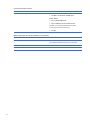
Monitor does not function properly when used with energy saver features.
Cause
Solution
Monitor without energy saver capabilities is being used with
Disable monitor energy saver feature.
energy saver features enabled.
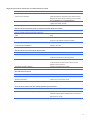
Dim characters.
Cause
Solution
The brightness and contrast controls are not set properly.
Adjust the monitor brightness and contrast controls.
Cables are not properly connected.
Check that the graphics cable is securely connected to the
graphics card and the monitor.
Blurry video or requested resolution cannot be set.
Cause
Solution
If the graphics controller was upgraded, the correct graphics
Install the video drivers included in the upgrade kit.
drivers may not be loaded.
Monitor is not capable of displaying requested resolution.
Change requested resolution.
Graphics card is bad.
Replace the graphics card.
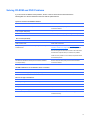
The picture is broken up, rolls, jitters, or flashes.
Cause
Solution
The monitor connections may be incomplete or the monitor
1. Be sure the monitor cable is securely connected to the
may be incorrectly adjusted.
computer.
2. In a two-monitor system or if another monitor is in close
proximity, be sure the monitors are not interfering with
each other’s electromagnetic field by moving them apart.
3. Fluorescent lights or fans may be too close to the
monitor.
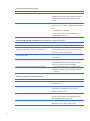
Image is not centered.
Cause
Position may need adjustment.
Solution
Press the monitor's Menu button to access the OSD menu.
Select ImageControl/ Horizontal Position or Vertical
Position to adjust the horizontal or vertical position of the
image.
61