1
ORCA-IV Image Transfer Laminator Operation Manual
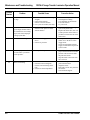
Maintenance and Troubleshooting
/XEULFDWLRQ
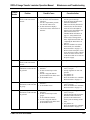
$GMXVWLQJWKH.LFN&DEOH
Tools required:
Occasionally, the kick cable needs adjustment to properly reset after use.
•
1/ "
8
•
High temperature grease or lithium grease
•
Grease gun
•
Heavy weight gear oil
•
Soft cloth
hex wrench
Tools required:
To lubricate the image transfer laminator:
•
Phillips head screwdriver
To adjust the kick cable:
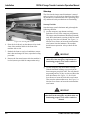
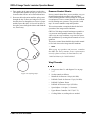
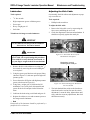
1. Remove the kick cable cover by unscrewing the
four screws and lifting the cover off.
2. Check the alignment of the internal mechanism. It
should seat squarely against the metal pin.
IMPORTANT
Do not lubricate the image transfer laminator
when it is hot. You can be burned.
IMPORTANT
Unplug the image transfer laminator and lockout
power while you are performing this procedure.
You could be severely shocked, electrocuted, or
get your fingers caught in the drive mechanisms.
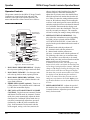
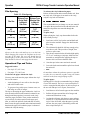
Figure 4-11: Kick Cable Incorrectly Set Mechanism Is Not Square
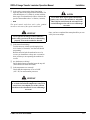
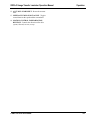
Mechanism correctly
seated against metal pin.
1. Remove the drive side cabinet cover using the 1/8"
hex wrench by removing the screws holding the
cover in place.
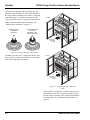
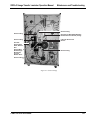
2. Using the grease gun, lubricate each grease fitting
(shown in Figure 4-1) with one squirt of high temperature grease.
3. Grease the main roll lift pins with high temperature
grease (also shown in Figure 4-1).
4. Using heavy weight gear oil, lubricate the lift
mechanism. On a yearly basis, disassemble and
grease all the levers and pins on the lift mechanism.
5. Lubricate the chain using a soft cloth and gear oil.
6. Replace the cabinet covers and reconnect power to
the image transfer laminator.
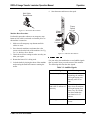
Figure 4-12: Kick Cable Tripped - Mechanism
Correctly Seated
3. The bolts that hold the switch to the bracket are
slotted and can be used to fine tune the switch
adjustment. Loosen the bolts, tighten them until
snug, make the necessary adjustments, then lock
them down securely.
☞ Note
Disassembly of the laminator should be performed by a
qualified service technician.
© GBC Pro-Tech 1998 October
4-3