1
20
Line-in recording function
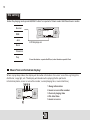
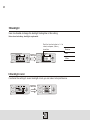
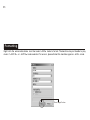
1.Connection Use the CD line-in cable to connect the player with CD player
(or other audio equipment) as shown below:
2.Recording
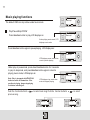
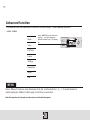
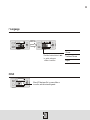
Press Menu and then push + or - upon. Press Menu to confirm and start recording.
At the same time, press the play button on the CD player and start the recording as shown
below:
/LINE-IN/L007.WAV
00:02:00 02:24:18
02:22:18
VOL15
3.Playing recorded files
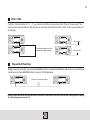
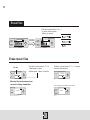
Press Menu button to return to main menu and select music playing mode. Push the function button
or
to find the wave file 001.WAV. Press play to listen to the recorded music files. You can
configure and adjust the EQ mode of the file just like the normal music files.
001-01:00/03:27
Press rec to stop recording,
and press it again to start recording.
/L001.WAV
VOL15
4.Operation on recorded music files
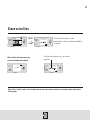
Connect the player with PC by a USB cable. Youmay find a folder called LINE In in the flash
memory of mp3player.Inside you can find the file you have recorded. Like common music files,
you may also play/rename/copy/delete the file.