1
TO TAKE OUT THE CON-
Excalibur Electronics, Inc.
13755 SW 119th Avenue,
Miami, Florida 33186 U.S.A.
Phone: 305.477.8080
Fax: 305.477.9516
Play games live at:
www.ExcaliburElectronics.com
RESETTING THE UNIT
When the unit malfunctions unexpectedly in any way, press the
RESET key once to restart the unit.
1. Open the back with your thumb.
2. Remove the controller and pull out the
cord up to about 9 inches.
3. Prop up the unit with the metal stand.
4. Wind up cords as shown.
6. Close the compartment so that
no cords can be seen.
5. Fit the controller to match the diagram on the compartment.
AUTOMATIC POWER OFF
If no key is pressed for three minutes, the unit will automatically turn
off in order to spare your batteries.
SPECIAL CARE & HANDLING
• Avoid rough handling such as bumping or dropping.
• Avoid moisture and extreme temperatures. For best results, use
between the temperatures of 39ºF and 100ºF (4º C and 38º C).
• Clean using only a slightly damp cloth. Do not use cleaners with
chemical agents.
BATTERY INFORMATION
• CAUTION: BATTERIES SHOULD BE REMOVED AND REPLACED
BY ADULTS ONLY.
• Your ABC Wide World of Sports Basketball Game uses 2 AA batteries,
not included.
• Do not mix old and new batteries.
• Do not mix alkaline, standard (carbon-zinc) or rechargeable
(nickel-cadmium) batteries.
• Do not use rechargeable batteries.
• To avoid explosion or leakage, do not dispose of batteries in a fire or
attempt to recharge standard or alkaline batteries.
• Be sure to insert batteries with the correct polarities and always follow
the toy and battery manufacturers’ instructions.
• Remove batteries and store them in a cool, dry place when not in use.
• Always remove old and dead batteries from the product.
• Do not short-circuit supply terminals.
LIMITED
Excalibur Electronics
90-DAY WARRANTY
EXCALIBUR ELECTRONICS, INC., warrants to
the original consumer that its products are free from
any electrical or mechanical defects for a period of
90 DAYS from the date of purchase. If any such
defect is discovered within the warranty period,
EXCALIBUR ELECTRONICS, INC., will repair or
replace the unit free of charge upon receipt of the
unit, shipped postage prepaid and insured to the factory address shown at right.
The warranty covers normal consumer use and does
not cover damage that occurs in shipment or failure
that results from alterations, accident, misuse, abuse,
neglect, wear and tear, inadequate maintenance,
commercial use, or unreasonable use of the unit.
Removal of the top panel voids all warranties. This
warranty does not cover cost of repairs made or
attempted outside of the factory.
Any applicable implied warranties, including warranties of merchantability and fitness, are hereby
limited to 90 DAYS from the date of purchase.
Consequential or incidental damages resulting from
a breach of any applicable express or implied warranties are hereby excluded. Some states do not
allow limitations on the duration of implied warranties and do not allow exclusion of incidental or
consequential damages, so the above limitations
and exclusions in these instances may not
apply.
ABC WIDE
WORLD OF SPORTS
BASKETBALL
The only authorized service center in the United
States is:
Excalibur Electronics, Inc.
13755 SW 119th Ave
Miami, Florida 33186 U.S.A.
Phone: 305.477.8080
Fax: 305.477.9516
www.ExcaliburElectronics.com
Ship the unit carefully packed, preferably in the original carton, and send it prepaid, and adequately
insured. Include a letter, detailing the complaint and
including your daytime telephone number, inside the
shipping carton.
If your warranty has expired and you want an estimated fee for service, write to the above address,
specifying the model and the problem.
PLEASE DO NOT SEND YOUR UNIT
WITHOUT RECEIVING AN ESTIMATE
FOR SERVICING. WE CANNOT
STORE YOUR UNIT!
We make
you think.
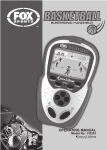
OPERATING MANUAL
www.ExcaliburElectronics.com
Model No. 336
C
ongratulations on your purchase of Excalibur
Electronics' ABC Wide World of Sports Basketball!
With its three game modes, you can play by yourself,
or team up with a buddy to take on the computer. You can
even play slam-dunk against a friend using the separate
controllers! Dribble, pass, shoot, slam-dunk—even steal the
ball!
Your new ABC Wide World of Sports Street Jam
Basketball game is easy to use, but be sure to use it safely.
Before starting, please read this manual thoroughly, especially noting safety, care and battery information. Keep this
manual for reference.
The legendary King Arthur brandished a magic sword,
Excalibur, from which we take our company name. With this
unique weapon in his hands, he could not be vanquished.
INSTALLING BATTERIES
KETBALL
Please Note: For best results, always use alkaline batteries. Be sure to check
the expiration date because fresh batteries will ensure uninterrupted usage/enjoyment of the product. Remove the batteries if the product will not be used for an
extended period. If the product does not perform as expected, check for proper
battery charge and correct battery installation, or try a fresh set of batteries.
ON - Press to turn on the unit.
NEW GAME - Press and hold for
one second to enter the game mode.
START - Press to confirm a
choice.
SHOOT – Press to shoot the ball..
DIRECTIONAL KEYPAD - Press
the left or right arrows to move your
player in either direction. Press the
up or down arrows to move your
player forward or backward.
PASS - Press to pass the ball.
STEAL - Press to steal the ball.
SOUND - Press to turn sound on
or off.
PAUSE - Press to interrupt the
game temporarily.
RESET - Press to reset the game.
Your ABC Wide World of Sports Pro-Basketball handheld game requires two
AA batteries, not included. To install the batteries, carefully turn the game over
so that the unit is face-down on a soft surface. Find the battery compartment on
the back of the unit. Use a small Phillips screwdriver to remove the screw. Lift
off the battery compartment lid. Install the batteries, making sure to match polarity (+ and -) to the diagram in the compartment. Place the tab of the battery compartment lid in its slot and close the compartment door. Replace the screw and
tighten.
LAYOUT OF ABC WIDE WORLD OF SPORTS BAS-
ON/PAUSE
PAUSE
Although Excalibur Electronics can’t claim the
magical secrets of Merlin, King Arthur’s court
wizard, sometimes our patented technology
may make it seem as if we could.
We make you think.
KEYPAD
PASS/STEAL
START
/SHOOT/
SWITCH
SOUND
RESET
FUNCTIONS
TONS
OF
BUT-
OBJECT OF THE GAME
To score the most points by successfully shooting the ball into the
basket.
GETTING STARTED
After installing fresh batteries,
turn your game on simply by pressing ON. You’ll see that the game is
now in DEMO mode. (You can press
START to stop the demo mode and
enter the game mode, or wait 30 seconds until it stops on its own.)
Next choose from three game
choices by pressing the up or down
arrows to select a game, and then
pressing START to confirm your
selection.
Game One, BASKETBALL
TOURNAMENT, with you against
the computer: If you select Game
One, you’ll see SELECT GAME
MODE G1: VS COM scrolling
across the screen. After you confirm
your game selection by pressing
START, you’ll see that “SELECT
TEAM” scrolls onscreen. Press the
up or down arrows to select your
desired team (with a total of nine
teams.) and press START to confirm
you choice. The computer will select
its team automatically, and a whistle
sounds to announce the beginning of
the game. The timer will start to
count.Your players will be dressed
in white and play the computer’s
team in dark clothing.
Game Two, 2-Player SlamDunk, with you against a friend:
After you select Game Two, the
message “P1 SELECT TEAM” will
scroll across the screen. Player one,
on the left-hand side and controlling
the dark clothed team, now presses
the up or down arrows to select his
team, then presses START to confirm the selection. Next “P2
SELECT TEAM” scrolls across the
screen. Player two, on the right
hand side and controlling the team
clothed in white, now chooses his
team and presses START to confirm. Once teams have been selected, the game begins with the sound
of a whistle. The timer starts to
count.
Game Three, Joint-Force
Tour-nament, with you and your
friend against the computer: After
selecting Game Three, you’ll see
“SELECT TEAM” scrolling onscreen. Player 1 will press the up or
down arrows on the keypad to
select the desired team, then press
the START button to confirm. Next
the game begins after a whistle
sounds, and the timer starts to
count.
PLAYING THE GAME
Just like in real Basketball, each
round consists of four quarters, with
each quarter lasting 12 minutes,
around 4 minutes in real time. The
team which gets the most points
wins the game. If the score is tied,
the game continues an extra 5 minutes, about two minutes in real time.
Then if the score is still tied, the
game is extended an additional five
minutes, and so on, until the tie is
broken.
In Games One and Three, you
must score more points than your
opponent in order to enter the next
round.
Controlling your player: In
Games One and Two, your active
player will be flashing on the
screen. When you are on defense,
press the SWITCH button repeated-
ly to select your team player. Then
use the dircctional arrows to move
the player around. In Game Three,
Player One controls the flashing
player with the right keypad and
Player Two controls the non-flashing
player with the left keypad.
Passing the Ball: Press the PASS
button to pass the ball to a teammate.
Stealing the Ball: To steal the ball
from your opponent, use the directional arrows to move your active
flashing player towards the opponent,
and then press STEAL. If you steal
the ball successfully, you’ll see the
message “STEAL XX/YY” on your
display. XX indicates the number of
balls you have stolen, YY indicates
the number of balls your opponent
has stolen.
Shooting the Ball: When you get
the ball, press SHOOT to throw the
ball toward the basket. If you shoot
successfully, you’ll see the message
“2 or 3 PTS XX/YY.” XX indicates
the number of successful shots
you’ve made, YY shows the total
number of shots. Otherwise, the mes-
sage “DEF (DEFENSE) REBOUNDS
XX/YY” or “OFF (OFFENSE)
REBOUNDS XX/YY” will be displayed. XX indicates the number of
rebounds you got, YY shows the
number of rebounds your opponent
got. If a team succeeds in making a
basket, the total score will be displayed as XX/YY, with XX representing your opponent’s score and
YY representing your score.
Throw-In: When the words
"THROW IN" appear on the screen,
press the PASS button within five
seconds.
Free Throw: When the words
“FREE THROW” appear on the
screen, the ball moves from left to
right repeatedly on the seven squares.
Press SHOOT when the ball stops on
the middle square. Then the message
“1 PTS FT XX/YY” will be displayed, with XX indicating the number of successful Free Throws and
YY the total number of Free Throws.
If the player doesn’t make a basket
within 10 seconds, the computer will
shoot the ball.
Slam Dunk: In a one-player game,
when you get into your opponent’s
free throw area, press the left arrow
twice and press the SHOOT button to
shoot. (In a two-player game, the
player controlling the team in dark
clothing presses the right arrows,
then presses the SHOOT button to
shoot.) The words “SLAM DUNK”
appear on the screen. You’ll see the
message “2 PTS XX/YY” on your
display, with XX indicating the number of successful balls shot in the basket and YY indicating the total number of balls in slam dunk.
SCORING
There are 3 ways to score:
a. Making a basket from the threepoint field goal area gets 3 points.
b. Making a basket from the twopoint field goal area gets 2 points.
c. Making a free throw gets 1 point.
The opposing team will be awarded a Throw-In if a team fouls. Also
the opposing team will be awarded a
Free Throw if the opposing team has
committed five fouls. When a team
shoots the ball into the basket, the
opposing team then takes the ball to
throw in from the end line
The ball must be thrown out at the
sideline within 5 seconds or else your
opponent will be awarded a ThrowIn. (The message “5 SECOND VIOLATION” will scroll onscreen.)
A team must score a field goal
within 24 seconds after gaining possession of the ball. Failure to do so is
a violation, and the message “24
SECOND VIOLATION” will be displayed. The opposing team will be
awarded a Throw-In.
When the team in possession of
the ball backs into its own half of the
court, the message ‘BACK-COURT
VIOLATION’ will scroll onscreen,
and the opposition will be awarded a
Throw-In.