1
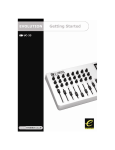
Evolution MK-425C/MK-449C/MK461C Getting Started
Evolution MK-425C/MK-449C/MK461C Getting Started
Introduction
Contact Evolution
If you are looking for more supporting material, setup files for your Evolution product or
simply have problems getting your system up and running, the best place to look is:
Introduction
Congratulations on your purchase of your Evolution USB keyboard. You can use it to play
virtual instruments on PCs and Macs, and to control external MIDI hardware like
synthesizers, sound modules, drum machines and samplers.
http://www.evolution.co.uk
Our distributor in your country should be able to answer any additional questions. You
will also find a link to our distributor list on the website.
If you have exhausted these two possibilities you are of course welcome to contact us
directly via the following 2 email addresses:
General enquiries:
Support:
[email protected]
[email protected]
We hope you will have many years of enjoyment and active use from your Evolution
Product and wish you every success in your creative efforts.
Your Evolution keyboard is more than just a keyboard. You can control many different
parameters. It sends MIDI Continuous Controller data or CCs, RPN / NRPN data, MIDI
Bank change LSB and MSB and Program Changes on 16 different MIDI channels so you
can easily control your studio using only the keyboard.
There is even a librarian included to help you organise patches to suite your studio,
download more setups via the internet and backup setups for different purposes.
Here is a snapshot of the powerful features implemented in your Evolution keyboard:
Features List MK-425C/MK-449C & MK-461C
Ports:
x x Evolution Electronics Ltd.
MIDI Data from buttons:
x Note on
x Note on/off Toggle
x MIDI CC on/off Toggle
x Program, Bank LSB, Bank MSB
presets
x MIDI Machine Control functions
x GM/GM2/XG SysEx Messages
MIDI OUT
USB MIDI OUT/IN
Power:
Caution :
Electro Static Discharge, Electrical Fast Transient and Conducted RF
interference may cause the unit malfunctioning. In such case, unplug the
unit and plug in again to restore normal operation.
x x USB powered
DC IN for external PSU
Keyboard:
x 25, 49 or 61 note velocity sensitive
keyboard (MK-425C, MK-449C and
MK-461C respectively)
x 9 velocity curves
Pour toutes les mises à jour de documents et manuels français, veuillez visiter la page
web www.evolution.co.uk/manuals
Aktuelle deutsche Bedienungsanleitungen finden Sie unter: www.evolution.co.uk/
manuals
Para accedera manuales y documentación actualizada, por favor visite:
www.evolution.co.uk/manuals
Per ottenere tutte le documentazioni italiane aggiornate, visitate
www.evolution.co.uk/manuals
20
“On the fly” features:
x Program and bank changes
x Snap shot sends current status for
all controllers
x Drawbar mode for faders (MK-449C
and MK-461C only)
x Controller Mute, mutes controller
output to avoid parameter jumps
Controls:
x 12 programmable rotary dials (8 on
MK-425C and MK-449C)
x 9 full size programmable faders
(MK-449C & MK-461C only)
x 10 programmable buttons
x Pitch bend and modulation wheels,
both fully MIDI assignable
x Foot switch, fully MIDI assignable
Other features:
x Memory Dump via Sys Ex
x Dedicated Sys Ex Librarian for
storing and organizing setups
x 10 memory locations stores
all settings
x MIDI out USB interface
MIDI Data from controllers
x MIDI control number
x RPN/NRPN
x Program, Bank LSB, Bank MSB
x Pitch Bend
x GM/GM2/XG SysEx Messages
1