1
L
R4C4610
Rev. C
A5 size
6/28/00
USING.FM
Pass 3
Proof Sign-off:
SEI Y.Ohkawara K.Kono
K.Kono
SEI M.Kauppi
Envelopes
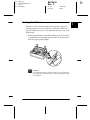
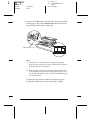
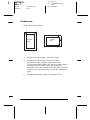
You can feed envelopes individually using the paper guide.
❏ Before loading an envelope, set the paper thickness lever to 2,
3, or 5. See “Adjusting the paper-thickness lever” on page
2-21.
❏ To load an envelope, follow the steps in “Running the Self
Test” on page 1-11. Insert the wide edge of the envelope into
the printer first, printable-side down. When you insert the
envelope between the paper guides, push it firmly and hold
it until it feeds into the printer.
❏ Use envelopes only under normal temperature and humidity
conditions.
❏ Make sure the printing stays entirely within the printable
area.
❏ The print head must not go past the left or right edge of the
envelope or other thick paper. (See “Printer Specifications” on
page A-4 for specifications.) It’s a good idea to print a test
sample using a normal single sheet of paper before you print
on the envelopes.
2-24
Using the Printer