1
Resolving Problems | 7-13
Solving Windows USB Problems
A Windows system connected directly to the printer’s USB port must have a
“clean” installation of Windows 98 or Windows 2000. You may not be able
to install or run the USB printer driver on a computer that has been
upgraded from Windows 95.
For details about your computer, contact your dealer.
Checking Your USB Driver Installation
If you cancelled the plug-and-play driver installation before the procedure
was completed, either the USB printer device driver or the printer driver
may be installed incorrectly. Follow these steps to check the installation and
reinstall the drivers if necessary:
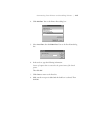
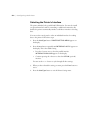
1. Turn the printer on. Plug the USB cable into the printer and the
computer.
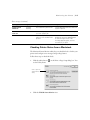
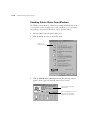
2. Right-click the My Computer icon on your desktop, then click
Properties.
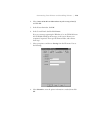
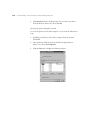
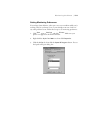
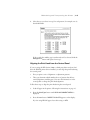
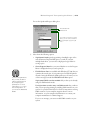
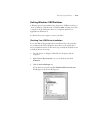
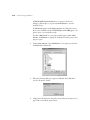
3. Click the Device Manager tab.
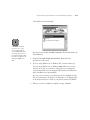
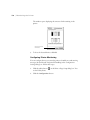
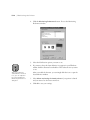
If your drivers are correctly installed, EPSON USB Printer Devices
should appear in the Device Manager list.
7-13