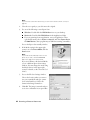
1
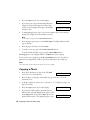
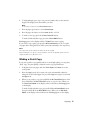
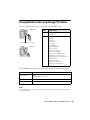
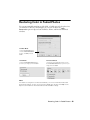
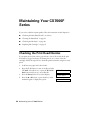
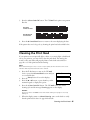
Epson Stylus ® CX7000F Series
Basics Guide
Copyright Notice
All rights reserved. No part of this publication may be reproduced, stored in a retrieval system, or
transmitted in any form or by any means, electronic, mechanical, photocopying, recording, or
otherwise, without the prior written permission of Seiko Epson Corporation. The information
contained herein is designed only for use with this Epson product. Epson is not responsible for any
use of this information as applied to other equipment.
Neither Seiko Epson Corporation nor its affiliates shall be liable to the purchaser of this product or
third parties for damages, losses, costs, or expenses incurred by purchaser or third parties as a result
of: accident, misuse, or abuse of this product or unauthorized modifications, repairs, or alterations to
this product, or (excluding the U.S.) failure to strictly comply with Seiko Epson Corporation’s
operating and maintenance instructions.
Seiko Epson Corporation shall not be liable for any damages or problems arising from the use of any
options or any consumable products other than those designated as Original Epson Products or
Epson Approved Products by Seiko Epson Corporation.
Responsible Use of Copyrighted Materials
Epson encourages each user to be responsible and respectful of the copyright laws when using any
Epson product. While some countries’ laws permit limited copying or reuse of copyrighted material
in certain circumstances, those circumstances may not be as broad as some people assume. Contact
your legal advisor for any questions regarding copyright law.
Trademarks
Epson and Epson Stylus are registered trademarks, and Exceed Your Vision, USB DIRECT-PRINT,
and the USB DIRECT-PRINT logo are trademarks of Seiko Epson Corporation.
DURABrite is a registered trademark and Epson Connection is a service mark of Epson America,
Inc.
DPOF is a trademark of CANON INC., Eastman Kodak Company, Fuji
Photo Film Co., Ltd. and Matsushita Electric Industrial Co., Ltd.
Memory Stick is a registered trademark, and Memory Stick Duo, Memory
Stick PRO, Memory Stick PRO Duo, MagicGate, MagicGate Memory Stick,
and MagicGate Memory Stick Duo are trademarks of Sony Corporation.
xD-Picture Card is a trademark of Fuji
Photo Film Co., Ltd.
SmartMedia is a registered trademark of
Toshiba Corporation.
SD is a trademark. SDHC is a
trademark.
General Notice: Other product names used herein are for identification purposes only and may be
trademarks of their respective owners. Epson disclaims any and all rights in those marks.
© 2007 Epson America, Inc. 1/07
2
Contents
Loading Paper . . . . . . . . . . . . . . . . . . . . . . . . . . . . . . . . . . . . . . . . . 6
Copying a Photo or Document . . . . . . . . . . . . . . . . . . . . . . . . . . 8
Placing the Original on the Glass . . . . . . . . . . . . . . . . . . . . . . . . . . . . . . . 8
Copying . . . . . . . . . . . . . . . . . . . . . . . . . . . . . . . . . . . . . . . . . . . . . . . . 9
Printing From a Memory Card . . . . . . . . . . . . . . . . . . . . . . . . . .
Compatible Cards and Image Formats . . . . . . . . . . . . . . . . . . . . . . . . . .
Inserting the Card . . . . . . . . . . . . . . . . . . . . . . . . . . . . . . . . . . . . . . . .
Printing an Index Sheet to Select Photos . . . . . . . . . . . . . . . . . . . . . . . . .
Printing All Photos or DPOF Photos . . . . . . . . . . . . . . . . . . . . . . . . . . .
12
13
14
15
18
Printing From a Digital Camera . . . . . . . . . . . . . . . . . . . . . . . . . 19
Printing From Your Computer . . . . . . . . . . . . . . . . . . . . . . . . . .
Printing in Windows . . . . . . . . . . . . . . . . . . . . . . . . . . . . . . . . . . . . . .
Printing With a Macintosh . . . . . . . . . . . . . . . . . . . . . . . . . . . . . . . . . .
Using Special Papers . . . . . . . . . . . . . . . . . . . . . . . . . . . . . . . . . . . . . . .
20
20
23
26
Faxing a Photo or Document . . . . . . . . . . . . . . . . . . . . . . . . . . . 29
Connecting a Phone or Answering Machine . . . . . . . . . . . . . . . . . . . . . . .
Setting Up Your Fax Features . . . . . . . . . . . . . . . . . . . . . . . . . . . . . . . . .
Sending a Fax . . . . . . . . . . . . . . . . . . . . . . . . . . . . . . . . . . . . . . . . . . .
Receiving a Fax . . . . . . . . . . . . . . . . . . . . . . . . . . . . . . . . . . . . . . . . . .
29
30
37
39
Scanning a Photo or Document . . . . . . . . . . . . . . . . . . . . . . . . 41
Basic Scanning . . . . . . . . . . . . . . . . . . . . . . . . . . . . . . . . . . . . . . . . . . . 41
Restoring Color in Faded Photos . . . . . . . . . . . . . . . . . . . . . . . . . . . . . . 43
Maintaining Your CX7000F Series . . . . . . . . . . . . . . . . . . . . . . 44
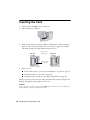
Checking the Print Head Nozzles . . . . . . . . . . . . . . . . . . . . . . . . . . . . . . 44
Cleaning the Print Head . . . . . . . . . . . . . . . . . . . . . . . . . . . . . . . . . . . . 45
3
Checking the Ink Status . . . . . . . . . . . . . . . . . . . . . . . . . . . . . . . . . . . . 46
Replacing Ink Cartridges . . . . . . . . . . . . . . . . . . . . . . . . . . . . . . . . . . . . 47
Solving Problems . . . . . . . . . . . . . . . . . . . . . . . . . . . . . . . . . . . . . 52
Error Messages . . . . . . . . . . . . . . . . . . . . . . . . . . . . . . . . . . . . . . . . . . . 52
Problems and Solutions . . . . . . . . . . . . . . . . . . . . . . . . . . . . . . . . . . . . . 54
Where To Get Help . . . . . . . . . . . . . . . . . . . . . . . . . . . . . . . . . . . . . . . 57
Notices. . . . . . . . . . . . . . . . . . . . . . . . . . . . . . . . . . . . . . . . . . . . . . . 59
Important Safety Instructions . . . . . . . . . . . . . . . . . . . . . . . . . . . . . . . . .
Declaration of Conformity . . . . . . . . . . . . . . . . . . . . . . . . . . . . . . . . . .
FCC Compliance Statement . . . . . . . . . . . . . . . . . . . . . . . . . . . . . . . . .
Epson America, Inc. Limited Warranty . . . . . . . . . . . . . . . . . . . . . . . . . .
59
61
61
64
Index . . . . . . . . . . . . . . . . . . . . . . . . . . . . . . . . . . . . . . . . . . . . . . . . 67
4 Contents
Introduction
After you have set up your Epson Stylus® CX7000F Series all-in-one as described
on the Start Here sheet, turn here to:
■
Load paper
■
Make a quick copy of a photo or document
■
Print photos stored on a memory card
■
Print photos directly from your camera
■
Print a basic document or photo from your computer
■
Fax a photo or document
■
Scan a photo or document, including restoring a color photo as you scan
■
Perform routine maintenance
■
Solve simple problems
This book tells you how to do most of these things without ever turning on your
computer! Of course your CX7000F Series can do a lot more when you connect it
to your Windows® or Macintosh® computer. For additional instructions, see the
on-screen User’s Guide by selecting the icon for it on your desktop.
Please follow these guidelines as you read your CX7000F Series instructions:
Warning:
Warnings must be followed carefully to avoid bodily injury.
Caution:
Cautions must be observed to avoid damage to your equipment.
Note:
Notes contain important information about your CX7000F Series.
Tip:
Tips contain hints for better copying, scanning, printing, and faxing.
5
Loading Paper
Follow the steps here to load paper in your Epson Stylus CX7000F Series
all-in-one.
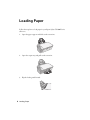
1. Open the paper support and slide out the extensions.
2. Open the output tray and pull out the extension.
3. Flip the feeder guard forward.
6 Loading Paper
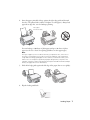
4. Insert the paper, printable side up, against the right edge guide and beneath
the tabs. (The printed side is whiter or brighter on some papers.) Always load
paper short edge first, even for landscape printing.
Place paper
beneath the tabs
You can load up to 100 sheets of plain paper and up to 20 sheets of photo
paper (see the User’s Guide for capacity guidelines on other paper types).
Note:
The type of paper you choose affects the way your printout looks, so be sure to
select the correct paper for your job. If you are just making a copy or printing a
rough draft of an image, plain paper is fine. However, for the best results, you’ll
want to use one of Epson’s special ink jet papers designed for your printer. For
example, your photos will look great printed on Epson Ultra Premium Photo Paper
Glossy (see page 26 for more information).
5. Slide the left edge guide against the left edge of the paper (but not too tightly).
6. Flip the feeder guard back.
Loading Paper 7
Copying a Photo or Document
Follow the instructions in this section to:
■
Position your photo or document correctly on the glass (see below)
■
Make copies of a photo or document (see page 9)
Placing the Original on the Glass
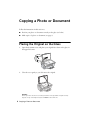
1. Open the document cover and place your original face-down on the glass, in
the upper left corner.
2. Close the cover gently so you don’t move the original.
Caution:
Never open the document cover beyond where it stops and do not place heavy
objects on top of the Epson Stylus CX7000F Series all-in-one.
8 Copying a Photo or Document
If you need to copy or scan a thick or large document, you can remove the
document cover. Just open it and pull it straight up.
If you need to press the document flat while you copy or scan it, do not press too
hard and be careful not to move it.
Note:
Do not use excessive force on the document cover and do not twist it. You may damage
the document cover.
When you are done, replace the document cover by inserting the tabs back into
the slots.
Copying
You can make copies using letter-size (8.5 × 11-inch), 4 × 6-inch, or 5 × 7-inch
plain or photo paper.
Copying a Document
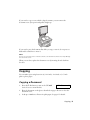
1. Press the P On button to turn on the CX7000F
Series. You see a screen like this:
12:00 PM
Y
2. Place the document on the glass as described on page 8. Be sure to close the
document cover.
3. Load up to 100 sheets of letter-size plain paper. See page 6 for details.
Copying 9
4. Press the Copy button. You see this display:
5. If you want your copies automatically reduced or
enlarged to fit the loaded paper size (Fit to Page
mode), press the Copy button again. The display
changes to this:
Copies:1
100%
Copies:1 FitPage
6. To make multiple copies (up to 99), press the number keys on the numeric
keypad. The display shows the number you select.
Note:
To exit Copy mode, press the y Cancel/Back button.
7. Press the paper type button to select Plain Paper. The light indicates which
type is selected.
8. Press the paper size button to select Letter.
9. To make a color copy, press the x Start Color/OK button.
To make a black and white copy, press the x Start B&W button.
Printing appears on the display and the CX7000F Series starts copying.
If you need to stop copying, press the y Cancel/Back button. Do not pull out
paper that is being printed; it will be ejected automatically to the output tray.
Note:
The copies may not be exactly the same size as the original.
Copying a Photo
1. Press the P On button to turn on the CX7000F
Series. You see a screen like this:
12:00 PM
Y
2. Place the photo on the glass as described on page 8. Be sure to close the
document cover.
3. Load up to 20 sheets of letter-size, 4 × 6-inch, or 5 × 7-inch photo paper. See
page 7 for details.
4. Press the Copy button. You see this display:
5. If you want borderless photos (printed without a
white border), press the Copy button again to select
Fit to Page mode. (If you select 100%, photos are
printed with a border.) The display changes to this:
10 Copying a Photo or Document
Copies:1
100%
Copies:1 FitPage
6. To make multiple copies (up to 99), press the number keys on the numeric
keypad. The display shows the number you select.
Note:
To exit Copy mode, press the y Cancel/Back button.
7. Press the paper type button to select Photo Paper.
8. Press the paper size button to select Letter, 4"× 6", or 5"× 7".
9. To make a color copy, press the x Start Color/OK button.
To make a black and white copy, press the x Start B&W button.
Printing appears on the display and the CX7000F Series starts copying.
If you need to stop copying, just press the y Cancel/Back button. Do not pull
out paper that is being printed; it will be ejected automatically to the output tray.
Note:
The copies may not be exactly the same size as the original.
When making a lot of copies, it is a good idea to remove the printed copies from the
output tray after every 10 sheets or so.
Making a Quick Copy
If you want to make a copy quickly and do not need high quality, you can print a
“draft” copy. The print quality is reduced, but the copy is printed faster.
1. Load plain, letter-size paper and select Plain Paper and Letter size on the
control panel.
2. Press the Copy button. If you want your copies automatically reduced or
enlarged to fit the loaded paper size, press the Copy button again to select Fit
to Page mode.
3. When you are ready to copy, press and hold the y Cancel/Back button, then
press and hold the x Start Color/OK button (to copy in color). When you
see Color Draft Mode on the display, release both buttons. Printing appears
on the display.
To make a black and white copy, press and hold the y Cancel/Back button,
then press and hold the x Start B&W button. When you see B/W Draft
Mode on the display, release both buttons. Printing appears on the display.
Copying 11
Printing From a Memory Card
The Epson Stylus CX7000F Series all-in-one lets you print color photos directly
from your digital camera’s memory card; just insert it into a memory card slot on
the CX7000F Series and you’re ready to print.
If your digital camera supports DPOF™ (Digital Print Order Format), you can
pre-select the photos you want to print while the card is still in the camera. Then,
when you insert the card in the CX7000F Series, it knows which photos to print
and how many copies of each.
See these sections:
■
“Compatible Cards and Image Formats” on page 13
■
“Inserting the Card” on page 14
■
“Printing an Index Sheet to Select Photos” on page 15
■
“Printing All Photos or DPOF Photos” on page 18
For instructions on copying memory card files between your CX7000F Series and
a computer or other device, see the User’s Guide.
12 Printing From a Memory Card
Compatible Cards and Image Formats
You can use the following types of cards with your CX7000F Series:
Right slot
Slot
Type of card
Right
slot
CompactFlash®
Microdrive™
Left slot
SD™
SDHC™
miniSD™*
miniSDHC*
microSD*
microSDHC*
MultiMediaCard™
Memory Stick™
Memory Stick Duo™*
Memory Stick PRO™
Memory Stick PRO Duo™*
MagicGate™ Memory Stick
MagicGate Memory Stick Duo™*
SmartMedia™
xD-Picture Card™
xD-Picture Card Type H
xD-Picture Card Type M
Memory card access light
Left slot
The CX7000F Series supports image files that meet the following requirements:
Media format
DCF version 1.0 or 2.0 compliant*
File format
JPEG
Supports Exif version 2.21
Image size
80 × 80 pixels to 9200 × 9200 pixels
Number of files
Up to 999
*
DCF is the “Design rule for Camera File system” standard
Note:
You can print only in color when printing directly from a memory card; you cannot print
in black and white.
Compatible Cards and Image Formats 13
Inserting the Card
1. Make sure the CX7000F Series is turned on.
2. Open the memory card door.
3. Make sure the memory card access light is off and that no cards are in any of
the slots. Then insert your card into the correct slot (see page 13 for details).
The memory card access light flashes and then stays on.
Left slot
Insert just one
card at a time
Right slot
Memory card
access light
4. Now you can:
■
Print an index sheet so you can select which photos to print (see page 15)
■
Print all the photos on the card (see page 18)
■
Print photos pre-selected on your camera using DPOF (see page 18)
When you want to remove the card, make sure the memory card access light is not
flashing, then pull the card straight out of its slot.
Caution:
Do not remove the card or turn off the CX7000F Series while the memory card access
light is flashing; you may lose data on the card.
14 Printing From a Memory Card
Printing an Index Sheet to Select Photos
You can print an index sheet (which is like a photographer’s contact or proof sheet)
to see small “thumbnail” images of all the pictures on your card. Then you can
mark the pictures on the index sheet that you want to print, scan the sheet, and let
the CX7000F Series automatically print the selected photos.
Printing the Index Sheet
1. Make sure your CX7000F Series is not connected to your computer (or your
computer is turned off ).
2. Load several sheets of letter-size, plain paper. (Use only letter-size paper to
print the index sheet.) Up to 30 images are printed on each page, so if there
are more than 30 photos on the memory card, you’ll need enough sheets for
all the index pages to be printed.
3. Insert the memory card if it is not already in the slot. See page 14 for details.
4. If the light in the Memory Card button is not lit, press the Memory Card
button. The CX7000F Series counts the images on your card and you see this
display, indicating it is ready to print the index sheet:
Number of images (varies)
1.Img:92 Prt Idx
5. Make sure Plain Paper and Letter are selected.
6. Press the x Start Color/OK button. You see this display
1.Prt Idx: File
Printing an Index Sheet to Select Photos 15
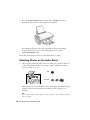
7. Press the x Start Color/OK button again. The CX7000F Series starts
printing the index sheet(s). This may take a few minutes.
For multiple index sheets, the pages containing the most recent images
are printed first. If you want to cancel printing more sheets, press
the y Cancel/Back button.
Now follow the instructions below to select which photos to print.
Selecting Photos on the Index Sheet
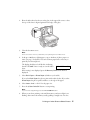
1. Once you have printed the index sheet, use a dark pen or pencil to fill in one
of the ovals beneath each photo you want to print to indicate how many
copies you want (1, 2, or 3).
OK:
Incorrect:
Make sure just one oval is filled in for each selected photo and mark the sheet
carefully; once it has been scanned you will not be able to change your
selections.
Tip:
If you want one copy of all the photos on the index sheet, fill in the ALL oval at the
top of the page.
16 Printing From a Memory Card
2. Place the index sheet face-down on the glass, in the upper left corner, so that
the top of the sheet is aligned against the left edge of the glass.
3. Close the document cover.
Note:
Don’t remove the memory card while you’re printing from an index sheet.
4. Load up to 100 sheets of plain paper or up to 20 sheets of photo paper at a
time. (See page 7 for details.) You can load more paper later as necessary to
print all your selected photos.
The display should now look like this, indicating
that the CX7000F Series is ready to scan the index
sheet:
2.Img:92 Scn Idx
If this setting is not displayed, press the Memory Card button until it is
displayed.
5. Select Plain Paper or Photo Paper (whichever you loaded).
If you select Plain Paper, the photos print with a white border. If you select
Photo Paper, the photos print borderless, to the edge of the paper.
6. Select Letter, 4"x 6", or 5"x 7" for the paper size.
7. Press the x Start Color/OK button to start printing.
Note:
If you need to stop printing, press the y Cancel/Back button.
8. When you are done printing, wait until the memory card access light is not
flashing, then remove the memory card by pulling it straight out of its slot.
Printing an Index Sheet to Select Photos 17
Printing All Photos or DPOF Photos
Follow the steps below to print one copy of each photo on the card or to print
only those photos that were pre-selected with your camera’s DPOF (Digital Print
Order Format) feature.
1. Load up to 100 sheets of plain paper or up to 20 sheets of photo paper at a
time. (See page 7 for details.) You can load more paper later as necessary to
print all your photos.
2. Insert the memory card. See page 14 for details.
3. Press the Memory Card button repeatedly, until the display looks something
like this.
3.Img:92 All/DPO
Note:
If the memory card does not contain DPOF information, one copy of all the photos
on the card will be printed.
4. Select Plain Paper or Photo Paper (whichever you loaded).
If you select Plain Paper, the photos print with a white border. If you select
Photo Paper, the photos print borderless, to the edge of the paper.
5. Select Letter, 4"× 6", or 5"× 7" for the paper size.
6. Press the x Start Color/OK button to start printing.
Note:
If you need to stop printing, press the y Cancel/Back button.
If you see the Paper Out message, load more paper and press the
x Start Color/OK button.
When you are done printing, wait until the memory card access light is not
flashing, then remove the memory card by pulling it straight out of its slot.
18 Printing From a Memory Card
Printing From a Digital
Camera
If your camera is PictBridge- or USB DIRECT-PRINT™-compatible, you can
print your JPEG photos by connecting your digital camera directly to your Epson
Stylus CX7000F Series all-in-one. Your photos must be sized from 80 × 80 pixels
to 9200 × 9200 pixels.
1. Make sure your CX7000F Series is turned on, but not printing.
2. Remove any memory cards from the slots.
3. Load the type of paper you want to use (see page 6). Load enough sheets for
the number of photos you’ll be printing.
4. Press the paper type button to select Photo Paper to print borderless photos
(without a white border). Select Plain Paper if you want your photos printed
with a small white border.
5. Press the paper size button to select Letter, 4"x6", or 5"x7".
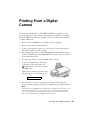
6. Connect the USB cable that came with
your camera to the camera and to the
USB connector on the front of your
CX7000F Series.
7. Make sure your camera is turned on. The
following appears on the display screen:
PictBridge
8. Select the photos you want to print with your camera. Then adjust any
necessary settings and print your photos as explained in your camera manual.
Note:
Depending on the CX7000F Series settings and your digital camera settings, some
combinations of paper type, size, and layout may not be supported. In addition,
some of your digital camera settings may not be reflected in the printed output.
Epson cannot guarantee the compatibility of any camera.
Printing From a Digital Camera 19
Printing From Your Computer
This section describes the basic steps for printing a photo or document stored on
your Windows or Macintosh computer.
Note:
For detailed instructions on printing, see the on-screen User’s Guide.
Before you start, make sure you’ve installed your printer software and connected
the Epson Stylus CX7000F Series all-in-one to your computer as described on the
Start Here sheet. Also be sure to use the right paper for your print job (see page 26)
and select the correct paper type setting for it in the steps below.
Tip:
Periodically, it’s a good idea to check Epson’s support website at epson.com/support
for free updates to your CX7000F Series printer and scanner software. Download
instructions are posted for your convenience. With Windows, you can also click Start
or
, select Programs or All Programs, select EPSON, and click EPSON Stylus
CX7000F Series Driver Update for driver updates.
Follow the instructions in these sections:
■
“Printing in Windows” (below)
■
“Printing With a Macintosh” on page 23
■
“Using Special Papers” on page 26
Printing in Windows
1. Load paper (see page 6).
2. Open a photo or document in a printing program.
20 Printing From Your Computer
3. Open the File menu and select Print. You see a window like this one:
Select EPSON Stylus CX7000F Series
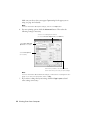
4. Make sure EPSON Stylus CX7000F Series is selected, then click the
Preferences or Properties button.
(If you see a Setup, Printer, or Options button, click it. Then click
Preferences or Properties on the next screen.)
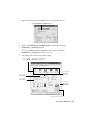
5. On the Main tab, select the basic print settings:
w
Select the type of document you’re printing
(choose Photo or Best Photo for pictures)
Select your
paper Type
Click here for
borderless
photos
Select your
paper Size
Select your
document
Orientation
Click here for more options
Printing in Windows 21
Make sure you choose the correct paper Type setting for the paper you are
using (see page 28 for details).
Note:
For more information about print settings, click the ? or Help button.
6. For more printing options, click the Advanced button. Then select the
following settings as necessary:
Select a color management method
(To choose No Color Adjustment, click ICM first)
Select Paper & Quality
Options as necessary
Select Print Options
as necessary
Click here if you want to see this Advanced
screen each time you access your print settings
Note:
For more information about advanced settings, or instructions on saving them as a
group so you can reuse them later, click ? or Help.
7. If you want to change the layout settings, click the Page Layout tab and
select settings as necessary.
22 Printing From Your Computer
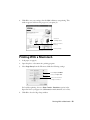
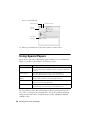
8. Click OK to save your settings, then click OK or Print to start printing. This
window appears and shows the progress of your print job.
w
Check ink
cartridge status
Pause or resume
printing
Cancel printing
Printing With a Macintosh
1. Load paper (see page 6).
2. Open the photo or document in a printing program.
3. Select Page Setup from the File menu. Make the following settings:
Select Stylus CX7000F
Select your Paper Size
Select your document
or image orientation
For borderless printing, choose a Sheet Feeder - Borderless option in the
Paper Size list for your paper size (US Letter, 8 x 10 in, 4 x 6 in, or 5 x 7 in).
4. Click OK to close the Page Setup window.
Printing With a Macintosh 23
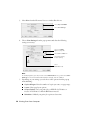
5. Select Print from the File menu. You see a window like this one:
Select Stylus CX7000F
Select Print Settings
6. Choose Print Settings from the pop-up menu and select the following
settings as necessary:
Select your Media
Type (see page 26)
Select Color or Black ink
Select higher quality
or faster printing
Select
Automatic mode
Note:
In certain programs, you may need to select Advanced before you can select Print
Settings. For more information about printer settings, click the ? button.
7. Depending on your settings, you can choose other options from the pop-up
menu including:
■
Copies & Pages: Select the number of copies you want, or a page range.
■
Layout: Select page layout options.
■
Output Options: Save your print job as a PDF file (OS X 10.2.x or
10.3.x). In OS X 10.4.x, click the PDF button instead.
■
Scheduler: Schedule your print job to print at a later time.
24 Printing From Your Computer
■
Paper Handling: Select page printing options, such as Reverse print
order.
■
ColorSync or Color Management: Select ColorSync® or adjust the
color controls, change the gamma setting, or turn off color adjustments in
the printer software.
■
Cover Page (OS X 10.4.x only): Add a cover page before or after the
document.
■
Expansion: Reduce or enlarge the image size for borderless printing.
■
Summary: View a list of all your selections.
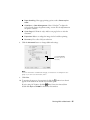
8. Click the Advanced button to change additional settings.
Select Print Quality
and other options as
necessary
Note:
For more information on advanced settings, or instructions on saving them as a
group so you can reuse them later, click ?.
9. Click Print.
10. To monitor the progress of your print job, click the
appears in the dock on the bottom of your desktop.
printer icon when it
If you’re using OS X 10.2.x, click the
Print Center icon instead, then
double-click Stylus CX7000F in the Printer List window.
Printing With a Macintosh 25
You see a screen like this:
Pause printing
Resume printing
Cancel
printing
Select the
print job
11. When you’re finished, close the printer window or Print Center.
Using Special Papers
Epson offers a wide array of high quality papers, making it easy to maximize the
impact of your photos, presentations, and creative projects.
Paper category
Description
Photo Papers
For lab quality photos—from everyday snapshots to
professional portraits. Available in glossy, semi-gloss, and luster
finishes.
Matte Papers
Non-glare paper with a smooth or textured finish for
professional quality photos, brochures, or art projects.
Scrapbooking
Papers
Acid-free, lignin-free paper for archival quality photos,
backgrounds, headlines, and other page elements.
Fine Art Papers
Luxurious weight, texture, and finish give these fine art papers
a true museum quality appearance.
Specialty Papers
For projects that showcase your favorite photos, including
greeting cards, iron-on transfers, and transparencies.
You can purchase genuine Epson ink and paper online at www.epsonstore.com
(U.S. sales) or www.epson.ca (Canadian sales). You can also purchase them from
an Epson authorized reseller. To find the nearest reseller, call 800-GO-EPSON
(800-463-7766).
26 Printing From Your Computer
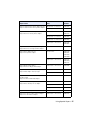
Paper name
Size
Part
number
Epson Ultra Premium Photo Paper Glossy
Epson Ultra Premium Glossy Photo Paper
Borderless 4 × 6 inches
S041934
Letter (8.5 × 11 inches)
S041935
Epson Premium Photo Paper Glossy
Epson Premium Glossy Photo Paper
Borderless 4 × 6 inches
S041808
S041727
Borderless 5 × 7 inches
S041464
Borderless 8 × 10 inches
S041465
Letter (8.5 × 11 inches)
S041286
S041667
Epson Premium Photo Paper Semi-gloss
Epson Premium Semigloss Photo Paper
Letter (8.5 × 11 inches)
S041331
Epson Photo Paper Glossy
Epson Glossy Photo Paper
4 × 6 inches
S041134
S041671
S041458
S041809
Letter (8.5 × 11 inches)
S041141
S041649
S041271
Epson Bright White Paper
Epson Premium Bright White Paper
Letter (8.5 × 11 inches)
S041586
Epson Premium Presentation Paper Matte
Epson Matte Paper Heavyweight
Letter (8.5 × 11 inches)
S041257
Borderless 8 × 10 inches
S041467
Epson Premium Presentation Paper Matte
Double-sided
Epson Double-Sided Matte Paper
Letter (8.5 × 11 inches)
S041568
Epson Presentation Paper Matte
Epson Photo Quality Ink Jet Paper
Letter (8.5 × 11 inches)
S041062
Legal (8.5 × 14 inches)
S041067
A4 (8.3 × 11.7 inches)
S041061
Epson Photo Quality Self-Adhesive Sheets
A4 (8.3 × 11.7 inches)
S041106
Epson Iron-On Cool Peel Transfer Paper
Epson Iron-On Transfer Paper
Letter (8.5 × 11 inches)
S041153
Using Special Papers 27
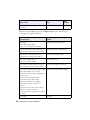
Paper name
Size
Part
number
PremierArt Matte Scrapbook Photo Paper
for Epson
Letter (8.5 × 11 inches)
SCR1002
Select the correct Type (see page 21) or Media Type (see page 24) setting for
your paper in your printer software.
For this paper . . .
Select this Type or Media Type
setting . . .
Plain paper
Plain Paper/Bright White Paper
Epson Bright White Paper
Epson Premium Bright White Paper
Epson Ultra Premium Photo Paper Glossy
Ultra Premium Photo Paper Glossy
Epson Ultra Premium Glossy Photo Paper
Epson Premium Photo Paper Glossy
Premium Photo Paper Glossy
Epson Premium Glossy Photo Paper
Epson Photo Paper Glossy
Photo Paper Glossy
Epson Glossy Photo Paper
Epson Premium Photo Paper Semi-gloss
Premium Photo Paper Semi-Gloss
Epson Premium Semigloss Photo Paper
Epson Premium Presentation Paper Matte
Premium Presentation Paper Matte
Epson Matte Paper Heavyweight
Epson Premium Presentation Paper Matte
Double-sided
Epson Double-sided Matte Paper
Epson Presentation Paper Matte
Epson Photo Quality Ink Jet Paper
Epson Photo Quality Self-Adhesive
Sheets
Epson Iron-On Cool Peel Transfer Paper
Epson Iron-On Transfer Paper
PremierArt Matte Scrapbook Photo Paper
for Epson
Envelopes
28 Printing From Your Computer
Envelope
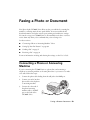
Faxing a Photo or Document
Your Epson Stylus CX7000F Series all-in-one lets you send faxes by entering fax
numbers or selecting entries from a speed dial list. You can customize the fax
header information, and select various report printing and send/receive settings.
You can also set up your CX7000F Series to automatically receive faxes or select to
receive them only when you’ve confirmed that you’re receiving a fax.
See these sections:
■
“Connecting a Phone or Answering Machine” below
■
“Setting Up Your Fax Features” on page 30
■
“Sending a Fax” on page 37
■
“Receiving a Fax” on page 39
For more information on faxing and selecting fax settings, see the User’s Guide.
Connecting a Phone or Answering
Machine
If you’re connecting the CX7000F Series to a phone line, and connecting a
telephone or answering machine to the same phone line so you can use it to make
voice calls, follow these steps:
1. Connect the phone cable leading from the wall jack to the LINE port.
2. Connect one end of another
phone cable to the telephone
or answering machine.
3. Connect the other end of
the phone/answering
machine cable to the EXT
port on the back of the
CX7000F Series.
Faxing a Photo or Document 29
You also need to set up your CX7000F Series to receive faxes manually. See
page 39 for details.
Setting Up Your Fax Features
Before sending or receiving faxes, you may want to create a fax header, select your
fax preferences, and set up a speed dial list of frequently used fax numbers.
Creating Header Information
1. Press the Fax button once to enter Fax mode. The
Fax button lights up and you see this display:
Enter Fax Number
2. Press the Setup button. You see this display:
1.Select Speed D
3. Press the u or d button, or press the 6 key on the
numeric keypad, to display this option:
6.Header & Time
4. Press the x Start Color/OK button. You see this
display:
1.Fax Header Set
5. Press the x Start Color/OK button again. The display goes blank except for
the cursor (_).
6. Press the keys on the numeric keypad to enter up to 28 digits of header
information. Use the number keys to enter the letters A to Z (in uppercase or
lowercase), the numbers 0 to 9, and various symbols.
Press a key repeatedly to display first the numbers and symbols (if available),
then the uppercase and lowercase letters, as indicated on the key. Then wait a
moment or press the r button to move to the next character space. When
you’re finished, press the r button to move to a blank space.
Note:
If you need to change a character to the left, press the l key to delete the character
and re-enter it. Press the r key if you need to move the cursor to the right.
7. Press the x Start Color/OK button. You return to the 1.Fax Header Setup
display.
30 Faxing a Photo or Document
8. Press the u or d button, or press the 2 key on the
numeric keypad, to display this option:
9. Press the x Start Color/OK button. You see this
display (to indicate the two-digit month, day, and
year):
2.Date/Time
MM:DD:YY
10. Press the keys on the numeric keypad to enter the date. You can enter the
numbers 0 to 9.
11. Press the x Start Color/OK button. You see this
display (to indicate the hour and minute):
HH:MM AM
12. Press the keys on the numeric keypad to enter the time in a 12-hour format.
You can enter the numbers 0 to 9.
13. Press the x Start Color/OK button. You see this
display:
1: AM 2: PM
14. Press the 1 key or the 2 key on the numeric keypad to select AM (1) or
PM (2).
15. Press the x Start Color/OK button. You return to the 2.Date/Time display.
16. If you want to print your fax number in the fax
header, press the u or d button, or press the 3 key
on the numeric keypad, to display this option:
3.Your Phone Num
17. Press the x Start Color/OK button. The display goes blank except for the
cursor (_).
18. Press the keys on the numeric keypad to enter your fax number. You can enter
the numbers 0 to 9, and the characters * and #, up to 20 digits total.
19. Press the x Start Color/OK button.
20. Press the y Cancel/Back button until you return to the screen displaying the
date.
Selecting the Paper Size
Before you receive a fax, be sure to load plain paper and set the Paper Size setting
to the size of paper you’ve loaded. Also make sure the Automatic Reduction
setting is set to receive faxes in the desired size. See the next section for details.
Setting Up Your Fax Features 31
Selecting Send/Receive Settings
Your CX7000F Series is set up to send and receive faxes using the default settings
below. For more information about these and other fax settings, see the User’s
Guide.
Setting and Options
Description
Paper Size
Letter (8.5 × 11; default)
Legal (8.5 × 14)
A4 (8.3 × 11.7)
Indicates the size of the paper loaded in the CX7000F
Series for printing received faxes.
Automatic Reduction
On (default)
Off
Indicates whether large received faxes are reduced
in size to fit on the selected Paper Size or printed at
their original size on multiple sheets.
Last Transmission Report
Off
On Error (default)
On Send
Indicates whether or when the CX7000F Series
prints a report for outgoing faxes. Select Off to turn
off report printing, On Error to print reports only
when an error occurs, or On Send to print reports for
every fax you send.
Dial Mode
Tone (default)
Pulse
Indicates the type of phone system to which you’ve
connected the CX7000F Series.
DRD
All (default)
Single
Double
Triple
Double & Triple
Indicates the type of answer ring pattern you want to
use to receive faxes. You must have set up your
phone system to use different ring patterns to select
an option other than All.
ECM
On (default)
Off
Indicates whether you use Error Correction Mode to
automatically request retransmission of fax data that
is received with detected errors.
V.34
On (default)
Off
Indicates the speed at which you transmit faxes.
On is 33.6 Kbps and Off 14.4 Kbps.
Rings to Answer
5 (default)
1, 2, 3, 4, 5, 6, 7, 8, or 9
Indicates the number of rings that must occur before
the CX7000F Series automatically receives a fax.
32 Faxing a Photo or Document
To change the fax settings listed above, follow these steps:
1. Press the Fax button once to enter Fax mode. The
Fax button lights up and you see this display:
Enter Fax Number
2. Press the Setup button. You see this display:
1.Select Speed D
3. If you need to change the Paper Size, Automatic
Reduction, or Last Transmission Report
settings, press the u or d button, or press the 4 key
on the numeric keypad, to display this option:
4. Press the x Start Color/OK button. You see this
display:
4.Scan & Print S
1.Resolution
5. Press the u or d button, or press the 3, 4, or 5 key on the numeric keypad, to
display one of these options:
■
3.Paper Size
■
4.Automatic Reduction
■
5.Last Transmission Report
Then press the x Start Color/OK button.
6. Press the u or d button until the setting option you want is displayed, then
press the x Start Color/OK button to select it.
7. Repeat steps 5 and 6 to change any other settings. When you’re finished, press
the y Cancel/Back button to return to the 4.Scan & Print Setup menu.
8. If you need to change the Dial Mode, DRD, ECM,
V.34, or Rings to Answer settings, press the u or
d button, or press the 5 key on the numeric
keypad, to display this option:
9. Press the x Start Color/OK button. You see this
display:
5.Communication
1.Dial Mode: Ton
Setting Up Your Fax Features 33
10. To change the Dial Mode setting, press x Start Color/OK and go to step 11.
To change another Communication setting, press the u or d button, or press
the 2, 3, 4, or 5 key on the numeric keypad, to display one of these options:
■
2.DRD
■
3.ECM
■
4.V.34
■
5.Rings to Answer
Then press the x Start Color/OK button.
11. Press the u or d button until the setting option you want is displayed, then
press the x Start Color/OK button to select it.
12. Repeat steps 10 and 11 to change any other settings. When you’re finished,
press the y Cancel/Back button to return to the screen displaying the date.
Setting Up Your Speed Dial List
You can create a speed dial list of up to 60 fax numbers so you can quickly select
them for faxing. You can also add names to identify the recipients and print the
speed dial list.
1. Press the Fax button once to enter Fax mode. The
Fax button lights up and you see this display:
Enter Fax Number
2. Press the Setup button. You see this display:
1.Select Speed D
3. Press the u or d button, or press the 3 key on the
numeric keypad, to display this option:
3.Speed Dial Set
4. Press the x Start Color/OK button. You see this
display:
1.Add Entry
5. Press the x Start Color/OK button again. You see
this display:
[01]
6. Press the x Start Color/OK button again. The
screen displays Telephone Number. Press the
x Start Color/OK button.
1234567890
34 Faxing a Photo or Document
7. Press the keys on the numeric keypad to enter the fax number of the first
speed dial entry. You can enter the numbers 0 to 9, and the characters * and #,
up to 64 digits total. Press the x Start Color/OK button.
Note:
If you need to change a character to the left, press the l button to delete the
character and re-enter it. Press the r button if you need to move the cursor to the
right.
8. The screen displays Name. Press the x Start Color/OK button.
9. Press the keys on the numeric keypad to enter a
name for the speed dial entry (up to 30 characters).
Use the number keys to enter the letters A to Z (in
uppercase or lowercase), the numbers 0 to 9, and
various symbols.
Main Office
Press a key repeatedly to display first the numbers and symbols (if available),
then the uppercase and lowercase letters, as indicated on the key. Then wait a
moment or press the r button to move to the next character space. When
you’re finished, press the r button to move to a blank space.
10. Press the x Start Color/OK button. You see this
display:
Press the x Start Color/OK button to add another
entry. You see this display, indicating the next
available speed dial entry number
1.Add Entry
[02]
11. If you want to add another speed dial entry, repeat steps 6 through 10.
When you’re finished, press the y Cancel/Back button to return to the
3.Speed Dial Setup menu.
Editing or Deleting a Speed Dial Entry
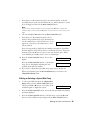
1. To edit a speed dial entry from the 3.Speed Dial
Setup menu, press the x Start Color/OK button.
Then press the u or d button, or the 2 key on the
numeric keypad, to display this option:
2.Edit Entry
2. Press the x Start Color/OK button. You see the first speed dial entry number
and name displayed.
3. Press the x Start Color/OK button to edit this entry, or press the u or d
button to select a different entry and press the x Start Color/OK button.
Setting Up Your Fax Features 35
4. You see Telephone Number on the display. Press the x Start Color/OK
button.
5. Press the r button to move to the digits you want to edit. Press the 0 to 9
number keys to enter new numbers or press the l button to delete digits to
the left. When you’re finished, press the x Start Color/OK button.
6. The name for the selected entry is displayed. Edit the name the same way as in
step 5. When you’re finished, press the x Start Color/OK button to return to
the 2.Edit Entry display.
7. Press the y Cancel/Back button to return to the 3.Speed Dial Setup menu.
8. To delete a speed dial entry, press the x Start
Color/OK button. Then press the u or d button, or
the 3 key on the numeric keypad, to display this
option:
3.Delete Entry
9. Press the x Start Color/OK button. You see the first speed dial entry number
(such as [1]) and name displayed.
10. Press the x Start Color/OK button to delete this entry, or press the u or d
button to select a different entry and press the x Start Color/OK button.
11. You see Are you sure you want to delete this entry? 1:Y 2:N on the
display. Press 1 for Yes and 2 for No.
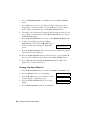
Printing Your Speed Dial List
1. Press the y Cancel/Back button to return to the Enter Fax Number screen.
2. Press the Setup button. You see this display:
1.Select Speed D
3. Press the u or d button, or press the 2 key on the
numeric keypad, to display this option:
2.Print Report
4. Press the x Start Color/OK button. You see this
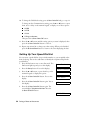
display:
1.Speed Dial Lis
5. Press x Start Color/OK to print the speed dial list.
36 Faxing a Photo or Document
Sending a Fax
Before you fax, place your original photo or document on the document table
glass as described on page 8. Then send your fax by manually entering a fax
number, redialing the previous fax number, or selecting an entry from your speed
dial list.
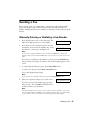
Manually Entering or Redialing a Fax Number
1. Press the Fax button once to enter Fax mode. The
Fax button lights up and you see this display:
Enter Fax Number
2. Press the keys on the numeric keypad to enter the
fax number. You can enter the numbers 0 to 9 and
the characters * and #, up to 64 digits total.
1234567890
Note:
If you need to change a character to the left, press the l button to delete the
character and re-enter it. Press the r button if you need to move the cursor to the
right.
If you want to redial the last fax number you used, press the Redial/Pause
button instead of entering a fax number. The last fax number appears on the
screen.
3. To send a black and white fax, press the x Start B&W button.
To send a color fax, press the x Start Color/OK button.
You see this display during faxing:
Scanning 001 98%
Note:
If you need to cancel faxing at any time, press the y Cancel/Back button.
4. After your original is scanned, you see this screen:
Send another pag
If you do not need to fax another page, press the
2 key (for No). The CX7000F Series dials the fax
number and faxes your document.
Note:
If the fax number is busy or there is some other connection problem, you see an
error message and the CX7000F Series redials the number after one minute. Wait
for the redial, or check your connection and settings and try faxing again.
Sending a Fax 37
If you need to fax another page, press the 1 key (for Yes). Open the document
cover, remove your first original, place your next original, and close the
document cover. Then press the x Start Color/OK button to fax the next
page. Repeat this step to fax all the necessary pages.
Note:
If you’re sending a color fax, or a large document that fills up the memory area, the
CX7000F Series scans and faxes one page at a time. It then asks if you want to
send another page. The fax connection stays open until you are finished.
Speed Dialing a Fax Number
1. Press the Fax button once to enter Fax mode. The
Fax button lights up and you see this display:
Enter Fax Number
2. Press the Setup button. You see this display:
1.Select Speed D
3. Press the x Start Color/OK button. You see the first speed dial entry name or
number from your list displayed.
4. To fax to the first speed dial entry, press the x Start Color/OK button. Then
go to step 5.
To select a different speed dial entry, press the u or d button to display the
entry, or press the number key that corresponds to the speed dial entry
number. Press the x Start Color/OK button, then go to step 5.
5. To send a black and white fax, press the x Start B&W button.
To send a color fax, press the x Start Color/OK button.
You see this display during faxing:
Scanning 001 98%
Note:
If you need to cancel faxing at any time, press the y Cancel/Back button.
6. After your original is scanned, you see this screen:
Send another pag
If you do not need to fax another page, press the
2 key (for No). The CX7000F Series dials the fax
number and faxes your document.
Note:
If the fax number is busy or there is some other connection problem, you see an
error message and the CX7000F Series redials the number after one minute. Wait
for the redial, or check your connection and settings and try faxing again.
38 Faxing a Photo or Document
If you need to fax another page, press the 1 key (for Yes). Open the document
cover, remove your first original, place your next original, and close the
document cover. Then press the x Start Color/OK button to fax the next
page. Repeat this step to fax all the necessary pages.
Note:
If you’re sending a color fax, or a large document that fills up the memory area, the
CX7000F Series scans and faxes one page at a time. It then asks if you want to
send another page. The fax connection stays open until you are finished.
Receiving a Fax
The CX7000F Series automatically receives and prints faxes in Auto Answer
mode. However, you may want to receive faxes manually if you connected the
CX7000F Series and a phone or answering machine to a phone line that also
receives voice calls. Then you can check for a fax tone from the sending fax
machine and press a button on the CX7000F Series to receive the fax, or allow
your answering machine to determine if the call is an incoming fax.
Note:
Make sure you selected the Paper Size setting that matches the size of paper you’ve
loaded. If the incoming fax pages are larger than the paper size you loaded, the fax size
is reduced to fit or printed on multiple pages, depending on the Automatic Reduction
setting you select. See page 32 for details.
Selecting the Answer Mode
The CX7000F Series tells you whether Auto Answer
is turned on or not on the first screen:
To change the answer mode, press the Auto Answer
button. The Y or N changes on the screen. Press
Auto Answer again to change it back.
12:00 PM
Y
Y: Auto Answer is turned on
12:00 PM
N
N: Auto Answer is turned off
Note:
You can select the number of rings that must occur before the CX7000F Series
receives a fax using the Rings to Answer setting. See page 32 for details.
Receiving a Fax 39
Receiving Faxes
When the CX7000F Series receives a fax with Auto Answer mode turned on, the
message Printing appears on the display.
When the CX7000F Series receives a fax in manual answer mode, the connected
phone begins ringing. Once you answer the phone to confirm that the call is a fax,
press the x Start B&W or x Start Color/OK button to receive the fax. The
message Printing appears on the display.
After the CX7000F Series receives all the pages, it begins printing the fax. When
it’s finished, you see the screen displaying the date.
Note:
If you run out of paper during printing, you see the error message Paper out. Load
more paper and press the x Start Color/OK button so printing can continue. If you see
any other error messages, see page 52.
40 Faxing a Photo or Document
Scanning a Photo or
Document
You can use your Epson Stylus CX7000F Series all-in-one to scan a photo or
document and save it on your computer or other device.
You can even automatically restore faded color photographs as you scan (see
page 43 for details).
The Epson Scan software provides three scanning modes for progressive levels of
control over your scanned image:
■
Full Auto Mode scans quickly and easily using automatic settings.
■
Home Mode previews your image and provides automatic image
adjustments, cropping tools, and preset options for various types of scans.
■
Professional Mode previews your image and lets you manually configure
your scan settings with a full array of tools.
Basic Scanning
You can scan from any TWAIN-compliant application—such as ArcSoft
PhotoImpression™—using Epson Scan. Or you can start Epson Scan directly from
your computer and save your image to a file.
1. Open the document cover and place your original face-down on the glass, in
the upper left corner.
Scanning a Photo or Document 41
Note:
If you need to scan a thick document, you can remove the document cover (see
page 9).
2. Close the cover gently so you don’t move the original.
3. Do one of the following to start Epson Scan:
■
Windows: Double-click the EPSON Scan icon on your desktop.
■
Macintosh: Double-click EPSON Scan in the Applications folder.
■
If you are scanning from an application, start your application. Then
open the File menu, choose Import or Acquire, and select Epson Stylus
CX7000F Series. (Your program may use different scanning commands.)
You see the Epson Scan standby window:
4. If the Mode setting in the upper right
corner is set to Full Auto Mode, click the
Scan button.
Note:
If you want to automatically restore a color
photo as you scan, click the Customize
button (see page 43 for instructions).
If you are in Home or Professional Mode,
you see a different Epson Scan settings
window. (You can change the mode using
the Mode selector in the upper right
corner. For details, see the on-screen User’s
Guide.)
5. You see the File Save Settings window:
Choose the location where you want to
save your scanned file and type a name
for it in the Prefix box. Select a file
format in the Image Format box.
6. Click OK. The image is scanned and you
see its icon or filename in an open folder.
42 Scanning a Photo or Document
Restoring Color in Faded Photos
You can automatically transform an old, faded, or badly exposed color photo into
one with true-to-life color and sharpness as you scan. Look for the Color
Restoration option in Epson Scan’s Full Auto, Home, and Professional Mode
windows:
Full Auto Mode
Click the Customize button,
click the Color Restoration
button, click OK, and click
Scan.
Home Mode
Click the Color Restoration button,
preview your image, and click Scan.
Professional Mode
Scroll down to the Adjustments area, click
the Color Restoration button, preview your
image, and click Scan.
Note:
For details on using Home or Professional Mode, or for more information about Full
Auto Mode settings, see the on-screen User’s Guide. You can also click Help on the
Epson Scan window for information about all the available settings.
Restoring Color in Faded Photos 43
Maintaining Your CX7000F
Series
If you notice a decline in print quality, follow the instructions in this chapter for:
■
“Checking the Print Head Nozzles” (see below)
■
“Cleaning the Print Head” on page 45
■
“Checking the Ink Status” on page 46
■
“Replacing Ink Cartridges” on page 47
Checking the Print Head Nozzles
If your printouts are faint or have gaps in them, some of the nozzles in the print
head may be clogged or ink may be running low in one or more of the ink
cartridges. Follow the steps below to check the print head nozzles using the control
panel.
1. Load letter-size paper in the sheet feeder.
2. Press the P On button to turn on the Epson Stylus
CX7000F Series all-in-one, or press the y Cancel/
Back button until you see a screen like this:
12:00 PM
3. Press the Setup button. You see this display:
1.Load/Eject
4. Press the u or d button, or press the 3 key on the
numeric keypad, to display this option:
3.Nozzle Check
44 Maintaining Your CX7000F Series
Y
5. Press the x Start Color/OK button. The CX7000F Series prints a test pattern
like this:
Print head
nozzles are clean:
Print head needs
to be cleaned:
6. Press the y Cancel/Back button to return to the screen displaying the date.
If the pattern does not look good, try cleaning the print head as described below.
Cleaning the Print Head
If your printouts are unexpectedly light or faint, or you notice light or dark bands
across your printout, you may need to clean the print head. This unclogs the
nozzles so they can deliver ink properly. Run a nozzle check as described on
page 44 to see if the print head needs cleaning.
Note:
Print head cleaning uses ink, so clean it only if quality declines and the nozzle check
indicates that the print head needs to be cleaned.
1. Press the P On button to turn on the CX7000F
Series, or press the y Cancel/Back button until you
see a screen like this:
12:00 PM
2. Press the Setup button. You see this display:
1.Load/Eject
3. Press the u or d button, or press the 4 key on the
numeric keypad, to display this option:
4.Head Cleaning
Y
4. Press the x Start Color/OK button. The CX7000F Series runs a head
cleaning cycle and the message Cleaning appears on the display.
Caution:
Never turn off the CX7000F Series while head cleaning is in progress. You may
damage it.
5. When the display returns to 4.Head Cleaning, run a nozzle check to verify
that the print head is clean. See page 44 for details.
Cleaning the Print Head 45
6. If there are still gaps or lines, or the test patterns are faint, run another
cleaning cycle and check the nozzles again.
Note:
If you don’t see any improvement after cleaning the print head four times, turn off
the CX7000F Series and wait at least six hours. This lets any dried ink soften. Then
try cleaning the print head again. If quality still does not improve, one of the ink
cartridges may be old or damaged and needs to be replaced (see page 47).
Tip:
If you do not use your CX7000F Series often, it is a good idea to print a few pages at
least once a month to maintain good print quality.
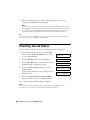
Checking the Ink Status
You can check the status of ink in your cartridges using the control panel.
1. Press the P On button to turn on the CX7000F
Series, or press the y Cancel/Back button until
you see a screen like this:
12:00 PM
2. Press the Setup button. You see this display:
1.Load/Eject
3. Press the u or d button, or press the 2 key on the
numeric keypad, to display this option:
2.Ink Levels
4. Press the x Start Color/OK button. You see a
display like this:
C:50% M:50% Y:50
If one or more cartridges are low on ink, you see a
display like this:
C:Ink low M:50%
5. Press the x Start Color/OK or y Cancel/Back
button to return to the screen displaying the date.
If you need to replace an ink cartridge, see page 47.
Note:
You can also check the ink status using software when the CX7000F Series is
connected to your computer. See the User’s Guide for instructions.
46 Maintaining Your CX7000F Series
Y
Replacing Ink Cartridges
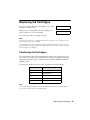
If you see a message like this on the display, one or more
cartridges are low on ink:
C:Ink low M:50%
When you see a message like this on the display, you
need to replace one or more cartridges:
Replace Cyan ink
You cannot print when a cartridge is empty.
Note:
You’ll also see a low ink or cartridge replacement message on your computer screen
when you print from your computer.
If a cartridge is more than six months old, print quality may decline. If necessary, try
cleaning the print head (see page 45). If printouts still do not look their best, you may
need to replace the cartridge.
Purchasing Ink Cartridges
You can purchase genuine Epson ink and paper online at www.epsonstore.com
(U.S. sales) or www.epson.ca (Canadian sales). You can also purchase them from
an Epson authorized reseller. To find the nearest reseller, call 800-GO-EPSON
(800-463-7766).
Use these part numbers when you order or purchase new ink cartridges:
Color
Part number
Black
69 (T069120)
Cyan
69 (T069220)
Magenta
69 (T069320)
Yellow
69 (T069420)
High Capacity Black
68 (T068120)
Note:
Try the High Capacity 68 Black cartridge available at www.epson.com/highcapacity
(U.S. sales) or www.epson.ca (Canadian sales).
Replacing Ink Cartridges 47
Removing and Installing Ink Cartridges
Note:
Leave the expended cartridge installed until you have obtained a replacement or the ink
remaining in the print head nozzles may dry out.
Make sure you have a new ink cartridge before you begin. Once you start replacing a
cartridge, you must complete all the steps in one session.
Do not open ink cartridge packages until you are ready to install the ink. Cartridges are
vacuum packed to maintain reliability.
If you remove a cartridge that is low (for which you have received an “Ink low”
message), you cannot reuse it.
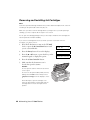
1. Press the P On button to turn on the CX7000F
Series, or press the y Cancel/Back button until
you see a screen like this:
12:00 PM
2. Press the Setup button. You see this display:
1.Load/Eject
3. Press the u or d button, or press the 5 key on the
numeric keypad, to display this option:
5.Replace Cartri
4. Press the x Start Color/OK button.
5. Make sure that the document cover is
closed, then open the scanner.
Caution:
Do not open the scanner when the document
cover is open.
Do not move the print head by hand; this may
damage the CX7000F Series. Always select
5.Replace Cartridge from the display to move
it.
Never attempt to open the cartridge cover
when the print head is moving. Wait until the
cartridges have moved to the replacement
position.
48 Maintaining Your CX7000F Series
Y
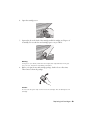
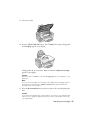
6. Open the cartridge cover.
7. Squeeze the tab at the back of the cartridge and lift it straight out. Dispose of
it carefully. Do not take the used cartridge apart or try to refill it.
Warning:
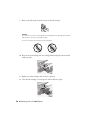
If ink gets on your hands, wash them thoroughly with soap and water. If ink gets
into your eyes, flush them immediately with water.
8. Before you open the new ink cartridge package, shake it four or five times.
Then remove it from the package.
Caution:
Do not touch the green chip on the front of the cartridge. This can damage the ink
cartridge.
Replacing Ink Cartridges 49
9. Remove the yellow tape from the bottom of the ink cartridge.
Caution:
If you do not remove the yellow tape before installing the ink cartridge, print quality
may decline or you may not be able to print.
Do not remove any other seals from the cartridges.
10. Place the new ink cartridge into the cartridge holder and push it down until it
clicks into place.
11. Replace any other cartridges that need to be replaced.
12. Close the ink cartridge cover and press it until it clicks into place.
50 Maintaining Your CX7000F Series
13. Close the scanner.
14. Press the x Start Color/OK button. The CX7000F Series begins charging ink
and Charging appears on the display.
Start
Color OK
Charging takes about one minute. When it’s finished, 5.Replace Cartridge
appears on the display.
Caution:
Never turn off the CX7000F Series while Charging appears on the display or you’ll
waste ink.
Note:
If you see an ink cartridge error message on the display, the ink cartridge may not
be installed correctly. Press the x Start Color/OK button and reinstall the ink
cartridge until it clicks into place.
15. Press the y Cancel/Back button until you return to the screen displaying the
date.
Caution:
If you replaced a cartridge while copying a photo or document, cancel printing and
make sure your original is still placed correctly on the document table. Then copy
your original again.
Replacing Ink Cartridges 51
Solving Problems
If you have a problem with your Epson Stylus CX7000F Series all-in-one, check
the display on the control panel to diagnose the cause.
You can also check “Problems and Solutions” on page 54 for basic troubleshooting
suggestions, or double-click the User’s Guide icon on your computer desktop for
more detailed help.
See these sections:
■
“Error Messages” (below)
■
“Problems and Solutions” on page 54
■
“Where To Get Help” on page 57
Error Messages
Display message
Cause and solution
Paper out -> Load paper into the
sheet feeder, then press the OK
button.
Load or reload paper in the sheet feeder and
press the x Start Color/OK button to
continue. See page 6 for details.
Paper jam -> Press the OK button.
Remove any remaining jammed
paper by hand.
See page 55 for instructions on clearing the
paper jam.
[C, M, Y, B]: Ink low -> Press the OK
button to begin ink cartridge
replacement.
Ink is low in one or more of the indicated
cartridges. See page 47 for replacement
instructions.
Replace [Cyan, Magenta, Yellow,
Black] ink cartridge -> Press the OK
button to begin ink cartridge
replacement.
Ink is expended in one or more of the
indicated cartridges. See page 47 for
replacement instructions.
No [Cyan, Magenta, Yellow, Black]
ink cartridge -> Press the OK button
to install a new ink cartridge.
An ink cartridge is not installed or is installed
incorrectly. See page 47 for replacement
instructions.
52 Solving Problems
Display message
Cause and solution
[Cyan, Magenta, Yellow, Black] Ink
cartridge error -> Cartridge
replacement is necessary. Press the
OK button to begin.
An ink cartridge that is not supported by the
CX7000F Series is installed. See page 47 for
replacement instructions.
No memory card
A memory card is inserted that is not
supported by the CX7000F Series. Remove
the incompatible memory card. See page 13
for details.
No photos on memory card
The inserted memory card does not contain
any valid images. See page 13 for a list of
compatible card and image types.
No index sheet detected or sheet
placed incorrectly. Correct the sheet
placement and try again.
An index sheet was not recognized because
it is not positioned correctly. Align the top of
the sheet with the left edge of the glass. See
page 16 for details.
No photos selected or photos
marked incorrectly. Select photos
correctly and try again.
No marks are detected on the index sheet or
the sheet includes more than one mark for an
image. Remove the index sheet, mark it
correctly, and try again. See page 16 for
details.
Memory card data does not match
index sheet. Replace the card or
index sheet and try again.
The index sheet does not match the photos
on the memory card. Remove the card and
insert the one used to print the index sheet
(see page 14), or place the correct index
sheet on the glass (see page 16).
Fax not sent. Resend using the
Start B&W button.
You sent a fax using the x Start Color/OK
button to a fax machine that prints only in
black and white. Send the fax again (see
page 37), but press the x Start B&W button.
Paper thickness lever is set for
envelope printing.
The paper thickness lever is set to the
^ H position. If you are printing on
envelopes, press x Start Color/OK or
x Start B&W to continue. Otherwise, set the
lever to the m L position.
Error Messages 53
Display message
Cause and solution
Paper thickness lever is set for
printing sheets of paper.
The paper thickness lever is set to the
m L position. If you are printing on paper
sheets, press x Start Color/OK or
x Start B&W to continue. If you’re printing
on envelopes, set the lever to the
^ H position.
Service required. See your
documentation for details.
A CX7000F Series part needs to be replaced.
Contact your local authorized servicer or
contact Epson for a referral. See page 57 for
details.
Printer error -> or
Scanner error ->
There is a problem with the CX7000F Series.
Turn it off and then back on. If the error does
not clear, contact your local authorized
servicer or contact Epson for a referral. See
page 57 for details.
See your documentation and call
service if necessary.
Problems and Solutions
Check the solutions below if you’re having trouble using your CX7000F Series.
Printing and Copying Problems
■
Make sure your original is positioned in the top left corner of the glass. If the
edges are cropped, move your original away from the edges slightly.
■
Make sure your paper is loaded short edge first and is positioned against the
right edge guide with the left edge guide against its left side. Don’t load paper
above the arrow mark inside the left edge guide.
■
Make sure the paper size settings are correct for the paper you loaded.
54 Solving Problems
Faxing Problems
■
If you have problems sending a fax, make sure the phone cable is connected
correctly and verify that the phone line works by connecting a phone to it.
Also make sure that your recipient’s fax machine is turned on and working.
■
If you have problems receiving a fax, make sure paper is loaded, the phone
cable is connected correctly, and the phone line works. To automatically
receive faxes, make sure you see a Y on the screen displaying the date. (See
page 39 for details.) If you see Printing on the display but nothing prints, the
fax data may be too large. Ask the sender to resend the fax in smaller sections.
■
If you connected the CX7000F Series to a DSL phone line, you must install a
DSL filter to the line or you won’t be able to fax. Contact your DSL provider
for the necessary filter.
■
If your phone line has static or other noise problems, turn off the ECM (Error
Correction Mode) setting and try faxing again. See page 32 for details.
Paper Feeding Problems
■
If paper doesn’t feed, remove it from the sheet feeder. Flip through the stack to
separate the sheets a little. Then reload the paper against the right edge guide,
and slide the left edge guide against the paper (but not too tightly). Make sure
the paper is not in front of the feeder guard.
■
Do not load too many sheets at once (up to 20 sheets of photo paper and 100
sheets of plain paper). See the User’s Guide for more information.
■
If paper is jammed, you see a paper jam message on the display. Follow these
steps to clear the jam:
1. Press the x Start Color/OK button to eject the jammed paper. If the
jammed paper is not ejected, go to the next step.
2. If the paper is stuck near the sheet feeder or output tray, gently pull it out.
If the paper is stuck inside, press the P On button to turn it off. Open the
scanner and remove any paper inside, including any torn pieces. Do not
pull it backward however; this can damage the sheet feeder. Close the
scanner, then turn the CX7000F Series back on.
Problems and Solutions 55
Print Quality Problems
If you have any problems with the copy or print quality, try these solutions:
■
Make sure the document is placed flat against the document table glass and
the CX7000F Series is not tilted or placed on an uneven surface.
■
Load the paper printable side up (usually the whiter, brighter, or glossy side).
■
Make sure your paper isn’t damp or curled.
■
Use a support sheet with special paper or load your paper one sheet at a time.
Remove sheets from the output tray so not too many collect at a time.
■
Make sure the type of paper you loaded matches the paper size and paper type
settings on the control panel or in your printer software (see page 28).
■
For the best print quality, use Epson special paper (see page 26) and genuine
Epson ink cartridges (see page 47).
■
Set the paper thickness lever to the m L position for most paper types. If you
are printing on envelopes, set the lever to the ^ H position.
■
If you notice light or dark bands across your printouts or they are too faint,
you may need to clean the print head. This unclogs the nozzles so they can
deliver ink properly. Run a nozzle check as described on page 44 to see if the
print head needs cleaning.
■
Clean the print head as described on page 45.
■
If you notice jagged vertical lines, you may need to align the print head. See
your User’s Guide for instructions.
■
The ink cartridges may be old or low on ink (see page 47 for instructions on
replacing an ink cartridge).
■
If a dotted line appears in the image, clean the scanner glass with a soft, dry,
lint-free cloth (paper towels are not recommended), or use a small amount of
glass cleaner on a soft cloth, if necessary. Do not spray glass cleaner directly on
the glass.
56 Solving Problems
Where To Get Help
Epson Technical Support
Epson provides these technical support services:
Internet Support
Visit Epson’s support website, epson.com/support, for solutions to common
problems. You can download drivers and documentation, get FAQs and
troubleshooting advice, or e-mail Epson with your questions.
Speak to a Support Representative
Before you call Epson for support, please have the following information ready:
■
Product name (Epson Stylus CX7000F Series all-in-one)
■
Product serial number (located on the label on the back)
■
Proof of purchase (such as a store receipt) and date of purchase
■
Computer configuration
■
Description of the problem
Then call:
■
U.S.: (562) 276-4382, 6 AM to 6 PM, Pacific Time, Monday through Friday
■
Canada: (905) 709-3839, 6 AM to 6 PM, Pacific Time, Monday through
Friday
Toll or long distance charges may apply.
Purchase Supplies and Accessories
You can purchase genuine Epson ink and paper online at www.epsonstore.com
(U.S. sales) or www.epson.ca (Canadian sales). You can also purchase them from
an Epson authorized reseller. To find the nearest reseller, call 800-GO-EPSON
(800-463-7766).
Where To Get Help 57
Other Software Technical Support
Software
Telephone/Fax
Online and E-mail
ArcSoft
PhotoImpression
(510) 440-9901
8:30 AM - 5:30 PM, Pacific
Time, Monday - Friday
www.arcsoft.com
[email protected]
Fax: (510) 440-1270
ABBYY®
FineReader®
Sprint Plus
58 Solving Problems
(510) 226-6717
abbyyusa.com/support
[email protected]
Notices
Important Safety Instructions
Before using your Epson Stylus CX7000F Series all-in-one, read and follow these safety
instructions:
■
Be sure to follow all warnings and instructions marked on the CX7000F Series.
■
Use only the type of power source indicated on the CX7000F Series label.
■
Use only the power cord that comes with the CX7000F Series. Use of another cord
may cause fires or shock. Do not use the cord with any other equipment.
■
Place the CX7000F Series near a wall outlet where the plug can be easily unplugged.
■
Do not let the power cord become damaged or frayed.
■
If you use an extension cord with the CX7000F Series, make sure the total ampere
rating of the devices plugged into the extension cord does not exceed the cord’s
ampere rating. Also, make sure the total ampere rating of all devices plugged into the
wall outlet does not exceed the wall outlet’s ampere rating.
■
Avoid locations that are subject to rapid changes in heat or humidity, shocks or
vibrations, or dust.
■
Leave enough room around the CX7000F Series for sufficient ventilation. Do not
block or cover openings in the CX7000F Series case or insert objects through the
slots.
■
Do not place the CX7000F Series near a radiator or heating vent or in direct sunlight.
■
Place the CX7000F Series on a flat, stable surface that extends beyond its base in all
directions. It will not operate properly if it is tilted or at an angle.
■
Make sure the back of the CX7000F Series is at least 4 inches (10 cm) away from the
wall.
■
Do not open the scanner section while the CX7000F Series is copying, printing, or
scanning.
■
Do not spill liquid on the CX7000F Series.
■
Except as specifically explained in your documentation, do not attempt to service the
CX7000F Series yourself.
Notices 59
■
Unplug the CX7000F Series and refer servicing to qualified service personnel under
the following conditions: if the power cord or plug is damaged; if liquid has entered
the product; if the product has been dropped or the case damaged; if the product does
not operate normally or exhibits a distinct change in performance. Adjust only those
controls that are covered by the operating instructions.
■
When storing or transporting the CX7000F Series, do not tilt it, stand it on its side,
or turn it upside down; otherwise ink may leak from the cartridge.
■
Please consult your state and local regulations regarding disposal or recycling. Do not
put in the trash.
Ink Cartridge Safety Instructions
■
Keep ink cartridges out of the reach of children and do not drink the ink.
■
Be careful when you handle used ink cartridges; there may be ink remaining around
the ink supply port. If ink gets on your skin, wash it off with soap and water. If it gets
in your eyes, flush them immediately with water.
■
Do not put your hand inside the CX7000F Series or touch any cartridges during
printing.
■
Install a new ink cartridge immediately after removing an expended one. Leaving
cartridges uninstalled can dehydrate the print head and may prevent the CX7000F
Series from printing.
■
If you remove an ink cartridge for later use, protect the ink supply area from dirt and
dust and store it in the same environment as the CX7000F Series. Note that there is a
valve in the ink supply port, making covers or plugs unnecessary, but care is needed to
prevent the ink from staining items that the cartridge touches. Do not touch the ink
cartridge ink supply port or surrounding area.
Telephone Equipment Safety Instructions
When using telephone equipment, you should always follow basic safety precautions to
reduce the risk of fire, electric shock, and personal injury, including the following:
■
Do not use the CX7000F Series near water.
■
Avoid using a telephone during an electrical storm. There may be a remote risk of
electric shock from lightning.
■
Do not use a telephone to report a gas leak in the vicinity of the leak.
Caution:
To reduce the risk of fire, use only a No. 26 AWG or larger telecommunication line cord.
60 Notices
Declaration of Conformity
According to 47CFR, Part 2 and 15 for: Class B Personal Computers and Peripherals;
and/or CPU Boards and Power Supplies used with Class B Personal Computers:
We:
Located at:
Epson America, Inc.
MS 3-13
3840 Kilroy Airport Way
Long Beach, CA 90806
Telephone: (562) 290-5254
Declare under sole responsibility that the product identified herein, complies with 47CFR
Part 2 and 15 of the FCC rules as a Class B digital device. Each product marketed is
identical to the representative unit tested and found to be compliant with the standards.
Records maintained continue to reflect the equipment being produced can be expected to
be within the variation accepted, due to quantity production and testing on a statistical
basis as required by 47CFR §2.909. Operation is subject to the following two conditions:
(1) this device may not cause harmful interference, and (2) this device must accept any
interference received, including interference that may cause undesired operation.
Trade Name:
Epson
Type of Product: Multifunction printer
Model:
C321A
FCC Compliance Statement
For United States Users
This equipment complies with Part 68 of the FCC rules and the requirements adopted by
the ACTA. On the back side is a label that contains, among other information, the FCC
registration number and the ringer equivalence number (REN) for this equipment. You
must, upon request, provide this information to your local telephone company. The
information associated with the services the equipment is to be connected are REN: 0.0B,
Jack type: RJ-11C.
The REN is useful to determine the quantity of devices that you may connect to your
telephone line and still have all of those devices ring when your telephone number is
called. In most, but not all areas, the sum of the RENs of all devices connected to one line
should not exceed five (5.0). To be certain of the number of devices that you may connect
to your line, you may want to contact your local telephone company to determine the
maximum REN for your calling area. For products approved after July 23, 2001, the REN
Declaration of Conformity 61
for this product is part of the product identifier that has the format US:
BKMOT00BC321A. The digits represented by 00 are the REN without a decimal point
(e.g., 00 is a REN of 0.0). For earlier products, the REN is separately shown on the label.
This equipment may not be used on coin service provided by the telephone company.
Connection to party lines is subject to state tariffs.
Should this equipment cause harm to the telephone network, the telephone company may
discontinue your service temporarily. If possible they will notify you in advance that
temporary discontinuance of service may be required. But if advanced notice isn’t
practical, the telephone company will notify you as soon as possible. You will be informed
of your right to file a complaint with the FCC. The telephone company may make
changes in its facilities, equipment, operations or procedures that could affect the proper
functioning of your equipment. If they do, you will be notified in advance to give you an
opportunity to maintain uninterrupted telephone service.
This product is not intended to be repaired. If you experience trouble with this
equipment, please contact:
Name:
Address:
Telephone:
Epson America, Inc.
3840 Kilroy Airport Way, Long Beach, CA 90806 U.S.A.
1-562-981-3840
The telephone company may ask that you disconnect this equipment from the network
until the problem has been corrected or until you are sure that the equipment is not
malfunctioning.
A plug and jack used to connect this equipment to the premises wiring and telephone
network must comply with the applicable FCC Part 68 rules and requirements adopted by
the ACTA. A compliant telephone cord and modular plug is provided with this product.
It is designed to be connected to a compatible modular jack that is also compliant. See
installation instructions for details.
The Telephone Consumer Protection Act of 1991 makes it unlawful for any person to use
a computer or other electronic device, including fax machines, to send any message unless
such message clearly contains in a margin at the top or bottom of each transmitted page or
on the first page of the transmission, the date and time it is sent and an identification of
the business or other entity, or other individual sending the message and the telephone
number of the sending machine or such business, other entity, or individual. In order to
program this information into your fax machine, follow the instructions in “Creating
Header Information” on page 30.
According to the FCC’s electrical safety advisory, we recommend that you may install an
AC surge arrestor in the AC outlet to which this equipment is connected. Telephone
companies report that electrical surges, typically lightning transients, are very destructive
to customer terminal equipment connected to AC power sources and that this is a major
nationwide problem.
62 Notices
If your home has specially wired alarm equipment connected to the telephone line, ensure
the installation of this equipment Model C321A does not disable your alarm equipment.
If you have questions about what will disable alarm equipment, consult your telephone
company or a qualified installer.
This equipment has been tested and found to comply with the limits for a Class B digital
device, pursuant to Part 15 of the FCC Rules. These limits are designed to provide
reasonable protection against harmful interference in a residential installation. This
equipment generates, uses, and can radiate radio frequency energy and, if not installed and
used in accordance with the instructions, may cause harmful interference to radio or
television reception. However, there is no guarantee that interference will not occur in a
particular installation. If this equipment does cause interference to radio and television
reception, which can be determined by turning the equipment off and on, the user is
encouraged to try to correct the interference by one or more of the following measures:
■
Reorient or relocate the receiving antenna.
■
Increase the separation between the equipment and receiver.
■
Connect the equipment into an outlet on a circuit different from that to which the
receiver is connected.
■
Consult the dealer or an experienced radio/TV technician for help.
WARNING
The connection of a non-shielded equipment interface cable to this equipment will
invalidate the FCC Certification of this device and may cause interference levels which
exceed the limits established by the FCC for this equipment. It is the responsibility of the
user to obtain and use a shielded equipment interface cable with this device. If this
equipment has more than one interface connector, do not leave cables connected to
unused interfaces. Changes or modifications not expressly approved by the manufacturer
could void the user’s authority to operate the equipment.
For Canadian Users
1. This product meets the applicable Industry Canada technical specifications.
Le présent matériel est conforme aux spécifications techniques applicables d’Industrie Canada.
2. The Ringer Equivalence Number is an indication of the maximum number of devices
allowed to be connected to a telephone interface. The termination on an interface may
consist of any combination of devices subject only to the requirement that the sum of the
RENs of all the devices does not exceed five.
FCC Compliance Statement 63
L’indice d’équivalence de la sonnerie (IES) sert à indiquer le nombre maximal de terminaux
qui peuvent être raccordés à une interface téléphonique. La terminaison d’une interface peut
consister en une combinaison quelconque de dispositifs, à la seule condition que la somme
d’indices d’équivalence de la sonnerie de tous les dispositifs n’excède pas 5.
This Class B digital apparatus complies with Canadian ICES-003.
Cet appareil numérique de la classe B est conforme à la norme NMB-003 du Canada.
Epson America, Inc. Limited Warranty
What Is Covered: Epson America, Inc. (“Epson”) warrants to the original retail purchaser
that the Epson printer covered by this limited warranty statement, if purchased and
operated only in the United States or Canada, will be free from defects in workmanship
and materials for a period of one (1) year from the date of original purchase. For warranty
service, you must provide proof of the date of original purchase.
What Epson Will Do To Correct Problems: Should your Epson printer prove defective
during the warranty period, please call the Epson ConnectionSM at (562) 276-4382 (U.S.)
or (905) 709-3839 (Canada) for warranty repair instructions and return authorization. An
Epson service technician will provide telephone diagnostic service to determine whether
the printer requires service. If service is needed, Epson will, at its option, exchange or
repair the printer without charge for parts or labor. If Epson authorizes an exchange for the
defective unit, Epson will ship a replacement printer to you, freight prepaid, so long as you
use an address in Canada or the U.S. (excluding Puerto Rico and U.S. Possessions).
Shipments to other locations will be made freight collect. You are responsible for securely
packaging the defective unit and returning it to Epson within five (5) working days of
receipt of the replacement. Epson requires a debit or a credit card number to secure the
cost of the replacement printer in the event that you fail to return the defective one. If your
printer is being repaired, Epson will direct you to send your printer to Epson or its
authorized service center, where the printer will be fixed and sent back to you. You are
responsible for packing the printer and for all costs to and from the Epson authorized
service center. When warranty service involves the exchange of the printer or a part, the
item replaced becomes Epson property. The replacement printer or part may be new or
refurbished to the Epson standard of quality, and, at Epson’s option, may be another
model of like kind and quality. Epson’s liability for replacement of the covered printer will
not exceed the original retail selling price of the covered printer. Exchange products and
parts assume the remaining warranty period of your original product covered by this
limited warranty.
What This Warranty Does Not Cover: This warranty does not apply to refurbished or
reconditioned products. This warranty covers only normal use in the United States and
Canada. Using this product for continuous production or similar high duty purposes is
64 Notices
not considered normal use; damage, maintenance or service from such use will not be
covered under this warranty. This warranty is not transferable. This warranty does not
cover any color change or fading of prints or reimbursement of materials or services
required for reprinting. This warranty does not cover damage to the Epson product caused
by parts or supplies not manufactured, distributed or certified by Epson. This warranty
does not cover ribbons, ink cartridges or third party parts, components, or peripheral
devices added to the Epson product after its shipment from Epson, e.g., dealer or useradded boards or components. Epson is not responsible for warranty service should the
Epson label or logo or the rating label or serial number be removed or should the product
fail to be properly maintained or fail to function properly as a result of misuse, abuse,
improper installation, neglect, improper shipping, damage caused by disasters such as fire,
flood, and lightning, improper electrical current, software problems, interaction with nonEpson products, or service other than by an Epson Authorized Servicer. If a claimed defect
cannot be identified or reproduced, you will be held responsible for the costs incurred.
THE WARRANTY AND REMEDY PROVIDED ABOVE ARE EXCLUSIVE AND IN
LIEU OF ALL OTHER EXPRESS OR IMPLIED WARRANTIES INCLUDING, BUT
NOT LIMITED TO, THE IMPLIED WARRANTIES OF MERCHANTABILITY,
NON-INFRINGEMENT OR FITNESS FOR A PARTICULAR PURPOSE. SOME
LAWS DO NOT ALLOW THE EXCLUSION OF IMPLIED WARRANTIES. IF
THESE LAWS APPLY, THEN ALL EXPRESS AND IMPLIED WARRANTIES ARE
LIMITED TO THE WARRANTY PERIOD IDENTIFIED ABOVE. UNLESS
STATED HEREIN, ANY STATEMENT OR REPRESENTATIONS MADE BY ANY
OTHER PERSON OR FIRM ARE VOID. EXCEPT AS PROVIDED IN THIS
WRITTEN WARRANTY, NEITHER EPSON AMERICA, INC. NOR ITS
AFFILIATES SHALL BE LIABLE FOR ANY LOSS, INCONVENIENCE, OR
DAMAGE, INCLUDING DIRECT, SPECIAL, INCIDENTAL OR
CONSEQUENTIAL DAMAGES, RESULTING FROM THE USE OR INABILITY
TO USE THE EPSON PRODUCT, WHETHER RESULTING FROM BREACH OF
WARRANTY OR ANY OTHER LEGAL THEORY.
In Canada, warranties include both warranties and conditions.
Some jurisdictions do not allow limitations on how long an implied warranty lasts, and
some jurisdictions do not allow the exclusion or limitation of incidental or consequential
damages, so the above limitations and exclusions may not apply to you. This warranty
gives you specific legal rights and you may have other rights which vary from jurisdiction
to jurisdiction.
To find the Epson Authorized Reseller nearest you, visit our website at:
http://www.epson.com.
To find the Epson Customer Care Center nearest you, visit epson.com/support.
You can also write to:
Epson America, Inc., P.O. Box 93012, Long Beach, CA 90809-3012
Epson America, Inc. Limited Warranty 65
66 Notices
Index
A
D
ABBYY FineReader Sprint Plus, 58
Accessories, 57
Aligning print head, 56
Answer mode, fax, 39 to 40
Answering machine, connecting, 29
ArcSoft PhotoImpression, 41, 58
Date setting, 30 to 31
Declaration of Conformity, 61
Digital camera, printing from, 19
Display messages, 52 to 54
DPOF printing, 18
Draft mode, copying in, 11
Drivers, updating, 20
DSL, 55
B
Borderless
copies, 10
printing, Macintosh, 23
printing, Windows, 20 to 21
C
Camera, printing from, 19
Cleaning
document table glass, 56
print head, 45 to 46
Color Management, turning off, 22, 25
Color, restoring while scanning, 43
ColorSync, 25
Copying
documents, 9
photos, 10
placing originals, 8 to 9
problems, 54
quick copy, 11
E
Envelope printing, 28, 53, 54, 56
Epson
accessories, 57
help, 57
paper, 26 to 28
Epson Scan, 41 to 43
Error messages, 52 to 54
F
Faded photos, restoring, 43
Faxing
answer mode, 39 to 40
connecting for, 29
creating header, 30 to 31
paper size setting, 31 to 33
problems, 55
receiving, 39 to 40
redialing, 37 to 38
send/receive settings, 32 to 34, 55
sending manually, 37 to 38
speed dialing, see Speed dial
FCC statement, 61 to 64
Formats, image, 13
Index 67
H
N
Head cleaning, 45 to 46
Header, creating fax, 30 to 31
Help, 57 to 58
Nozzle check, 44 to 45
I
Paper
feeding problems, 55
jams, 52
loading, 6
special types, 26 to 28
type settings, 28
Paper size
copying, selecting, 10 to 11
fax, selecting, 31 to 33
Macintosh, selecting, 23
Windows, selecting, 21
Paper thickness lever, 53, 54, 56
Photo papers, 26 to 28
PictBridge camera, printing from, 19
Print head
aligning, 56
checking nozzles, 44 to 45
cleaning, 45 to 46
Printing
from camera, 19
from computer, 20 to 26
from memory card, 12 to 18
problems, 54
Problems, solving
copying/printing, 54
error messages, 52 to 54
faxing, 55
help, 57 to 58
paper feeding, 55
print quality, 56
Image formats, 13
Image quality problems, 56
Index sheet
printing, 15 to 16
selecting/scanning photos from, 16 to
17
Ink cartridge
part numbers, 47
problems, 56
replacing, 47 to 51
safety instructions, 60
status, 46
Introduction, 5
M
Macintosh
borderless printing, 23
color management settings, 25
controlling printing, 25 to 26
page layout settings, 23, 24
printing with, 23 to 26
Maintenance, 44 to 51
Matte papers, 26 to 28
Media Type setting, Macintosh, 28
Memory cards
compatible, 13
inserting, 14
printing from, 12 to 18
removing, 14
Messages, display, 52 to 54
68 Index
P
R
T
Receiving fax, 39 to 40
Technical support, 57 to 58
Telephone
connecting, 29
safety instructions, 60
Thickness lever, 53, 54, 56
Time setting, 30 to 31
Troubleshooting, 52 to 58
S
Safety instructions, 59 to 60
Scanning
photos or documents, 41 to 43
problems, 56
restoring color, 43
Sending fax, 37 to 39
Service, 57 to 58
Speed dial
dialing from list, 38 to 39
printing list, 36
setting up list, 34 to 36
Supplies, 57
Support, 57 to 58
U
Updating drivers, 20
USB DIRECT-PRINT camera, printing
from, 19
W
Warranty, 64 to 65
Windows
color management settings, 22
controlling printing, 23
page layout settings, 22
printing in, 20 to 23
Index 69
70 Index
CPD-22473R1
Printed in XXXXXX XX.XX-XX XXX