1
EPSON PROGRESSION
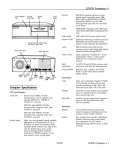
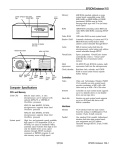
diskette
release
latch
.
diskette
release
button
I
power inlet
cove
lock
Memory
4MB RAM standard soldered on main
system board; expandable using 1MB,
4MB, 16MB, or 64MB SIMMs to 128MB
(maximum); SIMMs must be 36-bit,
fast-page mode type with 70 ns (or faster)
access speed
ROM
128KB system BIOS ROM and SETUP code
located in FLASH memory device on CPU
card; 64KB boot ROM contained in
EPROM on main system board
Video RAM
1MB VRAM on main system board;
additional 1MB VRAM on optional
enhanced video daughterboard (2MB
VRAM maximum)
Shadow RAM
Automatic shadowing of system and VGA
BIOS ROM into RAM; shadow RAM
address control selectable through SETUP
Cache
8KB of internal cache (built into the
microprocessor); cache testing and address
control selectable through SETUP
VirtualCache
Epson proprietary VirtualCache feature
automatically creates a “virtual cache”
buffer the size of maximum system
memory
Math
coprocessor
486SX/25 card: socket for optional Intel
487SX, 25 MHz microprocessor chip with
built-in math coprocessor; microprocessor
chip cannot be installed if OverDrive
module is installed in shared socket
RESET
button
option card slots
serial
Poe
port
Computer Specifications
CPU and Memory
CPU (on card)
High, low, and automatic speeds available;
high speed is CPU dependent, low speed
is simulated 8 MHz speed, automatic
speed switches from high to low only for
diskette drive access; speed selection
through SETUP, keyboard command, or
ESPEED program; 0 wait state memory
access at high speed
power
button
power light
hard disk
access light
TURBO light
optional drive bay
System speed
486SX/25 card: Intel 486SX, 25 MHz
microprocessor soldered on CPU card;
additional socket for optional Intel
ODP486SX/25 OverDrive module to
double internal clock speed (50 MHz);
OverDrive module cannot be installed if
487SX/25 microprocessor chip is installed
in shared socket
486DX/33 card: Intel 486DX, 33 MHz
microprocessor socketed on CPU card;
additional socket for optional Intel
ODP486DX/33 OverDrive module to
double internal clock speed (66 MHz)
486DX/33 card: math coprocessor built
into the 486DX microprocessor; additional
socket for optional Weitek 4167, 33 MHz
math coprocessor
486DX2/66 card: math coprocessor built
into the 486DX2 microprocessor;
additional socket for optional Weitek 4167,
33 MHz math coprocessor
Clock/calendar
486DX2/66 card: Intel 486DX2,66 MHz
microprocessor socketed on CPU card;
additional socket for optional (future)
Intel OverDrive module
10/19/92
Real-time clock, calendar, and CMOS
RAM socketed on main system board;
separate battery backup
Epson Progression-l
EPSON PROGRESSION
OverDrive
Module
486SX/25 card: socket for optional Intel
ODP486SX/25 OverDrive module to
double internal clock speed (50 MHz);
module cannot be installed if 487SX/25
microprocessor chip is installed in shared
socket
Speaker
Internal; operation controllable through
SETUP and volume selectable by software
Alternate VGA
IBM compatible VGA pass-through
interface built into main system board;
26-pin connector
486DX/33 card: socket for optional Intel
ODP486DX/33 OverDrive module to
double internal clock speed (66 MHz)
Mass Storage
Up to five drives maximum; one
full-height or two half-height internal
drives; one third-height and two
half-height, or one third-height and one
full-height, externally-accessible drives
Keyboard
Detachable; two-position height; 101 or 102
sculpted keys; country-dependent main
typewriter keyboard; numeric/cursor
control keypad; four-key cursor control
keypad; 12 function keys
486DX2/66 card: socket for optional
(future) Intel OverDrive module
Controllers
Video
Diskette
Hard disk
Chips and Technologies 64200 Wingine
VGA controller on main system board;
Brook&e@ RAMDAC on video
daughterboard provides resolutions up to
1024 x 768; optional enhanced video
daughterboard provides resolutions up to
1280 x 1024 and 24-bit true color display
Power Supply
Controller on main system board supports
up to two diskette drives and one tape
drive
Interface on main system board supports
up to two IDE hard disk drives with
built-in controllers
Interfaces
Monitor
Parallel
VGA interface built into video daughterboard for analog or multifrequency VGA
monitor; 15-pin, D-shell connector
Type
200 Watt, fan-cooled, automatic input
voltage sensing, thermally protected
Input ranges
98 to 132 VAC and 195 to 264 VAC
Maximum
+5 VDC at 22 Amps, +12 VDC at 6.8
Amps, -5 VDC at 0.5 Amps, - 1 2 VDC at
0.5 Amps
outputs
Frequency
(Europe only)
47 to 63 Hz
Cables
Three to main system board; five to mass
storage devices
Option Slot Power Limits
One standard 8-bit parallel, mono- or bidirectional interface built into main system
board; port assignment and I/O address
selectable through SETUP; 25-pin, D-shell
connector
Serial
One RS-232C, programmable,
asynchronous interface built into main
system board; port assignment and I/O
address selectable through SETUP; 9-pin,
D-shell connector
Keyboard
PS/2 compatible keyboard interface built
into main system board; keyboard speed,
delay, and num lock settings selectable
through SETUP; 6-pin, mini DIN connector
Mouse
PS/2 compatible mouse interface built into
main system board; 6-pin, mini DIN
Maximum current
For each slot
For all six slots
Environmental Requirements
1 Operating range 1 Nonoperating 1 Storage range
1
range
4’to 140’ F
-4 to 140’ F
Temperature 41’ to 95O F
(-20’ to 6O’C)
(GO0 to 6O’C)
(5O to 35k)
10% to 95%
20% to 80%
10% to 90%
Humidity
(nonI
I
I
I
condensing)
-3Ooto11,88Oft -3OOto39,6Ooft
-3ooto9.9oofl
Altitude
(-lOOto3,OOOm) (-lOOto3,6OOm) (-lOOb12.OOOm)
104O F
134’F
M a x i m u m 68O F
1 (40°C)
157O(C)
1 (20°C)
wet bulb
Condition
connector
Option slots
Six standard 16-bit I/O expansion slots;
ISA compatible; 8 MHz bus speed
Epson Progression-2
+12 Volts -5 Volts and -12 Volts
+5 Volts
7Amps
1.5Amps
0.5Amps
1 6 A m p s 3 A m p s 0.5Amps
10/19/92
EPSON PROGRESSION
Physical Characteristics
Main System Board Map
Width
17 inches (432 mm)
Depth
16 inches (406 mm)
Height
6 inches (153 mm)
Weight
Single diskette drive model (without
keyboard): 26 lb (11.8 kg)
VGA
monitor
keyboard port
Poe
\ ..r.rL..l r.-..+ I -*sl port
port JP2
.
I Ir;ouseJPl,
SIMM
sockets
,
-11,
video
daughterboard
connectors
Extended VGA Modes
Mode
Mode’
60
Slxe
132 x 25
61
132 x 50
62
132x43
64
80x43
65
80x50
Type
Text
(8x16)
Text
(8x8)
Text
(8 x 8)
Text
(8 x 8)
Text
C o l o r DotCLK
16
40 MHz
MemCLK type
56MHz N I
16
40 MHz
56MHz
NI
16
40 MHz
56MHz
NI
16
25 MHz
56MHz
NI
16
25 MHz
56MHz
NI
CPU c&d
connector
These modes require 512KB of video memory (mapped into VGA
awry).
NI = Non-interlaced
I = Interlaced
drive
connector
\
diikette drive
connector
Wingine Modes
Mode’
30
Mode
Size
Type
C o l o r DotCLK M e m C L K typa
56MHz N I
25 MHz
640 x480 Pa&Pixel 256
Connector Pin Assignments
Parallel Port Connector (CN4)
Pin 13
I
Pin 1
leoe**e*eee&
I
Pin 25
I
Pin 14
Parallel Port Connector Pin Assignments
*
These modes require 1 MB of video memory (mapped into extended
memory), except modes 3A and 50, which require 2MB of video
memory.
NI = Non-interlaced
I = Interlaced
l Active Low Logic
10/19/92
Epson Progression-3
EPSON PROGRESSION
VGA Daughterboard Connectors
(CN23, CN24, CN25, CN26)
Serial Port Connector (CN3)
There are four VGA daughterboard connectors. The
connectors (36-pin headers) provide the video interface
between the board and the video controller. They are
physically identical, but the pinouts for each are different.
Serial Port Connector Pin Assignments
Pin 36
Pin 19
Pin Signal
1
Data Carder Detect
2
Receive Data
3
Transmit Data
4
Data Terminal Ready
L5
/ Not used
Pin 18
Pin 1
Pin Signal
6
Data Set Flea&y
7
Request To Send
6
Clear To Send
9
Ring Indicabr
Keyboard and Mouse Connector (CN2 and CN1)
Pin 6
Pin 5
Pin 2
Pin 1
VGA Daughterboard Connector Pin Assignments
Although the keyboard and mouse connectors are physically
identical, they cannot be used interchangeably.
Keyboard Connector Pin Assignments
Pin Signal
1
Keyboard Data
2
Rt~e~ed
3
Ground
Pin
4
5
6
Signal
+5 VDC
Keyboard Clock
RBEIN&
Mouse Connector Pin Assignments
Pin Signal
1
Mouse Data
2
RWN~
3
Ground
Pin
4
5
6
Signal
+5 VDC (fused)
Mousa Clock
Reserved
VGA Port Connector (CN1)
The VGA port connector (CN1) on either the standard or
enhanced daughterboard is a 15pin, D-shell, female
receptacle, accessible from the rear of the computer.
VGA Port Connector Pin Assignments
Pin 1 Signal
1
IRed
2
Green
3
Blue
4
Green
5
Reserved
1 Pin 1 Signal
16 I G r o u n d
7
Ground
8
Ground
9
NC
10
Ground
Epson Progression-4
1 Pin 1 Signal
III IRESNMI
12
RNN~
13
Horizontal Sync
14
Vertical Sync
15
NC
10/19/92
EPSON PROGRESSION
DMA Channels
I/O Port Addresses (continued)
I Floppy disk drive controller primary
3F0 - 3W
~Berialportl
3F8 - 3FF
*These I/O address ports are configuration registers.
Jumper Settings
Hardware Interrupts
CTRL1
IRQO
IRQl
CTRL2
Function
Timer Output 0
Keyboard
See the Main System Board Map on page 3 for the location of
the jumpers on the main system board.
Main System Board Jumper Settings
Jumper
number
JPlJP2”
JP3
JP4
A
B’
JP5
A’
B
A
B’
A’
B
JP6
I IRQl5
Jumper
setting
A’
B
A’
B
A’
B
I Reserved
JP7
I/O Port Addresses
JP9
Address
000-OlF
MO-021
40-05F
060 - 06F
070 - 07F
080 - 09F
OAO - OBF
OCO - ODF
OF0
OF1
OF8 - OFF
170 - 178
lBO-lB5’
1 BF’
Assigned device
DMA controller 1
Interrupt controller 1
Timer/counter
Keyboard controller (8042)
RTC. NM mask resister
DMA page registers, MFG port
interrupt controller 2 (8259A compatible)
DMA controller 2 (8237A-5 compatible)
Clear math coprocessor busy
Reset math coprocessor
Math ca~rocessor
Hard disk controller secondary
Configuration registers
Configuration register unlock port 1
-
Function
Diskless mode disabled
Diskless mode enabled
1 Diikl~ mode disabled
Diskless mode enabled
Enables the built-in mouse port
Disables the built-in mouse port so you can
use an external mouse port on an option
Enables an external mouse port on an
option card
I
disables an external mouse port
I Color monitor is installed
Monochrome monitor is installed
Diiies the password function
Enables the password function
Enables the built-in VGA display adapter
Disables the built-in VGA display adapter so
you can use a display adapter on an option
card
R~SIINMI
* Factory setting
** JP1 and JP2 must be set together.
CPU Card Jumpers
Three CPU cards are available for the Progression: 486SX/25,
486DX/33, and 486DX2/66. The jumper on the 486SX/25
card should always be set to position B. The 486DX2/66 card
has no jumpers. Set the jumpers on the 486DX/33 card
according to the table below.
486DX/33 CPU Card Jumpers
CPU card configuration
Card only; no OverDrive module
ODP486DX/33 module installed
10/19/92
W1
A
A
Jumper setting
W2
W3
A
A
A
B
Epson Progression-5
EPSON PROGRESSION
OverDrive Modules
Hard Disk Drive Types
If you have the 486SX/25 or 486DX/33 CPU card, you can
install an Intel OverDrive module on the card to effectively
double the internal clock speed of the computer’s
microprocessor. Although there is an OverDrive socket on
the 486DX2/66 card, there is no OverDrive module available
for it at this time.
The following table lists the types of hard disk drives you can
use in the computer. Check this table and the documentation
supplied with your hard disk to find the correct number for
the type of hard disk drive(s) installed in your computer. You
need to enter this number when you set the hard disk drive
configuration in the SETUP program.
Available OverDrive Modules
Hard Disk Drive Types
[Type]
CPU card
486SX’25
486DXl33
OverDrive module
ODP486SXf25 *
ODP486DXI33
If you install this module, you cannot also install a 4875X/25
microprocessor chip because both options require the same socket
Cylhders
1 Heads
1
Precomp 1 Landing
/Sectors
ISIze*
117
142
20
SIMM Installation
There are two SIMM sockets on the main system board, next
to the option slots. You can install 36-bit, fast-page mode
SIMMs that operate at an access speed of 70ns or faster, with
a capacity of lMB, 4MB, 16MB, or 64MB.
The following table shows the possible SIMM configurations;
do not install memory in any other configuration. Make sure
that both SIMMs operate at the same speed. There is 4MB of
memory soldered onto the main system board.
12
855
7
13
306
8
,-I
I.-
14
15
733
7
"Oft?
1733
16
612
4
0
663
17
17
977
5
30
977
17
I
I
I
I
I
I
c1
I
40
I
1
1
MeNed
CDCQ4205-51,
/ CP-Wt,CP-2044 t,
SIMM Configurations
23
306
4
0
336
17
10
24
903
4
"One
902
46
81
CP-3cc84$
25
776
8
"One
775
33
100
CP-3104
44
828
10
"One
828
34
137
45
46
1024
615
5
8
512
128
1023
618
17
17
42
40
Standard soldered memory
Check with your dealer to see if this SIMM is available
With this memory configuration, the 4MB of soldered memory is disabled.
XTlOt%NDR1085
l
Actual size when formatted may be slightly different than the size listed
on the drive label.
t Hard disk drive supported in translate mode
$ Epson drives
Epson Progression-6
1O/19/92
MK-156F
EPSON PROGRESSION
P When using a software package that uses a key disk as its
copy-protection method, try loading it at high speed. If
this does not work, enable Auto Speed in SETUP.
Installation/Support Tips
Power
Power-on Password
This computer has an automatic input voltage sensing power
supply (between 115V, for USA and Canadian use, and 230V,
for use in other countries). There is no manual switch.
0 Make sure that you do not forget the Power-on password
you set up. If you do, it will be necessary to disable it by
moving jumper JP6 on the main circuit board to position A.
Mouse and Keyboard
P When connecting the mouse and keyboard, be careful to
plug them into the proper ports. Although they are
physically identical, they are not interchangeable, and
damage may occur to the ports or the main board.
Information Reference List
Installing Diskette Drives
Engineering Change Notices
Ct When installing a third-party diskette drive as drive B,
you may need to set the drive select jumper to the second
position and attach the pass-through connector on the
floppy drive controller cable to the drive, not to the end
None.
Technical Information Bulletins
None.
connector.
CI If the drive does not function normally, make sure that the
drive type has been correctly selected in SETUP. Also
check that any necessary drivers have been installed
correctly.
Installing Hard Disk Drives
0 It is recommended that a 16-bit, AT-type hard disk
controller be used if you are installing a drive that cannot
use the embedded IDE interface. Installing a 16-bit
interface will override the embedded IDE port and disable
it, freeing the standard base I/O address and IRQ(s).
SETUP
Product Support Bulletins
None.
Related Documentation
TM-PROGRESS
Epson Progression Service Manual
PL-PROGRESS
Epson Progression Parts Price List
SPKPROGRESS
Epson Progression Self Paced Kit
Y74599100200
Epson Progression Setup Guide
Y74599100100
Epson Progression User’s Guide
Y74599100300
Epson Progression VGA Utilities Guide
P When installing a hard disk drive, be sure to consult the
drive type table for the drive type parameters (geometry)
which fit the drive you are installing. You can also select a
type with parameters having lesser values, as long as they
do not exceed the maximum capacity (in MB) of your
drive. If there is no match for your drive, enter the exect
parameters using the User Defined option.
Software Problems
0 When installing a copy-protected software package, first
try the installation at high speed. If this does not work
properly, try switching to low speed for theinstallation. If
you are still unable to load the program at high speed, try
loading at low speed and then switching to high speed.
Cl Processor speed varies depending on the CPU card
installed. For the 486SX/25, high speed is 25 MHz; for the
486DX/33, high speed is 33 MHz; and for the 486DX2/66
card, high speed is 66 MHz. All systems simulate 8 MHz
at low speed.
10/19/92
Epson Progression-7
EPSON PROGRESSION
Epson Progression-8
10/19/92