1
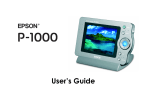
This booklet provides a quick reference to using your EPSON
P-1000, including:
❍
Installing and charging the battery, pages 2 and 3
❍
Turning the P-1000 on and off, page 4
❍
Inserting and removing a memory card, page 6
❍
Viewing photos, page 8
❍
Copying photos to the P-1000 from a memory card (and vice
versa), page 13
❍
Managing albums, page 17
❍
Deleting photos, page 21
❍
Installing EPSON Software™ Film Factory™, the online
User’s Guide, and the Windows 98 driver from the CD-ROM,
page 22
❍
Where to get help, page 26
See your online User’s Guide for complete instructions on:
❍
Customizing settings
❍
Printing images to a variety of EPSON Stylus® Photo printers
❍
Archiving pictures to a CD-R/RW
❍
Displaying pictures on an external monitor or video device
❍
Copying pictures from or to a computer
❍
Maintenance, troubleshooting, and specifications