1
Contents
2
About EasyMP Network Projection
Various Projection Styles
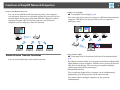
Functions of EasyMP Network Projection . . . . . . . . . . . . . . . . . . . . . . . 5
Projecting Only a PowerPoint Slide Show (Presentation Mode) . . 23
Various Screen Transfer Functions . . . . . . . . . . . . . . . . . . . . . . . . . . . . . . . . . . . . . . . 5
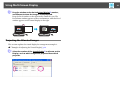
Using Multi-Screen Display . . . . . . . . . . . . . . . . . . . . . . . . . . . . . . . . . . . 24
Installing the Software . . . . . . . . . . . . . . . . . . . . . . . . . . . . . . . . . . . . . . . . 6
Example of Adjusting the Virtual Display . . . . . . . . . . . . . . . . . . . . . . . . . . . . . . . . 24
Procedure Before Using the Multi-screen Display Function. . . . . . . . . . . . . . . 25
Setting the Virtual Display . . . . . . . . . . . . . . . . . . . . . . . . . . . . . . . . . . . . . . . . . . . . . . 25
Enable the virtual display driver (Windows only) . . . . . . . . . . . . . . . . . . . . . . 25
Adjusting the Virtual Display . . . . . . . . . . . . . . . . . . . . . . . . . . . . . . . . . . . . . . . . . 26
Allocating the Image to be Projected . . . . . . . . . . . . . . . . . . . . . . . . . . . . . . . . . . . 30
Projecting the Allocated Images . . . . . . . . . . . . . . . . . . . . . . . . . . . . . . . . . . . . . . . . 31
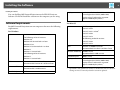
Software Requirements. . . . . . . . . . . . . . . . . . . . . . . . . . . . . . . . . . . . . . . . . . . . . . . . . . 6
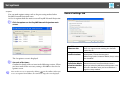
Installing . . . . . . . . . . . . . . . . . . . . . . . . . . . . . . . . . . . . . . . . . . . . . . . . . . . . . . . . . . . . . . . . 7
Connecting the Computer and Projector
Two Connection Modes. . . . . . . . . . . . . . . . . . . . . . . . . . . . . . . . . . . . . . . . 9
Quick Connection Mode . . . . . . . . . . . . . . . . . . . . . . . . . . . . . . . . . . . . . . . . . . . . . . . . . 9
Advanced Connection Mode . . . . . . . . . . . . . . . . . . . . . . . . . . . . . . . . . . . . . . . . . . . . 9
Preparing to Connect. . . . . . . . . . . . . . . . . . . . . . . . . . . . . . . . . . . . . . . . . . . . . . . . . . . 10
Connecting to a Projector on a Network and Projecting. . . . . . . . . 11
Operating the Computer . . . . . . . . . . . . . . . . . . . . . . . . . . . . . . . . . . . . . . . . . . . . . . . 11
Using the Connection Screen . . . . . . . . . . . . . . . . . . . . . . . . . . . . . . . . . . . . . . . . . . . 11
Using the Toolbar . . . . . . . . . . . . . . . . . . . . . . . . . . . . . . . . . . . . . . . . . . . . . . . . . . . . . . 14
Connecting to a Projector on a Different Subnet . . . . . . . . . . . . . . . 17
Specifying Either an IP Address or Projector Name and Performing
a Search (Advanced Connection Mode Only) . . . . . . . . . . . . . . . . . . . . . . . . . . . . 17
Performing a Search with a Profile . . . . . . . . . . . . . . . . . . . . . . . . . . . . . . . . . . . . . . 18
Making a Profile . . . . . . . . . . . . . . . . . . . . . . . . . . . . . . . . . . . . . . . . . . . . . . . . . . . . . 18
Searching by specifying a Profile . . . . . . . . . . . . . . . . . . . . . . . . . . . . . . . . . . . . . 19
Managing a Profile . . . . . . . . . . . . . . . . . . . . . . . . . . . . . . . . . . . . . . . . . . . . . . . . . . . 20
Appendix
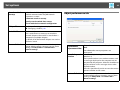
Set options . . . . . . . . . . . . . . . . . . . . . . . . . . . . . . . . . . . . . . . . . . . . . . . . . . 34
General settings tab . . . . . . . . . . . . . . . . . . . . . . . . . . . . . . . . . . . . . . . . . . . . . . . . . . . . 34
Adjust performance tab . . . . . . . . . . . . . . . . . . . . . . . . . . . . . . . . . . . . . . . . . . . . . . . . 35
Audio Output tab . . . . . . . . . . . . . . . . . . . . . . . . . . . . . . . . . . . . . . . . . . . . . . . . . . . . . . 36
Uninstalling the Software. . . . . . . . . . . . . . . . . . . . . . . . . . . . . . . . . . . . . 37
Connection Limitations . . . . . . . . . . . . . . . . . . . . . . . . . . . . . . . . . . . . . . . 38
Supported Resolutions . . . . . . . . . . . . . . . . . . . . . . . . . . . . . . . . . . . . . . . . . . . . . . . . . 38
Display Color. . . . . . . . . . . . . . . . . . . . . . . . . . . . . . . . . . . . . . . . . . . . . . . . . . . . . . . . . . . 38
Other Limitations . . . . . . . . . . . . . . . . . . . . . . . . . . . . . . . . . . . . . . . . . . . . . . . . . . . . . . 38
When Using Windows Vista or Windows 7. . . . . . . . . . . . . . . . . . . . . . . . . . . . . . . 38
Limitations when projecting from Windows Photo Gallery or
Windows Live Photo Gallery. . . . . . . . . . . . . . . . . . . . . . . . . . . . . . . . . . . . . . . . . . 39
Limitations in Windows Aero . . . . . . . . . . . . . . . . . . . . . . . . . . . . . . . . . . . . . . . . . 39
Limitations when projecting from Windows Media Center . . . . . . . . . . . . 39