1
Liebert iCOM® Control—Firmware Version XP1.00.DCP.01R
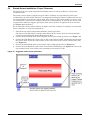
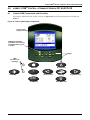
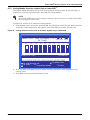
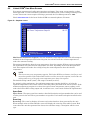
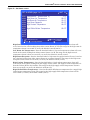
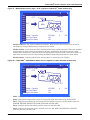
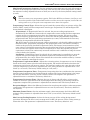
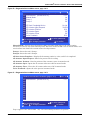
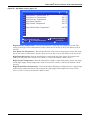
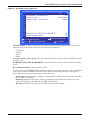
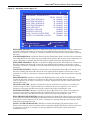
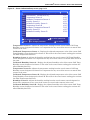
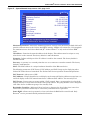
Figure 56 Set Alarms screen, page 2 of 7
SET ALARMS (page 2 of 7)
S212
S213
S214
S215
S216
S217
S218
S219
S220
S221
S222
UNIT 01
PASSWORD (Actual Level 0)
Customer Input 1
Customer Input 1 active when
????
Water Alarm
Closed
WARNING ACTIVATES ALARM RELAY
Reset Disabled Alarms
for next/previous unit
to change parameter
then
Yes
No
to select parameter
to confirm
Customer Input 1—Selects the device and operation of the customer input. Each event reflects a
different alarm and possible action to the unit. Selectable options are:
Call Service
C-Input
Water
Smoke
Customer Input 1 active when—Selects whether the Customer Input 1 input is normally closed or
normally open.
WARNING ACTIVATES ALARM RELAY—Sets the alarm relay (K3) to activate when a warning
occurs.
Reset Disabled Alarms—Resets disabled events.
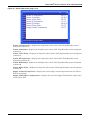
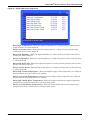
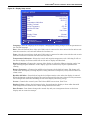
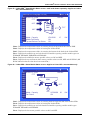
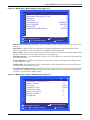
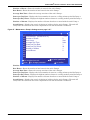
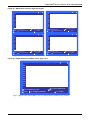
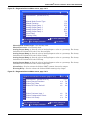
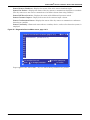
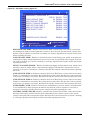
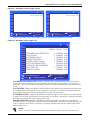
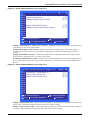
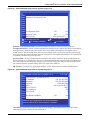
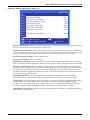
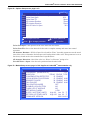
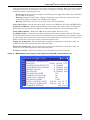
The Set Alarm Screens (Figure 57 through 61) permit setting the operation of an active alarm. Each
event can be enabled or disabled and can be set to operate as an alarm, warning or message. The
delay is the time the control waits before reporting the event.
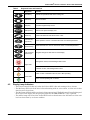
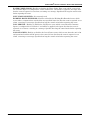
Alarm: Annunciates the buzzer, triggers a monitoring event, triggers the alarm relay and flashes
the red LED on the display.
Warning: Annunciates the buzzer, triggers a monitoring event, shows the event in the event
viewer / front display and flashes the red LED on the display.
Message: Shows the event in the event viewer and on the front display.
Liebert® DCP™
50