1
8
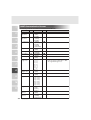
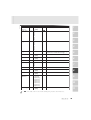
RS-232C SPECIFICATIONS
1
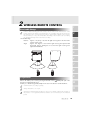
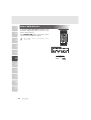
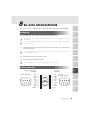
This product can be controlled by a PC connected through the RS-232C terminal [RS-232C].
Setting Up
(1)
2
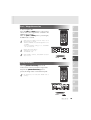
Connect this product to a PC with an RS-232C connection cable.
When using an RS-232C cable available in the market, select a cable with the connection
shown below.
3
To protect this product and the PC, be sure to turn OFF all the power supply of all equipment
before connecting.
(2)
4
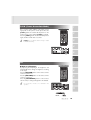
Start the PC, and set the communication mode of the RS-232C to the communication
mode of this product.
For the information how to set the communication mode of the RS-232C, refer to the
instruction manual of the PC.
(3)
Start the PC program to operate this product.
(4)
Control through the RS-232C will start.
5
6
For communication control, be sure to take the above steps for setting.
7
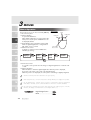
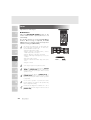
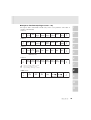
Cable Connection
Ceiling Presenter side
(DSUB-9P)
DSUB-9P (Female)
5 4 3 2 1
9 8 7 6
CD
RXD
TXD
DTR
SG
DSR
RTS
CTS
RI (CI)
8
PC side
(DSUB-9P)
1
2
3
4
5
6
7
8
9
1
2
3
4
5
6
7
8
9
CD
RXD
TXD
DTR
SG
DSR
RTS
CTS
RI
PC side :
DSUB-9P (Female)
9
5 4 3 2 1
10
9 8 7 6
11
32