1
dCS 974 User Manual
dCS Ltd
Manual for Software Version 1.0x
May 2001
None
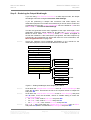
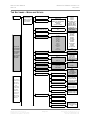
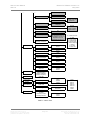
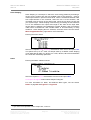
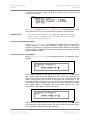
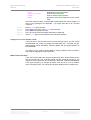
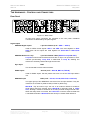
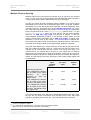
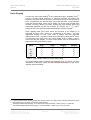
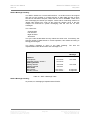
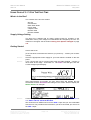
320ms thru 1600ms
Infinite
Reset
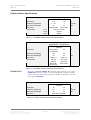
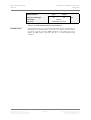
Disables the Peak Hold feature.
Sets the Peak Hold time.
Sets an infinite Peak Hold time.
Resets the Peak Hold segments to the current
peak.
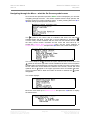
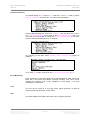
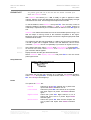
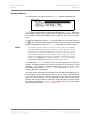
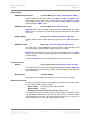
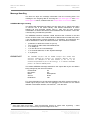
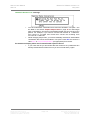
Select the required option and press Set. Infinite allows the highest peaks in a
track or long passage to be displayed – you might want this to do a manual
maximise:
do this:
do this:
do this:
do this:
do this:
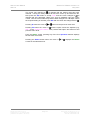
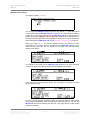
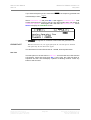
Select Infinite and press Set.
At the start of the track, select Reset and press Set.
Press Status to display the meter.
At the end of the track the highest peaks will be displayed.
Select Reset again and press Set to clear the peak readings.
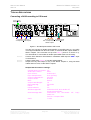
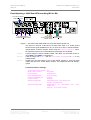
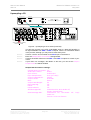
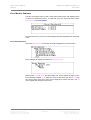
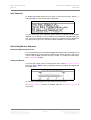
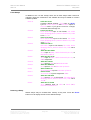
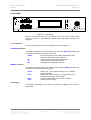
Using the dCS 974 to monitor a track
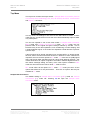
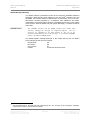
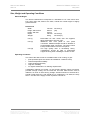
If you just want to use the dCS 974 as a level monitoring device, you can control
the bandwidth you monitor by setting the output data rate – 44.1kS/s will give
approximately 20kHz bandwidth, whereas 96kS/s will give approximately 40
kHz bandwidth.
The meters can be used to monitor DSD by setting a DSD to PCM conversion,
and using the appropriate output data rate.
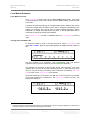
Watch Out for this One!
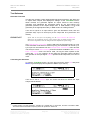
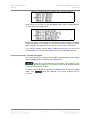
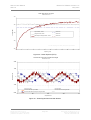
If the unit is tested with sine waves at frequencies which divide almost exactly
into the sample rate (e.g. 6.001kHz signal, 48 kS/s sampling frequency), the
segments on the right hand side of the meter will flicker. This effect disappears
if the signal frequency is changed by about 10Hz and so it is not a problem
when monitoring music. It is caused by the signal beating with the sample rate.
Manual part no: DOC1241121A1
Contact dCS on + 44 1799 531 999
(inside the UK replace + 44 with 0)
Page 59
Document No: OS-MA-A0124-112.1A1
email to: [email protected]
web site: www.dcsltd.co.uk