1
Section 3 - Configuration
DDNS
The DDNS feature allows you to host a server (Web, FTP, Game Server, etc…) using a domain name that you have
purchased (www.whateveryournameis.com) with your dynamically assigned IP address. Most broadband Internet
Service Providers assign dynamic (changing) IP addresses. Using a DDNS service provider, your friends can enter in
your domain name to connect to your server no matter what your IP address is.
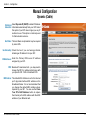
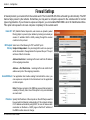
DDNS: Dynamic Domain Name System is a method of
keeping a domain name linked to a changing IP
Address. Check the box to enable DDNS.
Server Address: Choose your DDNS provider from the drop
down menu.
Host Name: Enter the Host Name that you registered with
your DDNS service provider.
Username or Key: Enter the Username for your DDNS account.
Password or Key: Enter the Password for your DDNS account.
Timeout: Enter a time (in hours).
D-Link DIR-635 User Manual
51