1
Audio Distribution System
Crestron Adagio™ AADS
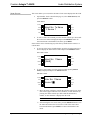
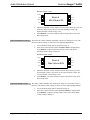
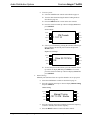
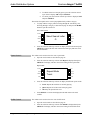
Category Channels
SOURCE
ROOM
PRESET
BKLT
Rock Channels
41. Boneyard
MENU
SCHED
DISPLAY
MORE
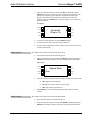
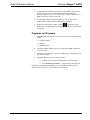
⇒ Press the selection control up or down to browse through the
channels within the selected category. When the desired channel is
displayed, press SELECT to select the channel. The display will
indicate that the channel has been selected.
•
Channel Tuning:
Tune stations by channel to listen to a specific channel or to set up a preset.
⇒ Select the XM tuner controls as described on page 36.
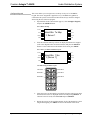
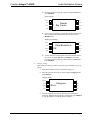
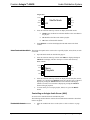
⇒ Press the selection control up or down to display Channels and
press SELECT.
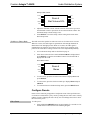
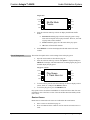
Channel Tuning
SOURCE
ROOM
PRESET
BKLT
Channels
41. Boneyard
MENU
SCHED
DISPLAY
MORE
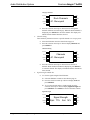
⇒ Press the selection control up or down to browse the list of
channels. When the desired channel is displayed, press SELECT
to select the channel. The display will indicate that the channel has
been selected.
•
Signal Strength & Radio ID:
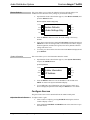
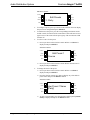
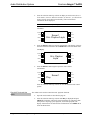
⇒ To view the signal strength of the XM tuner:
Select the XM tuner controls as described on page 36.
Press the selection control up or down to display Tech and
press SELECT.
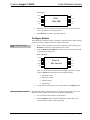
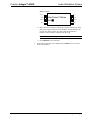
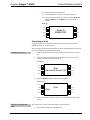
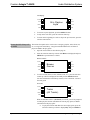
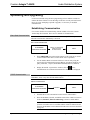
To view the selected station’s signal strength, press the
selection control up or down to display Signal Strength and
press SELECT. Press MENU to return to the tuner controls.
Signal Strength
SOURCE
ROOM
PRESET
MENU
42 • Audio Distribution System: Adagio AADS
BKLT
Signal Strength
Rptr: 77% Sat: 14%
SCHED
DISPLAY
MORE
Operations Guide – DOC. 6458