1
. . . . . . . . . . . . . . . . . . . . . . . . .
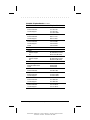
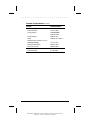
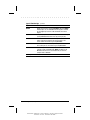
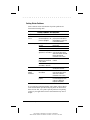
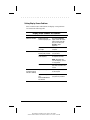
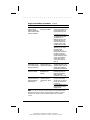
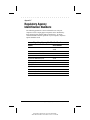
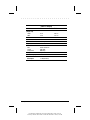
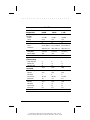
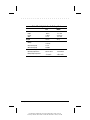
Battery Problems and Solutions Continued
Problem
Possible Cause
Solution
Battery charge
indicator blinks for
low-battery condition,
but computer didn't
beep.
Low-battery beeps are
turned off.
Click the Battery
Conservation tab on the
Power icon in the Control
Panel and enable lowbattery warning beeps.
Speaker volume is turned
down.
Press Fn+F5 (using arrow
keys) to increase speaker
volume.
Battery packs are already
charged.
No action is necessary.
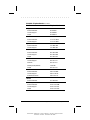
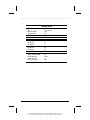
Battery charge
indicator doesn't turn
on.
Battery pack won't fast Battery packs were exposed Allow time for the battery
charge.
to temperature extremes.
pack(s) to return to room
temperature.
Battery packs are at the end Replace the battery pack(s).
of their life.
Battery packs are already
fully charged.
Every time the
Real-time clock battery is at
computer is turned on, the end of its life.
I have to set the date
and time.
Use the battery pack(s)
without attempting to fast
charge.
Call your Compaq
authorized service provider
to replace the real-time
clock battery.
Continued
14-4
Troubleshooting
Part Number: 228988-001 File Name: CH14.DOC
Writer: Dianne Fielden Saved Date: 02/20/96 11:55 AM 12:43 PM