1
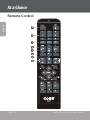
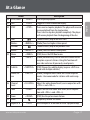
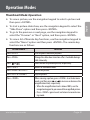
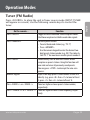
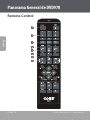
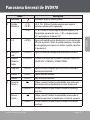
Operation Modes Thumbnail Mode Operation To start a picture slide show, use the navigation keypad to select the “Slide Show” option and then press <ENTER>. To go to the previous or next page, use the navigation keypad to select the “Previous” or “Next” option, and then press <ENTER>. To view a list of Remote Key functions, use the navigation keypad to select the “Menu” option and then press <ENTER>. The remote key functions are as follows: On the remote… Press <PLAY> Press <PROG> Press or Press <STOP> Press <RIGHT> or <LEFT> Press <UP> or <DOWN> Press <ZOOM> www.cobyusa.com Function Start or pause slideshow playback. Change the slide show transition effect. Available during a slide show only. View the next or previous picture, respectively. Return to thumbnail mode. Rotate the picture. Flip the picture. When viewing a picture, press <ZOOM> to activate zoom mode, and then press or to increase or decrease the magnification level, respectively. • When the magnification level is above 100%, use the navigation keypad to pan around the magnified picture. • Press <ZOOM> again to exit and return to normal viewing mode. Page 31 English To view a picture, use the navigation keypad to select a picture and then press <ENTER>.