1
Welcome and congratulations on your purchase of the Canon FAX-L280
(also referred to in this guide as the printer) and its accompanying printer
driver software.
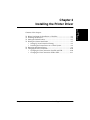
Contents of this chapter:
❏ Printer Driver: an Overview ..................................................................1-2
❏ System Requirements .............................................................................1-2
❏ About This Guide ....................................................................................1-4
• Conventions Used in This Guide...................................................1-4
❏ Other User Assistance.............................................................................1-5
Chapter 1
Introduction 1-1
Introduction
Chapter 1
1Introduction