1
❏ You need to check your Windows application settings.
To determine if your Windows application settings may be the
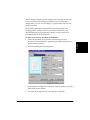
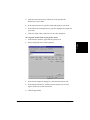
problem, print a test page with your printer driver. To do so, open the
printer properties dialog box. On the General tab, click Print Test
Page.
If the test page prints successfully, the printer and printer driver are
set up appropriately. Therefore, check the settings for your Windows
application.
❏ You may need to remove and reinstall the printer driver.
To determine if you need to remove and reinstall the printer driver,
print a test page (as described in the previous item). If the test page
does not print successfully, remove the printer driver, and then
reinstall (as described in Chapter 2).
Are you unable to print to a shared printer?
If you are using a client system that is set up to use a shared printer, yet
you are unable to print to the shared printer, check the following:
❏ That the server system, to which the printer is connected, is turned on
❏ That the server system has set the printer to be shared
❏ That the server system is set to allow your system access to the shared
printer.
Paper Is Not Loading Correctly.
❏
4
Does paper not load into the printer?
The paper tray/cassette might contain too many sheets or paper might
not be inserted all the way into the tray/cassette.
❏
Does paper not feed through one sheet at a time?
Be sure to fan the stack of paper before placing it in the paper tray/
cassette.
Chapter 4
Frequently Asked Questions 4-5
Frequently Asked
Questions
❏