1
1
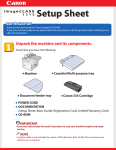
Confirm the supplied accessories.
SPA
A
Verifique los accesorios suministrados.
B
4
SPA
1
2
Connect the printer and computer.
Conecte la impresora y el ordenador.
2
3
4
Remove the packing materials, and then load paper.
SPA
Retire los
materiales de
embalaje y, a
continuación,
cargue papel.
1
2
3
4
OFF
Download the manual and the printer driver that supports this printer from the
Canon Web site (http://www.usa.canon.com/). See the following procedure.
5
6
7
1 Select [Support & Drivers].
8
9
10
11
2 From [Product Type], select [Consumer & Home Office], and [Printers & Multifunction] →
[imageCLASS Series] → the desired model name.
12
13
16
14
15
17
Check!
3 Select [Drivers & Software] and [Brochures & Manuals] from the product page. Download the files
Did you remove all the packing materials?
SPA
3
SPA
by following the instructions on the each screen.
¿Ha retirado todos los materiales de embalaje?
Connect the power cord.
Conecte el cable de
alimentación.
1
2
A
Setup finished.
SPA
Ha finalizado la configuración.