1
Introduction
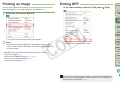
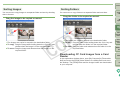
Sorting Images
You can move or copy images to a separate folder and sort by shooting
date or themes.
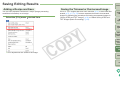
Drag the image to be copied or moved.
Sorting Folders
You can move or copy folders to a separate folder and sort them.
Contents at
a Glance
Drag the folder to be copied or moved.
1
2
3
4
5
Basic
Operation
Advanced
Operation
Advanced
Image Editing
and Printing
¿ The images are copied or moved to the destination folder.
O To copy: Drag the image while holding down the <Ctrl> key and
release when the image is in the required folder.
O To move: Drag the image and release when the image is in the
required folder.
¿ The folders are copied or moved to the destination folder.
O To copy: Drag the folder while holding down the <Ctrl> key and
release when the folder is in the required folder.
O To move: Drag the folder and release when the folder is in the
required folder.
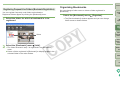
Downloading CF Card Images from a Card
Reader
In the explanation window above, open [My Computer] ` [Removable
disk] and move the [DCIM] folder inside to a suitable place such as to
the desktop. The [DCIM] folder and the images inside are downloaded
to your computer.
Processing
Large Numbers
of Images
Editing JPEG
Images
Reference
Index
35