1
CHAPTER 10 TROUBLESHOOTING
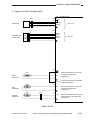
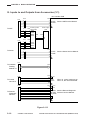
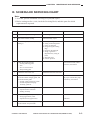
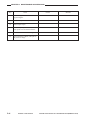
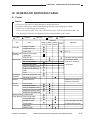
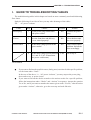
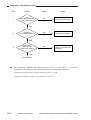
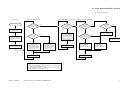
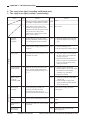
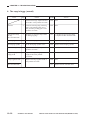
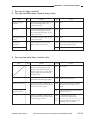
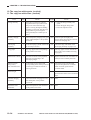
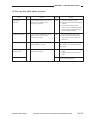
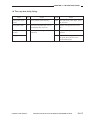
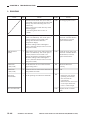
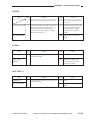
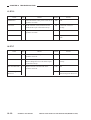
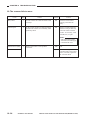
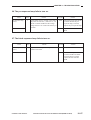
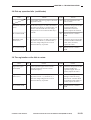
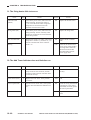
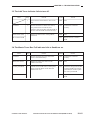
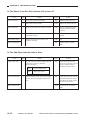
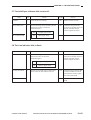
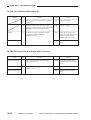
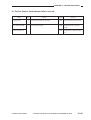
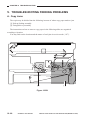
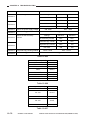
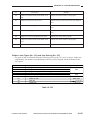
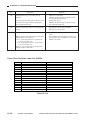
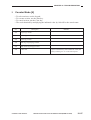
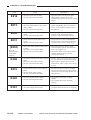
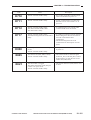
20. AC power is absent.
Cause
Step
Checks
Yes/No
Actions
Power cord
1
Is the power cord connected to the copier?
NO
Connect the cord.
Power plug
2
Is the power plug connected to the power
outlet?
NO
Connect the power plug.
Main power supply
3
Is the rated AC voltage present at the power
outlet?
NO
This is not the copier’s
problem. Inform the user
accordingly.
Front door
4
Is the front door closed securely?
NO
Close the front door.
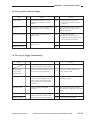
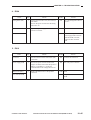
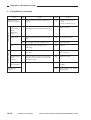
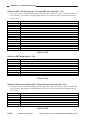
5
Is the rated voltage present between J204-1
and J204-3 on the DC controller PCB?
YES
End.
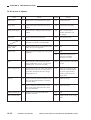
Circuit breaker
(CB1, CB2)
6
Press the button on the circuit breaker (CB1,
CB2). Is AC power supplied?
YES
End.
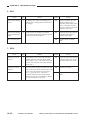
Power cord
7
Replace the power supply cord. Is AC power
supplied?
YES
End.
NO
Check the wiring of the AC
power line. Check the
connector for contact.
Fuse
8
Is the fuse (FU1, FU2) on the DC power
supply PCB blown? (125 V, 5 A for 120 V
model; 250 V, 2 A for 230 V model)
YES
Remove the cause, and replace
the fuse.
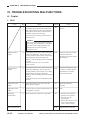
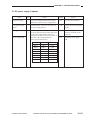
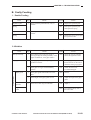
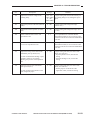
Power supply PCB
9
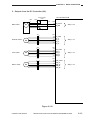
Set the meter range to 30 VDC, and connect
the meter probes to J105-4(+) and J105-5(-)
on the DC controller PCB. Is the voltage
reading about 5 V?
NO
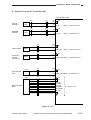
Check the wiring from J105
on the DC controller PCB to
the power supply PCB; if
normal, replace the power
supply PCB.
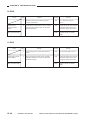
Wiring
10
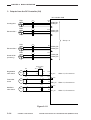
Is there continuity between J101-B15 on the
DC controller PCB and J403-1 on the DC
controller PCB?
NO
Check the wiring.
11
Is there continuity between J212-1 on the
DC power supply PCB and J106-2 on the
DC controller PCB?
NO
Check the wiring.
12
Replace the control panel PCB. Is the
problem corrected?
YES
End.
NO
Replace the DC power supply
PCB.
Control panel PCB
DC controller PCB
10–52
COPYRIGHT © 1998 CANON INC.
CANON NP7161/NP7160 REV.0 AUG. 1998 PRINTED IN JAPAN (IMPRIME AU JAPON)