1
User status
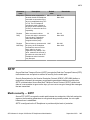
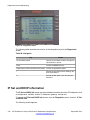
the IP Deskphone behaves as described in the preceding scenarios, except that there is no
confirmation prompt displayed. The IP Deskphone performs the operation immediately, and a
message appears to indicate what was done.
The DND mode for each account is persistent. If you restart the IP Deskphone, or log off the
account and log the account back on, the account maintains the original state.
Call Forwarding
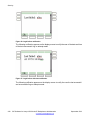
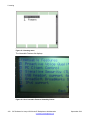
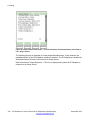
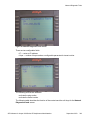
After you select the Call Forward command from the Services menu, the IP Deskphone
prompts you to specify the account that you want to place in Call Forward mode. The option
forward all places all accounts in Call Forward mode in one operation, and the option forward
none deactivates Call Forward for all accounts at the same time.
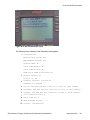
The following scenarios apply to Call Forward:
• If you activate call forwarding for a specific account, the IP Deskphone automatically
redirects all calls to the selected account to the address that you specify. The target
address must be reachable from the domain of the account. Other accounts can still
receive calls. The line key label periodically indicates that Call Forward mode is active.
• If you select a single account that does not have Call Forward or DND active on it, the IP
Deskphone prompts you to specify a forwarding target, and the mode you select is then
enabled. If DND is already active, a message appears indicating that Call Forward cannot
be activated. If Call Forward is already active, a message appears asking you if you want
to deactivate Call Forward.
• If you select the forward all option, all accounts are in Call Forward mode using the
provided target, and DND is deactivated for all accounts. If accounts are already in Call
Forward mode for a different target, the accounts are updated to use the new target.
• If you select the forward none option, the Call Forward feature is deactivated for all
accounts for which the Call Forward feature is currently active.
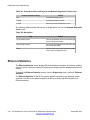
After you press a single account Call Forward programmed key:
• If the account is already forwarding calls to the programmed target, call forwarding is
deactivated.
• If the account is not forwarding calls to the programmed target, the account is set to
forward calls to the given target, disabling DND if necessary, and overriding any other call
forward target that is active for the account.
After you press a forward all programmed key:
• If all accounts are already set to forward calls to the key target, call forward is disabled
for all accounts (behaves like the forward none option).
• If all accounts are not configured to forward calls to the key target, call forwarding is
activated for all accounts using the key target (behaves like the forward all option).
SIP Software for Avaya 1200 Series IP Deskphones-Administration
September 2013
163