1
Chapter 1 Introduction
15
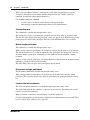
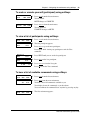
Mute yourself
This command is available through keypad and softkey access.
Mute All Participants
The Mute All Participants command is available through keypad and softkey access.
The Mute All Participants command mutes all participants. Unlike the Mute Conference
command, participants can unmute themselves.
Use the Mute All Participants command
•
•
to restore order to an unruly conversation without resorting to the Mute Conference
command.
to determine whether a participant accidentally gave the conference music-on-hold or a
similar treatment. You can mute all participants, and then ask participants to unmute
themselves
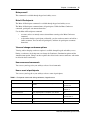
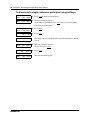
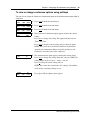
View and change conference options
Viewing and/or changing conference options is available through keypad and softkey access.
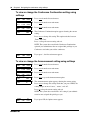
During a conference, the chairperson can change the Conference Continuation option and the
Announcement option. Changes to these options take effect for the current conference and remain
in effect for future conferences.
Hear announced commands
You can use your keypad or your softkeys to hear a list of commands.
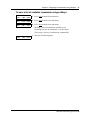
Hear a count of participants
You can use your keypad or your softkeys to hear a count of participants.
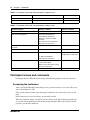
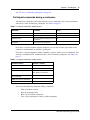
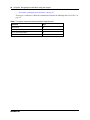
Table 2 Chairperson commands during conference, keypad access
Commands
Function
Keys
Mute/Unmute Conference
Mute/unmute a conference. Participants cannot
unmute.
Mute: ##
Unmute: 99
Lock/Unlock Conference
Lock/unlock a conference.
Lock: *4
Unlock: *5
Mute All Participants
Mute all participants. Participants can unmute.
88
Mute/Unmute Self
Mute/unmute yourself.
Mute Self: *6
Unmute Self: *7
Conference Continuation Option
Toggles to reflect Conference Continuation choice.
*8
Announcements Option
Toggles to reflect Announcement choice.
*9
Meet Me Conferencing User Guide