1
12
Features and buttons
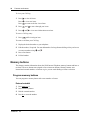
To view your Call Log:
1
Press
to view old items.
Press
Press
to view new items.
to return to the last viewed item.
2
Press
3
Press
and
and
to move through your items.
to view more information on an item.
To erase a Call Log entry:
1
Press
while viewing an item.
To return a call from your Call Log:
1
Display the desired number on your telephone.
2
Edit the number, if required. You can add numbers for long distance dialing or line pool access
or remove numbers using
3
Press a line button.
4
Lift the handset.
and
.
Memory buttons
This chapter contains information about the i2002 Internet Telephone memory buttons and how to
use them. These are buttons not assigned as line or intercom buttons. Memory buttons store
internal and external numbers or features to give you one touch dialing or feature activation.
Program memory buttons
You can program a memory button with a new number or feature.
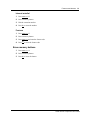
External autodial
1
Press Feature *1.
2
Press a memory button.
3
Dial the external number.
4
Press OK to store the number.
P0995231 02