1
Configuring SDLC Services
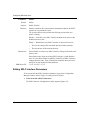
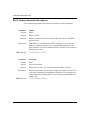
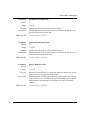
Parameter:
Pre-Activation Contact Frame
Default:
XID
Options:
XID | DISC | SNRM | SNRME | TEST
Function:
Specifies the frame to use for pre-activation polling. Pre-activation sets up
the router connection table so that DLSw connects to the host before
connecting to the SDLC station, or the reverse. The frames include
XID — Exchange Identification
DISC — Disconnect
SNRM — Set Normal Response Mode
SNRME — Set Normal Response Mode Extended
TEST — Test
The XID default setting causes the router to establish a connection with
the host before connecting to the SDLC link station. The line activates
and the router sends the SNRM frame to the SDLC station. Selecting a
value other than XID causes the router to send that value to the SDLC
station before attempting to connect to the host.
Instructions:
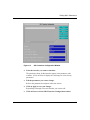
Click on Values and select one of the parameter settings.
Accept the XID default setting to establish a DLSw connection with the
host. When the connection succeeds, the router sends an SNRM frame to
the SDLC station.
To establish a connection to the SDLC station first, select SNRM. When
the router receives a response from the SDLC station, it then establishes a
DLSw connection with the host. This minimizes the logging of
unavailable or nonresponding SDLC stations.
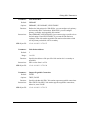
MIB Object ID:
4-24
1.3.6.1.4.1.18.3.5.1.7.5.1.30