1
> ACTIVITY REPORTER
Page 39
Powered by Resource Software International Ltd. (RSI)
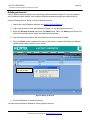
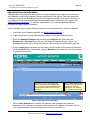
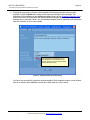
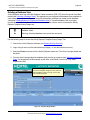
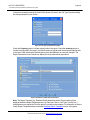
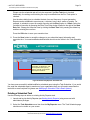
6. Pressing the copy button will create a new template with the same properties as the previous
template. Use the Template tab to assign a new name and description to the template. This
information will be displayed on the database’s available View List (see Selecting a Database View).
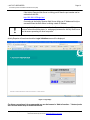
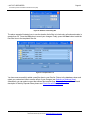
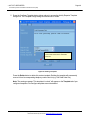
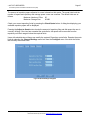
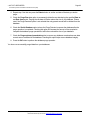
Please use a name and description that identifies what this template does. The following screen
illustrates how to set these values if you are creating a template view for yesterday sales department
calls with a duration of 30 or more minutes.
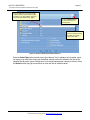
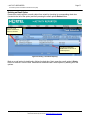
Checking this box will add this view to
the database view list identified by the
Report Class (i.e. this view will be added
to the Call Detail Views).
Figure 23: Template Name & Description Dialog
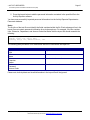
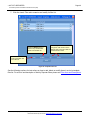
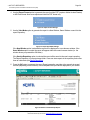
You have now successfully copied an existing template. Each template contains a user defined
filter list to identify which database records are visible when the view is active.
© 2007, Activity Reporter is developed by Resource Software International Ltd.(RSI). Information about their other products and services
tailored for Nortel may be found at http://www.telecost.com/nortel.