1
Additional phone features
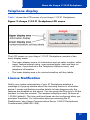
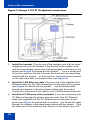
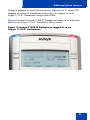
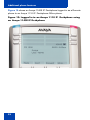
Figure 11 shows an Avaya 2050 IP Softphone logged in as a Remote
phone to an Avaya 1110 IP Deskphone Office phone.
Figure 11: Logged in to an Avaya 1110 IP Deskphone using
an Avaya 2050 IP Softphone
Note 1: On the displays of the IP Phone 2002, IP Phone 2004,
Avaya 1120E IP Deskphone, Avaya 1140E IP Deskphone, and
Avaya 2050 IP Softphone, the feature keys remain empty (except for
the appearance of your DN), because your Avaya 1110 IP
Deskphone does not support feature keys.
Note 2: A User information line appears on all displays listing the
number of your office telephone.
Using Virtual Office on your Office telephone
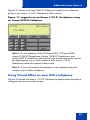
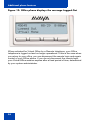
Figure 12 shows the Avaya 1110 IP Deskphone display when the phone
is logged out due to remote access.
93