1
Last update: 29/08/01
The exercise is based on the same principle as the Grammar Practice, the difference being that the former uses
sentences instead of words or groups of words. You have to change these sentences following the instructions and
the examples shown.
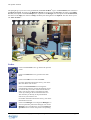
Type your answer. If you type it correctly, it will appear in green and the solution will appear automatically in the
opposite square. If the sentence is correct but you asked for help by clicking on Correction, your answer will appear
in blue and the solution will appear opposite. If it is wrong, it will appear in red.
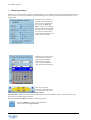
Don't forget that you can consult the relevant grammar point at any time by clicking on the Links icon.
Dictation
The Dictation allows you to work on your listening comprehension skills (Listening) and your written expression
skills (Writing).
In this exercise, you must listen carefully and type the texts you hear.
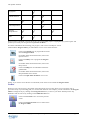
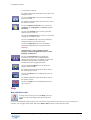
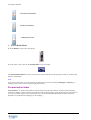
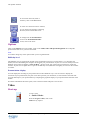
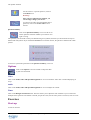
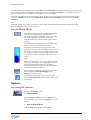
Click on the loudspeaker to hear the entire text. Once the entire
text has been played, click on the loudspeaker again to listen to
the sentences one at a time. Type out each sentence as you hear
it.
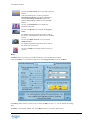
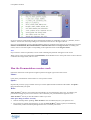
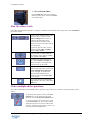
Where necessary, click on the special characters shown on
your screen.
If your sentence is correct the first time, it appears in green and the solution appears in the square opposite. If the
sentence is correct but you asked for help by clicking on Correction, your answer will appear in blue and the
solution will appear opposite. If it is wrong, it appears in red.
Don't forget that you can consult the relevant grammar point at any time by clicking on the Links icon.
If you wish the computer to consider punctuation and capital letters when correcting, you will need to indicate this in
the Dictation part of the Options screen.
For further information about this option, refer to the Options: Dialogue and Exercises section.
Warning!
In guided mode, you can’t change this option.
Written Expression
Written Expression allows you to practise and check the grammar and vocabulary you have acquired, in order to
improve your written expression (Writing).
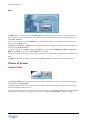
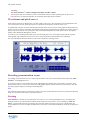
A photo or other image, a video sequence or a text will be displayed in the square at the left of your screen. You
must summarise or describe it using the number of words indicated. Type your answer while paying careful attention
to the word counter.
Then click on Correction. Any mistakes detected will be highlighted in red.
The evaluation of the Written Expression is very subjective, not only because of the nature of the exercise but also
because it is based on new technology. We strongly advise you to make use of the tutoring services offered: your
Tutor will give personalised evaluations and corrections of your written expression. For further information about
this service, refer to the Tutoring section.
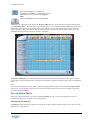
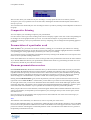
Click on the Solution icon for an example of a text that would have obtained a maximum score.
To help you with your written expression, you can access the Grammar and Conjugation at any time by clicking
on the Links icon.
TeLL me More
Copyright 2000 Auralog S.A. All rights reserved
Exercises • 38