1
使用 Objects 命令設置
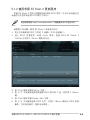
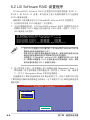
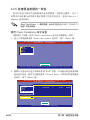
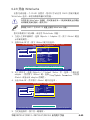
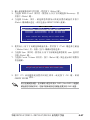
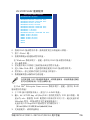
請依照以下的步驟,來使用 Objects 功能:
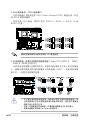
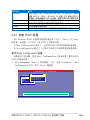
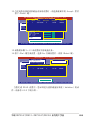
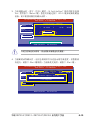
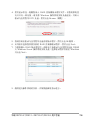
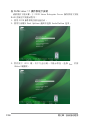
1. 進入主菜單畫面,選擇 Objects > Virtual Drive 選項後按下 <Enter>
鍵。
LSI Software RAID Configuration Utility Ver C.05 Sep 17, 2010
BIOS Version A.10.09231523R
Objects
Management Menu
Adapter
Configure
Virtual Drive
Initialize
Physical Drive
Objects
Rebuild
Check Consistency
Change VD Parameters
Use Cursor Keys To Navigate Between Items And Press Enter To Select An Option
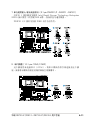
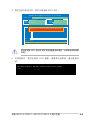
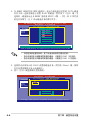
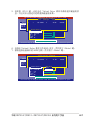
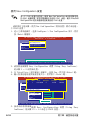
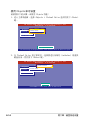
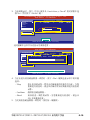
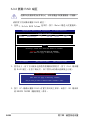
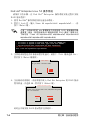
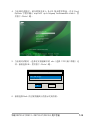
2. 在 Virtual Drive 的子菜單中,選擇要進行初始化(initialize)的虛擬
磁盤設備,然後按下 <Enter> 鍵。
LSI Software RAID Configuration Utility Ver C.05 Sep 17, 2010
BIOS Version A.10.09231523R
Vitual Drive(1)
Virtual Drive 0
Objects
Management Menu
Adapter
Configure
Virtual Drive
Initialize
Physical Drive
Objects
Rebuild
Check Consistency
Select VD
Press ENTER To Select A VD, <Del> To Delete A VD
6-14
第六章:磁盤數組設置