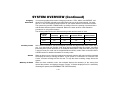
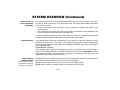
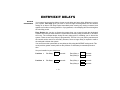
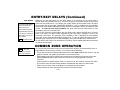
1
ARMING ALL PROTECTION
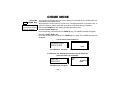
Using the
Ê Ê 2 Ê ÊAWAY Key
BEFORE ARMING,
close all doors and windows
(see CHECKING FOR OPEN
ZONES on page 13)
THE AWAY KEY ARMS THE
ENTIRE SYSTEM (INTERIOR
AND PERIMETER), BUT
ALLOWS USE OF THE
ENTRY/EXIT DOOR.
(With Entry Delay ON)
Use this key when no one will be staying inside.
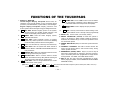
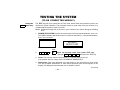
1. Enter your security code and press the AWAY [2] key. In some systems, pressing
the ÒAÓ key on the touchpad for 2 seconds will arm the system AWAY (no code is
required). The ÒAÓ key may or may not have been programmed for this. Check with
your installer.
2. The touchpad begins beeping and displays the armed AWAY message. The red
ARMED indicator also lights.
3. You must leave through an entry/exit door during the exit delay period to avoid
causing an alarm. The touchpad will beep rapidly during the last 5 seconds of the exit
delay to warn you that the delay is ending.
After the exit delay expires, the system arms and will sound an alarm if a protected window
or non-entry/exit door is opened, or if any movement is detected inside your premises.
You may re-enter through an entry/exit door, but must disarm the system
within the entry delay period to avoid an alarm.
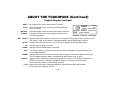
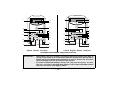
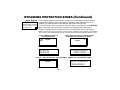
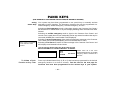
TYPICAL DISPLAYS
DURING EXIT DELAY
m
ARME D *** AWAY ***
YOU M AY E XIT NOW
CUSTOM DISPLAY TOUCHPAD
AWAY
AC
ENGLISH DISPLAY TOUCHPAD
Ð 16 Ð
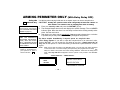
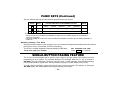
TYPICAL DISPLAYS AFTER EXIT DELAY
(SYSTEM FULLY ARMED IN AWAY MODE)
m
ARME D *** AWAY ***
** AL L SECURE **
CUSTOM DISPLAY TOUCHPAD
AWAY
AC
Ê ÊÊÊENGLISH DISPLAY TOUCHPAD