1
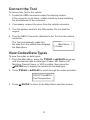
Read Codes/Data Types Once the Tool is connected to the vehicle, you may wish to refresh the codes/data read from the vehicle computer. To read the codes/ data: ⇒⇒ Press and hold the READ key for 2 seconds then release it. The Tool will display Reading... while it reads the data from the vehicle then the Main Menu will appear. (See View Codes/Data types for instructions on navigating the results.) Erase Codes/Data After servicing the vehicle, you may wish to erase stored DTCs. If a DTC returns, the problem has not been fixed or other faults are present. Erase Codes function only after systems have NOTICE Perform been checked completely and DTCs have been written down. The Erase function performs the following: 99 Erases Codes (both diagnostic trouble codes and pending codes) 99 May erase Freeze Frame data results depending on the vehcle. 99 Sets I/M Monitors to not ready. To erase and reset codes/data from the vehicle computer: 1. Set the ingnition to Key On and Engine Off. Do NOT start the vehicle. The engine should not be running. 2. Press and hold the ERASE key for 3 seconds then release. 3. When the confirmation message appears on the display, press and hold the ERASE key for 3 more seconds. • To cancel the operation and return to the Main Menu: Press ENTER. • To cancel the operation and read the data: Press READ. Note: Depending on which monitor sets a code, the vehicle may need to be driven to run the monitor before the vehicle computer recognizes that the fault is repaired. 7