1
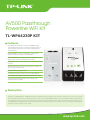
AV500 Passthrough Powerline WiFi Kit
TL-WPA4230P KIT
Specifications:
Hardware Features
Standards and Protocols
HomePlug AV, IEEE802.3, IEEE802.3u, IEEE802.11b/g/n, IEEE1901
Interface
10/100Mbps Ethernet ports
Plug Type
EU, UK, FR
Button
Pair, Reset, Wi-Fi/Wi-Fi Clone
LED Indicator
PWR, PLC, ETH, Wi-Fi/Wi-Fi Clone
Dimensions ( W x D x H )
5.0 x 2.5 x 1.7 in. (126 x 64 x 42mm)
Power Consumption
<6W
Range
300 meters over electrical circuit
Software Features
Modulation Technology
OFDM (PLC)
Powerline Security:
128-bit AES
Encryption
Wireless Security:
WEP, WPA/WPA2, WPA-PSK/WPA2-PSK encryption
Others
Certifications
System Requirements
CE, FCC, RoHS
Windows 8/7/Vista/XP/2000, Mac OS, Linux-based operating system
Operating Temperature: 0°C~40°C (32°F~104°F)
Storage Temperature: -40°C~70°C (-40°F~158°F)
Environment
Operating Humidity: 10%~90% non-condensing
Storage Humidity: 5%~90% non-condensing
* Utility currently supports Windows 8/7/Vista/XP/2000 and Mac OS X (10.7 and later).
Diagram:
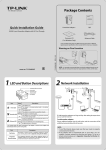
PLUG & PLAY
Set Up a New Wireless Network
Router
Ethernet Cable
Electrical Wire
Game
console
TL-PA4020P
NAS
UNIFY YOUR WIRELESS NETWORK
via Wi-Fi Clone (Optional)
Set your extender(s) settings to your router’s wireless network name and
password.
1
Plug in your TL-WPA4230P next to your router.
2
Press the Wi-Fi Clone button.
Press the WPS button.
WAN
Laptop
Will blink slowly for
a few seconds.
4
LAN
WPS
WAN
TL-WPA4230P
* The powerline adapters need to be connected in the same electrical circuit.
3
WPS
LAN
Done. The extender's wireless
network name and password will
now be the same as your router’s.
Note: If Wi-Fi Clone succeeds, relocate the extender to your chosen position. If it fails, use “Customize the
Extender’s Wireless Settings” on the back for Wi-Fi Clone instead.
Package:
AV500 Passthrough Powerline WiFi Kit
TL-WPA4230P & TL-PA4020P
2-Meter RJ-45 Ethernet Cable * 2
Quick Installation Guide
Resource CD
Specifications are subject to change without notice. TP-LINK is a registered trademark of TP-LINK Technologies Co., Ltd. Other brands and product names are
trademarks or registered trademarks of their respective holders. Copyright @ 2014 TP-LINK TECHNOLOGIES CO., LTD. All rights reserved.
www.tp-link.com