1
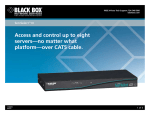
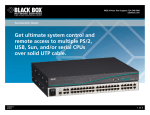
disconnects the current user without warning. Cooperative mode maintains the current user connection. If another user requests a connection, the current user won’t be disconnected. Superb security. ServSelect III’s GUI has intuitive menus to configure your switch system. Up to four users and one administrator can log into it, and the administrator has the ability to restrict users from accessing KVM switching functions and/or certain servers connected to the ports. Using the security menu, the administrator can edit, access, and/or delete user accounts. The GUI also enables you to select security on your analog port console. A screen saver activates after the period of inactivity you specify. To re-access the OSD, press any key or move the mouse, then enter your password. The choice is clear. Many KVM switches promise clear video, but few deliver like the ServSelect III does. ServSelect III provides optimal resolution for analog VGA, SVGA, and XGA video. It can achieve resolutions of up to 1280 x 1024 @ 75 Hz with a 10-foot (3-m) CAT5 cable and up to 800 x 600 @ 75 Hz with a 50-foot (15.2-m) CAT5 cable. In addition, the ServSelect III also supports Display Data Channel Plug-and-Play, which automates monitor configuration and complies with the VESA DDC2B standard. Easy to upgrade. A null-modem serial cable is included to make the switch/server connections more convenient for upgrades. And the ServSelect III’s firmware is flash upgradable—and therefore future-proof— so it never has to be replaced. And that will save you a ton of money down the road! Tech SPecs Airflow — 8 cfm Compliance — CSA C22.2 No. 950; EN55022 Class A, EN55024, EN60950, EN6100-3-3, EN6200-3-2; FCC 15 Class A; IEC 950; UL® 1950/60950 Third Edition; VCCI Class A CPUs Supported — IBM® PC/AT®, PS/2, USB, and compatibles Heat Dissipation — 92 BTU per hour Peripherals Supported — Both models: Microsoft® IntelliMouse®, PS/2 style keyboard and mouse, Microsoft Explorer mouse, IBM Scrollpoint® mouse, Kensington® 4-button mouse, Logitech® Mouseman+®, Marble Plus, and Marble FX mice; The KV22016A-R2 also supports USB keyboards and mice Resolution (Maximum) — 1280 x 1024 @ 75 Hz with 10-ft. (3-m) cable; 800 x 600 @ 75 Hz with 50-ft. (15.2-m) cable Video Supported — DDC2B, VGA, SVGA, XGA (XGA2 with adapter) Connectors — Analog users: Keyboard and mouse: Both: PS/2: (4) 6-pin mini DIN F; KV22016A-R2 also: USB: (4) USB Type A F; Video: (2) HD15 F (VGA); CPUs/servers: KV22008A: (8) RJ-45; KV22016A-R2: (16) RJ-45; For cascading: (1) RJ-45; Configuration port: (1) DB9 M (RS-232); Power: (1) IEC 320 Indicators — (33) LEDs on front of unit: (1) dual-state Power LED that shows activity, (16) CPU powered, (16) Select port; (33) LEDs on back of unit: (2) Link for each of the (16) RJ-45 ports, (1) Power indicates that power supply is on Temperature Tolerance — Operating: 50 to 122°F (10 to 50°C) Humidity Tolerance — 20 to 80%, noncondensing Power — 100–240 VAC, 50–60 Hz, autosensing Size — 1.75"H (1U) x 17"W x 11"D (4.4 x 43.2 x 27.9 cm) Weight — 8 lb. (3.6 kg) Why Buy From Black Box? Exceptional Value. Exceptional Tech Support. Period. Recognize any of these situations? • You wait more than 30 minutes to get through to a vendor’s tech support. • The so-called “tech” can’t help you or gives you the wrong answer. • You don’t have a purchase order number and the tech refuses to help you. • It’s 9 p.m. and you need help, but your vendor’s tech support line is closed. 1/10/2012 #10308 724-746-5500 According to a survey by Data Communications magazine, 90% of network managers surveyed say that getting the technical support they need is extremely important when choosing a vendor. But even though network managers pay anywhere from 10 to 20% of their overall purchase price for a basic service and support contract, the technical support and service they receive falls far short of their expectations—and certainly isn’t worth what they paid. At Black Box, we guarantee the best value and the best support. You can even consult our Technical Support Experts before you buy if you need help selecting just the right component for your application. Don’t waste time and money—call Black Box today. blackbox.com 3 of 4 BLACK BOX ®