1
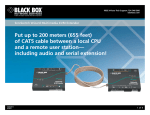
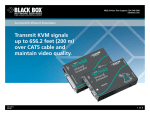
(ACU1009A), you can also attach a local user station that contends with the remote station for CPU control. The ServSwitch CAT5 KVM Switching Extender (ACU1049A) is similar to the regular extenders in that you can place your remote workstation nearly 1000 feet (304.8 m) away. It, too, features keyboard and mouse emulation and video equalization. The ACU1049A is also a switch. It enables the remote station to switch between the local CPU and remote CPU with a simple keyboard code. Its Double Private Mode locks out the second workstation, preventing conflicts. Versions for single or dual access, plus serial extension. With the ServSwitch® Brand CAT5 KVM Extenders with Serial Extension, you can place a VGA monitor, keyboard, mouse, and a serial device (such as a modem, printer, or touch screen) as far as 1000 feet (304.8 m) from your PC’s CPU. Now you can operate your PC from almost anywhere in the same building. The ServSwitch Brand CAT5 KVM Extenders with Serial Extension enable you to connect just about any standard asynchronous RS-232 peripheral—including trackballs and serial mice—that operate at up to 19.2 kbps and don’t require any control signals other than RTS, CTS, DSR, and DTR. Single-Access ServSwitch CAT5 KVM Extender with Serial Extension models (ACU1002A, ACU1022A) are designed to perform KVM and serial extension. With the dual-access models (ACU1008A, ACU1028A), you can attach an additional monitor, keyboard, and mouse to the local unit. The PC can then be operated from either the local or remote user station. These stations share access on a “first-come, first-served” basis. When there’s no keyboard or mouse activity on one station for a certain amount of time, the dual-user extender switches automatically to the first station from which it detects a keyboard keypress (or mouse movement, if you prefer). The “inactivity timeout” prevents a user at the other station from interrupting work in progress at the active station. (NOTE: KVM contention has no effect on the serial communication between the CPU and the remote serial device.) For applications in which your remote station isn’t in a secure location, the local user should set the extender for “private mode” operation, which disables the remote monitor, keyboard, and mouse. Transmit audio, too. The ACU1022A and ACU1028A models also provide audioextension capabilities. With them, you can place audio devices, such as speakers, microphones, and headphones, up to 1000 feet (304.8 m) from the PC’s CPU! Through this bidirectional stereo audio interface, sound can be transmitted in both directions across the link at the same time. This way, you can listen to near-digital-quality audio from the CPU via speakers attached to the remote unit (on the single-access version) or both the local and remote unit (on the dual-access version). 01/29/2010 #25560 724-746-5500 Just about any standard PC sound card or consumer audio device that doesn’t transmit or receive signals at voltages above line level (5 volts peak-to-peak) works with the audio extenders. And, as with the KVM and serial signals, the audio signals transmit fully buffered. No-hassle setup and operation. Setup is easy. Start with a simple configuration of your extenders. This is done using several internal controls. You may, for instance, have to adjust jumpers to work with the distance of the CAT5 cabling run between the extender’s local and remote units. And, for the extenders with audio capabilities, you may need to amplify microphone input from the remote site. As for the rest of the setup, connect the local and remote units to each other and to your equipment, adjust your video compensation as necessary, and you’re ready! The extenders are simple to use and require no software. And, other than a few keyboard-command functions, they operate automatically and transparently in most cases. The remote unit draws its power from an external supply, and the local unit is powered by the connection from the CPU’s keyboard port. Because the extenders perform complete PS/2® keyboard and mouse emulation, you can boot the PC without having a keyboard or mouse attached to it. Your PC will boot even if an extender’s remote unit is not powered or if no keyboard or mouse is connected to the local or remote unit. You can also “hot-swap” the remote or local keyboard and mouse at any time; that is, you can unplug and replug the keyboard and mouse without disrupting the operation of the PC. The extenders are designed for use up to a maximum cable length of 1000 feet, and at this length, the video quality should be acceptable even at a screen resolution of 1024 x 768 and a refresh rate of 75 Hz. To fine-tune the image more, the extenders feature fully adjustable video equalization to compensate for the loss of image quality caused by the signal passing through long cable runs. Jumpers on the remote unit‘s board enable you to configure an equalization-adjustment range appropriate to the length of the cable connecting local and remote units, and rotary controls on the remote unit enable you to adjust the compensation level while the system operates. The extenders are compatible with Microsoft® IntelliMouse® and other wheel mice. With the dual-access models, you can even use a standard PS/2 mouse at one user station and an IntelliMouse at the other. To save even more space in your application, you can rackmount the extenders using a 19" Rackmount Kit (RMK19U-R2 or RMK19X), which enables you to place an extender unit in 1U of vertical space within a 19" rack. blackbox.com 3 of 6 BLACK BOX ®