1
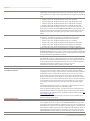
Datasheet Fujitsu Windows Server 2012 R2 OEM / ROK for FUJITSU Server PRIMERGY/PRIMEQUEST SOFTWARE REQUIREMENTS Supported server guest operating systems Supported client guest operating systems SPECIAL FEATURES SUPPORT Secure Boot Single Root IO Virtualization - SR-IOV Enhanced Power Management Consistent Device Naming - CDN EDITION-SPECIFIC RESTRICTIONS System Restrictions Windows Server 2012 R2 Essentials System Restrictions Windows Server 2012 R2 Foundation System Restrictions Windows Storage Server 2012 R2 Standard Page 8 of 13 environment by using virtualization technology that is built in to Windows Server 2012 R2. Hyper-V is supported on all PRIMERGY/PRIMEQUEST servers. Windows Server 2012 R2, Windows Server 2012, Windows Server 2008 R2 with SP1 Datacenter, Enterprise, Standard and Web editions, Windows Server 2008 R2 Datacenter, Enterprise, Standard and Web editions, Windows Server 2008 (32-bit and 64-bit) with SP2 Datacenter, Enterprise, Standard and Web editions, Windows Server 2008 (32-bit and 64-bit) Datacenter, Enterprise, Standard and Web editions, Windows Home Server 2011, Windows Small Business Server 2011 Essentials and Standard editions, Windows Server 2003 R2 with SP2 (32-bit and 64-bit) Standard, Web, Enterprise and Datacenter editions, Windows Server 2003 with SP2 (32-bit and 64-bit) Standard, Web, Enterprise and Datacenter editions, CentOS 5.7 – 6.4, Red Hat Enterprise Linux 5.7 – 6.4, SUSE Linux Enterprise Server 11 SP2, SP3, Ubuntu 12.04 , 12.10, 13.10, Oracle Linux 6.4 . For Hyper-V from a Windows Server 2012 R2 Essentials, only one virtual machine with Windows Server 2012 R2 Essentials can be installed. Windows 8.1, 8, Windows 7 with SP1 (32-bit and 64-bit) Ultimate and Enterprise editions, Windows 7 (32-bit and 64-bit) Ultimate and Enterprise editions, Windows Vista with SP2 Business, Enterprise and Ultimate editions. Install the integration services after you set up the operating system in the virtual machine. The entire list of supported guest operating systems and Service Packs can be found at: http://technet.microsoft.com/enus/library/hh831531.aspx. Guest operating systems must be correctly licensed. Secure Boot is currently supported on PRIMERGY BX920 S4, BX924 S4, CX250 S2, CX270 S2, RX100 S8, RX1330 M1, RX200 S8, RX2520 M1, RX300 S8, RX350 S8, SX350 S8, TX1310 M1, TX1320 M1, TX1330 M1, TX140 S2, TX2540 M1, TX300 S8 SR-IOV is currently supported on PRIMERGY BX920 S3, BX920 S4, BX924 S3, BX924 S4, RX200 S7, RX200 S8, RX300 S7, RX300 S8, RX350 S7, RX350 S8, RX500 S7, RX600 S6, RX900 S2, , TX150 S7, TX150 S8, TX200 S7, TX300 S7 and TX300 S8 for direct I/O throughput, reduced CPU utilization, increased scalability, and improved device performance for virtual guests. The Enhanced Power Management feature identifies servers which support the next generation power management technology available with Windows Server 2012 R2. These features will provide cost-savings associated with reducing power consumption on each server. EPM is supported on FUJITSU Server PRIMERGY. BX920 S3, BX920 S4, BX924 S3, BX924 S4, RX100 S8, RX1330 M1, RX200 S7, RX200 S8, RX2520 M1, RX300 S7, RX300 S8, RX350 S7, RX350 S8, TX200 S7, TX2540 M1, TX300 S7, TX300 S8 CDN is currently supported on BX920 S3, BX920 S4, BX924 S3, BX924 S4, RX 100 S7p, RX100 S8, RX200 S7, RX200 S8, RX300 S7, RX300 S8, RX350 S7, RX350 S8, RX500 S7, RX900 S2, TX120 S3p, TX140 S1p, TX140 S2, TX150 S8, TX200 S7, TX300 S7 and TX300 S8 Windows Server 2012 R2 Essentials is dedicated for use in Small Businesses. Therefore FC (Fibre Channel), FCoE (Fibre Channel over Ethernet), and IB (Infiniband) controllers are not released. Maximum 2 CPU and 64GB RAM supported. For MX130 S2 – min RAM of 2GB not sufficient for installation. Add more memory to system or reduce video memory to 32MB in BIOS Maximum 1CPU and 32GB RAM for systems with Windows Server 2012 R2 Foundation. Systems with Windows Storage Server 2012 R2 are designed and distributed for use without a monitor, keyboard or mouse (for certain maintenance or repairs, End User may connect a monitor, keyboard and mouse). System must not be used as a substitute for a general purpose computing device. http://www.fujitsu.com/PRIMERGY http://www.fujitsu.com/PRIMEQUEST