1
This protector fits easily between the LCD
screen and bezel, has a light transmission
rate of more than 90%, and includes both
an anti-glare coating side to reduce light
reflection and a glossy side for crisper,
more vibrant images.
What is Paper Mode?
Simply put, it is a mode which adjusts the brightness,
contrast ratio, and color temperature of a monitor to
simulate those of printed paper. Over the course of a work
day PC users must constantly adjust to the difference
between how monitors and paper appear. This overworks
the muscles of the eyes and is thought to be a source of
eye fatigue and stress. Paper mode was developed to
alleviate the eye fatigue and stress that PC users feel.
Comparison between paper, EIZO square monitors, and Paper Mode
Newspaper
Brightness
Recycled Copy
Paper
EIZO Square
Monitors
Paper Mode
55 % reflection 70 % reflection 267 cd/m2†
rate, 88 cd/m2* rate, 112 cd/m2*
50 - 70 %
reflection rate
Contrast Ratio
6.2:1
10.7:1
1167:1†
Color
Temperature
3,477 K
3,828 K
6500 K
4,000 – 5,000 K
(when shipped)
About 30:1
* Measured at an ambient brightness of 500 lx. † Average maximum
brightness of FlexScan square monitors .
Color Temperature, Brightness and the
Effect on Blue Light
In the visible light spectrum, blue light has wavelengths
adjacent to ultraviolet light. Compared to the factory preset
setting of 6,500 K of typical LCD monitors, Paper Mode is
closer to the spectral distribution with long reddish
wavelengths so it reduces the amount of blue light, a cause
of eye fatigue.
Ultraviolet Light
Blue Light
400 - 500 nm
Visible Light
Infrared Light
The combination of Paper Mode and the Auto EcoView
brightness adjustment function reduces blue light even
more. In a monitor with an LED backlight where Paper
Mode and Auto EcoView were used, the blue light was
measured and found to have only 1/6th the intensity of the
factory setting.
Effect of Lowering Brightness and Color Temperature
Initial measurement of sample unit: 350 cd/m2, 6,500 - 7,000 K
When using Auto EcoView and Paper Mode: 120 cd/m2, 5,000 K
Intensity
(W/(sr m2 nm))
1.2 E - 02
1.0 E - 02
Blue light reduced to
8.0 E - 03
1/6th
Cabinet Colors
Gray, Black
Panel Type
TN
Backlight
LED
Size
19" / 48 cm (481 mm diagonal)
Native Resolution
1280 x 1024 (5:4 aspect ratio)
Display Size (H x V)
376.3 x 301.0 mm
Pixel Pitch
0.294 x 0.294 mm
Display Colors
16.77 million from a palette of 1.06 billion
Viewing Angles (H / V, typical)
170°, 160°
Brightness (typical)
250 cd/m2
Contrast Ratio (typical)
1000:1
Response Time (typical)
5 ms (black-white-black)
Video Signals
D-Sub mini 15 pin, DVI-D 24 pin (with HDCP)
Digital Scanning Frequency (H / V)
31 - 64 kHz, 59 - 61 Hz (VGA Text: 69 - 71 Hz)
Analog Scanning Frequency (H / V)
31 - 80 kHz, 50 - 75 Hz
Sync Formats
Separate, Sync on green
Speakers
0.5 W + 0.5 W
Input Terminals
3.5 mm stereo jack
Output Terminals
3.5 mm headphone jack
Sound Adjustment
Volume
Power Requirements
AC 100 - 120 V / 200 - 240 V, 50 / 60 Hz
Maximum Power Consumption
23 W
Typical Power Consumption
11 W
Power Save Mode
Less than 0.5 W
Power Management
Power Save (VESA DPM and DVI DMPM), Eco Timer
Preset Modes
FineContrast (Text, sRGB, EyeCare, Paper, Custom)
Auto EcoView
Yes
OSD Languages
English, French, German, Italian, Japanese,
Simplified and Traditional Chinese, Spanish,
Swedish
Others
Screen Adjustment (Clock, Phase, Position,
Range (Auto), Smoothing (5 stages), Color
Adjustment (Brightness, Contrast, Temperature,
Gain, Reset), Input Signal, Power Indicator,
Product Information (name, serial number,
resolution, operating time, etc.), OSD Menu
Position, Adjustment Lock, DDC/CI Lock, Reset
Dimensions (Landscape, W x H x D)
With Height Adjustable Stand: 405 x 406.5 506.5 x 205 mm
With Tilt Stand: 405 x 416 x 205 mm
Dimensions (Without Stand, W x H x D)
405 x 334 x 61.5 mm
Net Weight
With Height Adjustable Stand: 5.9 kg
With Tilt Stand: 4.9 kg
Net Weight (Without Stand)
4.1 kg
Height Adjustment Range
With Height Adjustable Stand: 100 mm
With Tilt Stand: -
Tilt
With Height Adjustable Stand: 30° Up, 0° Down
With Tilt Stand: 30° Up, 5° Down
Swivel
With Height Adjustable Stand: 35° Right / 35° Left
With Tilt Stand: -
Pivot
With Height Adjustable Stand: 90°
With Tilt Stand: -
Hole Spacing (VESA Standard)
100 x 100 mm
Temperature
5 - 35 °C
Humidity (R.H., non condensing)
20 - 80 %
Certifications & Standards
TCO Displays 6.0, EPEAT Gold (except for Tilt
Stand version)/ Silver (Tilt Stand version) (US),
TUV/Ergonomics (including ISO9241-307),
TUV/GS, C-Tick, CE, CB, cTUVus, FCC-B,
Canadian ICES-003-B, TUV/S, VCCI-B, EPA Energy
Star, RoHS, WEEE, China RoHS, CCC, GOST-R
6.0 E - 03
4.0 E - 03
Supplied Accessories
2.0 E - 03
0.0 E - 00
380
430
480
Blue Light
530
580
19" LCD Monitor
SPECIFICATIONS
Optional LCD Panel Protector
630
680
730
Wavelength(nm)
Warranty
AC power cord, signal cables (D-Sub - D-Sub,
DVI-D - DVI-D), audio cable, setup guide,
CD-ROM (PDF user's manual, ScreenManager
Pro for LCD [DDC/CI], ScreenSlicer software)
Five Years
1
The usage time is limited to 30,000 hours or less, and the warranty period of the LCD panel is limited to three
years from the date of purchase.
153 Shimokashiwano, Hakusan, Ishikawa 924-8566 Japan
Phone +81-76-277-6792 Fax +81-76-277-6793
www.eizo.com
All product names are trademarks or registered trademarks of their respective companies.
EIZO and FlexScan are registered trademarks of EIZO Corporation.
Specifications are subject to change without notice.
Copyright © 2013 EIZO Corporation. All rights reserved.
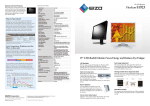
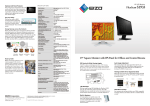
19" LED-Backlit Monitor Saves Energy and Reduces Eye Fatigue
LED Backlight
With an energy-saving LED backlight, the FlexScan S1903
uses only 11 watts during typical operation. The LED
backlight does not contain any mercury for minimal environmental impact when the monitor is eventually disposed of.
Digital and Analog Inputs
With both DVI-D and D-Sub mini
15-pin inputs, you can use a
computer that has either a digital
or an analog graphics board (or
DVI-D
D-Sub
both if connected to two computers), and quickly switch between the inputs via a front panel
button.
Built-In Speakers
0.5-watt speakers are tucked away at the
back of the monitor and out of view so you
can enjoy sound while bezel size is kept to a
minimum. A headphone jack is also built into
the monitor.
Sync-On-Green Signal Support
Support for sync-on-green ensures this monitor can be used
with legacy graphics boards that output this signal.
Compliance with International Labels
(US)
Auto Image Adjustment
The monitor discerns the input signal from the PC and
automatically adjusts the clock, phase, image location, size,
etc. In addition, the signal cables that are bundled were
developed by EIZO to reduce noise.
Viewing Comfort with an Ergonomic Stand
Adjust the screen to the most comfortable position with 100
mm height adjustment, 30° tilt, 70° swivel, and 90° rotation
for portrait mode. A basic stand that offers 35° of tilt is also
available.
Height Adjustment
Tilt
Swivel
Portrait
90°
30°
*NTSC signal
35°
VESA Mount Version
35°
For customers that will provide their own VESA-compatible
mounting solutions, the FlexScan S1903 is available without
a stand.
Optimized Brightness with Auto EcoView
The Auto EcoView function is a sensor on the front of the
monitor that measures ambient light and optimizes the
screen's brightness to a level akin to viewing a sheet of paper
under typical office lighting conditions. Since the screen is
never too bright, eye strain is reduced while power consumption is cut by up to 50% compared to operating the monitor
with Auto EcoView turned off and set to the default factory
brightness of 100%.
Anti-Glare Treatment
A non-glare screen reduces eye fatigue by dissipating reflective
light that otherwise makes the screen difficult to view.
Furthermore, the surface of the bezels is treated to prevent
light reflection.
Incident
light
Incident
light
Closely Simulates Documents and Books
Paper mode simulates the look of printed paper by raising the
black level and lowering the contrast ratio. Together with
the Auto EcoView ambient brightness sensor, Paper mode
reduces the amount of blue light emanating from the
monitor for less eyestrain. (See page 4 for more information
about Paper mode.)
Reflected
light
Reflected
light
5-Year vs. 3-Year Warranty
Glare panel
Non-glare panel
10-Bit Gamma Correction
This technology helps achieve accurate color by converting
the 8-bit PC data to 10-bit, and assigning the ideal gamma
values with a 10-bit look-up table (LUT) then returning the
data to 8-bit format for display.
Screen brightness dimmed
in a dark environment
EIZO conducted a survey to establish the relationship
between eye fatigue and monitor use. The survey found
that when you properly adjust your monitor’s brightness,
the reduction in your ability to focus drops by half
(Graph 1). In addition, maintaining correct working
posture and taking regular breaks further reduced fatigue
levels and increased work efficiency by 12.5% (Graph 2).
Comparison between fatigue levels after monitor use
Average increase in
near-point distance
[%]
15
14.61 %
7.96 %
decrease
10
6.65 %
5
0
6.25 %
decrease
Brightness
Improved Work Efficiency, Reduced Visual Fatigue
GAMMA CURVE
Brightness
Auto EcoView Sensor
Ideal Gamma Curve
Ideal Gamma Curve
256 Tones
256 Tones
Preset Modes for Optimum Viewing
With EIZO’s Fine Contrast function you can choose from
several preset modes for the various applications you work
with. Toggling between modes can be done manually in the
OSD menu or automatically by assigning a mode to a
particular application with the bundled ScreenManager Pro
for LCD software.
Paper
1.Standard
Measurement condition
105
100
increase
4.6 %
increase
Custom
0
Select the best mode depending on content
Text Mode
sRGB Mode
Paper Mode
EyeCare Mode
104.6 %
Custom Mode
-
sRGB Mode
100 %
Switch modes in
the OSD menu…
1.Standard
2. Ideal 3. Ideal brightness,
brightness correct posture,
regular breaks
EIZO monitor features like Auto EcoView, ergonomic
stands, and the EyeCare utility help reduce eye fatigue
and increase work efficiency.
Network
On!
Off!
sRGB
112.5 %
95
Power save
command
Manager PC
2. Ideal 3. Ideal brightness,
brightness correct posture,
regular breaks
7.9 %
[%]
Energy Savings across the Network
EIZO’s EcoView NET power management software provides
centralized control over the power settings of monitors on a
network. With EcoView NET, a systems administrator can
confirm the settings for each monitor on the network, turn the
power on or off, and if necessary, take measures to combat
eye fatigue such as adjust the brightness or activate Auto
EcoView. EcoView NET is available from EIZO distributors.
Text
Text Mode
115
The EyeCare utility is EIZO
-developed software that helps
promote better work habits. It
consists of a function called
“EyeCare Reminder” that reminds you to take scheduled
breaks.
Receive
data
0.4 %
Quantity of VDT work per unit of time
110
Eye Care Utility
Uncorrected
Gamma Curve
EyeCare
Built to Last Five Years
EIZO’s five-year warranty is two years or 67% longer than
the standard three-year warranty of most brands. Even if the
initial purchase price of the FlexScan S1903 is higher than
another 19-inch monitor, the TCO (total cost of ownership)
will likely be lower due to the significantly longer buying cycle
and less need for repair.
…Or assign a mode
to an- application to
switch automatically
Prevents Eye Fatigue in Dimly-Lit Offices
Fine Contrast includes an EyeCare mode that reduces the
screen’s brightness to just 3 cd/m2. This ultra-low brightness
helps prevent eye fatigue and increase productivity when
working in an environment with very dim ambient lighting
such as a CAD studio.
Secondary
power on/off
Brightness Auto EcoView
control
on/off
Made by EIZO
While outsourcing production is now
common practice in the monitor
industry, EIZO continues to manufacture its products the same way it has
throughout its 40-year history – with
its own staff at its own factories. This
allows EIZO to maintain close control
over production quality and offer the
industry’s only 5-year manufacturer’s
limited warranty.
Off timer
settings
Optimized Brightness with Auto EcoView
The Auto EcoView function is a sensor on the front of the
monitor that measures ambient light and optimizes the
screen's brightness to a level akin to viewing a sheet of paper
under typical office lighting conditions. Since the screen is
never too bright, eye strain is reduced while power consumption is cut by up to 50% compared to operating the monitor
with Auto EcoView turned off and set to the default factory
brightness of 100%.
Anti-Glare Treatment
A non-glare screen reduces eye fatigue by dissipating reflective
light that otherwise makes the screen difficult to view.
Furthermore, the surface of the bezels is treated to prevent
light reflection.
Incident
light
Incident
light
Closely Simulates Documents and Books
Paper mode simulates the look of printed paper by raising the
black level and lowering the contrast ratio. Together with
the Auto EcoView ambient brightness sensor, Paper mode
reduces the amount of blue light emanating from the
monitor for less eyestrain. (See page 4 for more information
about Paper mode.)
Reflected
light
Reflected
light
5-Year vs. 3-Year Warranty
Glare panel
Non-glare panel
10-Bit Gamma Correction
This technology helps achieve accurate color by converting
the 8-bit PC data to 10-bit, and assigning the ideal gamma
values with a 10-bit look-up table (LUT) then returning the
data to 8-bit format for display.
Screen brightness dimmed
in a dark environment
EIZO conducted a survey to establish the relationship
between eye fatigue and monitor use. The survey found
that when you properly adjust your monitor’s brightness,
the reduction in your ability to focus drops by half
(Graph 1). In addition, maintaining correct working
posture and taking regular breaks further reduced fatigue
levels and increased work efficiency by 12.5% (Graph 2).
Comparison between fatigue levels after monitor use
Average increase in
near-point distance
[%]
15
14.61 %
7.96 %
decrease
10
6.65 %
5
0
6.25 %
decrease
Brightness
Improved Work Efficiency, Reduced Visual Fatigue
GAMMA CURVE
Brightness
Auto EcoView Sensor
Ideal Gamma Curve
Ideal Gamma Curve
256 Tones
256 Tones
Preset Modes for Optimum Viewing
With EIZO’s Fine Contrast function you can choose from
several preset modes for the various applications you work
with. Toggling between modes can be done manually in the
OSD menu or automatically by assigning a mode to a
particular application with the bundled ScreenManager Pro
for LCD software.
Paper
1.Standard
Measurement condition
105
100
increase
4.6 %
increase
Custom
0
Select the best mode depending on content
Text Mode
sRGB Mode
Paper Mode
EyeCare Mode
104.6 %
Custom Mode
-
sRGB Mode
100 %
Switch modes in
the OSD menu…
1.Standard
2. Ideal 3. Ideal brightness,
brightness correct posture,
regular breaks
EIZO monitor features like Auto EcoView, ergonomic
stands, and the EyeCare utility help reduce eye fatigue
and increase work efficiency.
Network
On!
Off!
sRGB
112.5 %
95
Power save
command
Manager PC
2. Ideal 3. Ideal brightness,
brightness correct posture,
regular breaks
7.9 %
[%]
Energy Savings across the Network
EIZO’s EcoView NET power management software provides
centralized control over the power settings of monitors on a
network. With EcoView NET, a systems administrator can
confirm the settings for each monitor on the network, turn the
power on or off, and if necessary, take measures to combat
eye fatigue such as adjust the brightness or activate Auto
EcoView. EcoView NET is available from EIZO distributors.
Text
Text Mode
115
The EyeCare utility is EIZO
-developed software that helps
promote better work habits. It
consists of a function called
“EyeCare Reminder” that reminds you to take scheduled
breaks.
Receive
data
0.4 %
Quantity of VDT work per unit of time
110
Eye Care Utility
Uncorrected
Gamma Curve
EyeCare
Built to Last Five Years
EIZO’s five-year warranty is two years or 67% longer than
the standard three-year warranty of most brands. Even if the
initial purchase price of the FlexScan S1903 is higher than
another 19-inch monitor, the TCO (total cost of ownership)
will likely be lower due to the significantly longer buying cycle
and less need for repair.
…Or assign a mode
to an- application to
switch automatically
Prevents Eye Fatigue in Dimly-Lit Offices
Fine Contrast includes an EyeCare mode that reduces the
screen’s brightness to just 3 cd/m2. This ultra-low brightness
helps prevent eye fatigue and increase productivity when
working in an environment with very dim ambient lighting
such as a CAD studio.
Secondary
power on/off
Brightness Auto EcoView
control
on/off
Made by EIZO
While outsourcing production is now
common practice in the monitor
industry, EIZO continues to manufacture its products the same way it has
throughout its 40-year history – with
its own staff at its own factories. This
allows EIZO to maintain close control
over production quality and offer the
industry’s only 5-year manufacturer’s
limited warranty.
Off timer
settings
This protector fits easily between the LCD
screen and bezel, has a light transmission
rate of more than 90%, and includes both
an anti-glare coating side to reduce light
reflection and a glossy side for crisper,
more vibrant images.
What is Paper Mode?
Simply put, it is a mode which adjusts the brightness,
contrast ratio, and color temperature of a monitor to
simulate those of printed paper. Over the course of a work
day PC users must constantly adjust to the difference
between how monitors and paper appear. This overworks
the muscles of the eyes and is thought to be a source of
eye fatigue and stress. Paper mode was developed to
alleviate the eye fatigue and stress that PC users feel.
Comparison between paper, EIZO square monitors, and Paper Mode
Newspaper
Brightness
Recycled Copy
Paper
EIZO Square
Monitors
Paper Mode
55 % reflection 70 % reflection 267 cd/m2†
rate, 88 cd/m2* rate, 112 cd/m2*
50 - 70 %
reflection rate
Contrast Ratio
6.2:1
10.7:1
1167:1†
Color
Temperature
3,477 K
3,828 K
6500 K
4,000 – 5,000 K
(when shipped)
About 30:1
* Measured at an ambient brightness of 500 lx. † Average maximum
brightness of FlexScan square monitors .
Color Temperature, Brightness and the
Effect on Blue Light
In the visible light spectrum, blue light has wavelengths
adjacent to ultraviolet light. Compared to the factory preset
setting of 6,500 K of typical LCD monitors, Paper Mode is
closer to the spectral distribution with long reddish
wavelengths so it reduces the amount of blue light, a cause
of eye fatigue.
Ultraviolet Light
Blue Light
400 - 500 nm
Visible Light
Infrared Light
The combination of Paper Mode and the Auto EcoView
brightness adjustment function reduces blue light even
more. In a monitor with an LED backlight where Paper
Mode and Auto EcoView were used, the blue light was
measured and found to have only 1/6th the intensity of the
factory setting.
Effect of Lowering Brightness and Color Temperature
Initial measurement of sample unit: 350 cd/m2, 6,500 - 7,000 K
When using Auto EcoView and Paper Mode: 120 cd/m2, 5,000 K
Intensity
(W/(sr m2 nm))
1.2 E - 02
1.0 E - 02
Blue light reduced to
8.0 E - 03
1/6th
Cabinet Colors
Gray, Black
Panel Type
TN
Backlight
LED
Size
19" / 48 cm (481 mm diagonal)
Native Resolution
1280 x 1024 (5:4 aspect ratio)
Display Size (H x V)
376.3 x 301.0 mm
Pixel Pitch
0.294 x 0.294 mm
Display Colors
16.77 million from a palette of 1.06 billion
Viewing Angles (H / V, typical)
170°, 160°
Brightness (typical)
250 cd/m2
Contrast Ratio (typical)
1000:1
Response Time (typical)
5 ms (black-white-black)
Video Signals
D-Sub mini 15 pin, DVI-D 24 pin (with HDCP)
Digital Scanning Frequency (H / V)
31 - 64 kHz, 59 - 61 Hz (VGA Text: 69 - 71 Hz)
Analog Scanning Frequency (H / V)
31 - 80 kHz, 50 - 75 Hz
Sync Formats
Separate, Sync on green
Speakers
0.5 W + 0.5 W
Input Terminals
3.5 mm stereo jack
Output Terminals
3.5 mm headphone jack
Sound Adjustment
Volume
Power Requirements
AC 100 - 120 V / 200 - 240 V, 50 / 60 Hz
Maximum Power Consumption
23 W
Typical Power Consumption
11 W
Power Save Mode
Less than 0.5 W
Power Management
Power Save (VESA DPM and DVI DMPM), Eco Timer
Preset Modes
FineContrast (Text, sRGB, EyeCare, Paper, Custom)
Auto EcoView
Yes
OSD Languages
English, French, German, Italian, Japanese,
Simplified and Traditional Chinese, Spanish,
Swedish
Others
Screen Adjustment (Clock, Phase, Position,
Range (Auto), Smoothing (5 stages), Color
Adjustment (Brightness, Contrast, Temperature,
Gain, Reset), Input Signal, Power Indicator,
Product Information (name, serial number,
resolution, operating time, etc.), OSD Menu
Position, Adjustment Lock, DDC/CI Lock, Reset
Dimensions (Landscape, W x H x D)
With Height Adjustable Stand: 405 x 406.5 506.5 x 205 mm
With Tilt Stand: 405 x 416 x 205 mm
Dimensions (Without Stand, W x H x D)
405 x 334 x 61.5 mm
Net Weight
With Height Adjustable Stand: 5.9 kg
With Tilt Stand: 4.9 kg
Net Weight (Without Stand)
4.1 kg
Height Adjustment Range
With Height Adjustable Stand: 100 mm
With Tilt Stand: -
Tilt
With Height Adjustable Stand: 30° Up, 0° Down
With Tilt Stand: 30° Up, 5° Down
Swivel
With Height Adjustable Stand: 35° Right / 35° Left
With Tilt Stand: -
Pivot
With Height Adjustable Stand: 90°
With Tilt Stand: -
Hole Spacing (VESA Standard)
100 x 100 mm
Temperature
5 - 35 °C
Humidity (R.H., non condensing)
20 - 80 %
Certifications & Standards
TCO Displays 6.0, EPEAT Gold (except for Tilt
Stand version)/ Silver (Tilt Stand version) (US),
TUV/Ergonomics (including ISO9241-307),
TUV/GS, C-Tick, CE, CB, cTUVus, FCC-B,
Canadian ICES-003-B, TUV/S, VCCI-B, EPA Energy
Star, RoHS, WEEE, China RoHS, CCC, GOST-R
6.0 E - 03
4.0 E - 03
Supplied Accessories
2.0 E - 03
0.0 E - 00
380
430
480
Blue Light
530
580
19" LCD Monitor
SPECIFICATIONS
Optional LCD Panel Protector
630
680
730
Wavelength(nm)
Warranty
AC power cord, signal cables (D-Sub - D-Sub,
DVI-D - DVI-D), audio cable, setup guide,
CD-ROM (PDF user's manual, ScreenManager
Pro for LCD [DDC/CI], ScreenSlicer software)
Five Years
1
The usage time is limited to 30,000 hours or less, and the warranty period of the LCD panel is limited to three
years from the date of purchase.
153 Shimokashiwano, Hakusan, Ishikawa 924-8566 Japan
Phone +81-76-277-6792 Fax +81-76-277-6793
www.eizo.com
All product names are trademarks or registered trademarks of their respective companies.
EIZO and FlexScan are registered trademarks of EIZO Corporation.
Specifications are subject to change without notice.
Copyright © 2013 EIZO Corporation. All rights reserved.
19" LED-Backlit Monitor Saves Energy and Reduces Eye Fatigue
LED Backlight
With an energy-saving LED backlight, the FlexScan S1903
uses only 11 watts during typical operation. The LED
backlight does not contain any mercury for minimal environmental impact when the monitor is eventually disposed of.
Digital and Analog Inputs
With both DVI-D and D-Sub mini
15-pin inputs, you can use a
computer that has either a digital
or an analog graphics board (or
DVI-D
D-Sub
both if connected to two computers), and quickly switch between the inputs via a front panel
button.
Built-In Speakers
0.5-watt speakers are tucked away at the
back of the monitor and out of view so you
can enjoy sound while bezel size is kept to a
minimum. A headphone jack is also built into
the monitor.
Sync-On-Green Signal Support
Support for sync-on-green ensures this monitor can be used
with legacy graphics boards that output this signal.
Compliance with International Labels
(US)
Auto Image Adjustment
The monitor discerns the input signal from the PC and
automatically adjusts the clock, phase, image location, size,
etc. In addition, the signal cables that are bundled were
developed by EIZO to reduce noise.
Viewing Comfort with an Ergonomic Stand
Adjust the screen to the most comfortable position with 100
mm height adjustment, 30° tilt, 70° swivel, and 90° rotation
for portrait mode. A basic stand that offers 35° of tilt is also
available.
Height Adjustment
Tilt
Swivel
Portrait
90°
30°
*NTSC signal
35°
VESA Mount Version
35°
For customers that will provide their own VESA-compatible
mounting solutions, the FlexScan S1903 is available without
a stand.