1
System Setting 33
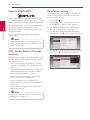
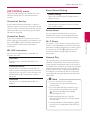
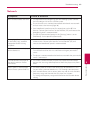
DivX VOD
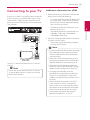
TV Sound Connecting
ABOUT DIVX VIDEO: DivX® is a digital video format
created by DivX, LLC, a subsidiary of Rovi Corporation.
This is an official DivX Certified® device that plays
DivX video. Visit divx.com for more information and
software tools to convert your files into DivX videos.
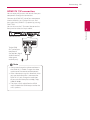
You can listen to TV sound through this unit’s
speaker automatically when TV is turned on. TV and
this unit should be connected with optical cable.
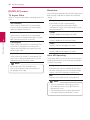
ABOUT DIVX VIDEO-ON-DEMAND: This DivX
Certified® device must be registered in order to play
purchased DivX Video-on-Demand (VOD) movies.
To obtain your registration code, locate the DivX
VOD section in your device setup menu. Go to vod.
divx.com for more information on how to complete
your registration.
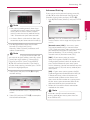
[Register]
Displays the registration code of your player.
Deactivate your player and display the
deactivation code.
,,Note
All the downloaded videos from DivX(R) VOD
with this player’s registration code can only be
played on this unit.
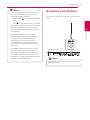
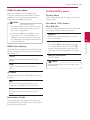
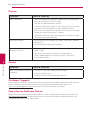
Auto Power Off
The screen saver appears when you leave the
player in Stop mode for about 5 minutes. If you
set this option to [On], the unit automatically
turns off within 20 minutes since the Screen Saver
is displayed. Set this option to [Off ] to leave the
screen saver until the unit is operated by the user.
,,Note
When you set [Auto Power Off ] function in
setting menu on, this unit will be off itself to
save electronic consumption in the case main
unit is not connected to external device and is
not used for 25 minutes.
So does this unit after six hours since Main unit
has been connected to other device using
analog input.
Initialize
[Factory Set]
You can reset the player to its original factory
settings.
[Blu-ray Storage Clear]
Initializes the BD-Live content from the
connected USB storage.
,,Note
If you reset the player to its original factory
settings using [Factory Set] option, you have to
set all the activation for the online services and
network settings again.
Software
[Information]
Displays the current software version.
[Update]
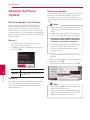
You can update the software by connecting
the unit directly to the software update server
(page 66).
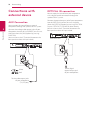
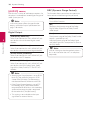
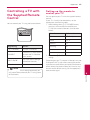
SIMPLINK / ARC
-- The SIMPLINK function allows you to control this
unit with LG TV’s remote control.
-- The ARC function enables an HDMI capable TV
to send the audio stream to HDMI OUT of this
player.
Set this option to [On] for activating [SIMPLINK /
ARC] function. (page 16)
3
System Setting
[Deregister]
Press W to move and press A/D to select [On] or
[Off ]. Select [OK] and press ENTER (b).