1
Intel Desktop Board DZ75ML-45K Technical Product Specification
2 Technical Reference
2.1 Memory Resources ........................................................................... 41
2.1.1 Addressable Memory.............................................................. 41
2.1.2 Memory Map ......................................................................... 43
2.2 Connectors and Headers .................................................................... 43
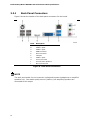
2.2.1 Back Panel Connectors ........................................................... 44
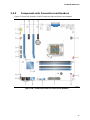
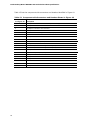
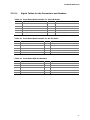
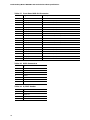
2.2.2 Component-side Connectors and Headers................................. 45
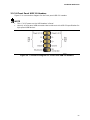
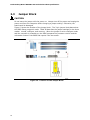
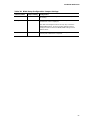
2.3 Jumper Block ................................................................................... 54
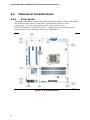
2.4 Mechanical Considerations ................................................................. 56
2.4.1 Form Factor .......................................................................... 56
2.5 Electrical Considerations .................................................................... 57
2.5.1 Power Supply Considerations .................................................. 57
2.5.2 Fan Header Current Capability ................................................ 58
2.5.3 Add-in Board Considerations ................................................... 58
2.6 Thermal Considerations ..................................................................... 58
2.7 Reliability ........................................................................................ 61
2.8 Environmental .................................................................................. 61
3 Overview of BIOS Features
3.1 Introduction ..................................................................................... 63
3.2 BIOS Flash Memory Organization ........................................................ 65
3.3 Resource Configuration ..................................................................... 65
3.3.1 PCI Express Autoconfiguration ................................................ 65
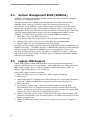
3.4 System Management BIOS (SMBIOS) ................................................. 66
3.5 Legacy USB Support ......................................................................... 66
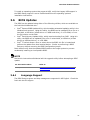
3.6 BIOS Updates .................................................................................. 67
3.6.1 Language Support ................................................................. 67
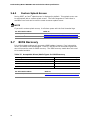
3.6.2 Custom Splash Screen ........................................................... 68
3.7 BIOS Recovery ................................................................................. 68
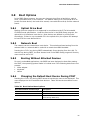
3.8 Boot Options .................................................................................... 69
3.8.1 Optical Drive Boot ................................................................. 69
3.8.2 Network Boot........................................................................ 69
3.8.3 Booting Without Attached Devices ........................................... 69
3.8.4 Changing the Default Boot Device During POST......................... 69
3.9 Adjusting Boot Speed ........................................................................ 70
3.9.1 Peripheral Selection and Configuration ..................................... 70
3.9.2 BIOS Boot Optimizations ........................................................ 70
3.10 BIOS Security Features ..................................................................... 71
3.11 BIOS Performance Features ............................................................... 72
4 Error Messages and Beep Codes
4.1
4.2
4.3
4.4
viii
Speaker .......................................................................................... 73
BIOS Beep Codes ............................................................................. 73
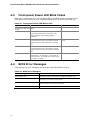
Front-panel Power LED Blink Codes ..................................................... 74
BIOS Error Messages ........................................................................ 74