1
SUPERSERVER 7047R-TRF USER'S MANUAL
3-3
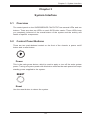
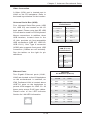
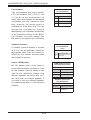
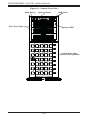
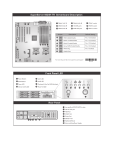
Control Panel LEDs
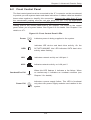
The control panel located on the front of the SC745 chassis has six LEDs that
provide you with critical information related to different parts of the system. This
section explains what each LED indicates when illuminated and any corrective
action you may need to take.
Power
Indicates power is being supplied to the system's power supply. This LED should
normally be on when the system is operating.
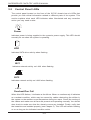
HDD
Indicates SATA drive activity when flashing.
1
NIC1
Indicates network activity on LAN1 when flashing.
2
NIC2
Indicates network activity on LAN2 when flashing.
Overheat/Fan Fail
When this LED flashes, it indicates a fan failure. When on continuously it indicates
an overheat condition, which may be caused by cables obstructing the airflow in
the system or the ambient room temperature being too warm. Check the routing of
the cables and make sure all fans are present and operating normally. You should
also check to make sure that the chassis covers are installed. Finally, verify that
the heatsinks are installed properly (see Chapter 5). This LED will remain flashing
or on as long as the indicated condition exists.
3-2