1
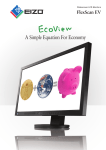
Widescreen LCD Monitors FlexScan EV A Simple Equation For Economy The FlexScan EV series embodies EIZO’s “EcoView” concept of combining ergonomic and environmental features for an economi cal result. A compact design, flexible stand, and energy-saving LED backlights make these monitors ideal for trading floors, government Ergonomics facilities, offices, and homes. Clear View from Different Angles Versatile Positioning The FlexScan EV2335W has a non-glare IPS panel with 178° viewing angles so it exhibits minimal change in contrast and hue when viewed from off center, making it ideal for a multi-monitor setup. These monitors come with the highly versatile FlexStand 2 which offers tilt, swivel, portrait rotation, laptop-like screen placement, and 165 mm of height adjustment. The FlexScan EV2315W has 170° vertical and 160° horizontal viewing angles. It comes with an “Up View” function which minimizes the washing out of colors for improved visibility in environments where the user must look up to see the screen. Height Adjustment Portrait Tilt Swivel 30° 165 mm Right 90° 344° Adjustable to Just 1% of Maximum Brightness Panel with narrow viewing angles Up View Off IPS panel In a dimly-lit work environment, a monitor with low brightness settings will be more comfortable to use. Both models come with LED backlights that allow for adjusting the brightness to just 1% (about 3 cd/m2) of the maximum. With typical CCFL backlights the lowest you could adjust to would be a much brighter 20%. Up View On Paper Mode and EyeCare Filter Reduce Eye Fatigue Designed to reduce eye fatigue, Paper mode simulates the look of printed paper and helps prevent eyestrain when reading documents. What’s more, a new feature called EyeCare Filter, available with the bundled ScreenManager Pro software, comes with several filter patters that resemble different types of paper. sRGB Mode 3 cd/m2 (1% brightness) 250 cd/m2 (100% brightness) EyeCare Manager EIZO’s EyeCare Manager, another feature available with the bundled ScreenManager Pro software, prompts workers to take scheduled breaks to avoid eye fatigue caused by prolonged monitor use. EyeCare also totals and displays on-screen the monitors’ usage hours for each day and month to promote worker awareness of how much time they spend in front of their monitors. EyeCare reminds workers to take regular breaks to pre vent eye fatigue. Paper Mode Choice of filter patterns Paper Mode with EyeCare Filter 2 Environment Both models use an LED backlight which contains no mercury. The backlight also provides significant power savings compared to conventional CCFL backlights, requiring just 16 watts during normal use and less than 0.1 watts in power-save mode. Optimized Brightness Two original EIZO features are included for optimal screen brightness. Auto EcoView measures the ambient light and automatically adjusts the screen’s brightness accordingly. A new function called EcoView Optimizer fine-tunes these changes by further adjusting the screen’s brightness depending on the kind of content being displayed. Together, these two features trim power usage by up to 54% while reducing eye fatigue. Improved Work Efficiency, Reduced Visual Fatigue EIZO conducted a survey to establish the relationship between eye fatigue and monitor use. The results showed that features like Auto EcoView and ergonomic stands helped reduce eye fatigue and improved work efficiency by 12.5%. Increases in Quantity of Monitor Work 4.6% 110 increase increase 100 % 100 0 112.5% 104.6 % 105 Standard (maximum brightness) Appropriate brightness Appropriate brightness + correct working posture, regular breaks Measurement Condition Lower Power Consumption for Greater Savings Auto EcoView cuts power consumption by up to 54% compared to operating the monitor at the default brightness of 100%. Model* Auto EcoView Sensor 7.9 % [%]115 Quantity of work Environmentally-Friendly LED Backlight Economy Auto EcoView OFF* Auto EcoView ON FlexScan EV2335W 35 W 16 W Power Reduction 54% FlexScan EV2315W 31 W 16 W 48% *Figures for Auto EcoView turned off assume monitors are set to the default factory brightness of 100%. Recycled Plastic 5-Year Manufacturer’s Limited Warranty The front and rear cabinets as well as the front buttons are partially made of recycled plastic. EIZO backs these monitors with a 5-year warranty. This makes them an investment that pays off over time — doing away with worries of frequent product replacement and resultant downtime. Power Management Software EIZO EcoView NET software allows your organization to reduce its electric bills while minimizing its burden on the environment by centralizing control over the power settings of monitors on a network. For FlexScan EV series and other EIZO monitors that support DDC/CI, you can adjust the brightness, turn the Auto EcoView function on and off, and lock the control buttons to prevent tampering with screen settings. You can also switch a PC's primary power and a monitor's secondary power on and off regardless of the manufacturer. EcoView NET summarizes and displays how much power is saved for each monitor as a result of using it over a specified period of time. It is compatible with various Windows operating systems and is available free of charge. Please see www.eizo.com for details. Power save command Network Central PC Receive data ON ON PC power Secondary on/off power on/off Brightness control Auto EcoView on/off Control button lock 3 DisplayPort Connectivity A DisplayPort input with the FlexScan EV2335W allows digital audio and video signal transmission via a single, high-bandwidth cable at distances up to 15 meters without any signal degradation. DVI-D and D-Sub inputs are also included with both monitors. Built-In Speaker and Headphone Jack One 0.5-watt internal speaker and a headphone jack are included. Smooth Playback of Moving Images An overdrive circuit on the FlexScan EV2335W reduces gray-to-gray response time of just 6 ms to ensure that moving images look clean and sharp. Detailed Color Control The OSD menu offers a wide array of color adjustment function including brightness, contrast, gamma, saturation, hue, gain, and color temperature from 4,000 K to 10,000 K in 500 K increments. Preset Modes for Optimum Viewing Paper, Movie, sRGB, and two Custom (user-defined settings) preset modes are included for optimum viewing of different kinds of content. ScreenManager Pro Also bundled, this software lets you adjust your monitor’s color with your mouse rather than the OSD menu buttons. You can also set the off timer, adjust speaker volume, and assign a preset mode to a specific application so that mode becomes active whenever the application is in use (Windows 7 and Vista compatible). EIZO ScreenSlicer ,THPS This bundled software utility lets you more effectively use your screen through partition>VYK7YVJLZZVY )YV^ZLY ing. Simply drop Software windows aligned in parti your windows tioned areas. into configurable partitioned areas and they will be aligned instantly (Windows 7, Vista, and XP compatible). Panel Size Active Display Size (H × V) Panel Type Viewing Angles (H, V) Brightness Contrast Response Time (Typical) 23" / 58 cm (584 mm diagonal) 509.8 × 286.7 mm IPS (with overdrive circuit) 178°, 178° (at contrast ratio of 10:1) 250 cd/m2 1000:1 Gray-to-gray: 6 ms, black-white-black: 16 ms Native Resolution 1920 × 1080 (16: 9 aspect ratio) Pixel Pitch 0.2655 × 0.2655 mm Display Colors 16.77 million, 8-bit display D-Sub mini 15-pin • DVI-D 24 pin • (with HDCP) DisplayPort • (with HDCP) Analog Scanning Freq. (H, V) 31 – 81 kHz, 55 – 76 Hz Digital Scanning Freq. (H, V) 31 – 68 kHz, 59 – 61 Hz (VGA Text: 69 – 71 Hz) Speakers 0.5 W speaker Input / Output Terminals 3.5 mm stereo jack / 3.5 mm headphone jack Power Requirements AC 100 – 120 V / 200 – 240 V, 50 / 60 Hz Power Consumption 16 W (typical), 35 W (maximum) Power Save Mode Less than 0.1 W Height Adj. Range With Stand: 165 mm Tilt / Swivel / Pivot With Stand: 30° Up, 0° Down / 172° Right, 172° Left / 90° Dimensions (W × H × D) With Stand:547 × 360 – 518 × 245.5 mm Without Stand: 547 × 334 × 63.5 mm Net Weight With Stand: 6.7 kg, Without Stand: 4.0 kg Auto EcoView • EcoView Index • EcoView Optimizer • Screen Adjustment Clock, Phase, Position, Range (Auto), Screen Size (full screen, enlarge, normal), Smoothing (5 stages), Border Intensity Color Adjustment Brightness, Contrast, Gamma, Temperature, Saturation, Hue, Gain, Overdrive, Reset Power Management Power Save (VESA DPM, DisplayPort Rev. 1.1a, and DVI DMPM), Off Timer Sound Volume, Power Save, Source (DisplayPort) Other Settings Signal Switching, Product Information (name, serial number, resolution, operating time, etc.), OSD Menu Settings, Adjustment Lock, DDC/CI Lock, Languages (English, French, German, Italian, Japanese, Simplified and Traditional Chinese, Spanish, Swedish), Power Indicator, Reset Preset Modes Available Cabinet Colors Certifications and Standards Supplied Accessories Warranty 23" / 58 cm (584 mm diagonal) 509.8 × 286.7 mm TN 170°, 160° (at contrast ratio of 10:1) 250 cd/m2 1000:1 black-white-black: 5 ms 1920 × 1080 (16: 9 aspect ratio) 0.2655 × 0.2655 mm 16.77 million, 8-bit display • • (with HDCP) – 31 – 68 kHz, 55 – 61 Hz 31 – 68 kHz, 59 – 61 Hz 0.5 W speaker 3.5 mm stereo jack / 3.5 mm headphone jack AC 100 – 120 V / 200 – 240 V, 50 / 60 Hz 16 W (typical), 31 W (maximum) Less than 0.1 W With Stand: 165 mm With Stand: 30° Up, 0° Down / 172° Right, 172° Left / 90° With Stand: 547 × 360 – 518 × 245.5 mm Without Stand: 547 × 334 × 63.5 mm With Stand: 6.2 kg, Without Stand: 3.5 kg • • • Clock, Phase, Position, Range (Auto), Screen Size (full screen, enlarge), Smoothing (5 stages), Border Intensity Brightness, Contrast, Gamma, Temperature, Saturation, Hue, Gain, Reset Power Save (VESA DPM, and DVI DMPM), Off Timer Volume, Power Save Signal Switching, Up View, Product Information (name, serial number, resolution, operating time, etc.), OSD Menu Settings, Adjustment Lock, DDC/ CI Lock, Languages (English, French, German, Italian, Japanese, Simplified and Traditional Chinese, Spanish, Swedish), Power Indicator, Reset Fine Contrast (Paper, Movie, sRGB, User1, Fine Contrast (Paper, Movie, sRGB, User1, User2), Auto Fine Contrast1 User2), Auto Fine Contrast1 Black, Gray & Black Black, Gray & Black TCO Displays 5.1, EPEAT Gold (US), TÜV/ TCO Displays 5.1, EPEAT Gold (US), TÜV/ Ergonomics (including ISO 9241-307), Ergonomics (including ISO 9241-307), TÜV/GS, C-tick, CE, CB, cTÜVus, FCC-B, TÜV/GS, C-tick, CE, CB, cTÜVus, FCC-B, Canadian ICES-003-B, TÜV/S, VCCI-B, Canadian ICES-003-B, TÜV/S, VCCI-B, EPA Energy Star, RoHS, WEEE EPA Energy Star, RoHS, WEEE AC power cord, signal cables (DVI-D – AC power cord, signal cables (DVI-D – DVI-D, DisplayPort), audio cable, EIZO DVI-D, D-Sub – D-Sub), audio cable, LCD Utility Disk (PDF user’s manual, EIZO LCD Utility Disk (PDF user’s manual, ScreenManager Pro for LCD [DDC/CI], ScreenManager Pro for LCD [DDC/CI], EIZO ScreenSlicer software, warranty EIZO ScreenSlicer software, warranty card), setup guide card), setup guide 2 Five Years Five Years2 1 The bundled ScreenManager Pro for LCD is needed to activate Auto Fine Contrast and is compatible with Windows 7/Vista. 2 The usage time is limited to 30,000 hours or less, and the warranty period of the LCD panel is limited to three years from the date of purchase. Eco Labeling These models comply with stringent international labels for ergonomics and energy savings like TCO Displays 5.1, EPA Energy Star, and EPEAT Gold. 153 Shimokashiwano, Hakusan, Ishikawa 924-8566 Japan Phone +81-76-277-6792 Fax: +81-76-277-6793 www.eizo.com © 2011 Eizo Nanao Corporation All product names and logos are trademarks or registered trademarks of their respective companies. EcoView Net is a trademark, and FlexScan and EIZO are registered trademarks of Eizo Nanao Corporation. Specifications are subject to change without notice.